
Math Calculations in Forms and Surveys
You can now add automatic calculations to your enrollment forms and surveys in Enrollio. This is perfect for calculating enrollment fees, tuition packages, or scoring parent surveys based on their responses.
What You Can Do
Score Field: Add a custom Score field that automatically calculates based on other fields in your form. Use this for parent satisfaction surveys, enrollment readiness assessments, or any time you need a calculated result.
Built-in Calculator: Set up math formulas using number and money fields in your forms. The calculator works in real-time as parents fill out your form.
Conditional Logic: Use calculated scores to trigger actions — like showing a discount field when tuition exceeds a certain amount, or redirecting parents to different pages based on their survey responses.
Supported Field Types
- Number fields (ages, number of children, hours needed)
- Money fields (tuition, fees, deposits)
Editing Your Formulas
The Score Editor lets you click anywhere in your formula to make changes. Use arrow keys to move character by character, or press Home to jump to the start and End to jump to the finish. You don't have to clear and retype — just edit exactly where you need to.
How to Set It Up
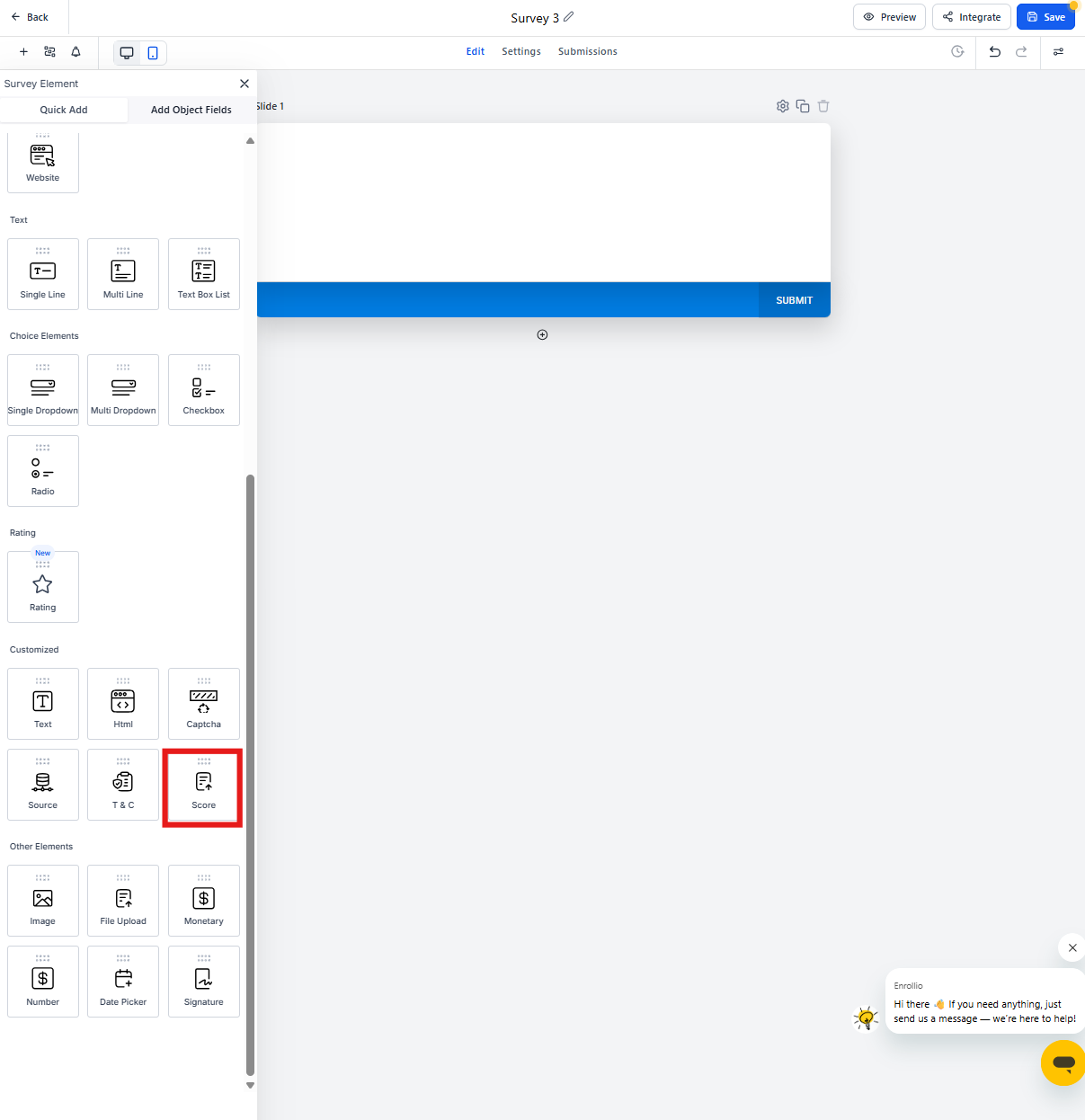
Step 1: Add the Score Field
- Open your enrollment form or survey in the form builder
- Look for the "Score" field in the Quick Add section
- Drag and drop it into your form
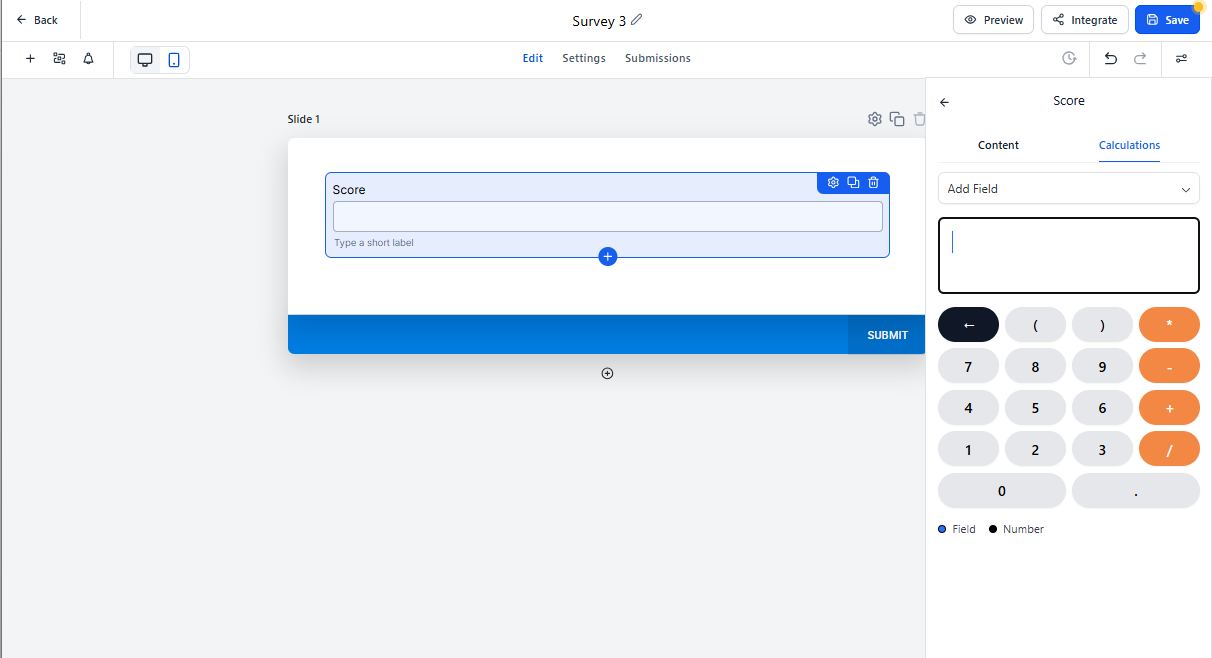
Step 2: Create Your Calculation
- Click the Score field to open its settings
- Select which number or money fields you want to include
- Set up your calculation rules (add, subtract, multiply, divide)
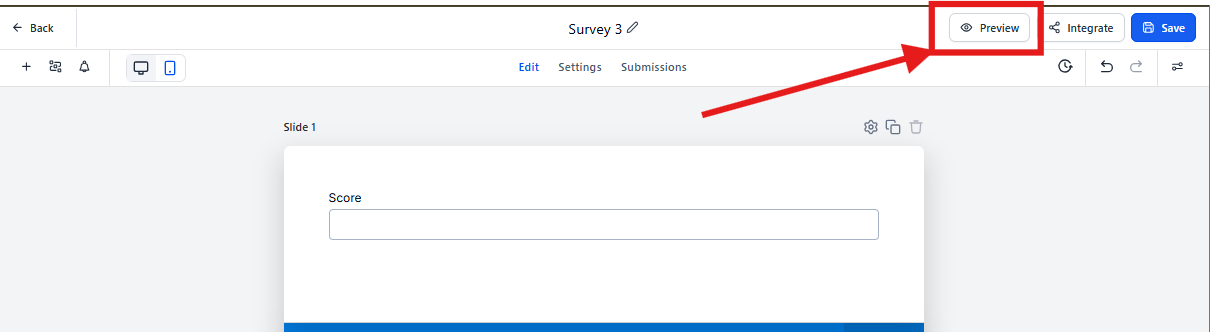
Step 3: Preview in Real-Time
- Click Preview to test your form
- Enter values in your form fields
- Watch the Score field update automatically
Real-World Examples for Childcare
Tuition Calculator: Let parents select care hours and add-ons (meals, extended care), then show the total weekly or monthly cost automatically.
Enrollment Scoring: Create a readiness assessment that scores parent responses and routes them to different follow-up automations based on their fit.
Sibling Discounts: Calculate discounted rates when families enroll multiple children, showing them the savings right in the form.
Why Use This Feature?
Real-time calculations make your enrollment process transparent and professional. Parents appreciate seeing costs calculated instantly, and you save time by automating what used to require manual follow-up.
Whether you're building tuition quotes, parent surveys, or enrollment assessments, calculated fields help you gather better information and provide a smoother experience for families.