
How to Use Enhanced Form Builder Features for Greater Flexibility
We've introduced new layout options in the form builder to give you greater flexibility and control over your enrollment forms, waitlist signups, and contact forms.
What's New
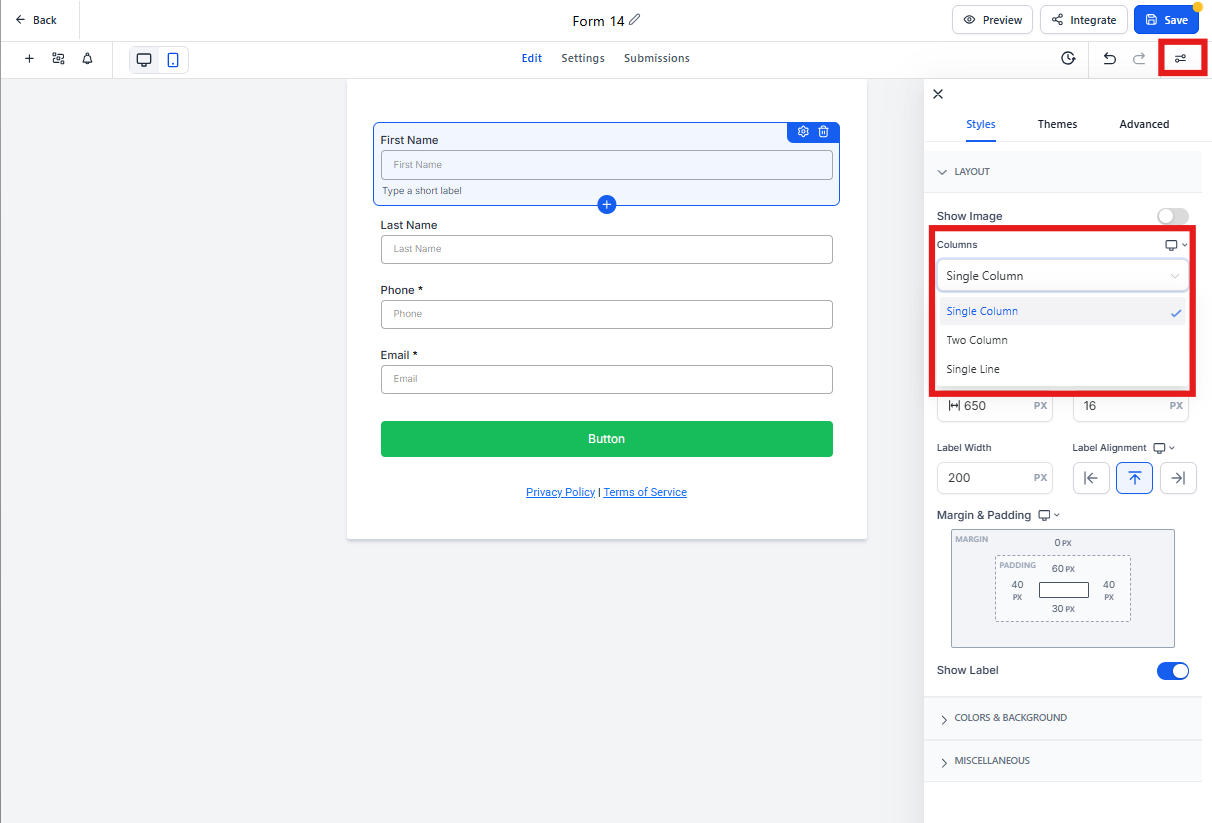
Single Column Layout: The classic layout where all fields are arranged vertically, one below the other. Perfect for detailed enrollment applications where you want parents to focus on one field at a time.
Two Column Layout: Place fields side-by-side in two columns for a balanced, compact form structure. Great for tour registration forms where you want to capture information efficiently.
Single Line Layout: Add up to 5 fields in a single horizontal line for a streamlined, minimalist design. Ideal for quick waitlist signups or newsletter subscriptions.
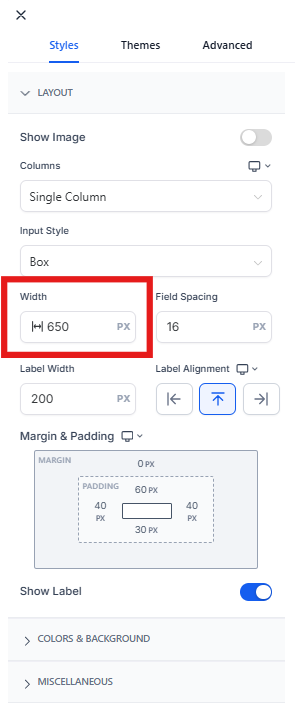
Field Width Control: Set the width of form fields as a percentage of the available form width. This ensures fields scale proportionally across devices and gives you creative control over your form design.
How to Use These Features
- Go to Sites → Forms in your Enrollio dashboard.
- Click on the form you want to edit, or create a new one.
- Choose your preferred layout: Single Column, Two Column, or Single Line.
- For any field, use the Field Width setting to control its size as a percentage of the form width.
- Preview your form to see how it looks on different devices.
- Click Save when you're done.
Key Benefits
- Three versatile layout options to match your form's purpose and appearance
- Responsive design that looks great on desktop, tablet, and mobile
- Professional appearance with custom field widths for a polished, branded experience
- Better conversion with layouts optimized for how parents fill out forms
Important Notes
When you open an existing form in the builder, it will automatically select either Single Column or Two Column layout based on your previous inline form settings. Your existing forms will continue to work exactly as they did before — this update simply gives you more control going forward.
Currently, Single Line forms can include up to 5 fields.
Need Help?
If you have questions about which layout works best for your enrollment forms, contact our support team. We're here to help you create forms that convert.