
What Is Embedding?
Embedding lets you display content from other platforms directly on your Enrollio dashboard. Think of it as creating a window into another tool — without leaving Enrollio.
You can embed things like Google Data Studio reports, Google Docs, calendars, Loom videos, YouTube videos, social media posts, and more. Some platforms don't allow embedding and will block it, but most popular tools work great.
How to Embed Content on Your Dashboard
Step 1: Open Your Dashboard in Edit Mode
Navigate to Client Account > Dashboard, then click the pencil icon to enter edit mode.
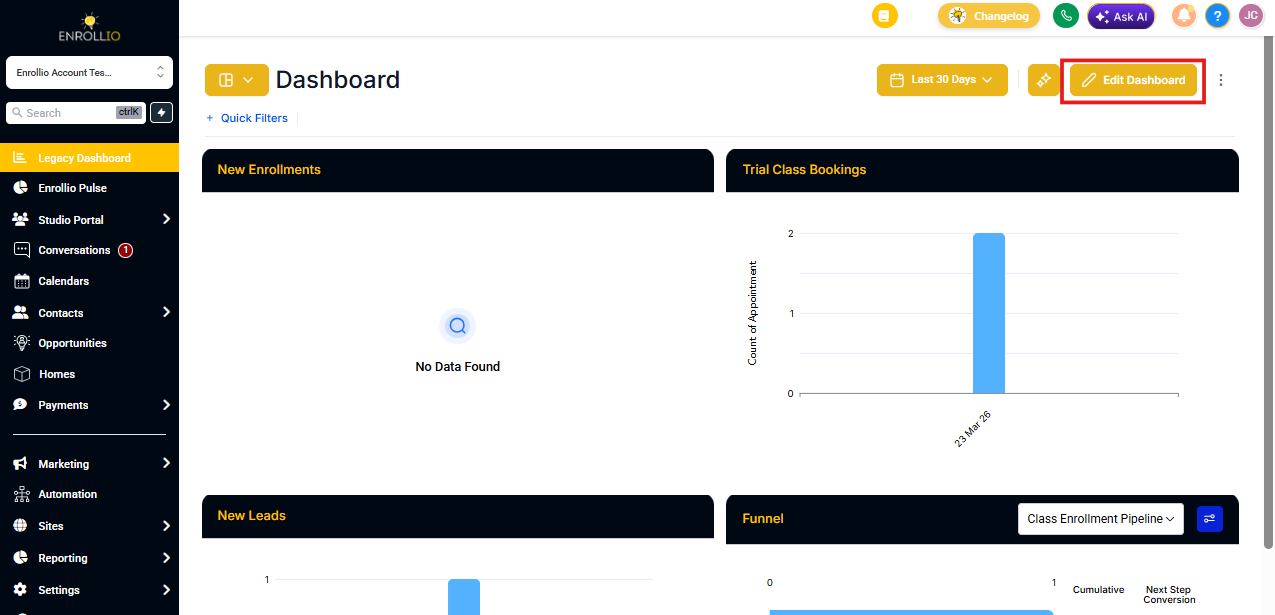
Step 2: Open the Elements Tab
Click on the Elements tab in the dashboard editor.
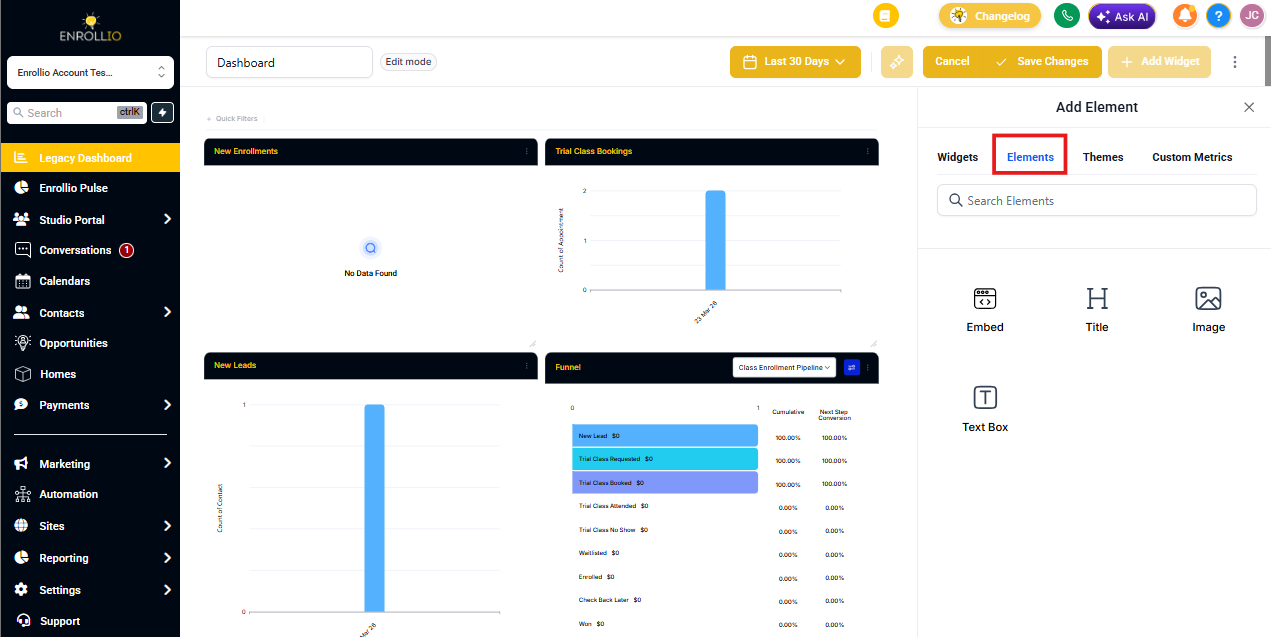
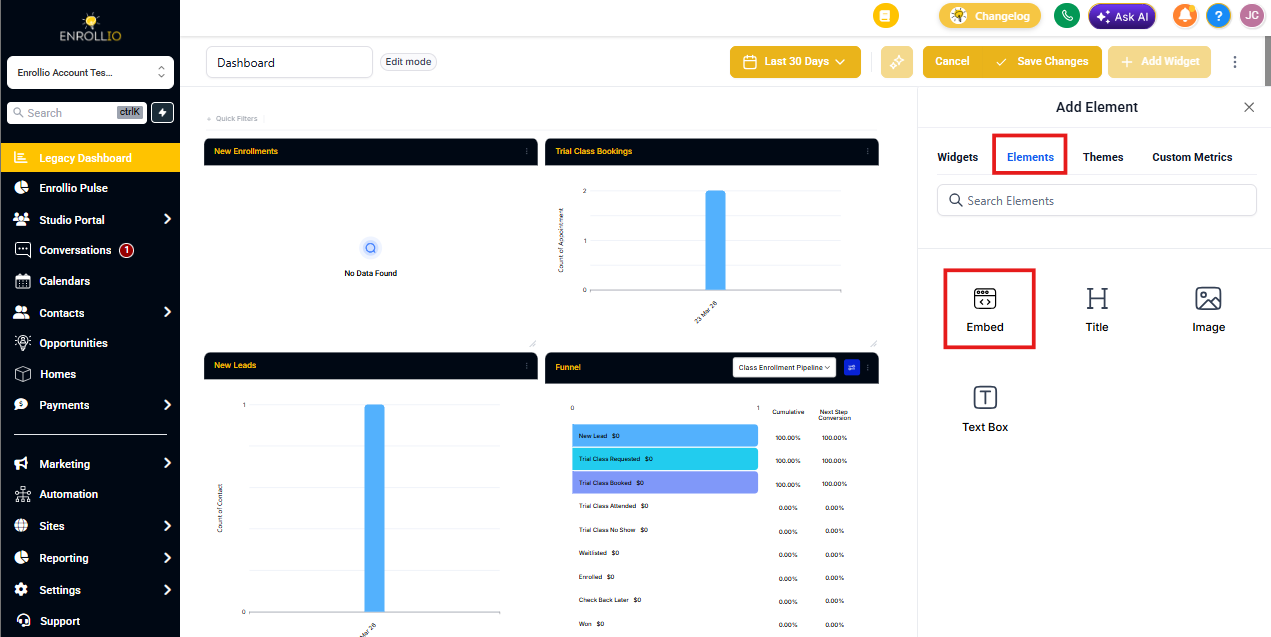
Step 3: Add an Embed Element
Click the Embed button.
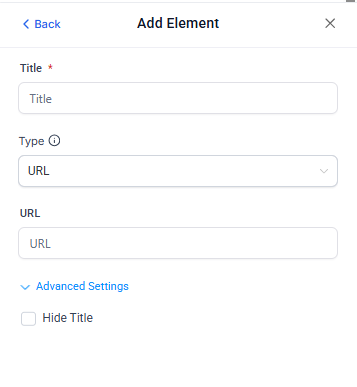
Step 4: Configure Your Embed
Give your embed a title and choose your embed type:
-
URL: Paste the full URL with nothing else (example:
https://www.instagram.com/p/C04TE0DsEkW/embed/) -
IFRAME: Paste the complete iframe code snippet (example:
<iframe src="https://www.openstreetmap.org/export/embed.html?bbox=-0.004017949104309083%2C51.47612752641776%2C0.00030577182769775396%2C51.478569861898606&layer=mapnik"></iframe>)
In the advanced settings, you can choose to hide or show the element's title on your dashboard.
Step 5: Save Your Changes
Click the blue Save button to add the embed to your dashboard.
Common Embed Examples
YouTube Videos
Find the video ID in the URL (everything after watch?v=) and add it to this format:
https://www.youtube.com/embed/[VIDEO_ID]
Example: If your YouTube URL is https://www.youtube.com/watch?v=bFTIQDCvIrc, your embed URL would be https://www.youtube.com/embed/bFTIQDCvIrc
TikTok Videos
Find the video ID in the URL (everything after /video/) and add it to this format:
https://www.tiktok.com/embed/[VIDEO_ID]
Instagram Posts
Get the shareable link for your Instagram post. It will look like this:
https://www.instagram.com/p/C04TE0DsEkW/?utm_source=ig_web_copy_link
Replace everything after the post ID with /embed/ so it looks like this:
https://www.instagram.com/p/C04TE0DsEkW/embed/
Use this final URL in your embed element.