
Auto-Populate Family Information in Surveys
Save parents time by automatically filling in survey fields with information you already have about them. When a family clicks a survey link, Enrollio can pre-populate their name, email, phone number, and any other details stored in their profile.
How It Works
When you send a survey link to a parent or family in your system, Enrollio recognizes them and fills in matching fields automatically. This is especially useful for enrollment applications, tour feedback forms, or family update surveys.
Parents see their information already filled in—they just review, complete any missing details, and submit.
Setting Up Auto-Populate
Step 1: Create Your Survey
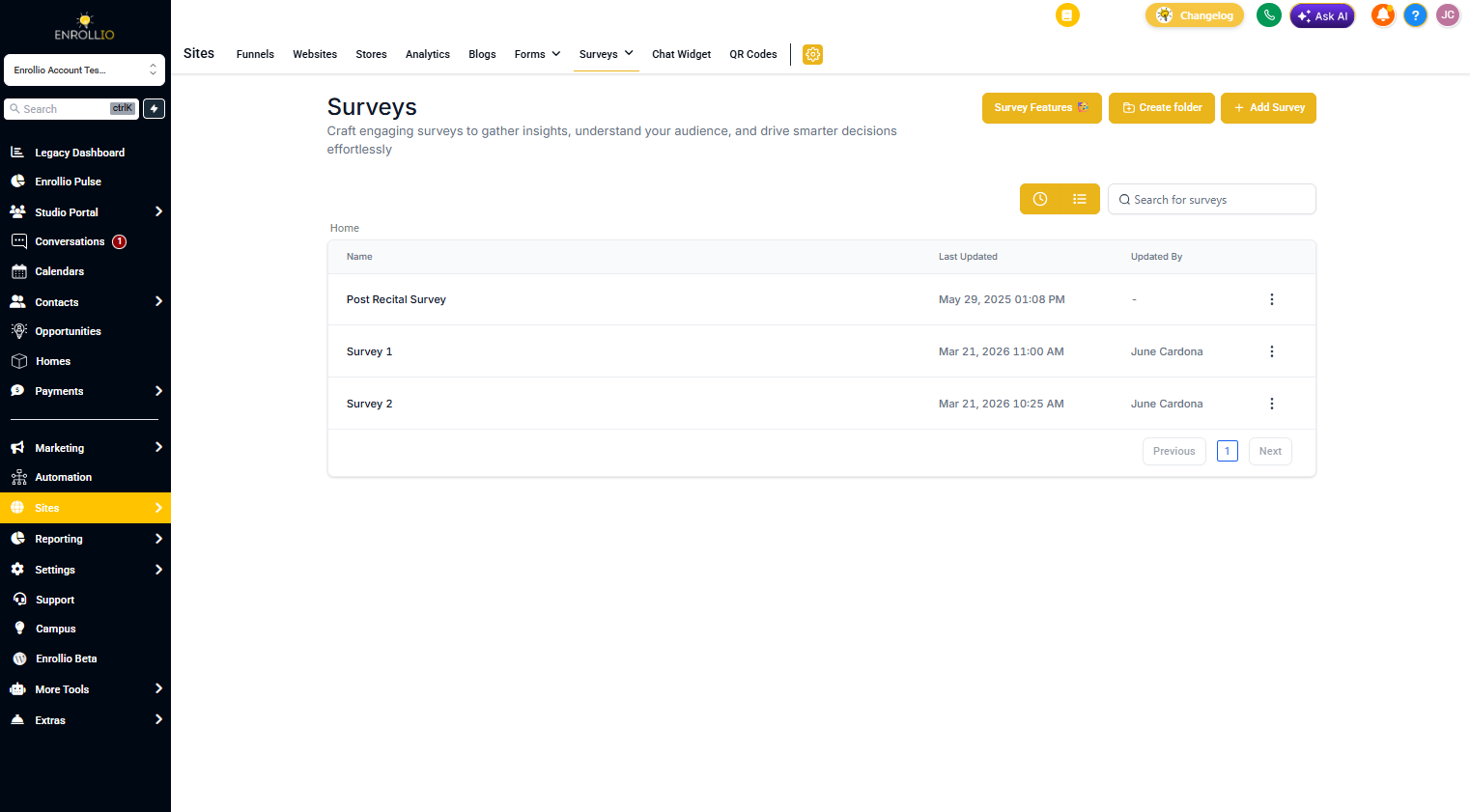
- Go to Sites in your left navigation
- Click Surveys
- Create a new survey or edit an existing one
Step 2: Map Fields to Family Data
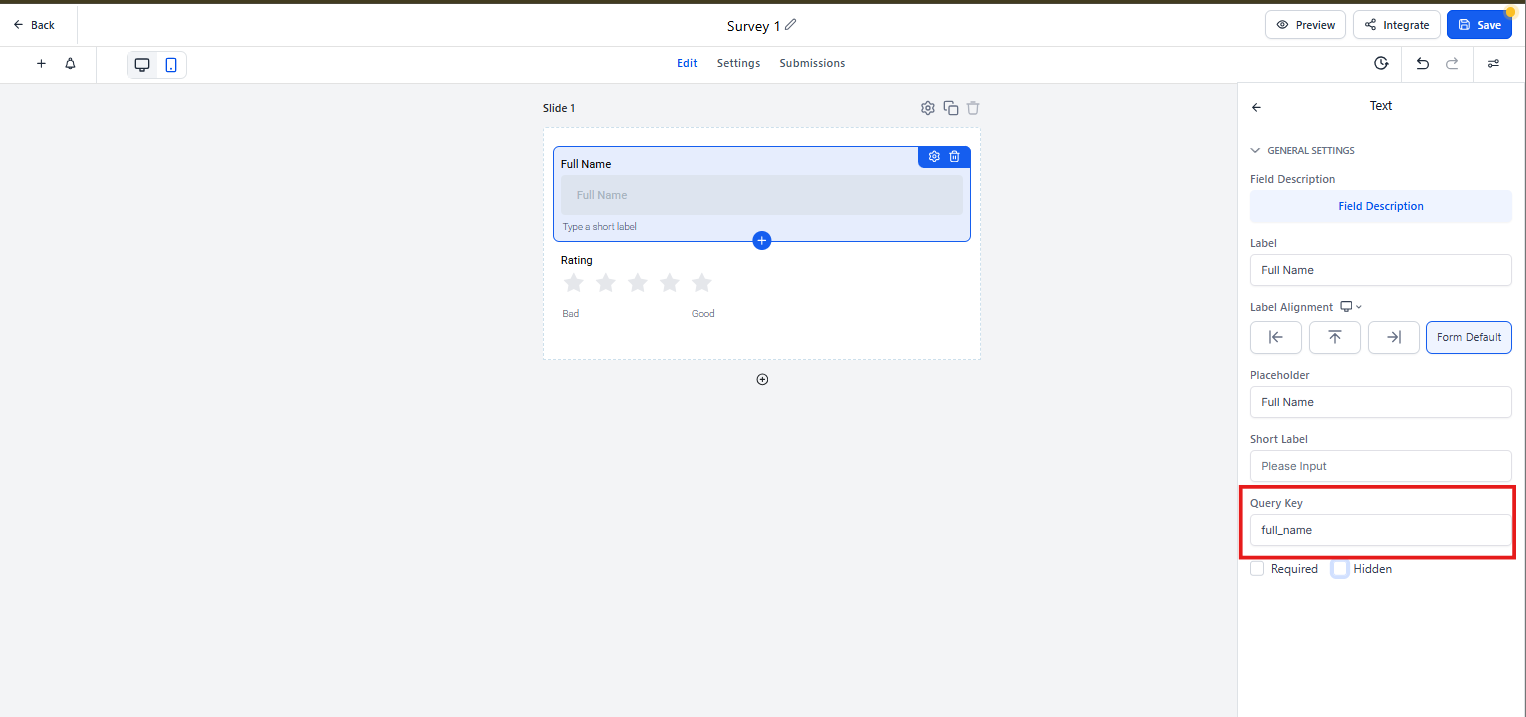
- Click on any form field (like Name, Email, or Phone)
- In the field settings, look for Custom Field Mapping
- Select the matching family profile field from the dropdown
- Repeat for each field you want to auto-populate
Step 3: Send the Survey
When you send the survey link to a family through:
- Text message
- Automation sequence
Enrollio tracks who clicked the link and fills in their information automatically.
Common Use Cases
Enrollment Applications
Pre-fill parent contact details so they only need to add child information and preferences. This makes the enrollment process faster and reduces drop-off.
Tour Feedback Forms
After a tour, send a feedback survey with their name and tour date already filled in. Parents appreciate not re-entering information they've already provided.
Annual Family Updates
Send your current families an update form with their existing information pre-populated. They only update what's changed—like a new phone number or emergency contact.
Important Notes
Survey links must be personalized: Auto-populate only works when you send the survey to a specific family in your system. Generic survey links shared on social media won't pre-fill information.
Privacy-friendly: Families only see their own information, never data from other families.
Updates are saved: When a family submits the survey, any changed information updates their profile in Enrollio automatically.
Troubleshooting
Fields aren't auto-filling: Check that your survey fields are correctly mapped to family profile fields in the field settings.
Wrong information appears: This happens if the survey link was forwarded to someone else. Each survey link is unique to the recipient.
Some fields fill but others don't: Only fields that have data in the family's profile will auto-populate. Empty profile fields will show as blank in the survey.