
Overview
Keep your families' payment information organized and secure. Enrollio lets you add, view, and manage saved payment cards directly from a family's profile — making tuition payments and enrollment fees smooth and hassle-free.
For security and compliance, Enrollio never stores full card details. We securely fetch only the last 3-4 digits and expiration date from your payment provider each time you view a family's cards.
Where to Find Payment Cards
Navigate to Contacts [Family Name] $ icon (Payments) Actions
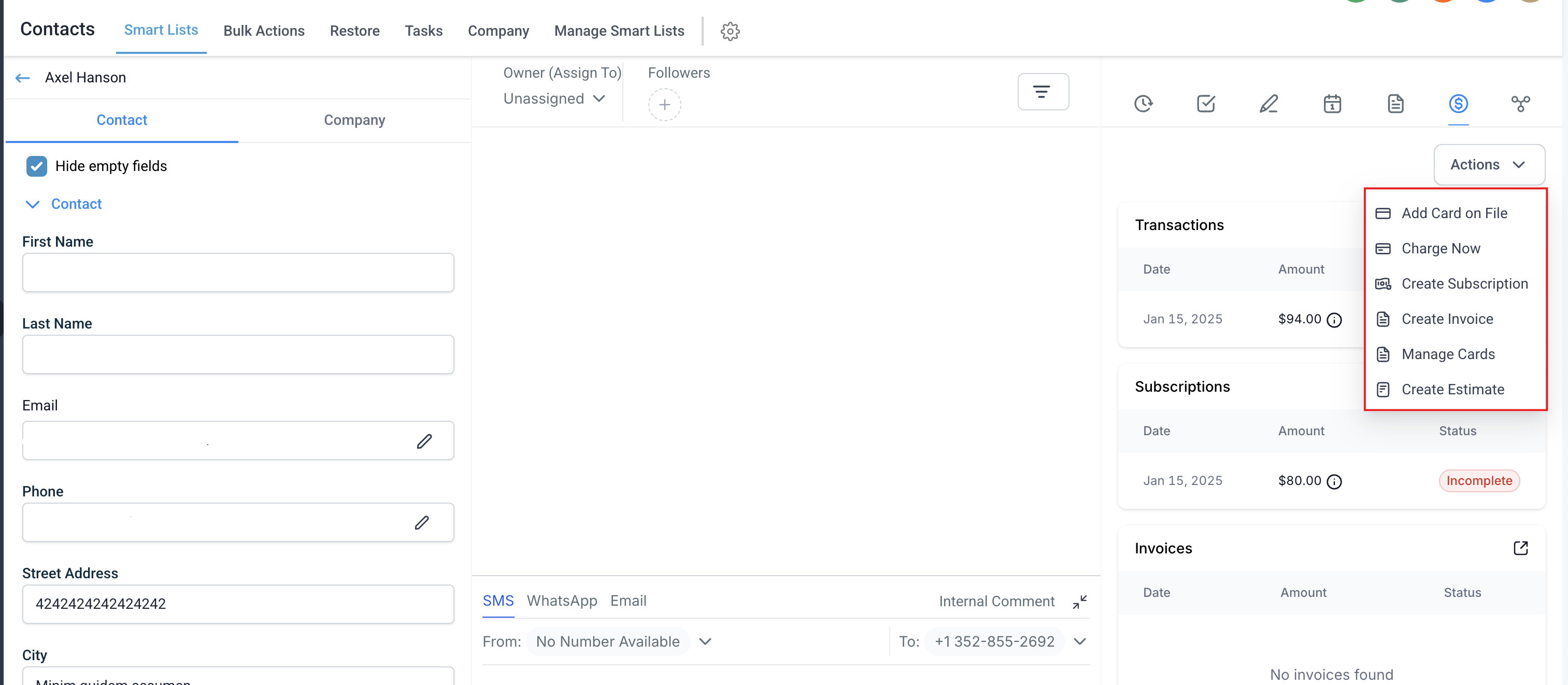
How to Add a Card on File
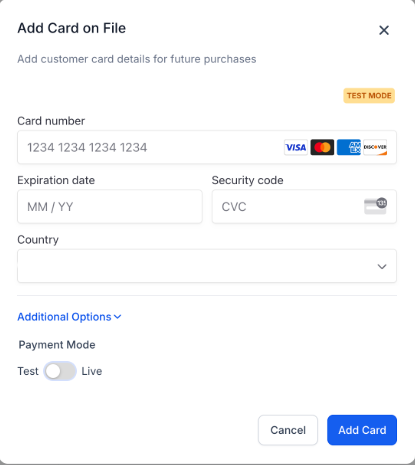
- Click Add Card on File under Actions
- Enter the card number, expiration date, and CVV
- Select the billing country
- Click Add Card
Pro tip: You can add cards in both live and test mode if you're testing payment flows before going live.
How to View Saved Cards
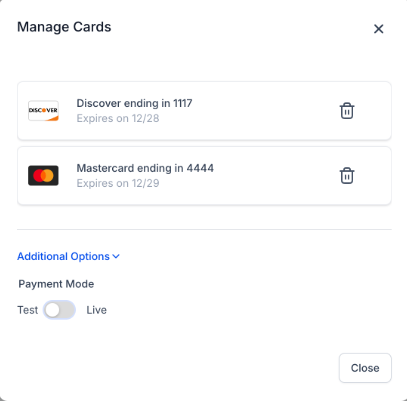
- Click Manage Cards under Actions
- Review the list of saved cards showing last 4 digits, expiration date, and card type (Visa, MasterCard, etc.)
Cards are fetched fresh from your payment provider every time you open this view — we never store complete card data.
Both test mode and live mode cards appear in separate lists for easy management.
How to Delete a Saved Card
- Click Manage Cards under Actions
- Find the card you want to remove
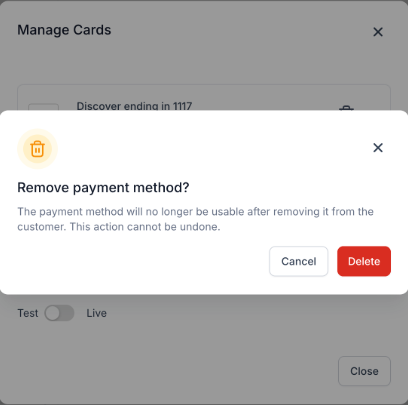
- Click the Delete button next to that card
- Confirm the deletion in the pop-up prompt
Important: If a card is attached to an active recurring payment (like monthly tuition), you'll see a warning before deletion. If you proceed, that recurring payment will no longer have a payment method attached and won't auto-charge.
Security and Compliance
Enrollio follows strict payment card industry compliance standards. We never store complete card information on our servers. Each time you view a family's cards, we securely fetch only the last 3-4 digits and expiration date directly from your payment provider.
All add and delete actions happen through your payment provider's secure infrastructure.