
You can now send proposals and estimates to multiple recipients and collect signatures from each person before finalizing the document. This is perfect when you need both parents to sign an enrollment agreement, or when multiple decision-makers need to approve a proposal.
How Multiple Recipients Work
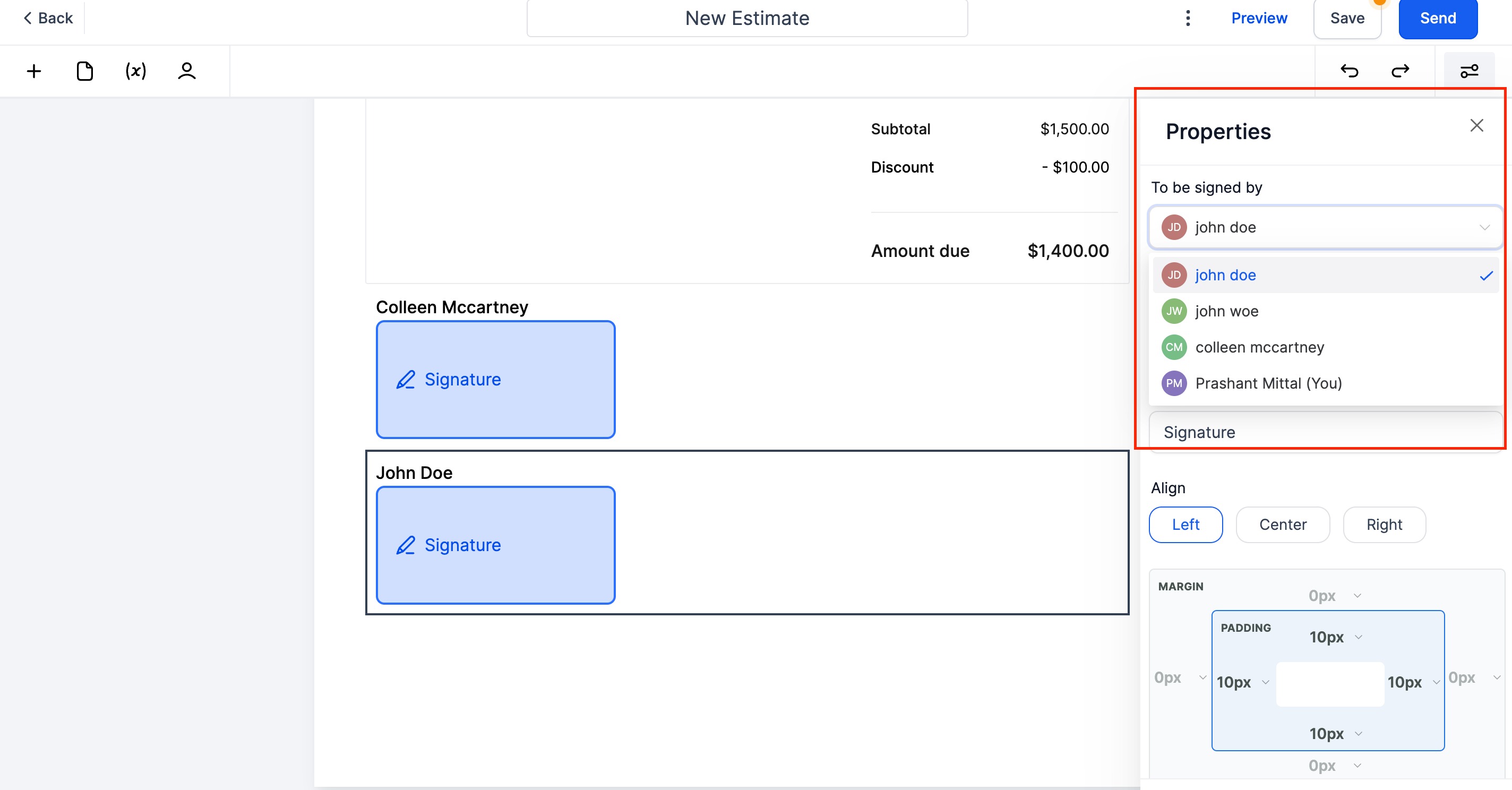
Each recipient receives their own unique link to view and sign the document. They can only access the signature fields assigned to them — not other recipients' fields.
You can also assign a signature field to yourself if you need to sign as the childcare center representative.
Signers vs. CC Recipients
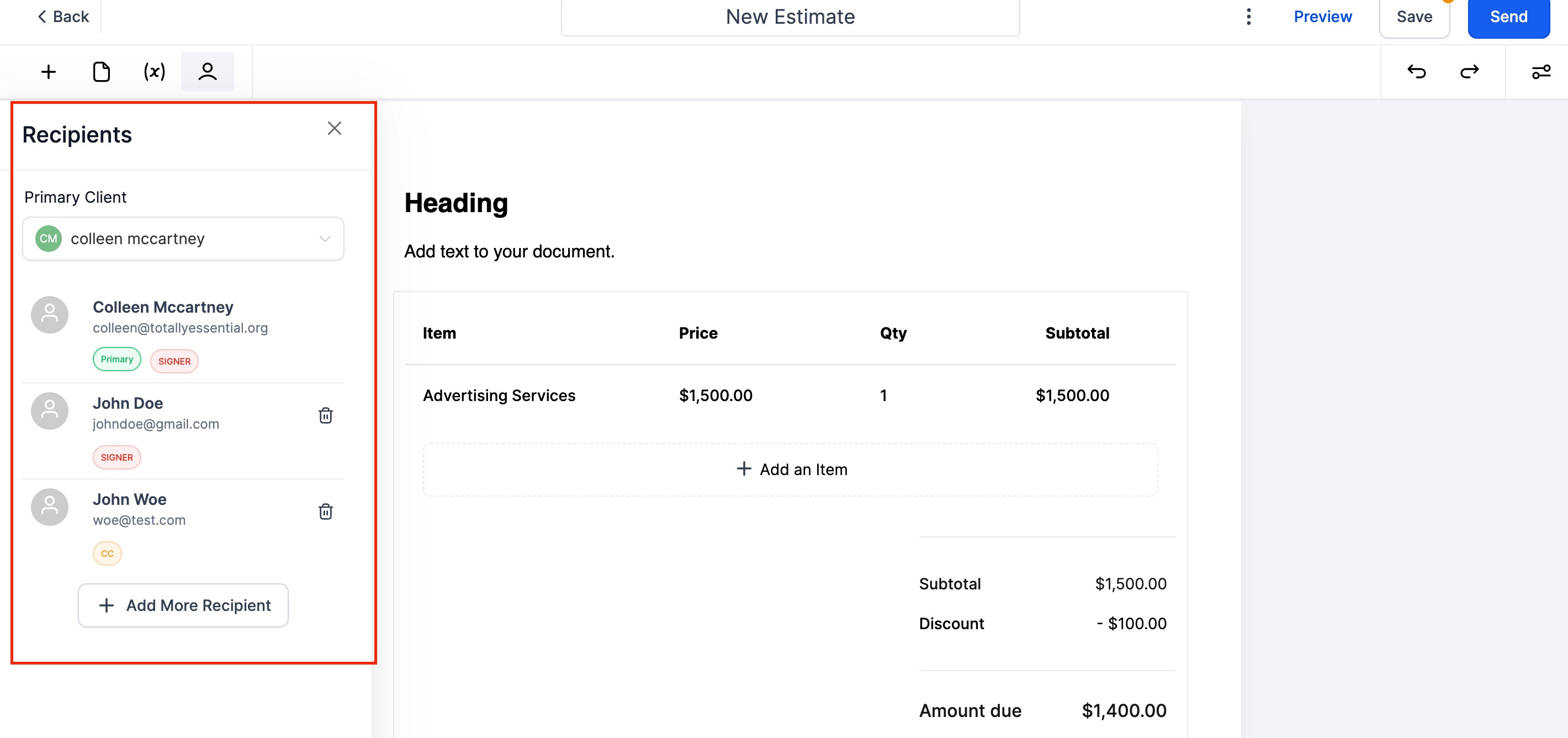
Signers: Any recipient who has a signature field assigned to them. They must sign before the document is finalized.
CC Recipients: Families or staff added to the document for visibility only. They receive a copy but don't need to sign anything.
Setting Up Multiple Recipients
- Create or edit your proposal or estimate
- Click Add Recipient to include additional signers
- Assign signature fields to each recipient by dragging them onto the document
- The first recipient you add is automatically the Primary Recipient — custom fields will pull from their contact info, and any invoice created will be linked to them
After Everyone Signs
Once all signers have accepted and signed the document, Enrollio generates:
- A fully signed PDF copy of the document
- A signature certificate that captures each signer's IP address, location, and the date/time they viewed and signed
This certificate provides a complete audit trail for your records.
Changing the Primary Recipient
The primary recipient determines which family's information populates custom fields and who the invoice gets created for. If you need to change this, simply reorder your recipients — the first one in the list is always primary.