
Payment Links
Payment links let you collect tuition, registration fees, or other payments without needing a separate website. Create a full payment page in minutes and share the link with families—no code required.
How to Create a Payment Link
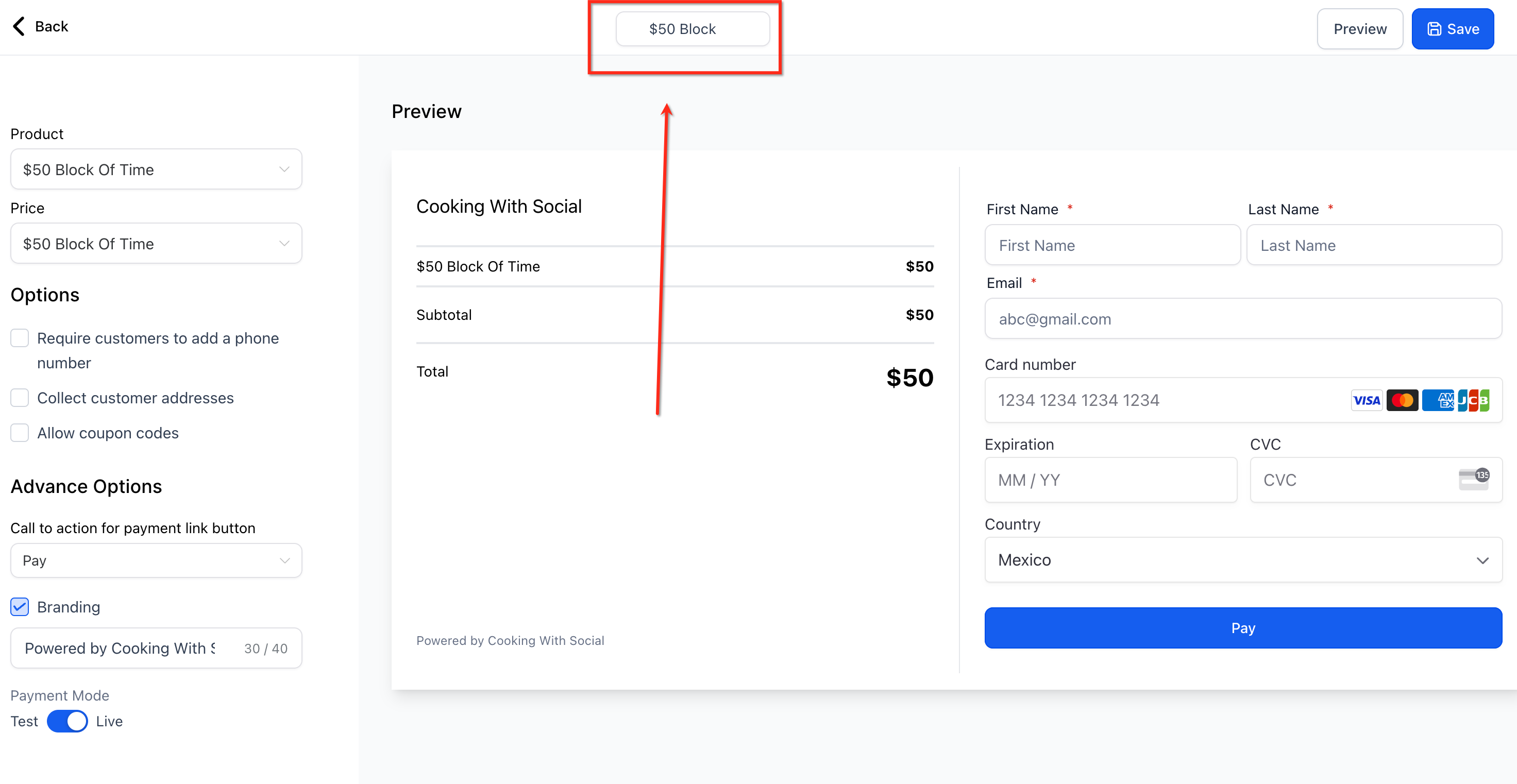
- Navigate to Payments > Payment Links > Create Link
- Give your payment link a name at the top of the screen
- Select a product, then select its price
- Configure optional settings and click Save
- Click Preview, then copy the link from your browser and send it to the parent or family
Language & Localization
Your checkout page automatically displays field labels, buttons, validation, and error messages in the language you've configured in your Business Profile.
Advanced Options: Pre-Fill Information & Auto-Redirect
You can customize your payment links with URL parameters to save families time or redirect them after payment.
Pre-Fill Parent Information
Add these parameters to your payment link URL to pre-populate fields:
firstName=lastName=email=phone=
Auto-Redirect After Payment
Use these parameters to automatically send parents to a thank-you page or next steps:
-
redirectIn=(seconds to wait before redirecting) -
redirectUrl=(destination URL)
Example URL
links.fastpayments.co/payment-link/asfkhwel93/?firstName=Sarah&lastName=Johnson&email=sarah@email.com&phone=2155554545&redirectIn=8&redirectUrl=mysite.com/thank-you
Frequently Asked Questions
Why isn't my manual payment option (like Bank Transfer) showing up on my payment link checkout page?
Manual payment methods are not currently supported on payment link checkout pages. Only automated methods like Stripe and PayPal will appear.
If you need to accept a manual payment like bank transfer or cash, use a traditional invoice or order form instead of a direct payment link.