
What It Does
"One Question at a Time" is a survey setting that displays one question per screen when parents fill out your form. This creates a cleaner, more focused experience that keeps families engaged.
When enabled, each survey question appears on a separate slide — both for your visitors and in the builder preview. This layout helps reduce overwhelm and improves completion rates.
How to Turn It On
- Open your survey in the builder
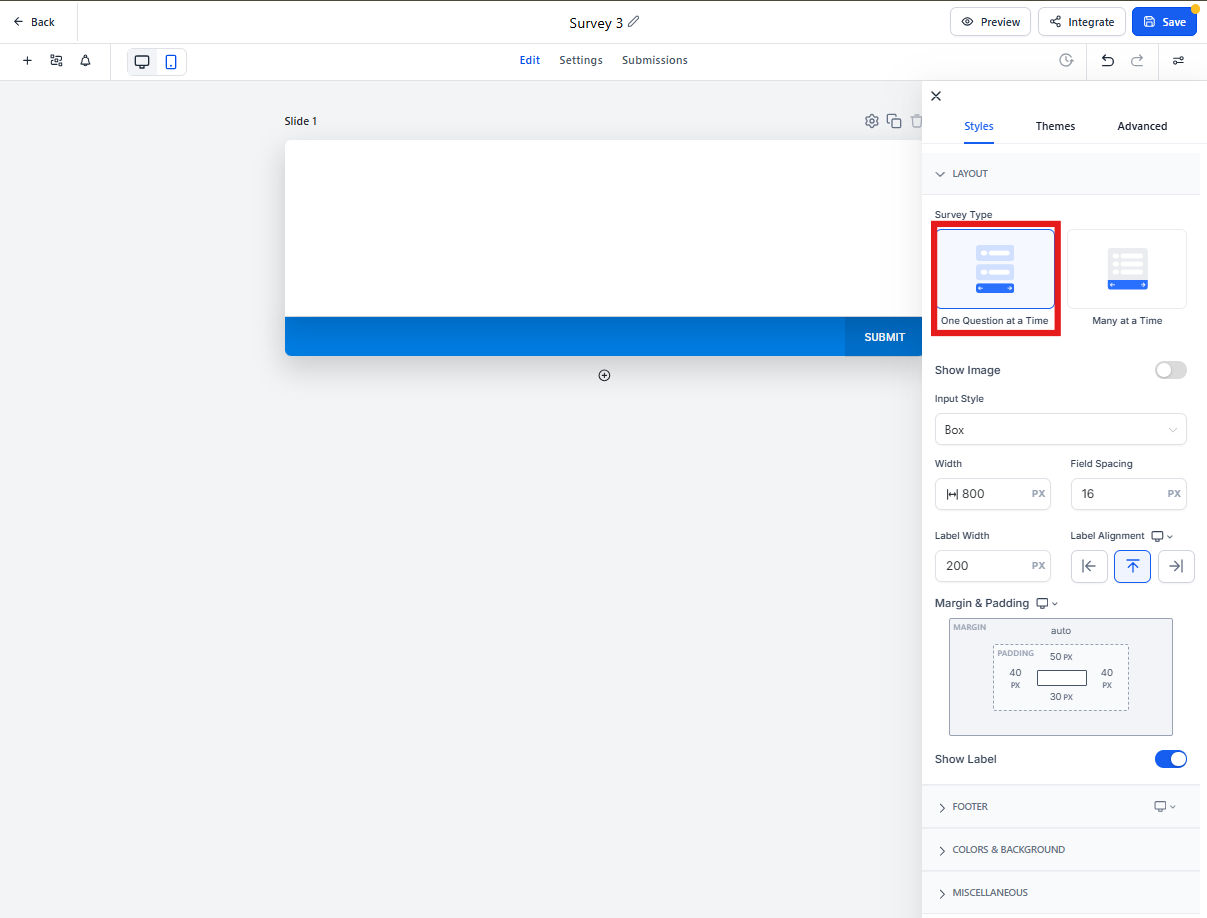
- Click the Styles & Options button in the upper right corner
- Under Survey Type, select One Question at a Time
Once enabled, you'll see each field on its own slide while editing — just like how parents will see it.
Things to Know
Conditional Logic: If you're using conditional logic in your survey, turning this setting on may affect how it works. You'll see a warning before anything changes.
No Questions Lost: This setting only changes how your survey is displayed — it doesn't remove or modify any of your questions.