
The Source Field in forms and surveys helps you track where your prospective families are coming from — whether it's a Facebook ad, Google search, referral link, or tour invitation. Understanding your enrollment sources gives you clear insights into which marketing efforts are actually bringing families through your door.
Why Track Sources?
When a parent fills out your enrollment form or waitlist survey, the source field automatically captures how they found you. This data appears in their family profile, making it easy to see which marketing channels convert best and where to invest your time and budget.
Adding the Source Field to Your Form
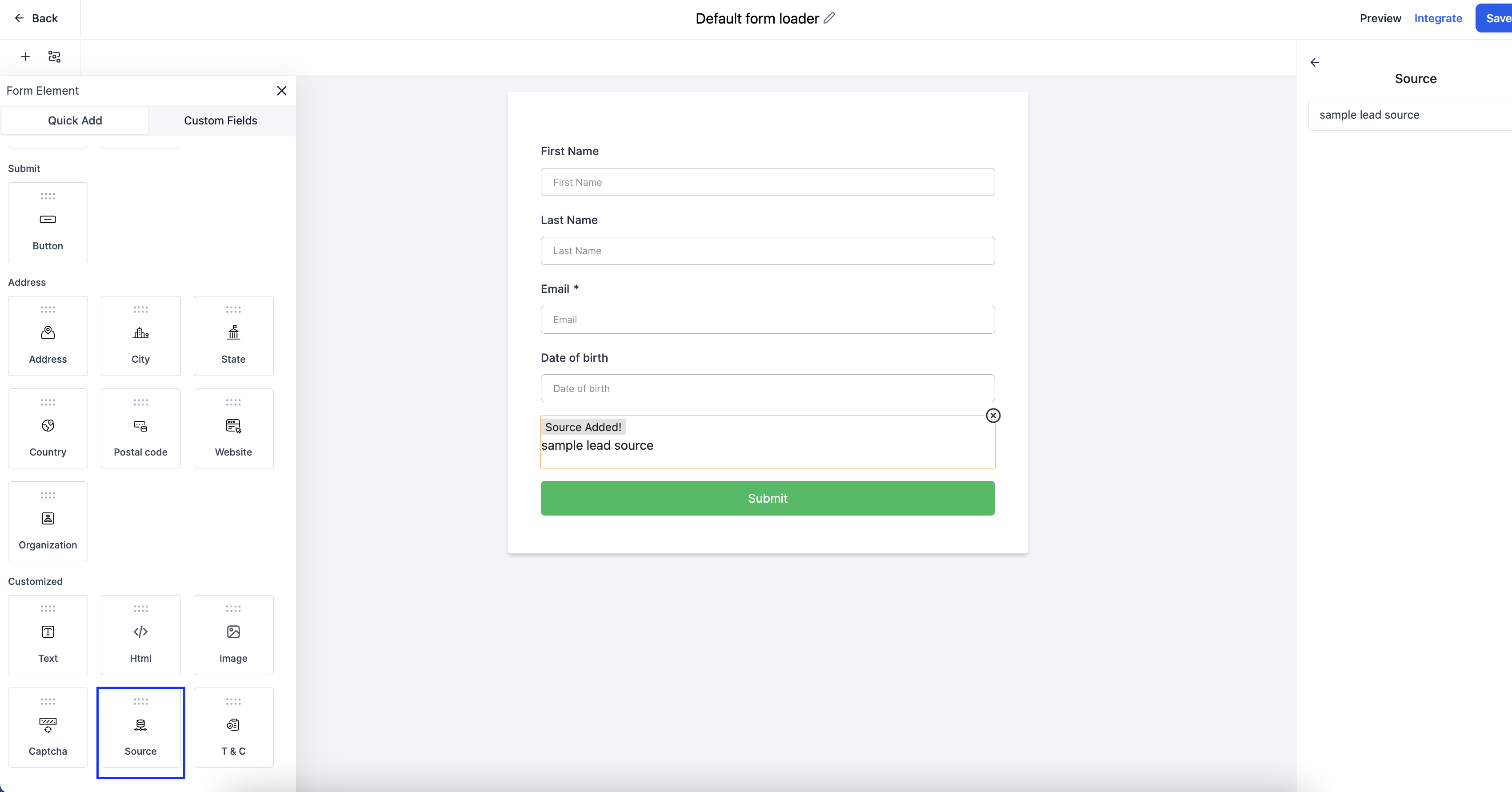
You'll find the Source element under Quick Add in the form builder.
- Drag and drop the Source field into your form
- On the right side panel, enter a default value (like "Website Contact Form" or "Open House 2024")
- The field stays hidden — parents never see it
Pro Tip: Use descriptive source names that you'll recognize in reports later, like "Facebook-Spring-Campaign" instead of generic labels like "ad1".
How Source Data Appears
After a parent submits your form, you'll see the source value in two places:
- In the form submission details
- In the family's profile under "Contact Source"
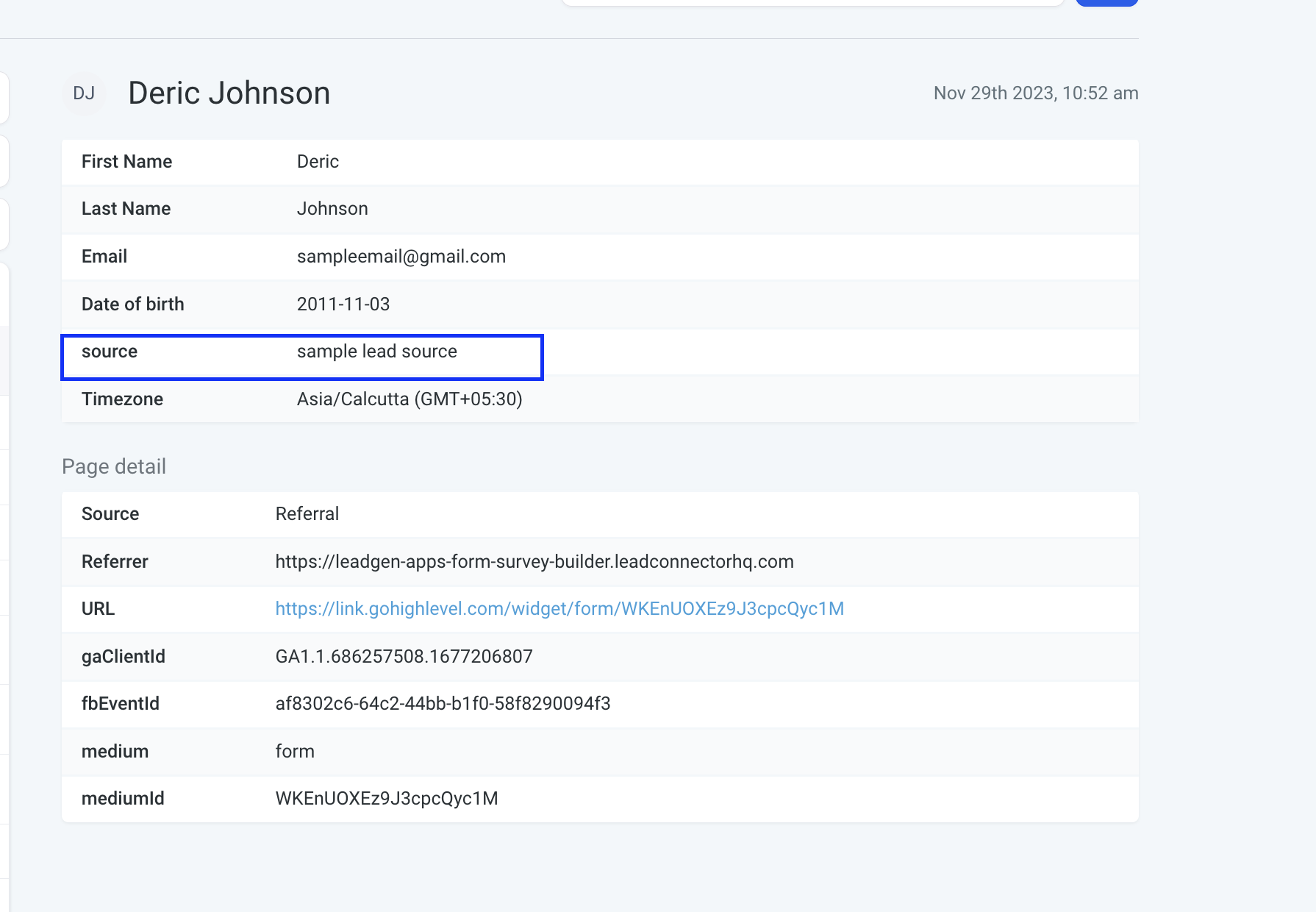
This makes it easy to filter families by source, track which campaigns generate the most enrollments, and calculate your return on marketing spend.
Overriding the Source with URL Parameters
You can dynamically change the source value by adding a parameter to your form URL. This is perfect when you're sharing the same form across multiple channels.
Example:https://enrollio.com/form/abc123?source=instagram-story
When you add ?source=your-custom-value to the end of your form link, it overrides whatever default source you set in the form builder. The submission will show your custom source instead.
Real-World Use Cases
-
Email campaigns: Add
?source=spring-newsletterto track which email drives tours -
Social media: Use
?source=facebook-postfor Facebook and?source=instagram-reelfor Instagram -
Partner referrals: Give pediatricians and local businesses custom links like
?source=dr-smith-referral -
Print materials: Create a short URL with
?source=flyer-2024for postcards and brochures
Pro Tip: Create a simple spreadsheet tracking which source names you're using for each campaign. This keeps your reporting clean and consistent.
Analyzing Your Sources
Once you're tracking sources, you can:
- Filter your family list to see all enrollments from a specific source
- Compare conversion rates between different marketing channels
- Identify which sources bring families who actually complete enrollment
- Stop spending on channels that don't convert
The source field works seamlessly with Enrollio's reporting, so you can see at a glance where your best families come from and double down on what works.