
Search engine optimization (SEO) helps families find your childcare center when they search on Google. When you optimize your blog posts, you make it easier for prospective families to discover your content and learn about your program.
You can update SEO settings for your blog posts in three different places in Enrollio. Choose whichever method works best for your workflow.
Method 1: Add SEO Settings When Creating a New Post
When you're writing a new blog post, you can set up SEO before publishing.
- Navigate to Sites Blog
- Click Create New Post
- Write your blog content
- Before publishing, look for the SEO settings panel
- Fill in your meta title, description, and keywords
- Upload a preview image (max 10MB)
- Click Publish
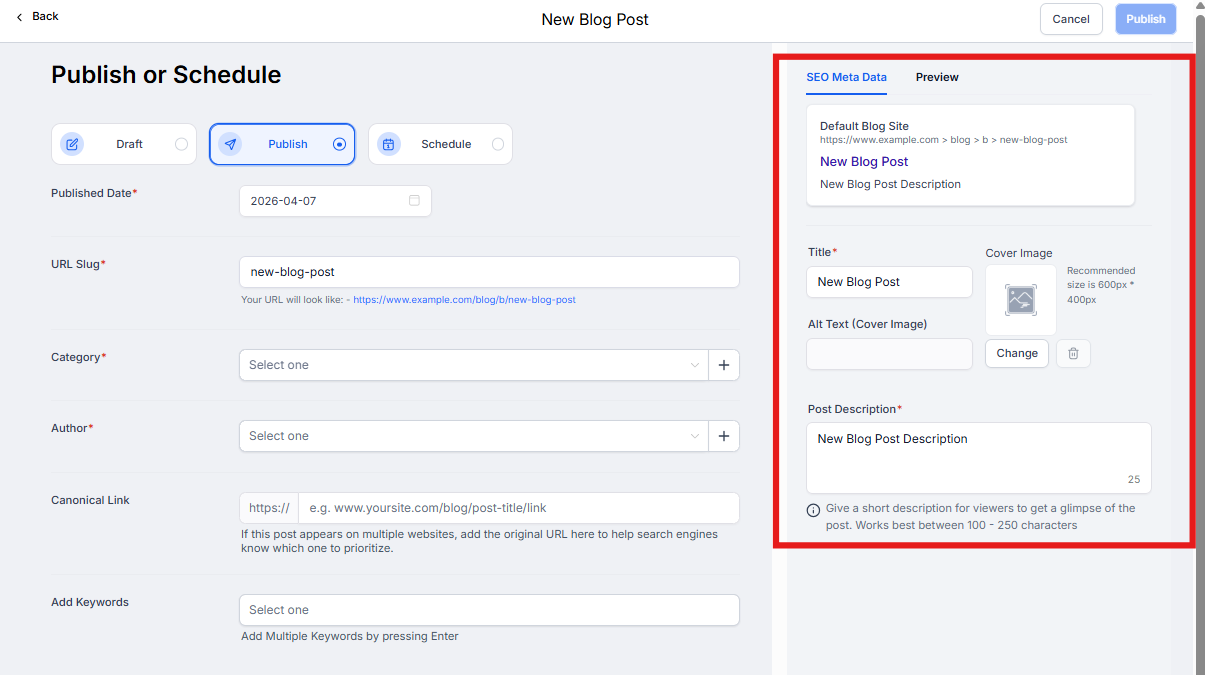
Method 2: Update SEO from the Publish Screen
If you're editing an existing post or want to review SEO before publishing:
- Go to Sites Blog
- Click on the post you want to edit
- Click Editor
- Navigate to the Publish screen
- Update your SEO details in the settings panel
- Save your changes
Note: Your preview image must be 10MB or smaller.
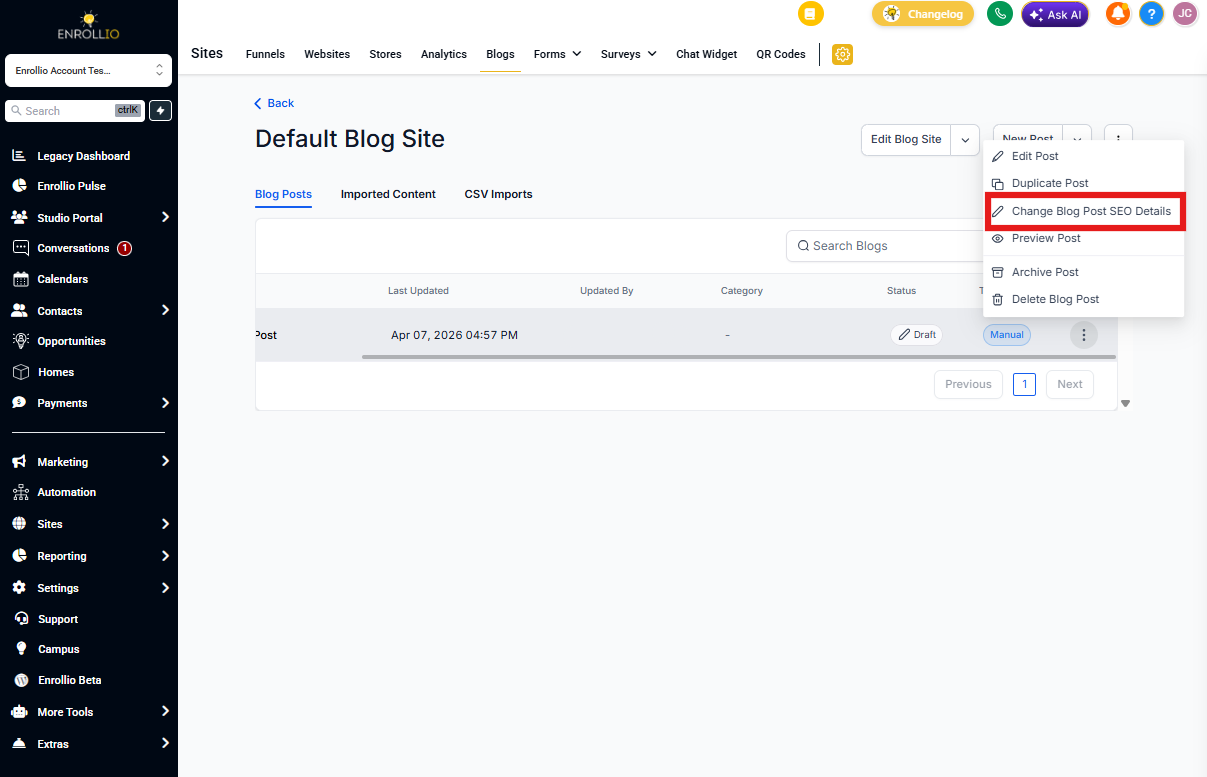
Method 3: Quick Update from Blog List View
This is the fastest way to update SEO for existing posts:
- Navigate to Sites Blog
- Find the post in your blog list
- Click the action dropdown (three dots)
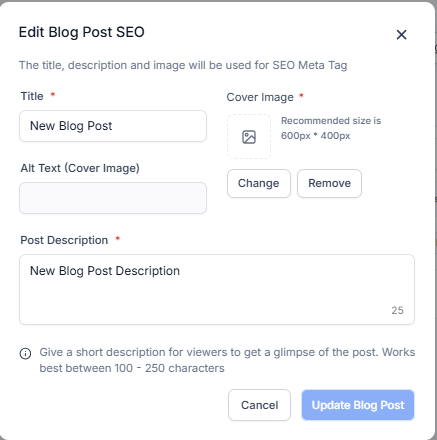
- Select Update SEO Details
- Make your changes
- Click Save
Pro Tip
Write SEO descriptions that speak directly to parents searching for childcare. Instead of generic keywords, use phrases like "preschool in [your city]" or "infant care with flexible schedules" that match how families actually search.
What to Include in Your SEO Settings
Meta Title: Keep it under 60 characters. Include your main topic and location if relevant.
Meta Description: Write 150-160 characters that summarize your post and encourage clicks. Think of this as your post's "elevator pitch" to searching parents.
Preview Image: Choose a clear, relevant image that represents your post content. This appears when your post is shared on social media.