
Want your enrollment pages to look more polished? Rounding button corners is a simple design tweak that can make your pages feel more modern and inviting to families.
Round Your Button Corners
Here's how to adjust the border radius on any button in your enrollment page builder:
- Click on the button element you want to edit
- Open the Advanced settings tab
- Add a border to all sides (you can adjust the border color to match your button)
- Set the border radius to 100px for fully rounded corners
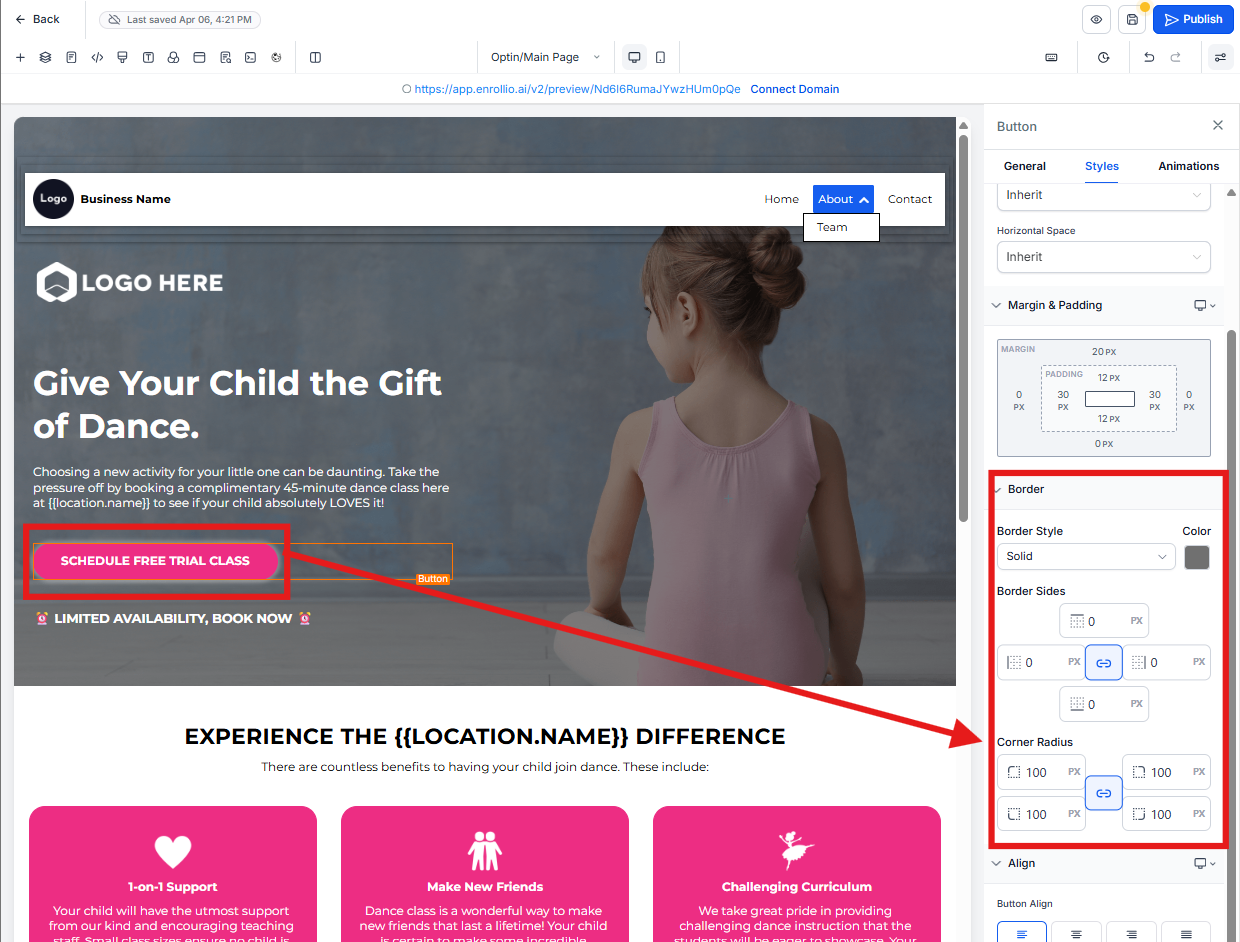
Pro Tip: Start with 100px for pill-shaped buttons. For subtler rounded corners, try 10-20px instead.
Apply Consistently
For a professional look, use the same border radius across all buttons on your enrollment pages. This creates visual consistency that parents will notice.