
How to Set Up Payment Plans for Invoices
Allow families to pay tuition, fees, and other invoices in installments with flexible payment plans. You control the split amounts and due dates — making it easier for parents to manage larger payments while ensuring predictable cash flow for your center.
What Are Payment Plans?
Payment plans let you break a single invoice into multiple installments. Each installment has its own due date and payment status, and parents receive automatic reminders when payments are due.
Key features:
- Split by percentage or fixed amount
- Set individual due dates for each installment
- Automatic payment reminders on due dates
- Parents can pay one or multiple installments at once
- Invoice marks as paid once all installments are complete
How to Create a Payment Plan
Follow these steps to add a payment plan to any invoice:
- Create or open an invoice in Enrollio
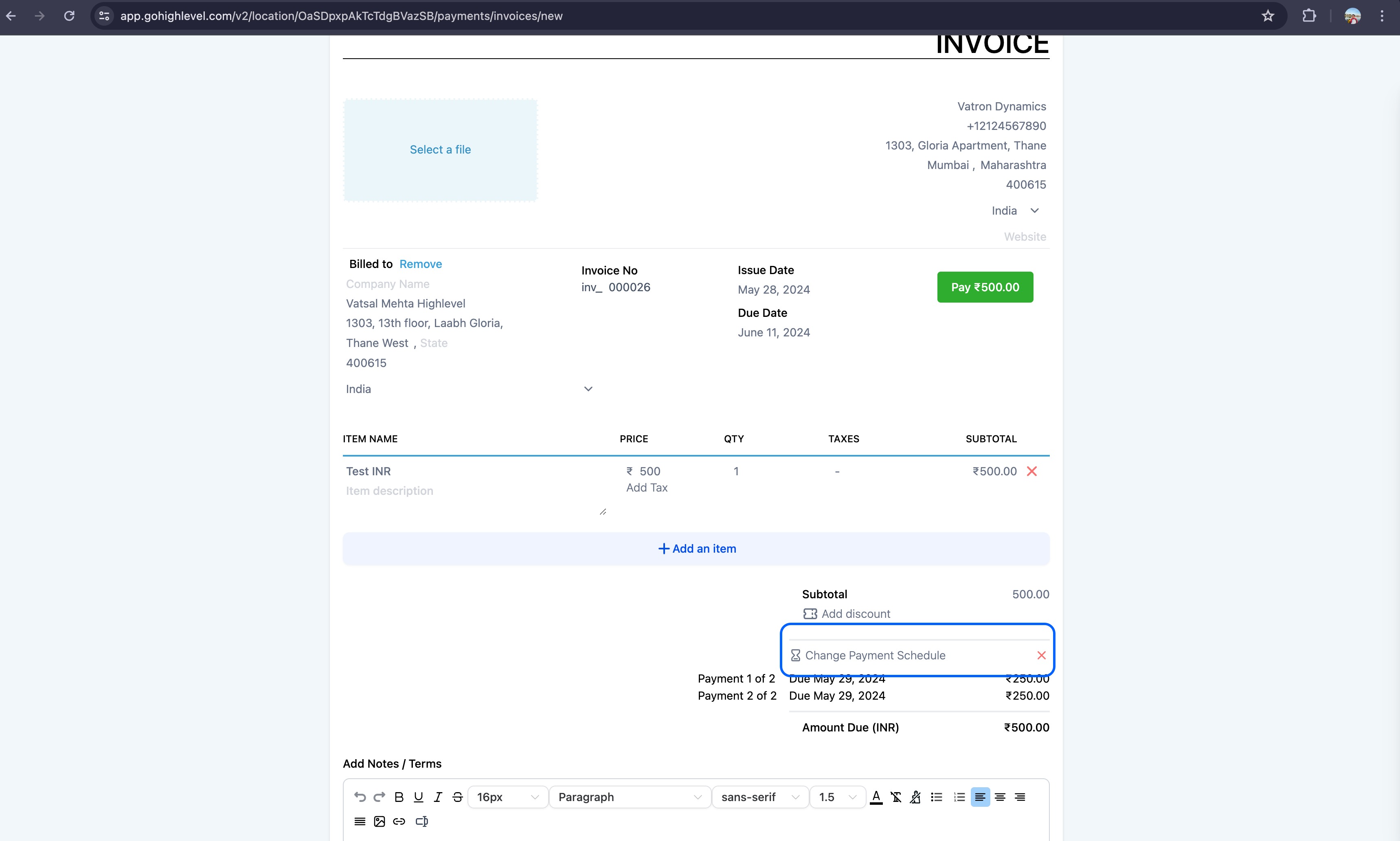
- Click Add Payment Schedule
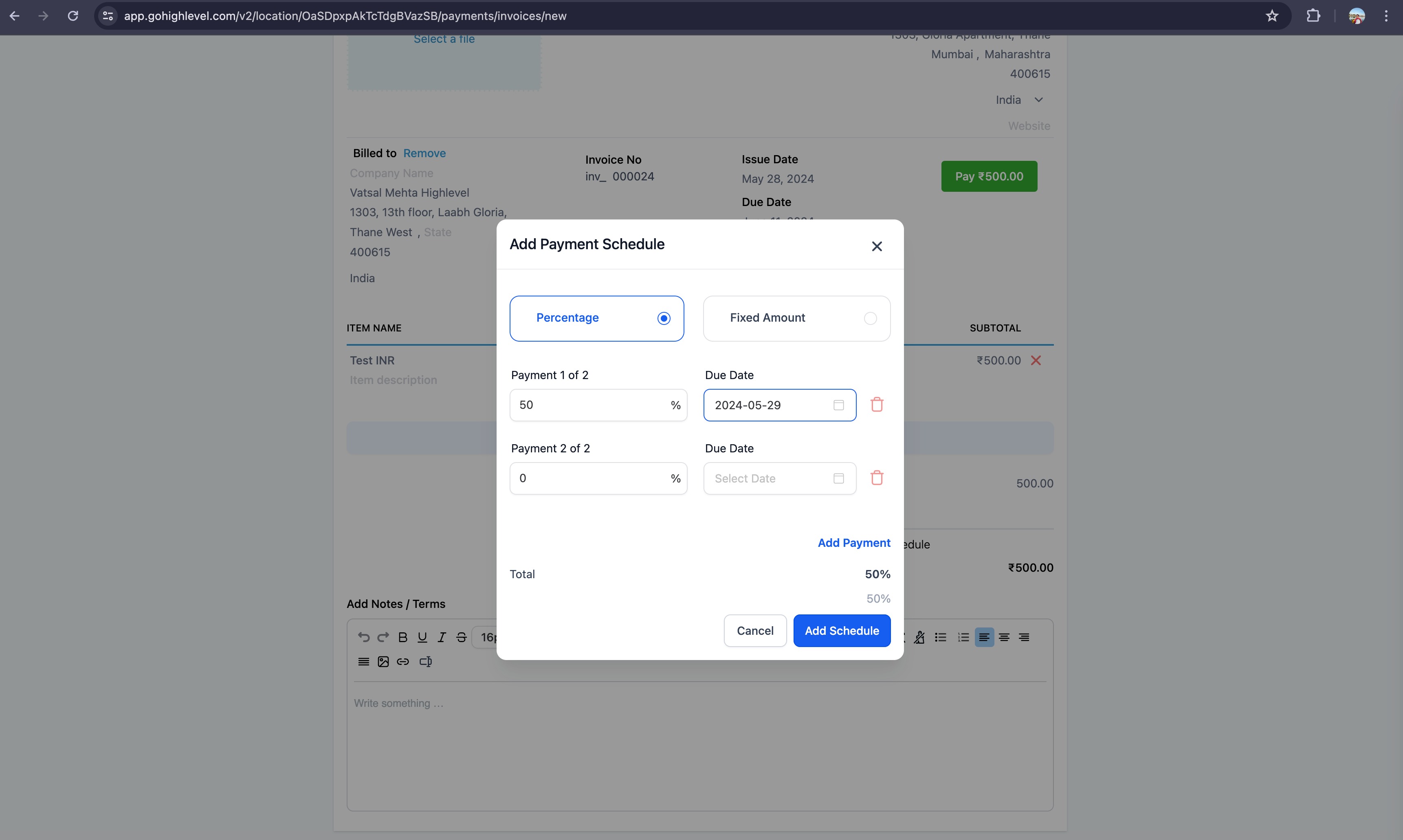
- Choose whether to split by Percentage or Fixed Amount
- Set the amount and due date for each installment
- Review the payment plan summary
- Send the invoice to the family
How Parents See and Pay Installments
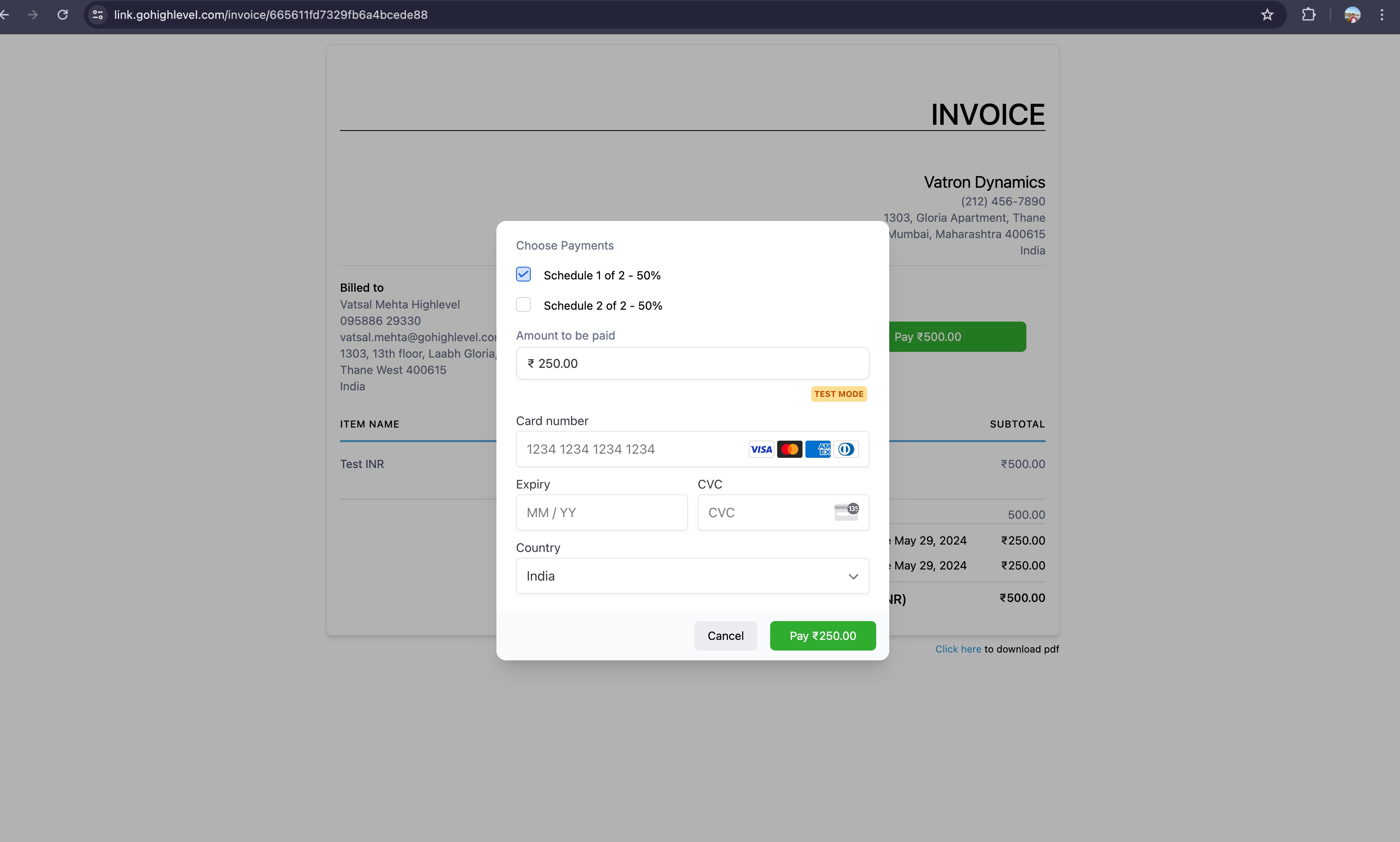
When a family receives an invoice with a payment plan, they'll see the full breakdown of installments with due dates. At checkout, they can:
- Pay the scheduled installment amount
- Select multiple upcoming installments to pay at once
- View remaining balance and future due dates
Payment Reminders
Enrollio automatically sends payment reminders to families before each installment is due. You can customize these notifications or turn them off entirely.
To customize payment plan reminders:
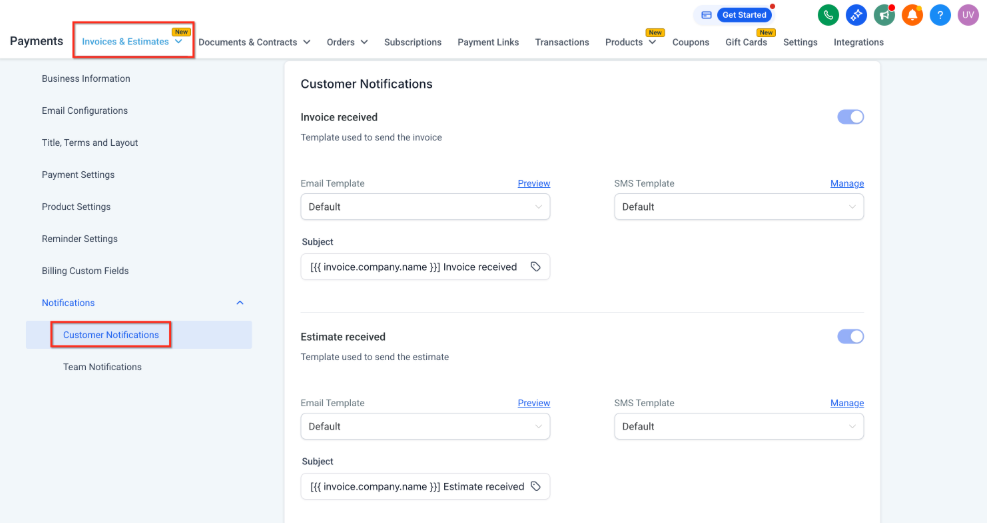
- Go to Payments → Invoices & Estimates → Settings
- Click Notifications → Customer Notifications
- Find Payment Schedule Received
- Edit the email or text message template, or toggle it off
Note: Payment schedule merge fields only display when an invoice includes a payment plan.
Payment Plans vs. Partial Payments
Enrollio offers two ways families can pay invoices over time:
Payment Plans: You set the installment amounts and due dates. Families pay according to your schedule.
Partial Payments: Families choose how much to pay and when. You have less control over the payment schedule.
Use payment plans when you need predictable cash flow and want to ensure families stay on a specific payment schedule.
Frequently Asked Questions
Can I edit a payment plan after sending an invoice?
Yes. You can edit payment schedules even after an invoice has been sent or partially paid. Just open the invoice and modify the payment plan as needed.
What happens if a family misses an installment?
The invoice will show that installment as overdue. Reminder notifications will continue to send until the payment is made. You can also follow up directly with the family.
Can families pay ahead of schedule?
Yes. Parents can select and pay multiple future installments at once if they want to pay ahead.
Do payment plans work with recurring invoices?
Payment plans are designed for one-time invoices. For recurring charges like monthly tuition, set up a recurring invoice without a payment plan.