
Email validation helps you collect accurate contact information from prospective families. When parents fill out a form on your enrollment site, they can verify their email address before submitting — ensuring you can actually reach them.
How Email Validation Works
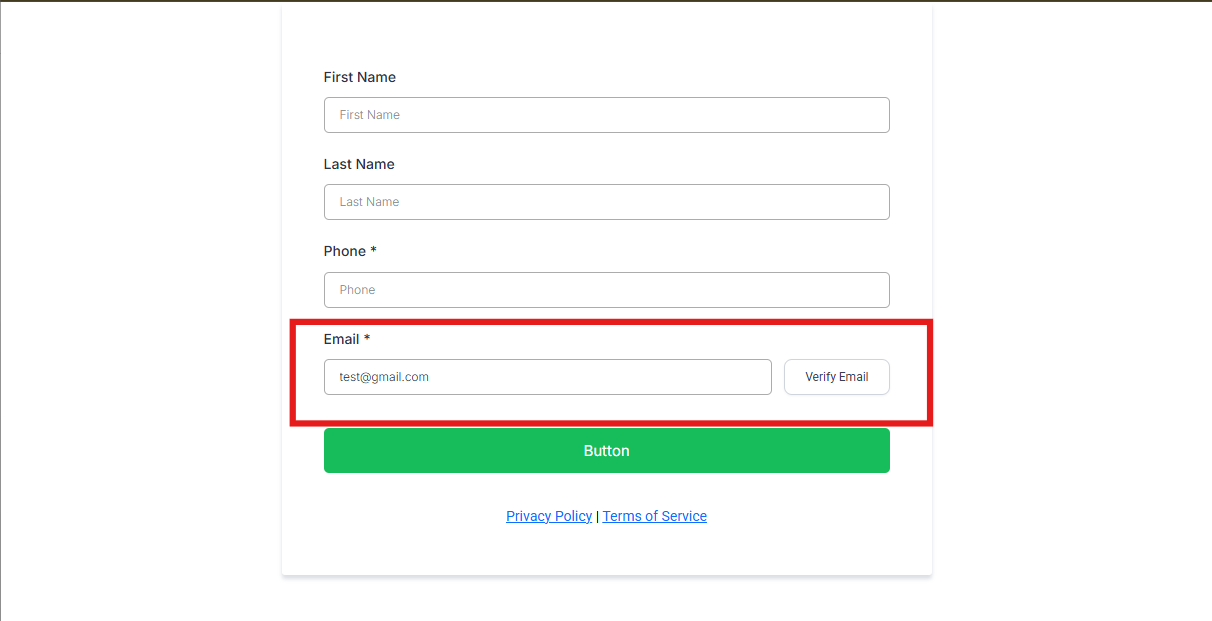
When you enable email validation on a form, parents see a "Verify Email" button next to the email field after they enter their address. Here's what happens:
- Parent enters their email — The "Verify Email" button appears once they've typed a properly formatted email address.
- Parent clicks "Verify Email" — Enrollio sends a unique code to their inbox.
- Parent enters the code — They copy the code from their email and paste it into the form.
- Email is verified — The form marks the email as validated and accepts the submission.
This simple step ensures the email address is real and belongs to the person filling out your form.
Why Use Email Validation
Reduce fake submissions. Email validation stops people from entering made-up addresses like "test@test.com" or typos like "parent@gmial.com".
Reach more families. When every email in your system is valid, your tour reminders, enrollment updates, and marketing messages actually get delivered.
Keep your data clean. Invalid emails bounce, hurt your sender reputation, and clutter your parent database. Validation keeps everything accurate from the start.
Setting Up Email Validation
You can enable email validation on any form or survey:
- Open your form or survey in the Enrollio editor.
- Click on the email field to select it.
- In the field settings panel, toggle on "Email Validation."
- Save and publish your form.
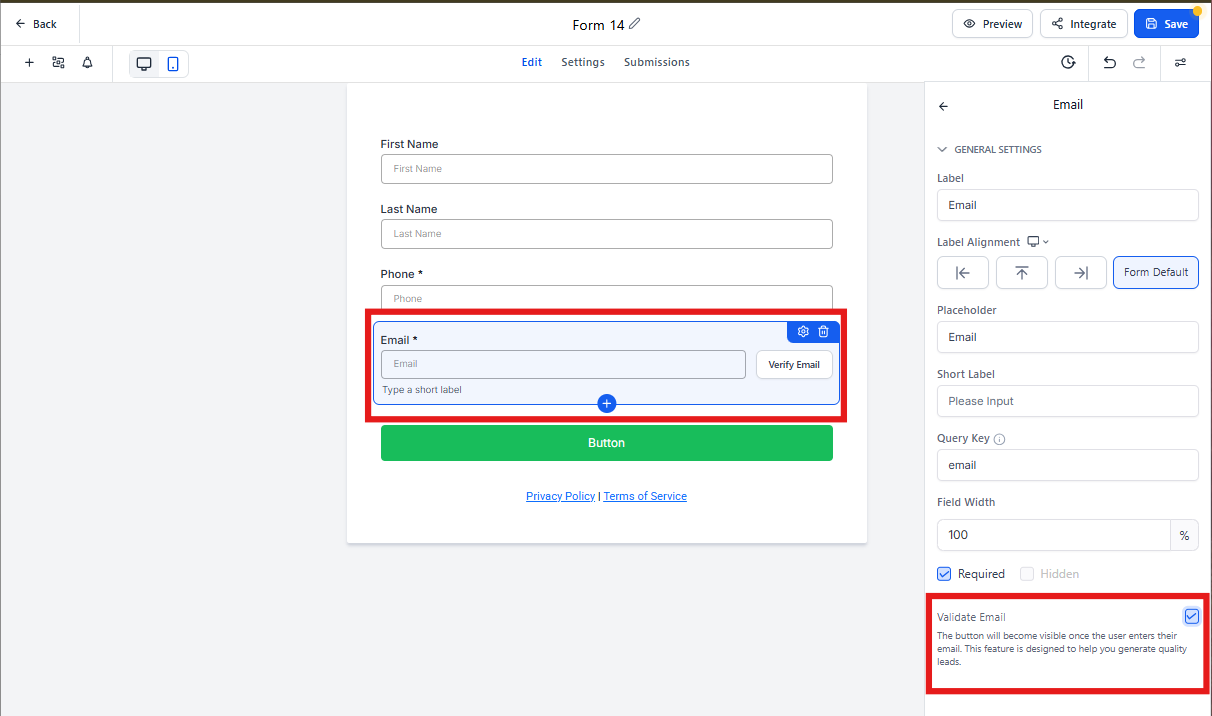
That's it. The "Verify Email" button will now appear automatically when parents fill out your form.
What Parents See
The verification process is quick and straightforward for families:
In the form: After entering their email, they'll see a "Verify Email" button. One click sends the code to their inbox.
In their inbox: They receive an email with a unique validation code within seconds.
Back in the form: They enter the code and continue filling out the rest of the form.
The whole process takes less than a minute and happens before they submit the form.
Tracking Verified Emails
When you view form submissions, you'll see which emails have been verified:
- Go to your form responses in the Enrollio dashboard.
- Look for the "Verified Email" column in the submissions list.
- Entries marked "Yes" completed the validation process.
This makes it easy to identify which prospective families provided verified contact information.
Common Questions
What happens if someone doesn't verify their email?
If a parent skips the validation step, the form won't accept their submission. This ensures you only collect verified email addresses. However, parents can always go back and complete the verification before submitting.
Can I customize the validation email?
The validation email uses a standard template to ensure reliable delivery. Future updates may include customization options.
Does validation slow down form submissions?
Validation codes arrive within seconds, so the process adds less than a minute to form completion time. The trade-off is worth it — you'll eliminate bounced emails and wasted follow-up time.
Will this work with all email providers?
Yes. The validation email works with all major email providers including Gmail, Outlook, Yahoo, and custom domain emails. The code is sent via reliable email infrastructure (Mailgun) to ensure delivery.
Can parents request a new code if they don't receive it?
If a parent doesn't see the validation email within a few minutes, they can click "Verify Email" again to request a new code. Remind them to check their spam folder as well.