
What is the Quiz Template Library?
The Template Library is a built-in collection of professionally designed quiz templates that helps you create effective quizzes quickly without starting from scratch. These templates are categorized by quiz types and goals—making it easy to find the perfect match for your needs.
Use quizzes to qualify prospective families, understand parent preferences, or create interactive assessments for your childcare programs.
Key Benefits of the Quiz Template Library
The Template Library makes it easier to create high-quality quizzes that convert, educate, or engage families—all in less time.
- Save Time: Skip the blank canvas and start from a ready-to-use quiz structure.
- Diverse Options: Choose from a variety of quiz types like lead generation, scoring, assessments, and more.
- Goal-Oriented Templates: Templates are categorized by intent, helping you pick the best fit for your enrollment goals.
- Customizable: Edit every part of the template—questions, answers, logic, and design.
- Boost Engagement: Proven structures that guide families through meaningful interactions.
- Great Starting Point: Ideal for childcare centers new to quiz creation or looking to launch faster.
How To Use the Quiz Template Library
Learn how to create a quiz in minutes by selecting and customizing a professionally designed template. This streamlined process helps you launch faster without compromising quality.
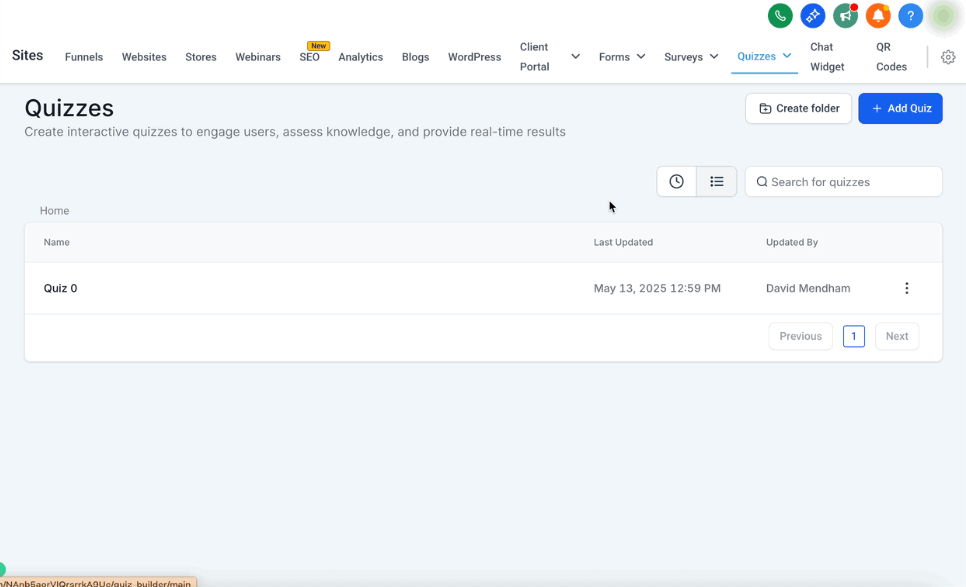
1. Navigate to Quizzes
From your Enrollio dashboard, go to Sites → Quizzes.
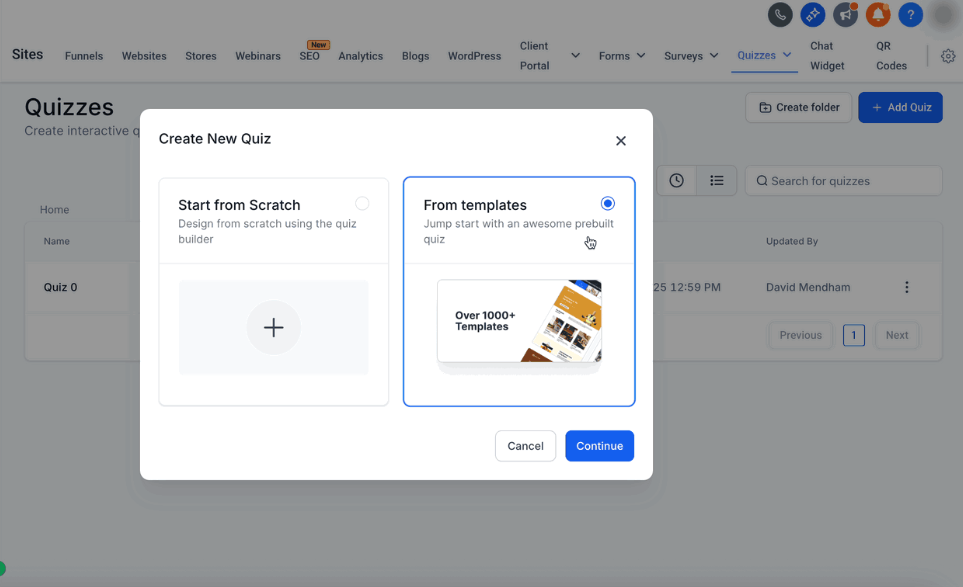
2. Open Template Library
Click the New button at the top-right of the Quizzes dashboard and choose Start with Template Library from the dropdown menu.
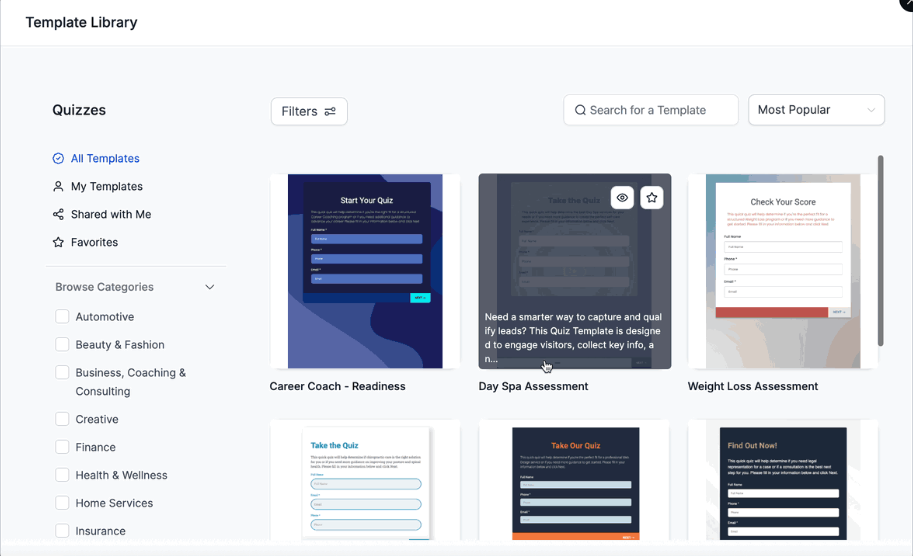
3. Browse the Template Library
Browse through the available quiz templates. Templates include titles and brief descriptions to help you choose based on use case or goal.
Click on a template to preview its structure and see if it matches your needs.
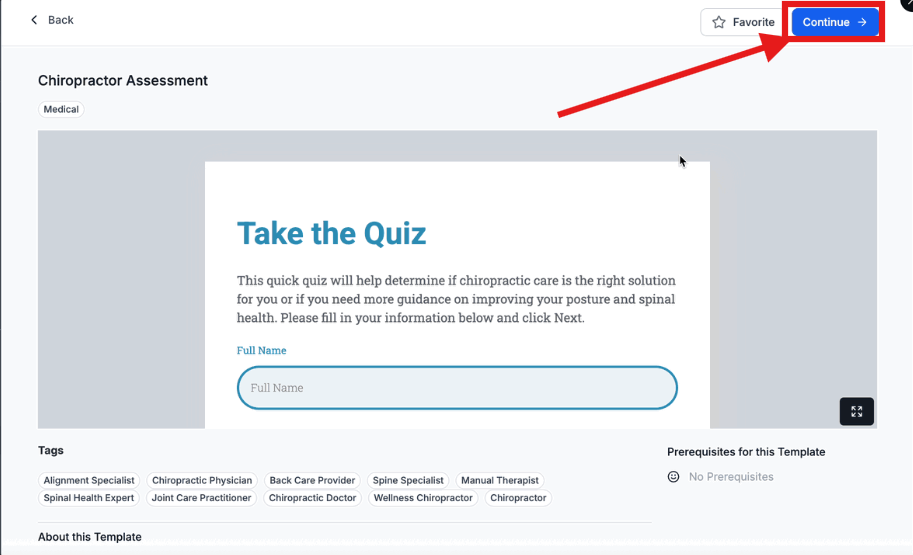
4. Click "Continue" to Start Editing
Once you've reviewed a template and want to use it, click Continue.
This opens the quiz editor with the template already loaded so you can start customizing right away.
Frequently Asked Questions
Can I customize the templates after selecting them?
Yes! Once you click "Continue," you can edit everything—questions, answers, styles, logic, and results. Make it specific to your childcare center's unique needs.
Are the templates optimized for mobile?
Yes, all templates are responsive and designed to look great on mobile devices. Parents can complete quizzes easily from their phones.
Can I save my own templates?
Currently, the Template Library includes pre-built templates from Enrollio. Saving custom templates is not available yet.
Will using a template overwrite existing quizzes?
No, using a template starts a new quiz. It will not affect any existing quizzes you've created.
Are there templates for lead generation?
Yes! Many templates are optimized for collecting prospective family information, including email opt-ins and enrollment pipeline integrations.