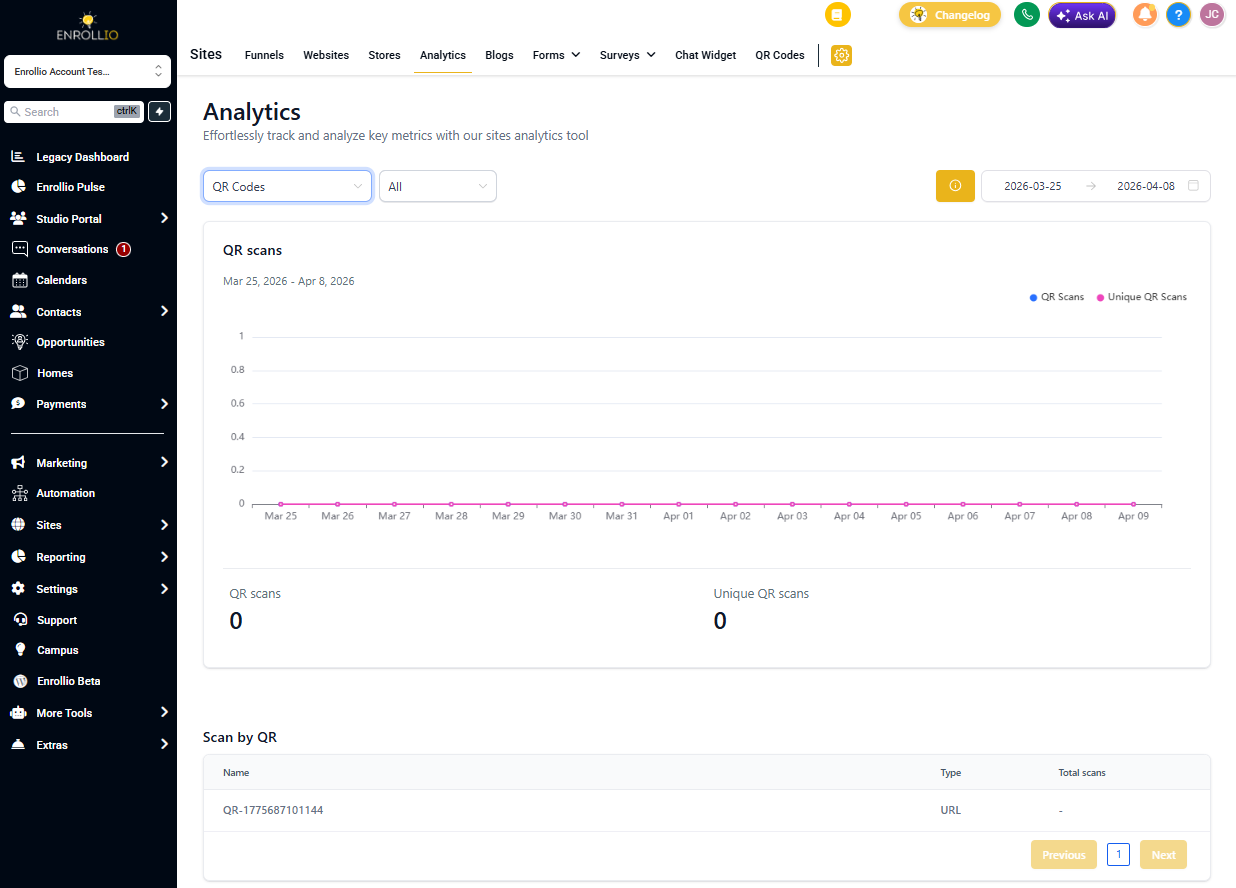
The QR Code Features page gives you everything you need to manage QR codes for your childcare center in one place.
Accessing QR Code Features
Navigate to Sites QR Codes.
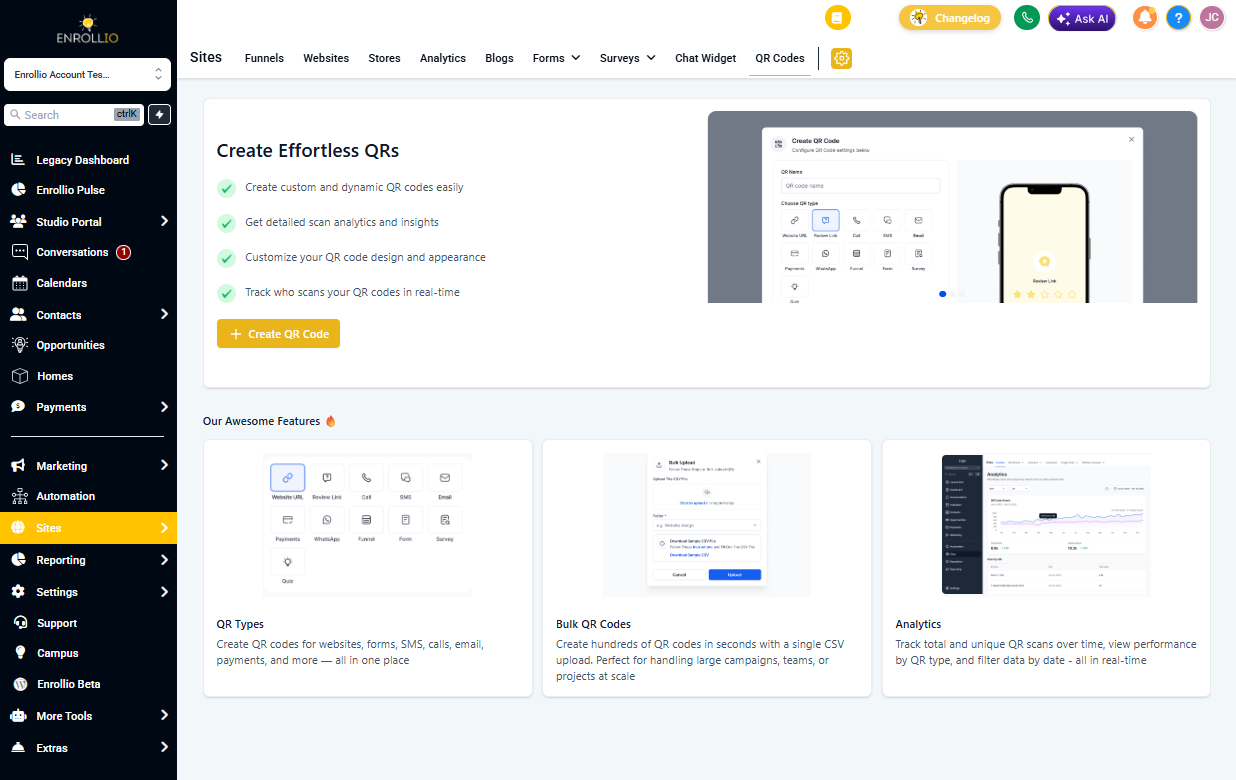
When you don't have any QR codes yet, you'll see the features landing page. Once you create your first QR code, you'll see your QR code library instead. Click the QR Features button anytime to view the features overview.
What You Can Do with QR Codes
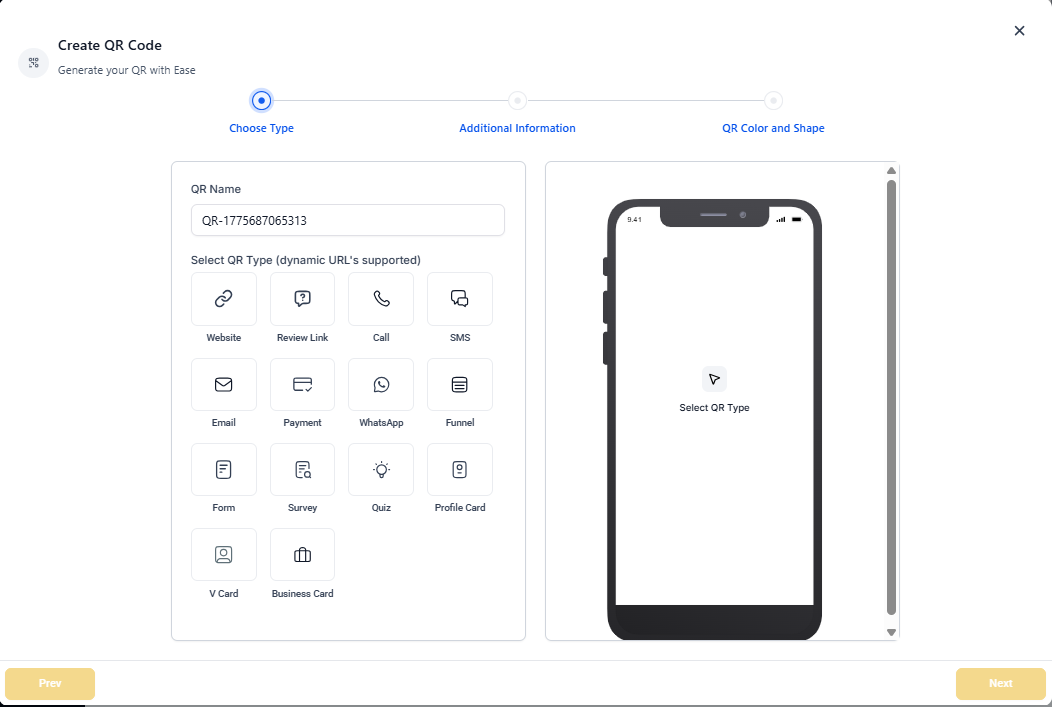
Create
Follow the built-in setup to create a QR code quickly, or customize every detail to match your needs. Perfect for tour sign-ups, enrollment forms, or parent resources.
Types
Create QR codes for:
- Enrollment sites and landing pages
- Tour booking forms
- Text messages (for quick parent contact)
- Phone calls to your center
- Email addresses
- Payment links
- And more
Bulk Creation
Create hundreds of QR codes in seconds with a single CSV upload. This is useful when you need unique codes for multiple staff members, locations, or marketing campaigns.
Analytics
Track your QR code performance in real-time:
- View total and unique scans over time
- See which QR code types perform best
- Filter data by date range
Use these insights to understand which marketing materials parents are engaging with most.