Quick Overview
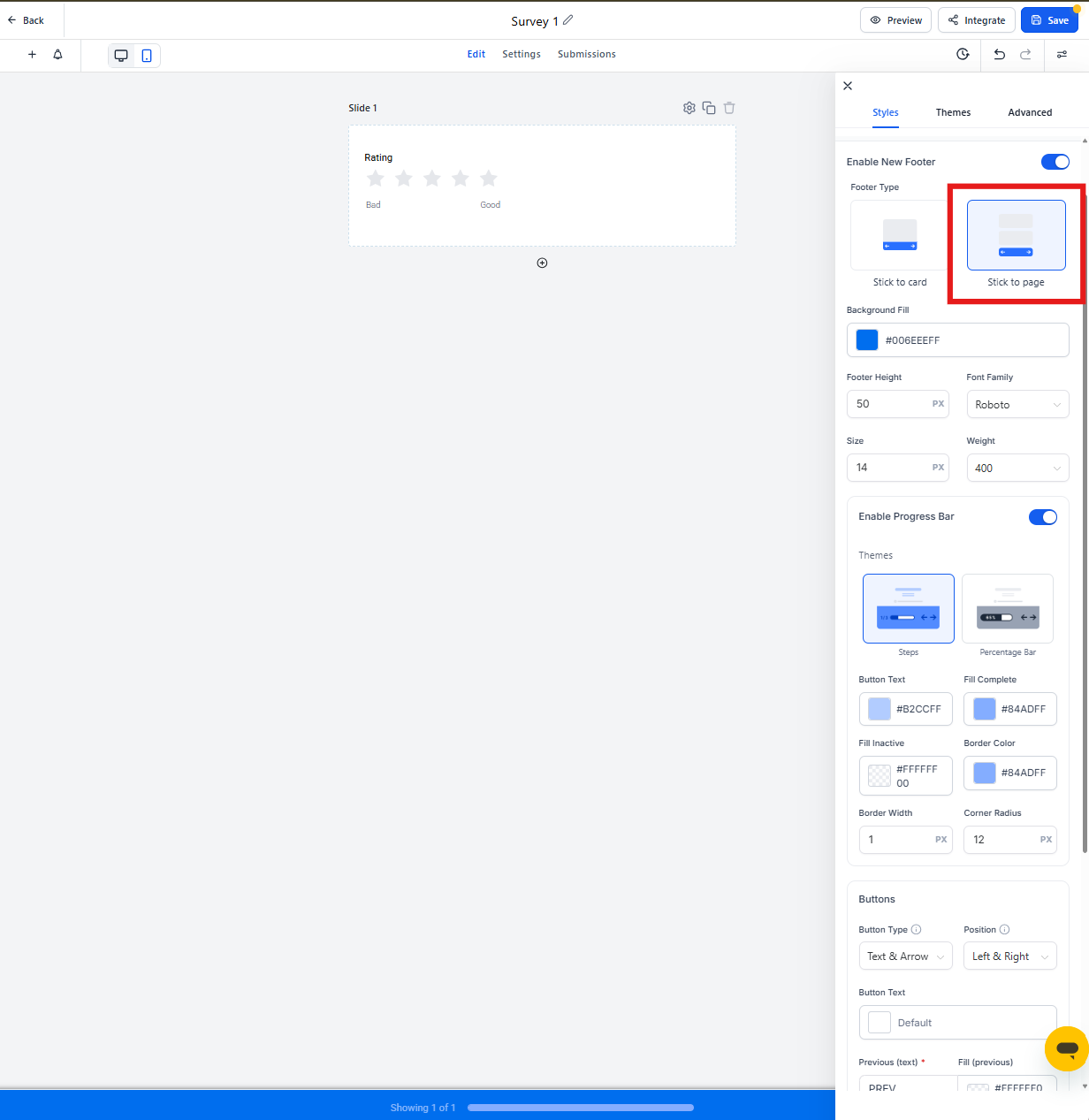
Make your surveys feel like part of your center's brand by customizing the footer. You can adjust themes, colors, fonts, progress bars, and button styles to match your branding — and see changes in real-time as you build.
New surveys have these customization options enabled by default. If you're working with an older survey, you can upgrade to the new footer settings with just one click.
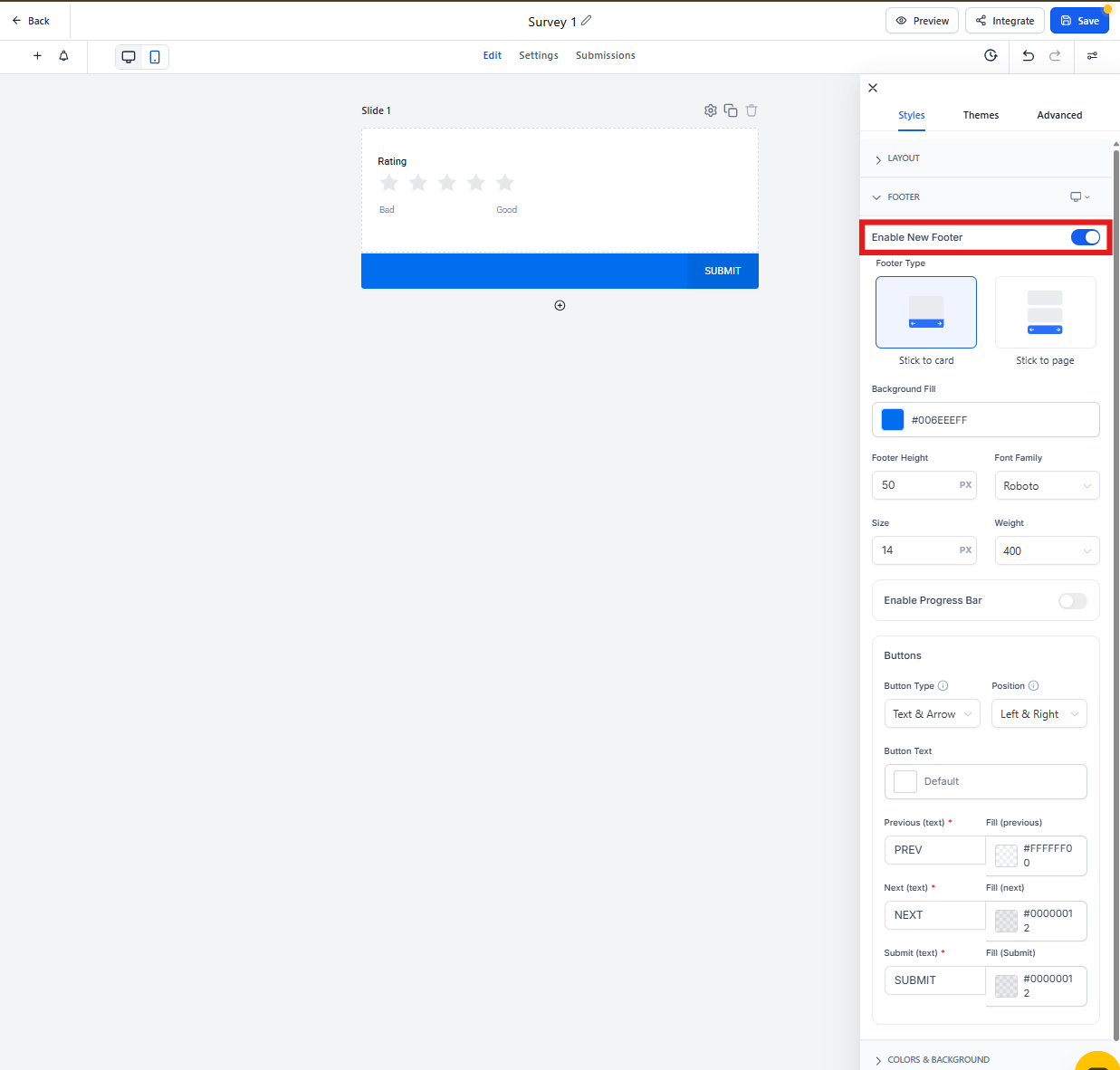
How to Enable the New Footer
If you're working with an existing survey, here's how to switch to the upgraded footer:
- Open your survey in the Survey Builder
- Click the Style tab at the top
- Toggle on the new footer option
Note: New surveys automatically use the updated footer — no setup needed.
Footer Customization Options
Once enabled, you can customize these elements to match your center's look and feel:
Themes
Choose from pre-designed themes that adjust colors, fonts, and overall style. Pick the one that best matches your branding or start with a neutral base and customize from there.
Background
Set a background color, image, or pattern for the footer. Keep it simple for readability, or add visual interest that complements your center's brand.
Font
Adjust the font style and size for footer text. Match your center's website fonts for a cohesive experience.
Height
Make the footer taller or shorter depending on how much content you're displaying and your overall design preferences.
Progress Bar
Customize the progress bar that shows families how far they are through your survey. Change the color, style, and position to keep parents engaged and informed.
Button Color
Choose colors for action buttons like "Next" and "Submit." Use colors that stand out but still match your branding — bright blues and greens tend to get clicked more often.
Position
Place the footer at the bottom, top, or other designated positions within your survey.
Stick to Survey
Enable this option to keep the footer visible as families scroll through longer survey pages. This creates a smoother experience and makes it easier for parents to navigate through your questions.