
You can now assign separate owners for families and their enrollment opportunities in Enrollio. This gives you more flexibility in managing responsibilities across your team — perfect when your tour coordinator and enrollment director are different people.
Enabling the Feature
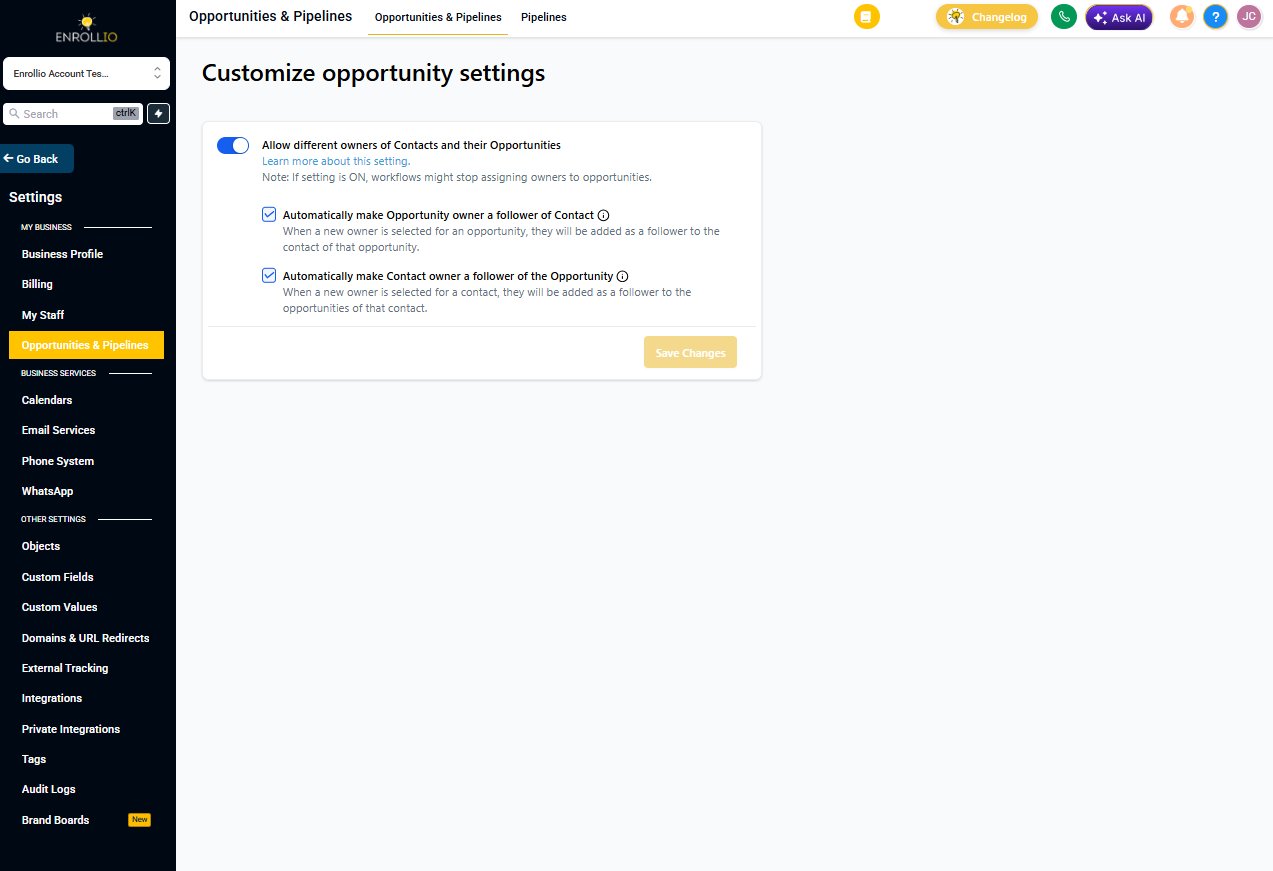
To turn on this feature:
- Click Settings in the left sidebar
- Find the "Allow different owners for families and enrollment opportunities" option
- Toggle the setting to On
How It Works
Once you've enabled this feature, families and their enrollment opportunities can have different owners.
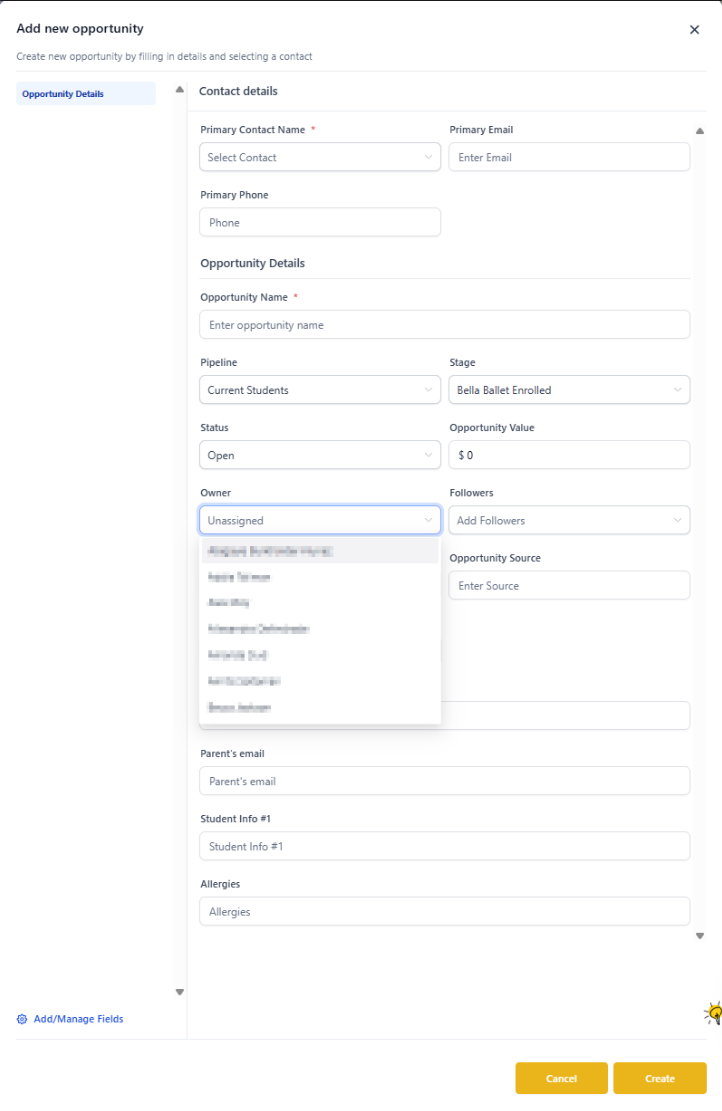
Default Behavior: When you create a new enrollment opportunity, the owner defaults to whoever owns the family record. You can change this to assign the opportunity to someone else — like your enrollment director while the family owner remains your tour coordinator.
Additional Settings
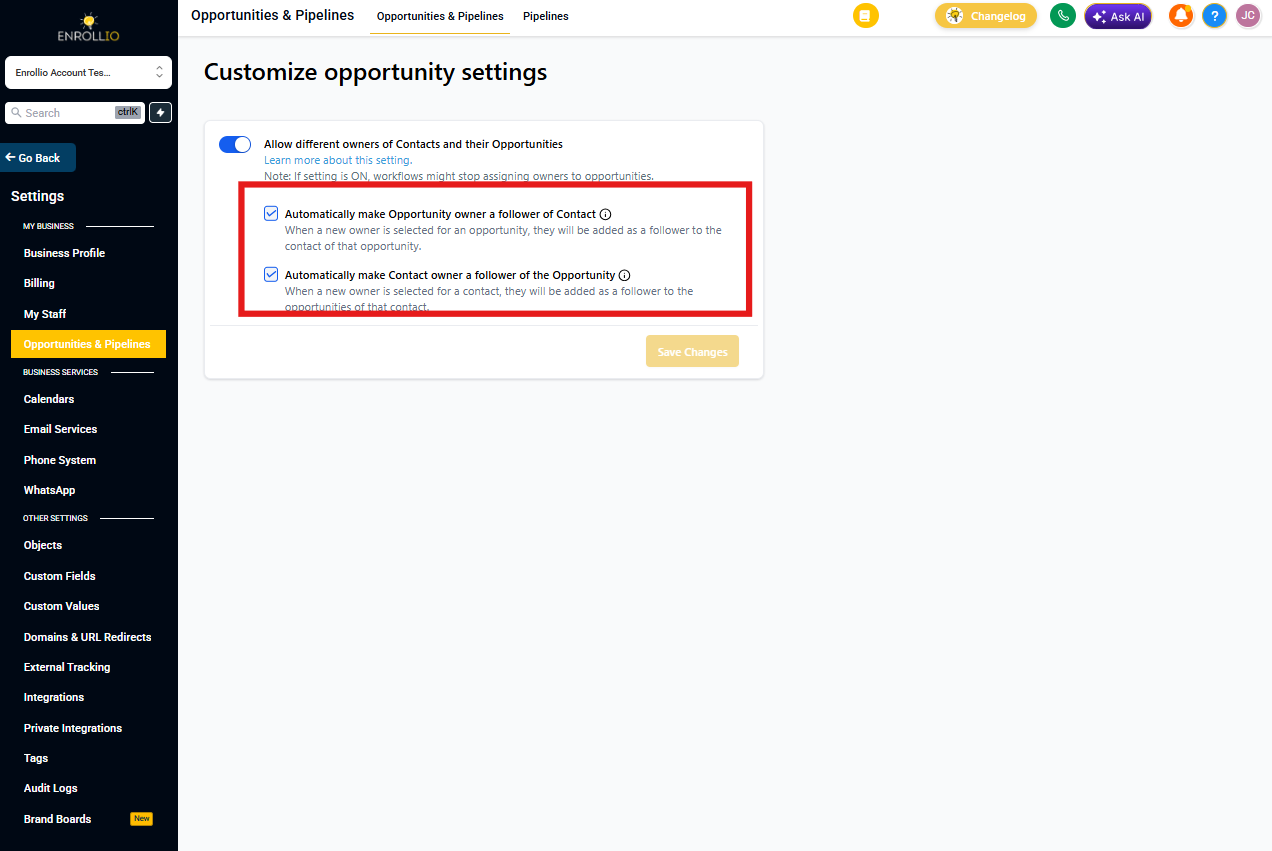
You'll see two additional options that control how followers are updated:
- Allow updating the family follower based on the enrollment opportunity owner change: When you change who owns an enrollment opportunity, Enrollio automatically updates the family followers to include that person
- Allow updating the enrollment opportunity follower based on the family owner change: When you change who owns a family, Enrollio automatically updates the followers on all their enrollment opportunities
Why This Helps
Match your team structure: Assign ownership based on who's actually handling each stage — tours, follow-ups, enrollment completion, or billing.
Keep everyone in the loop: Automatically update followers when ownership changes, so your team stays connected without manual updates.