
What's New
You can now collect payments directly through your surveys in Enrollio. Whether you're collecting enrollment deposits, accepting registration fees, or selling program add-ons, this feature makes it simple to get paid while gathering information from families.
Key Features
Payment Options
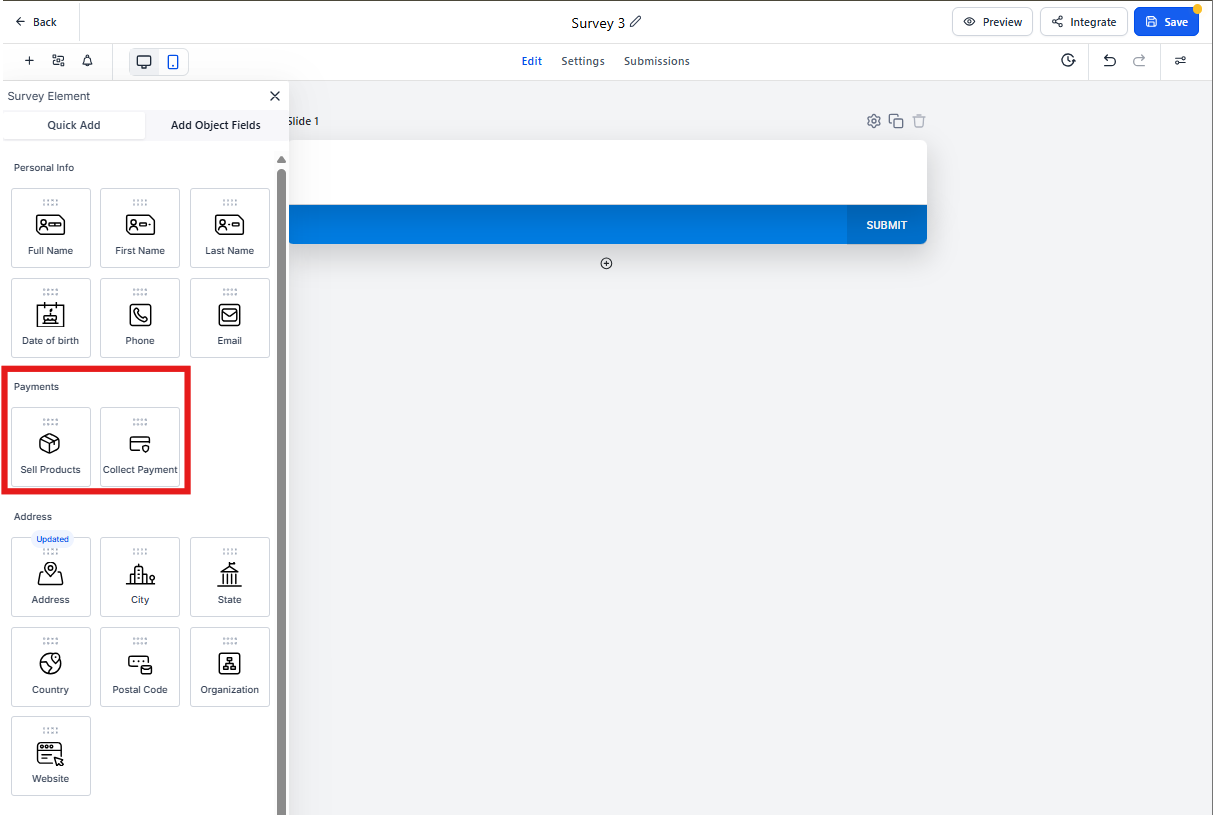
- Collect Payments: Accept fixed amounts (like enrollment fees) or let parents enter custom amounts (like donations)
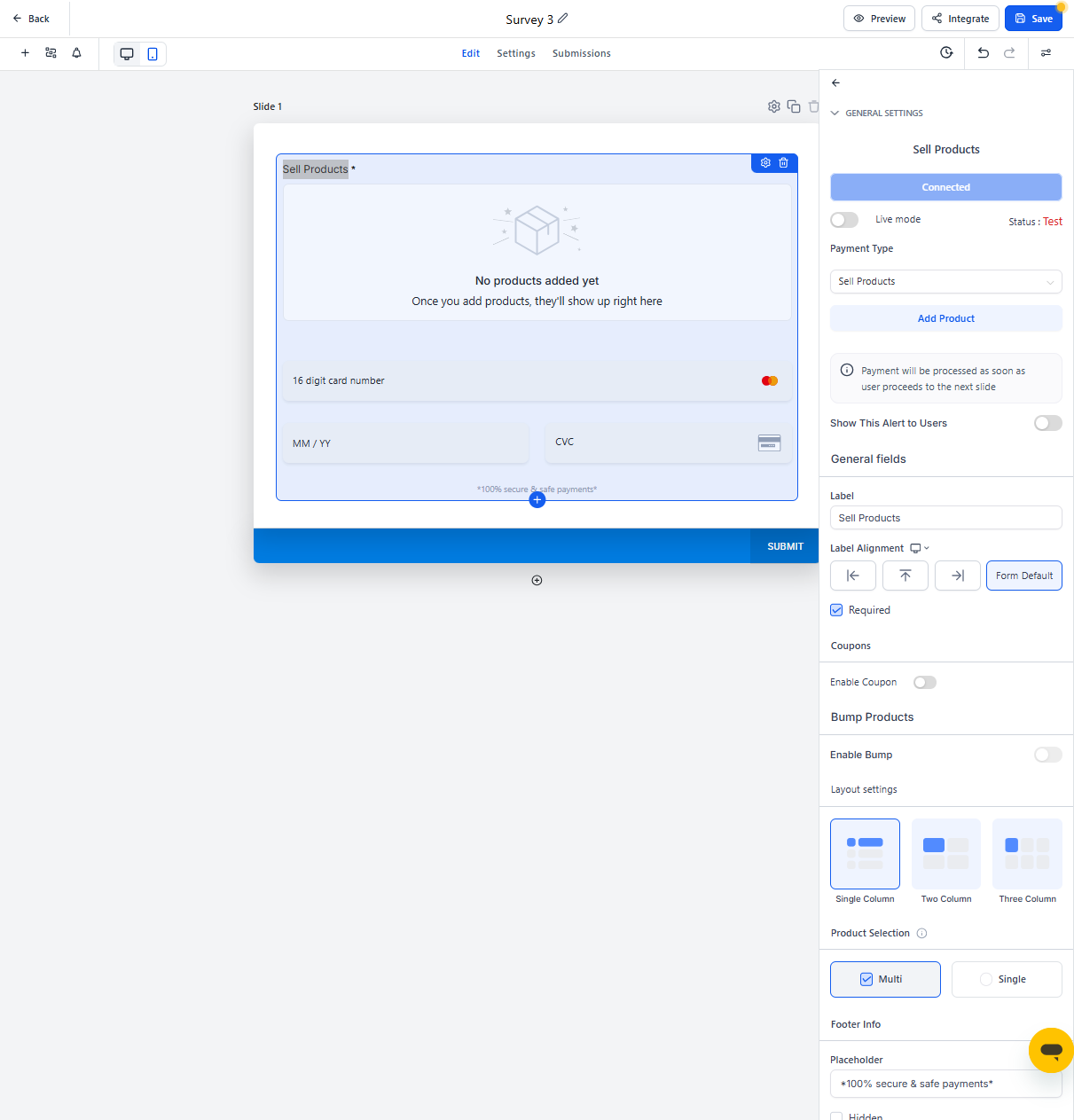
- Sell Products: Add items with pricing, quantity options, and even recurring subscriptions for things like monthly tuition or meal plans
Seamless Payment Flow
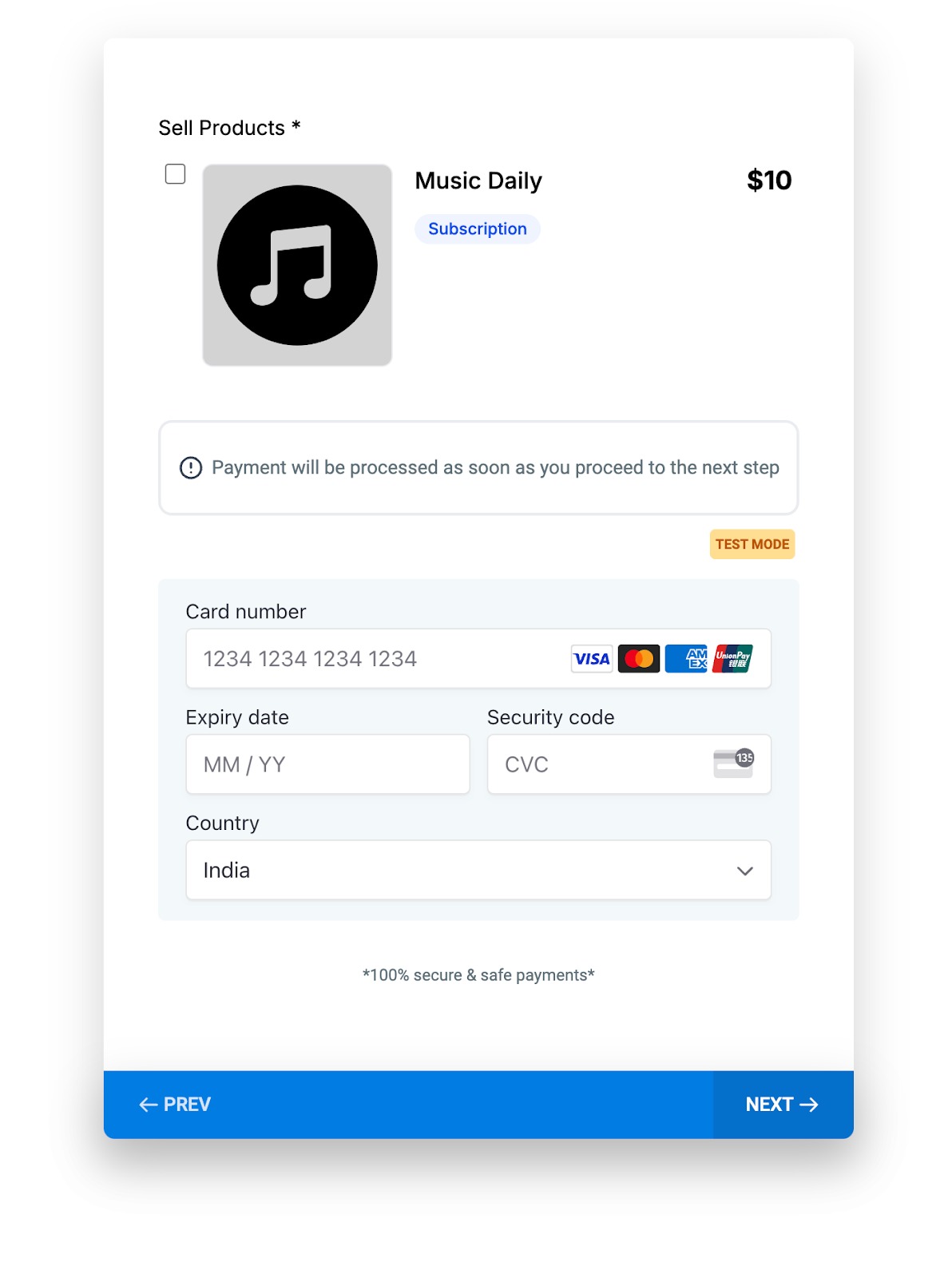
Payments process automatically when parents click "Next" in your survey. No extra steps, no confusion—just smooth, secure transactions.
Note: When you add a payment element to your survey, Enrollio automatically saves partial contact information in case parents don't complete the payment. This ensures you can follow up with families who started but didn't finish.
Optional Payment Alert
You can enable an information box that tells parents: "Payment will be processed as soon as you proceed to the next step." This alert is completely customizable—turn it on or off based on your preference.
How to Set It Up
- Open your survey in the builder
- Drag the "Collect Payment" or "Sell Products" element into your survey
- Add your product details, pricing, and any subscription options in the element settings
- Toggle the payment alert on or off as needed
- Test your survey in Test Mode before going live
How Parents Experience It
- Parents fill out your survey questions
- When they reach the payment step, they enter their payment details
- They click "Next" and the payment processes instantly
- A confirmation screen appears for successful transactions
💡 Pro Tip
Use surveys with payments as a simple two-step enrollment form. Collect basic family information on the first page, then process the enrollment deposit on the second page—all in one smooth experience.
Important Notes
- All payments are fully encrypted and secure
- Always test your payment setup in Test Mode before switching to Live Mode
- Partial contact information is automatically saved when payment elements are included, so you can follow up with families who don't complete payment
Use Cases for Childcare
- Collect enrollment deposits during registration
- Sell registration packets or supply kits
- Accept donations for fundraising campaigns
- Process summer camp fees
- Charge for optional add-ons like extended day or meals