
When you build landing pages in Enrollio, there are three levels of URLs that control how families access your content. Understanding these paths helps you manage and share your enrollment pages effectively.
The Three URL Levels
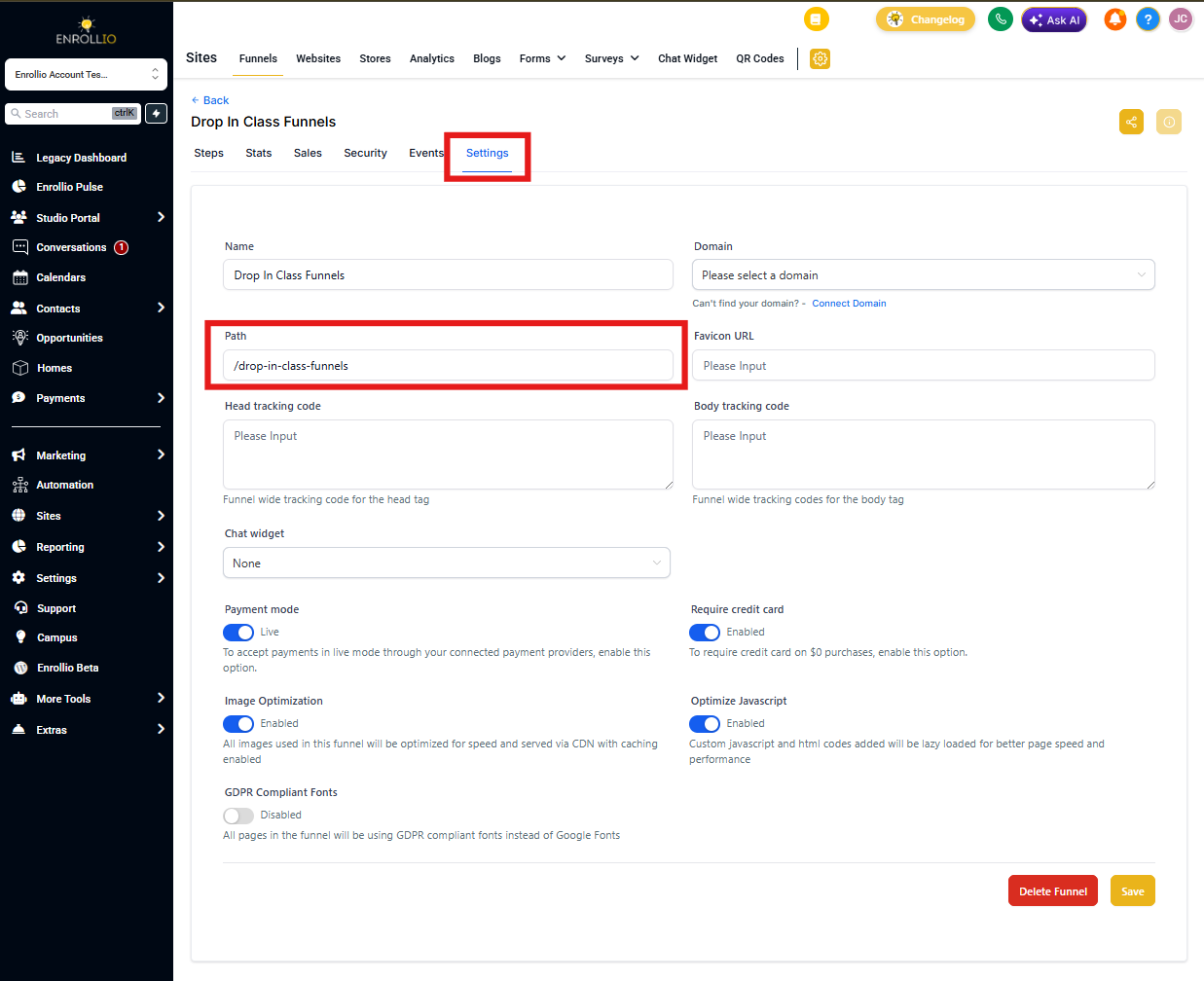
1. Landing Page URL
This is the main URL for your entire landing page. You can configure it from the Settings panel, and it always loads the first step when someone visits.
Example: yourchildcare.com/open-house
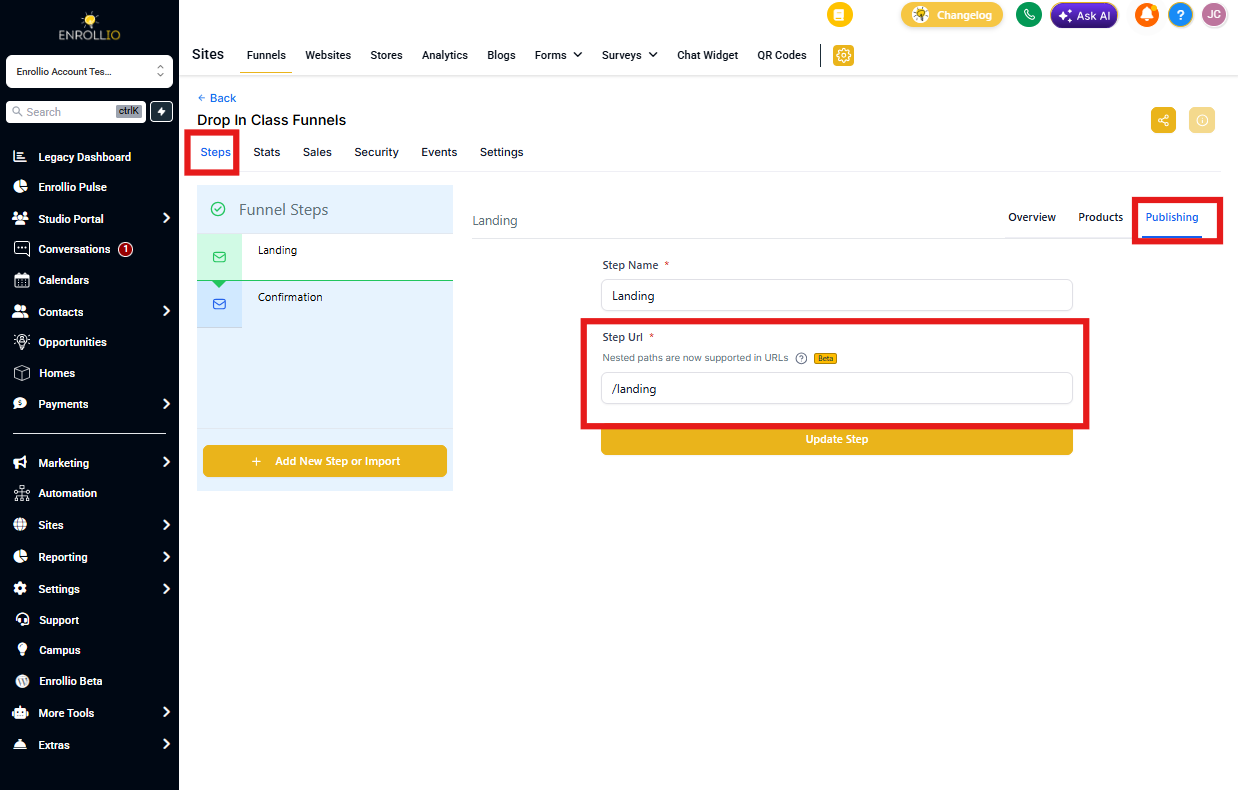
2. Step URL
Each step in your landing page has its own unique URL. This lets you share direct links to specific steps in your enrollment flow.
Configure step URLs in the Publishing tab for each step.
Example: yourchildcare.com/open-house/step-2
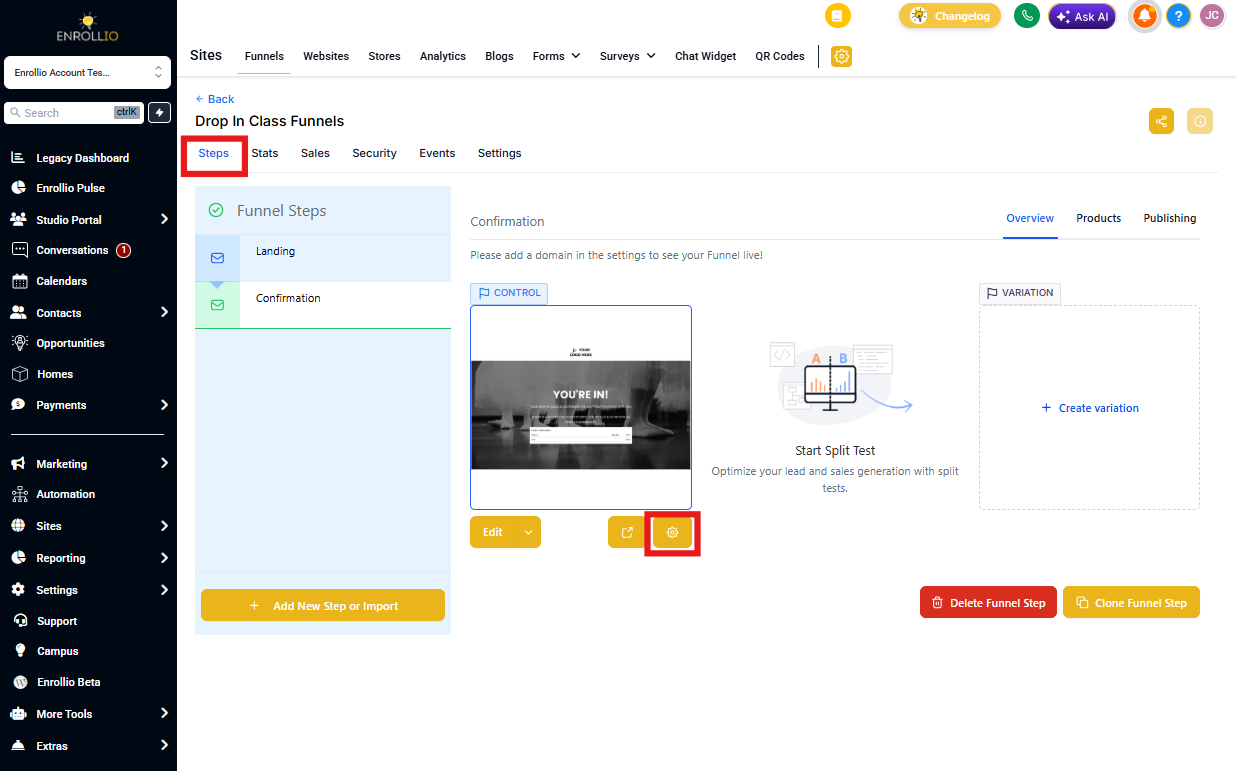
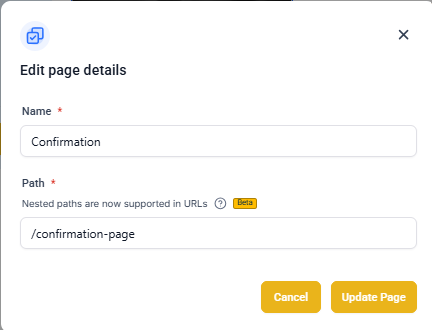
3. Page URL
This third level exists to support split testing (coming soon). Currently, each step contains only one page, but when split testing launches, you'll be able to test different page variations within the same step.
Access page settings by clicking the gear icon next to the Edit button.
How Split Testing Will Work (Coming Soon)
Once split testing is available, here's how it will help you optimize your enrollment pages:
- You'll share the Step URL in your marketing (Facebook ads, emails, etc.)
- When a family clicks the link, Enrollio will automatically show them one of your page variations
- Traffic will be distributed based on your configuration
- You'll see which version performs better
Result: One Step URL → Page 1 URL or Page 2 URL (based on your split test settings)
Pro Tip: Even without split testing, organizing your landing pages with clear step URLs makes it easier to track which pages families visit and where they drop off in your enrollment process.