
What Are Canonical URLs?
Canonical URLs tell search engines which version of a webpage is the authoritative one when duplicate or near-duplicate content exists. This is critical for SEO because it prevents confusion and helps maintain your search engine rankings.
When you use canonical tags, search engines can:
- Understand where content originally resides
- Prevent duplicate content penalties
- Consolidate SEO value (link equity) across multiple instances of the same content
Example Scenario
Let's say you publish a blog post titled "Top 10 Questions Parents Ask During Childcare Tours." That post may appear on:
- Your blog's main page
- Your homepage with recent posts
- A category archive (like "Tour Tips")
- An author bio page
To avoid penalization due to content duplication, you set the main blog post URL as canonical so search engines know which version to index.
Why Canonical Tags Matter in SEO
Canonical tags are a foundational element of modern SEO strategy. They help search engines identify which version of a webpage should be prioritized when duplicate or similar content exists across multiple URLs.
Without them, search engines may split ranking power between pages or index the wrong version, negatively impacting your site's visibility. Implementing canonical tags ensures that your chosen "main" content gets the credit it deserves and that all duplicate signals are consolidated to strengthen your rankings.
Key Benefits:
- Prevent SEO Penalties: Duplicate content may dilute your rankings
- Consolidate Link Equity: Backlinks pointing to multiple versions count toward a single source
- Guide Search Engines: Ensure search bots prioritize the correct page
How to Set Canonical URLs in Enrollio
Enrollio makes it easy to configure canonical URLs across your blog platform, whether for your entire blog site, specific categories, author pages, or individual blog posts. Implementing these settings ensures search engines understand which version of your content to prioritize.
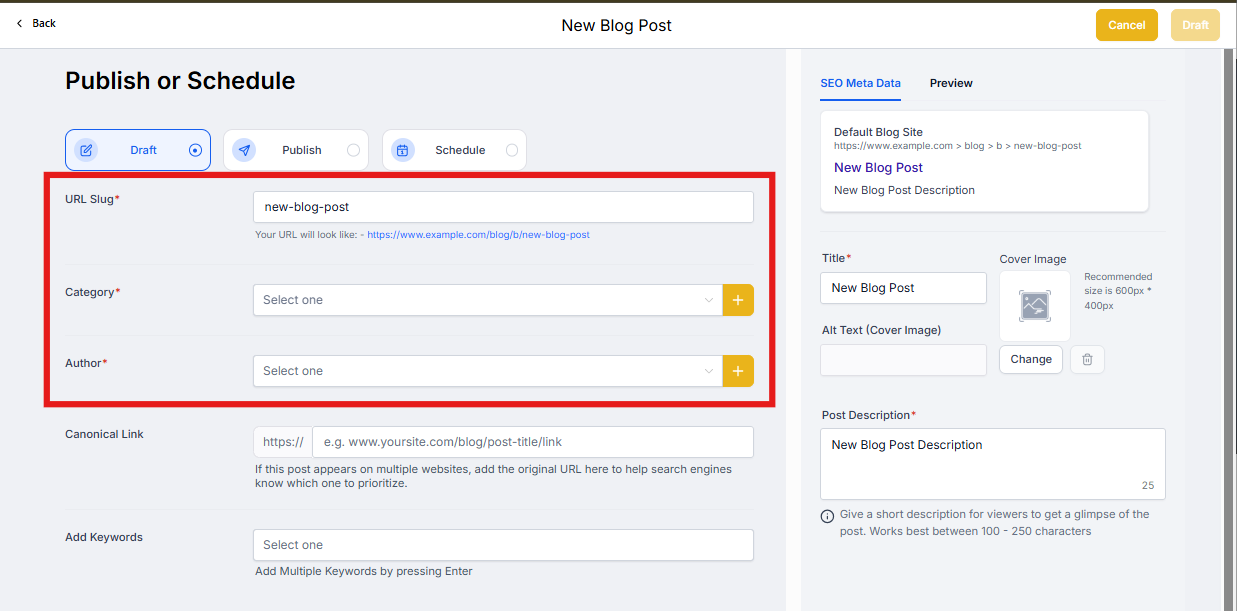
1. For the Entire Blog, Category, and Author Pages
Setting canonical URLs at the blog level ensures your main blog, category, and author pages are recognized as the original sources.
Steps:
- Navigate to Sites Blogs
- Select your blog and click continue to get the blog settings
- Choose Canonical Links
- Fill in the fields for:
- URL Slug: The primary blog domain (e.g., https://yourblog.com)
- Category URL: Where category content resides
- Author URL: The main author bio page
2. For Individual Blog Posts
Sometimes, different blog posts cover similar topics, or your content is syndicated across multiple domains. Set a canonical URL to direct SEO value to the intended source.
Steps:
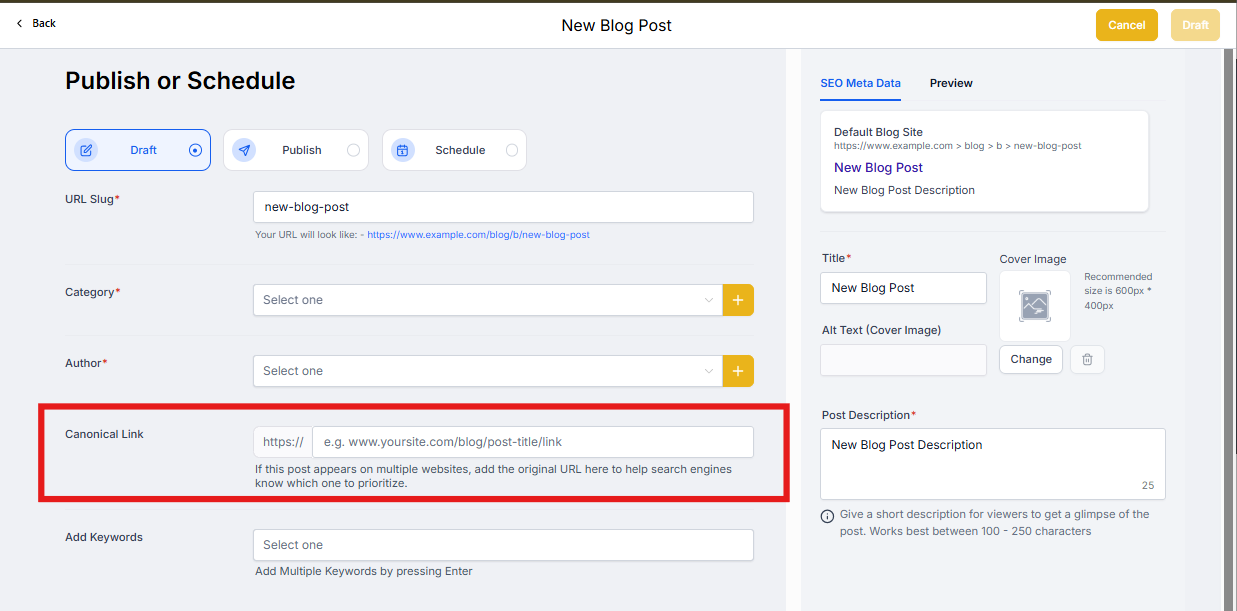
- In Sites Blogs, either create a new blog post or edit an existing one
- Add your content and metadata
- Click Continue to move to the final step
- Locate the Canonical Link field
- Paste the URL of the original (preferred) version of the content
- Click Save, Schedule, or Publish
Note: You can update canonical URLs on existing blog posts by clicking "Edit" and using the same process.
How to Update Canonical Links for Published Blog Posts
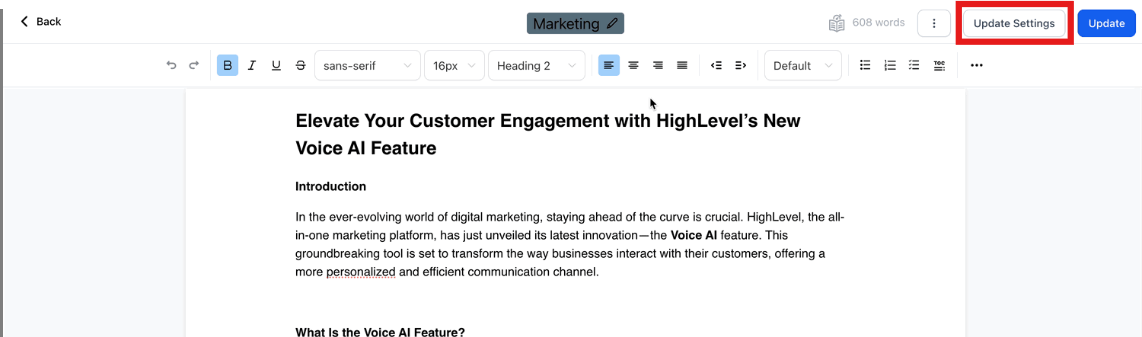
If your blog posts are already published and you want to update them, follow these steps:
- Locate the blog post for which you want to update the canonical link
- Click on Update Settings to add the updated canonical link
How to Verify Canonical Link Implementation
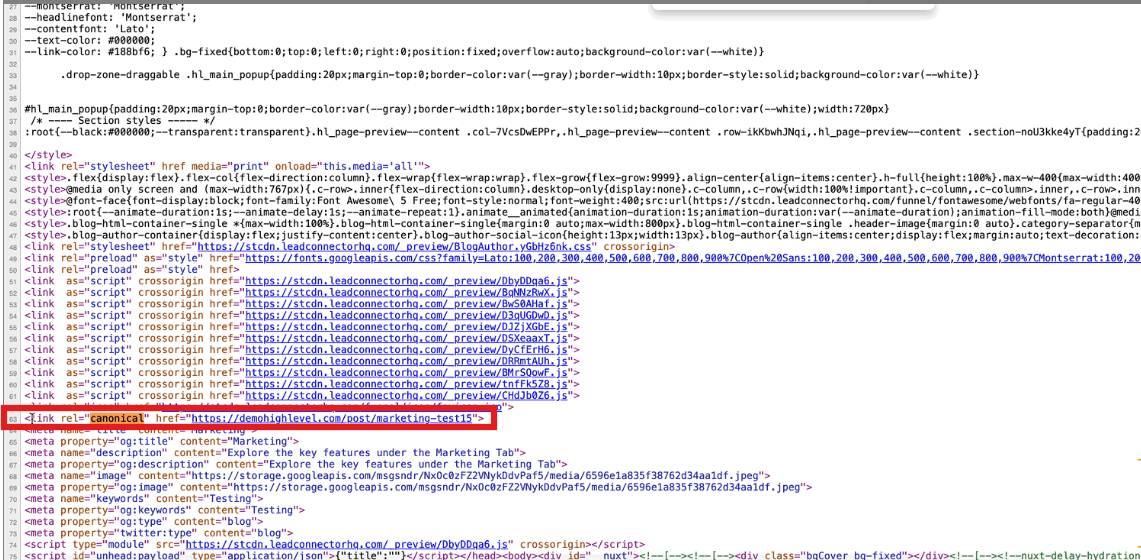
To confirm the implementation of canonical links, follow these simple steps:
- Right-click on the published blog page
- Select "View Page Source" from the context menu
- In the source code, look for a tag that looks like this:
<link rel="canonical" href="https://yourdomain.com/preferred-url" /> - Ensure the href value correctly points to the intended canonical URL
Best Practices
To ensure canonical tags are working effectively, follow these key guidelines. These best practices help maximize SEO benefits and avoid unintended issues with search engine indexing.
- Always use absolute URLs (full URL with domain)
- Make sure the canonical URL actually exists and is accessible
- Avoid pointing all pages to the homepage — be specific and intentional
- Keep content on the canonical and alternate pages as close to identical as possible
Frequently Asked Questions
What happens if I don't use canonical tags?
Without canonical tags, search engines might treat similar or duplicate pages as separate, which can split ranking power and result in lower visibility.
Can I use canonical tags across domains?
Yes, cross-domain canonical tags are valid. Just ensure you own the content on both domains.
Should I use canonical tags for every blog post?
Only when there's potential for duplication. If each post is unique and doesn't appear elsewhere, it's not necessary.
Will canonical tags improve my rankings?
They won't directly improve rankings, but will help consolidate link equity and avoid SEO issues due to duplicate content.