
Import and Clone Enrollment Pages & Sites
You can move enrollment pages and sites within Enrollio in two ways:
- Importing via share link — Use a shared template link
- Cloning — Copy pages or entire sites to other client accounts
Importing Enrollment Pages & Sites Via Share Link
Use this method when someone shares a template link with you.
Step 1: Make sure you're logged into your Enrollio Dashboard before clicking the share link.
Step 2: Open the share link in a new browser tab (either click it directly or copy and paste the URL).
Step 3: Select up to 3 client accounts where you want to add this template.
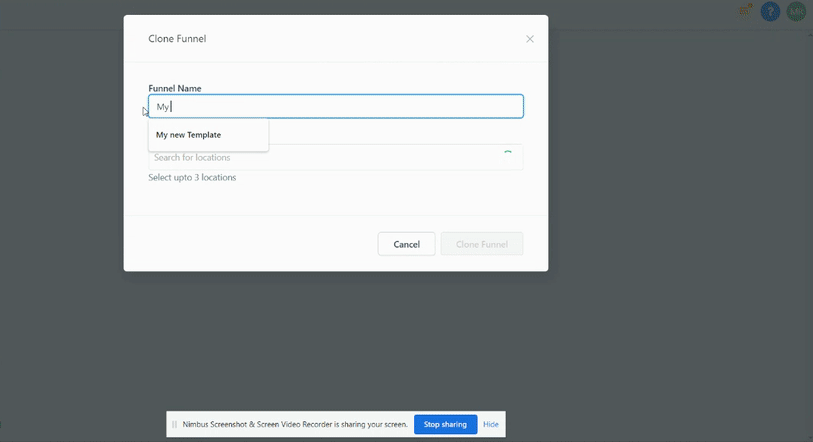
Important: Importing may take a few minutes. Don't refresh your page immediately after clicking import.
Note: Forms, surveys, and other lead capture elements will NOT transfer automatically. You'll need to set these up manually after importing.
Cloning Enrollment Pages & Sites
Cloning creates a copy of your page or site in another location within Enrollio.
Clone an Entire Enrollment Page or Site
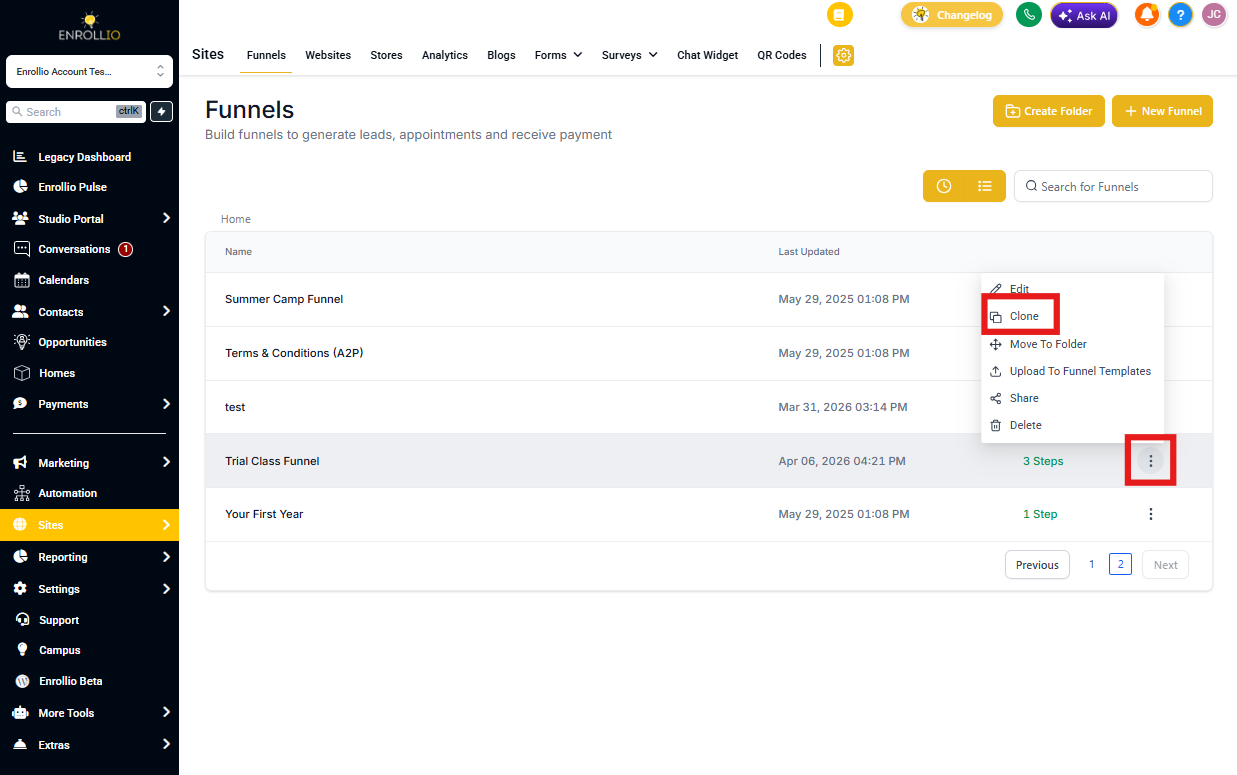
Step 1: In your page view, click the three dots menu and select "Clone."
Step 2: Give your page a name and select the client account(s) where you want to copy it (up to 3 accounts).
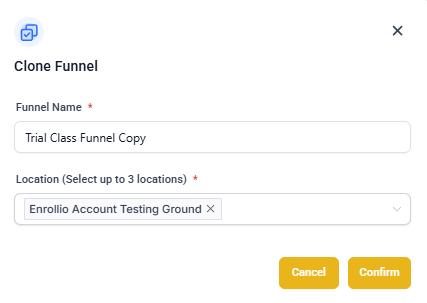
Step 3: Click "Clone Page."
Clone a Single Page Within a Multi-Page Site
You can clone individual pages from one site to another location.
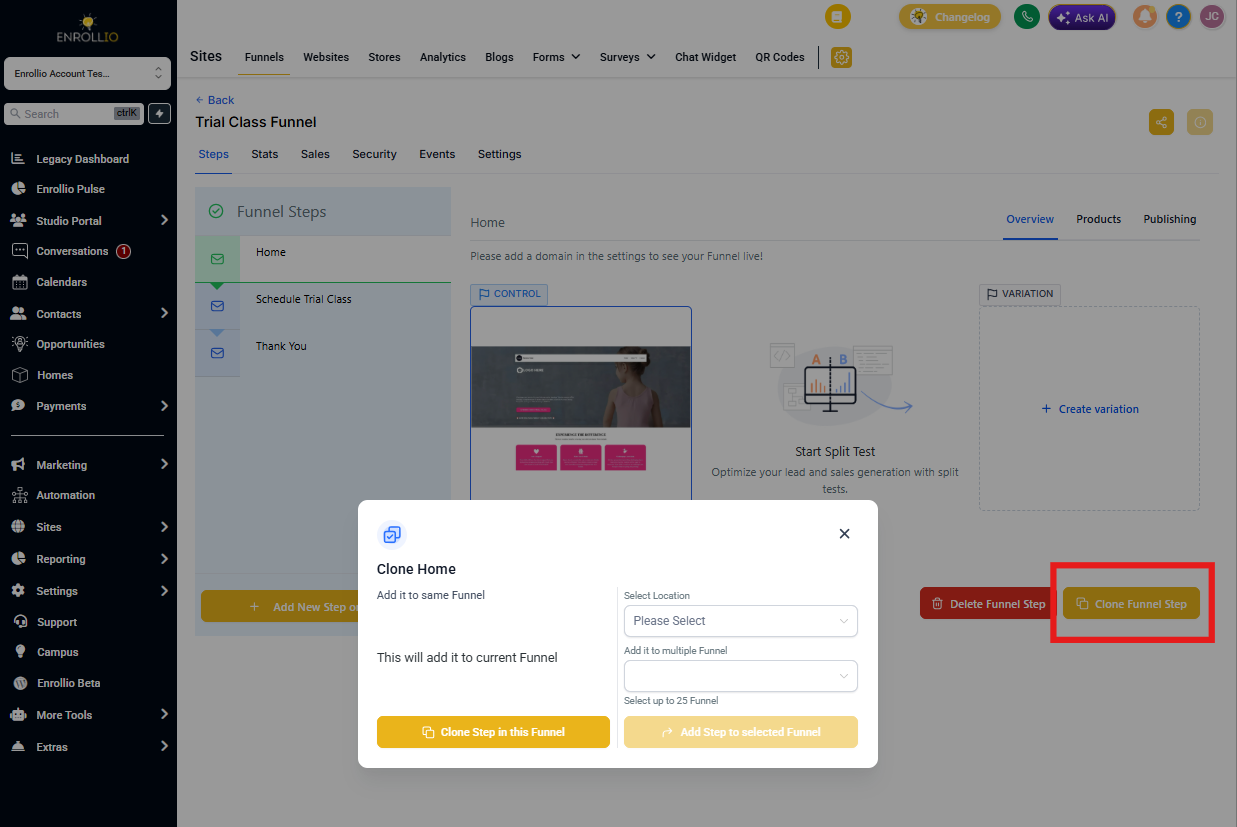
Step 1: Open the site editor and navigate to the page you want to clone.
Step 2: Click the page settings menu and select "Clone Page."
Step 3: Choose your destination client account and click "Clone."
Troubleshooting
How do I convert an enrollment page into a full site (or vice versa)?
Enrollment pages and full sites are different content types in Enrollio. You can't convert between them directly, but you can clone individual pages and rebuild in the desired format.
What if my share link doesn't work?
If a shared template link isn't working, contact Enrollio support. Make sure you're logged into your Enrollio Dashboard before clicking the link.
Can I share these templates with my childcare center clients?
Yes. Once you've imported or created a template, you can clone it to any client account and customize it for that center.
Who do I contact if I need changes to a shared template?
If you received a template via share link, you should have received contact information for the template creator. Reach out to them directly with questions or customization requests.