
When you embed a countdown timer into an email template and share it to a different client account in your Enrollio Dashboard, the countdown timer will be replaced by a static placeholder. This is expected behavior — the new account will need its own countdown timer configured.
How to Share a Template with a Countdown Timer
Step 1: Embed the Countdown Timer
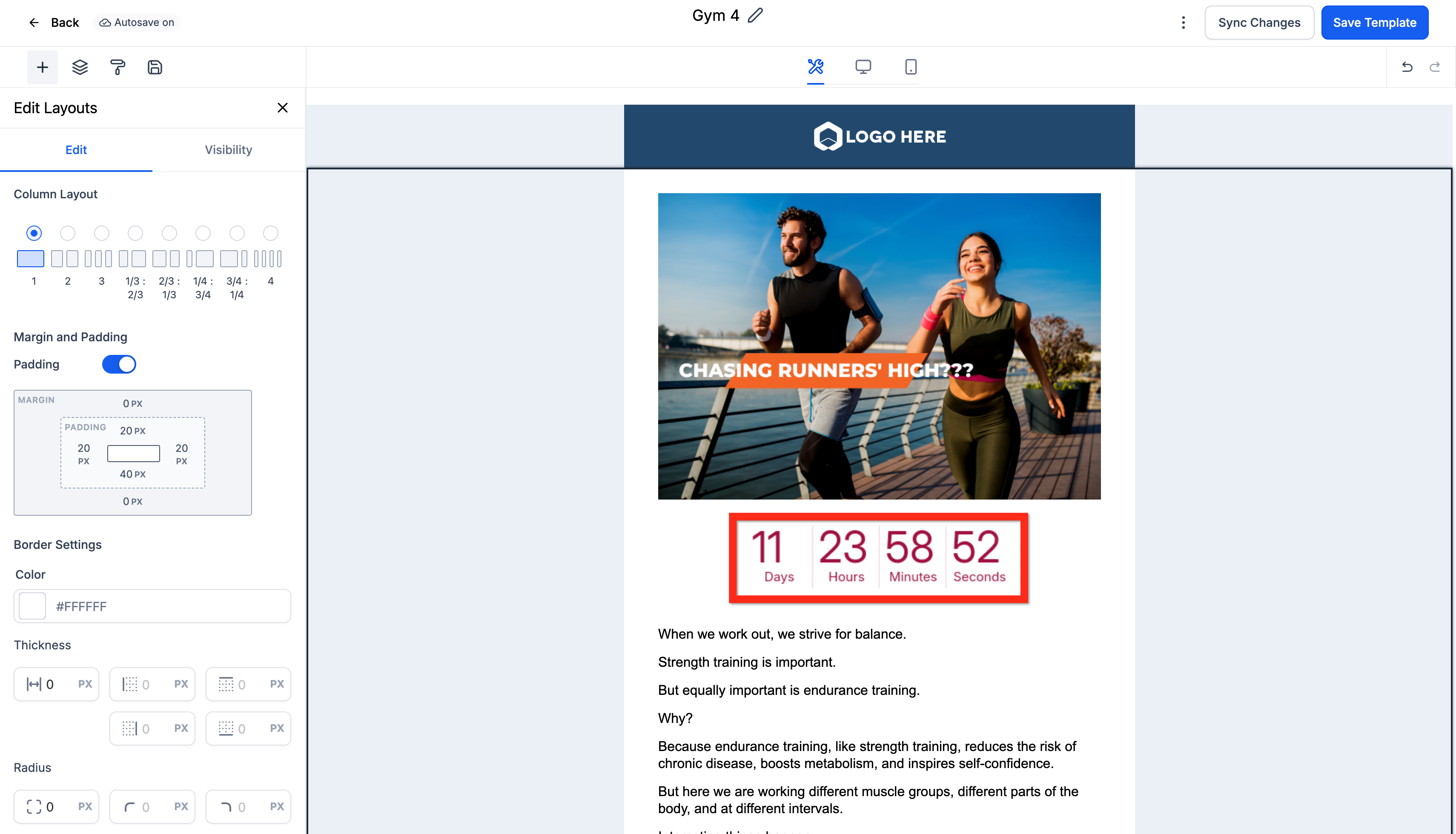
Go to Marketing → Emails → Templates and create or edit a template that includes a countdown timer. If you haven't created a countdown timer yet, you'll need to do that first.
Step 2: Share the Template
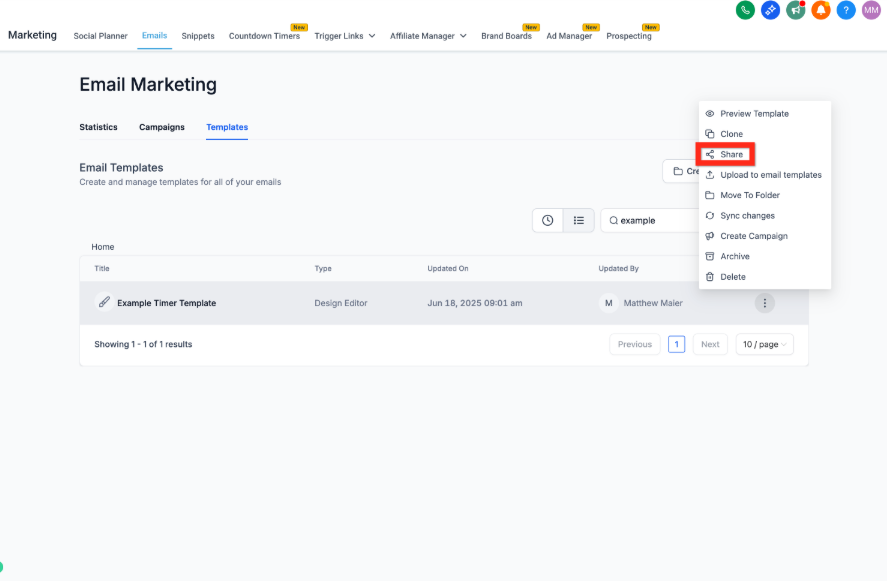
Exit the template editor and click the 3-dot menu next to your template, then select Share.
Step 3: Copy the Share Link
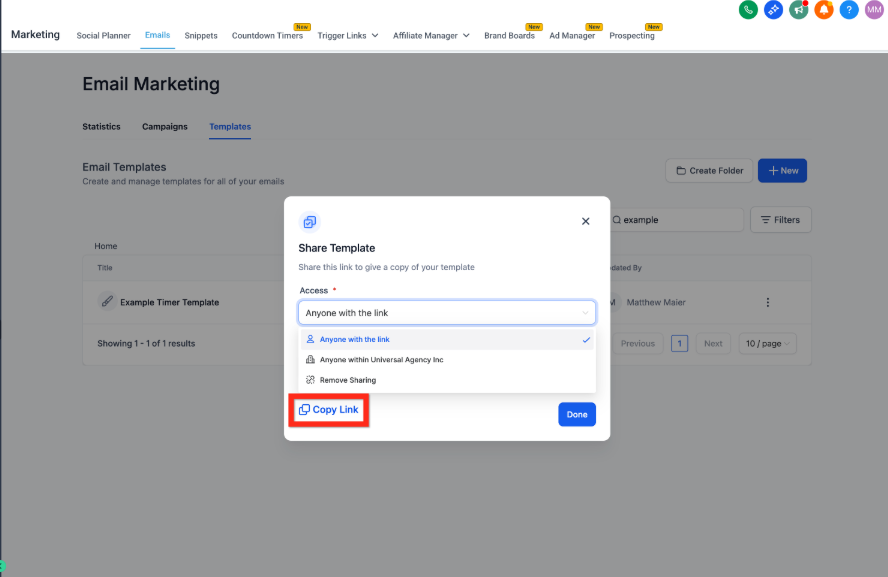
In the Share Template window, select the appropriate permissions, then click Copy Link.
Step 4: Open the Link
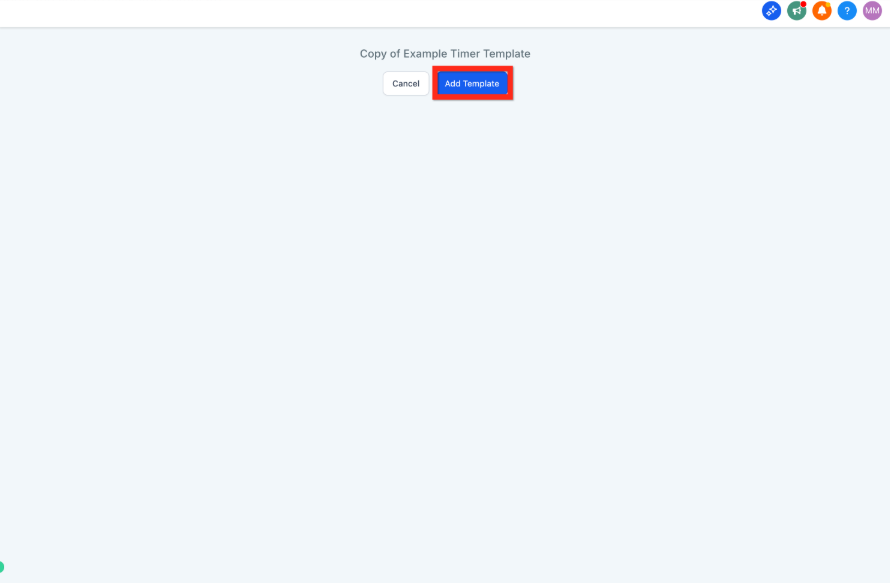
Open the link in a new tab yourself, or share it with someone on your team. If you're logged into your Enrollio Dashboard, you'll see an Add Template button.
Step 5: Choose Your Client Account
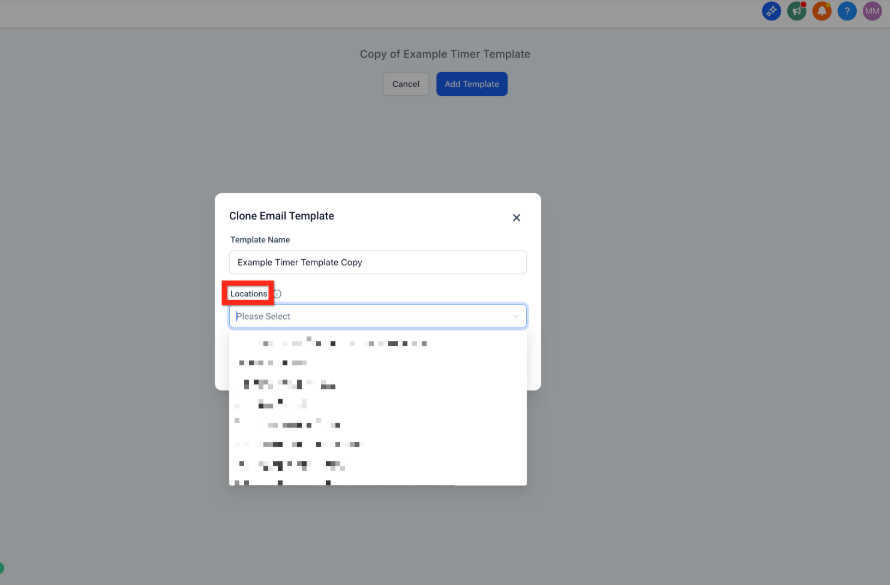
In the Clone Email Template window, select which client account you want to add this template to. You can also rename the template if you'd like.
Step 6: Replace the Placeholder
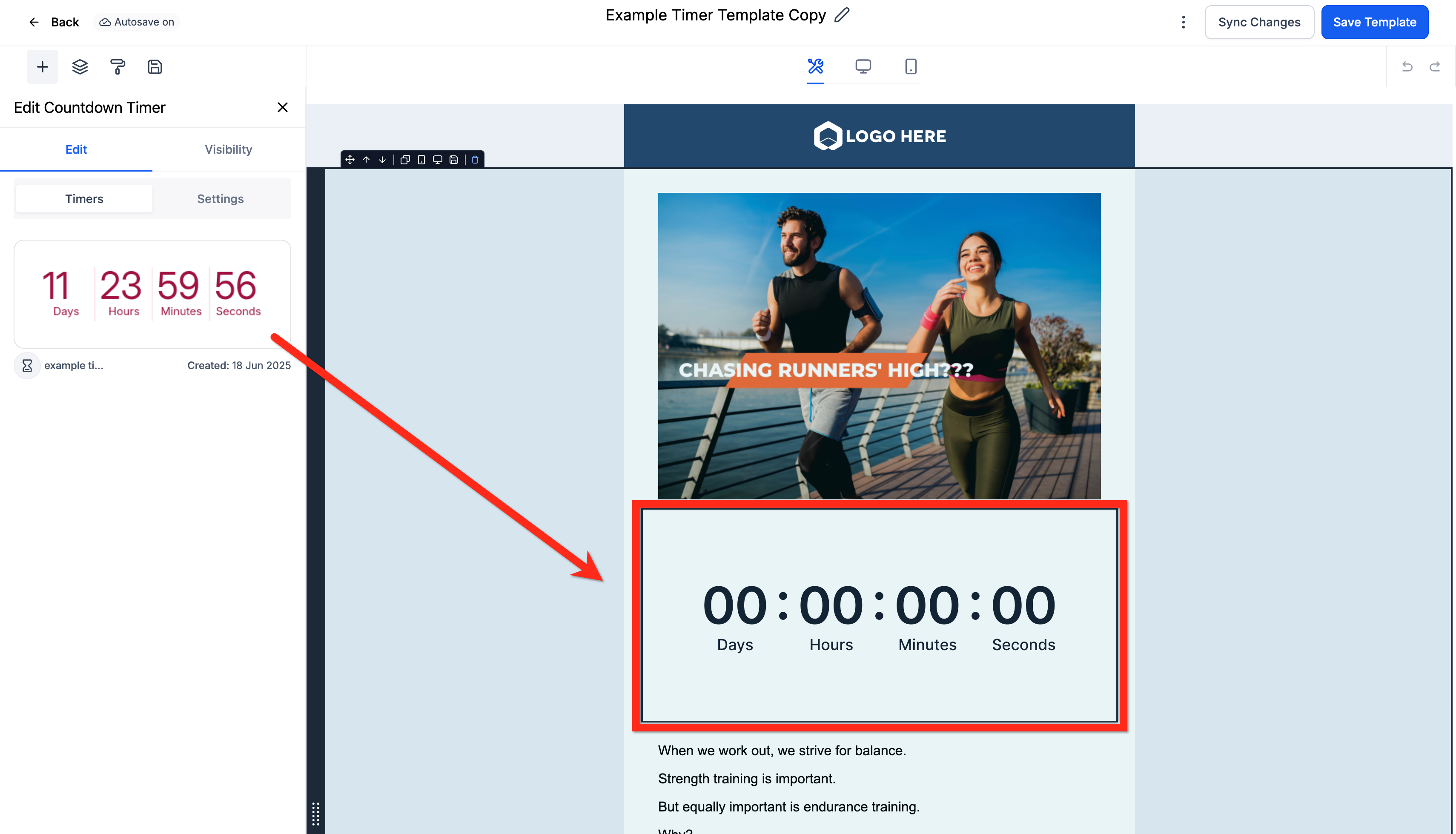
Navigate to Marketing → Emails → Templates in the new client account and open your copied template. You'll see a non-functional placeholder where the countdown timer was.
Click on the placeholder to select a countdown timer that exists in this client account. If you haven't created one yet, you'll need to set that up first.
Why This Happens
Each client account in Enrollio has its own countdown timers with unique settings and end dates. When you share a template across accounts, Enrollio can't automatically copy the timer because the settings might not apply to the new account.
This placeholder system ensures you choose the right countdown timer for each client's specific campaigns and deadlines.