
Purpose
This guide shows you how to make your invoices look professional and match your studio’s brand. Instead of sending a plain invoice, you can now adjust colors, labels, and sections so your invoices reflect your studio’s personality while staying clear for your families.
What It’s For
You’ll use this feature when you want your invoices to:
Match your studio’s brand colors and style.
Include (or hide) certain business details.
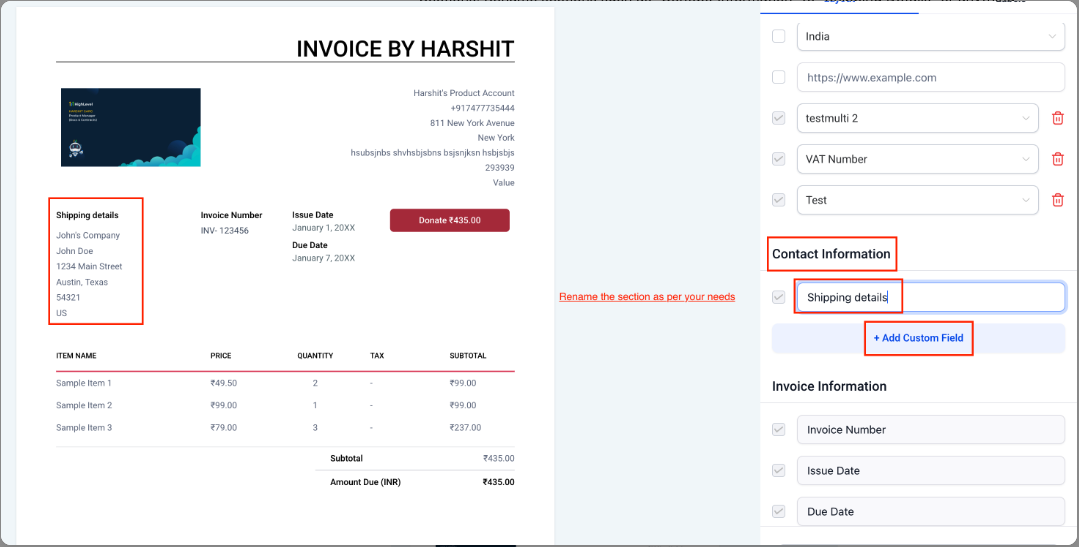
Use custom section titles (like changing “Contact Information” to “Shipping Details”).
Update button labels (like “Pay” to “Donate”).
Present a polished, professional image to families.
Step-by-Step Instructions
-
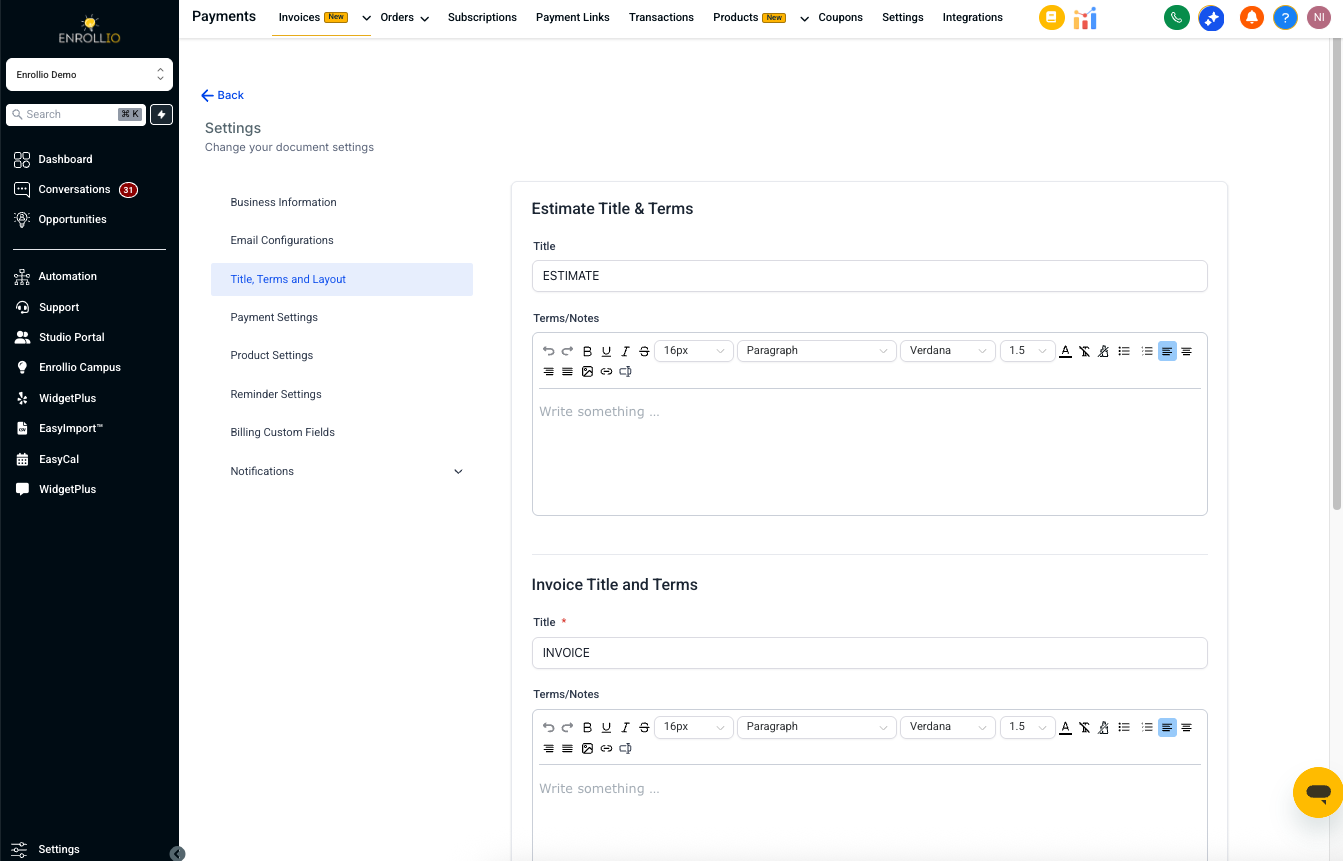
Go to Payments → Invoices & Estimates → Settings → Title, Terms, and Layout.
-
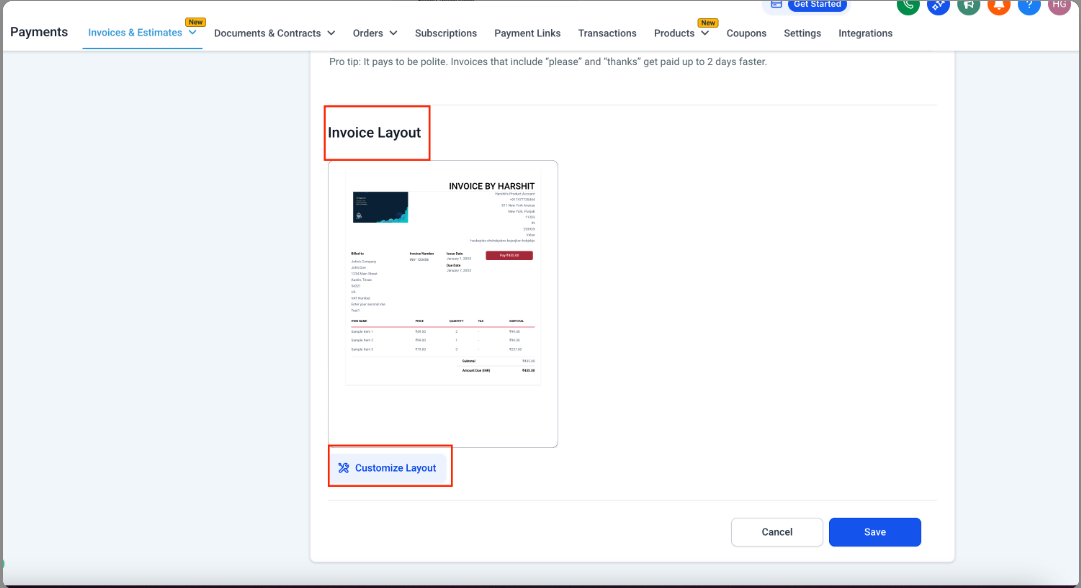
Under Invoice Layout, click Customize Layout.
-
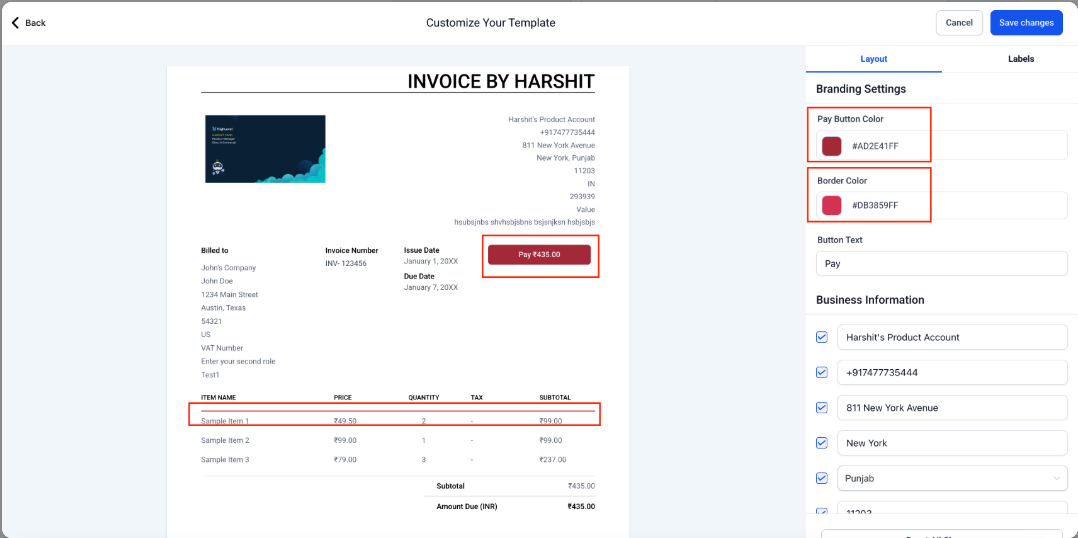
Use the customization panel to make changes:
-
Branding: Choose pay button color, border color, and button text.
-
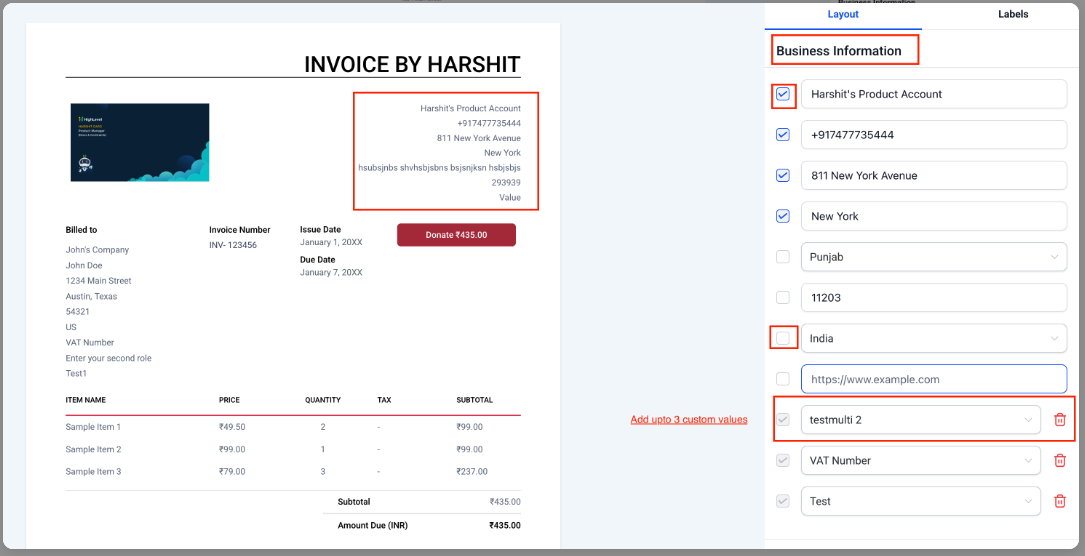
Business Information: Show or hide your studio’s details (like name, phone, tax IDs), and add up to 3 custom values.
-
Sections: Rename sections (for example, change “Contact Information” to “Shipping Details”) and add custom fields.
-
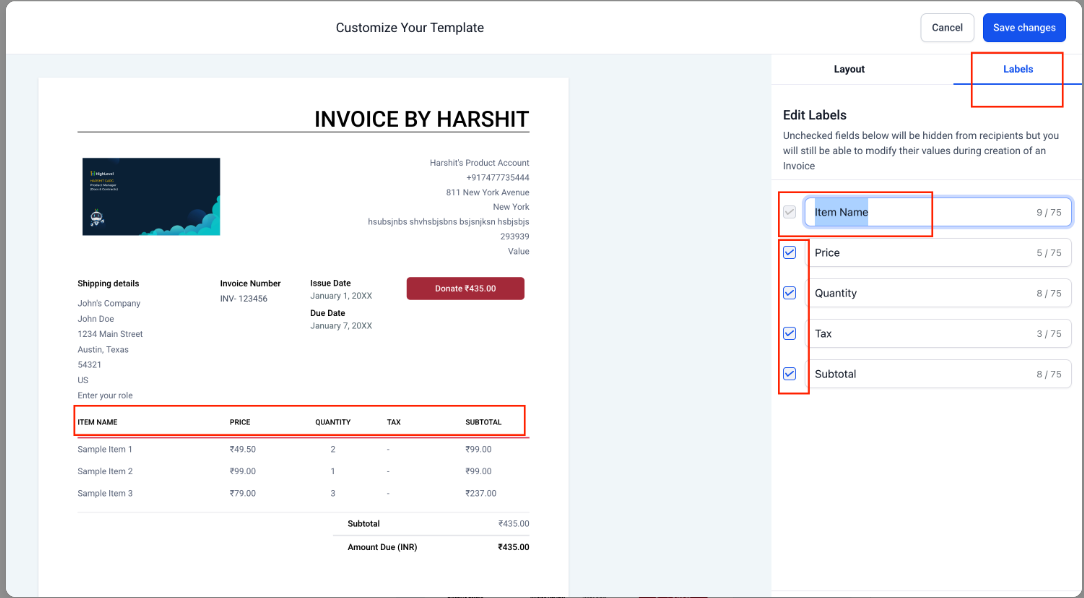
Labels: Edit or hide column labels such as Item Name, Price, Quantity, Tax, or Subtotal.
-
-
Preview your changes live on the invoice template.
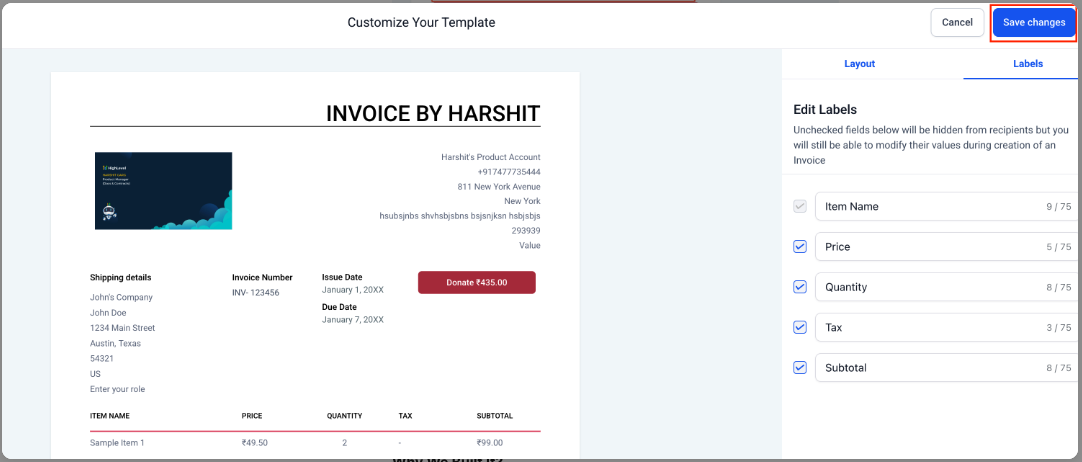
Click Save Changes to apply your new design.
Notes / Tips
Keep your colors and style consistent with your studio’s branding for a professional look.
Only include the details families truly need to avoid clutter.
Double-check your changes in the preview before saving.
Support Reminder
If you have any questions, please reach out to support@enrollio.ai and our team will be happy to help.