
Overview
A new Payments Tab has been added inside the Appointment Modal, giving studios a complete view of all payment-related details for each appointment. This feature is available in Labs and can be enabled for sub-accounts.
What’s New
Full Payment Summary: View the amount paid, remaining balance, and total amount owed for an appointment.
Attendee-Level Details: See payment summaries for each attendee.
Transaction History: Review all payments tied to the appointment.
Discount Tracking: Check coupon codes applied and the exact discount amounts.
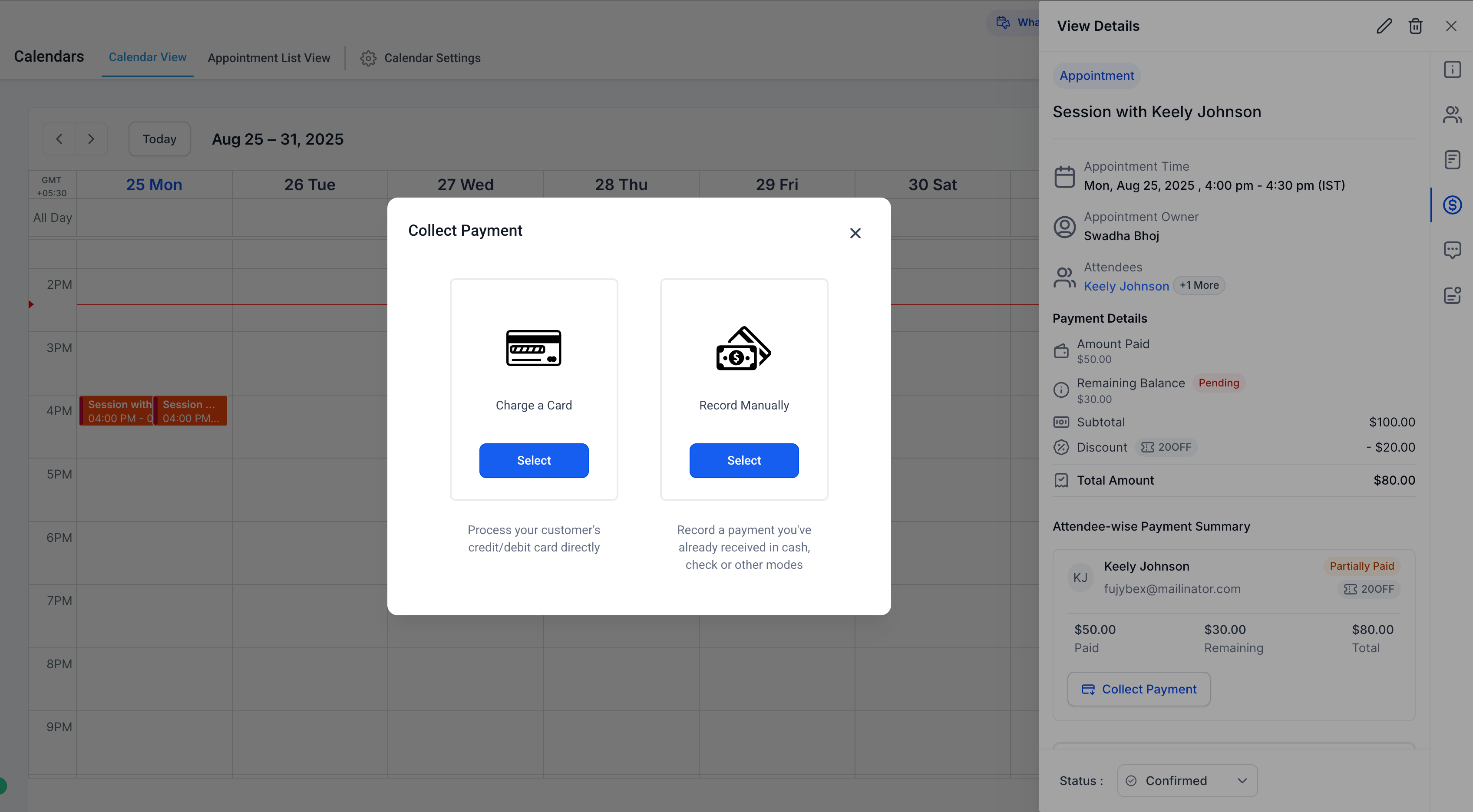
Collect Payments: Charge cards or record manual payments directly from the modal.
How to Use
Open the Appointment Modal by clicking on any appointment.
Select the Payments Tab.
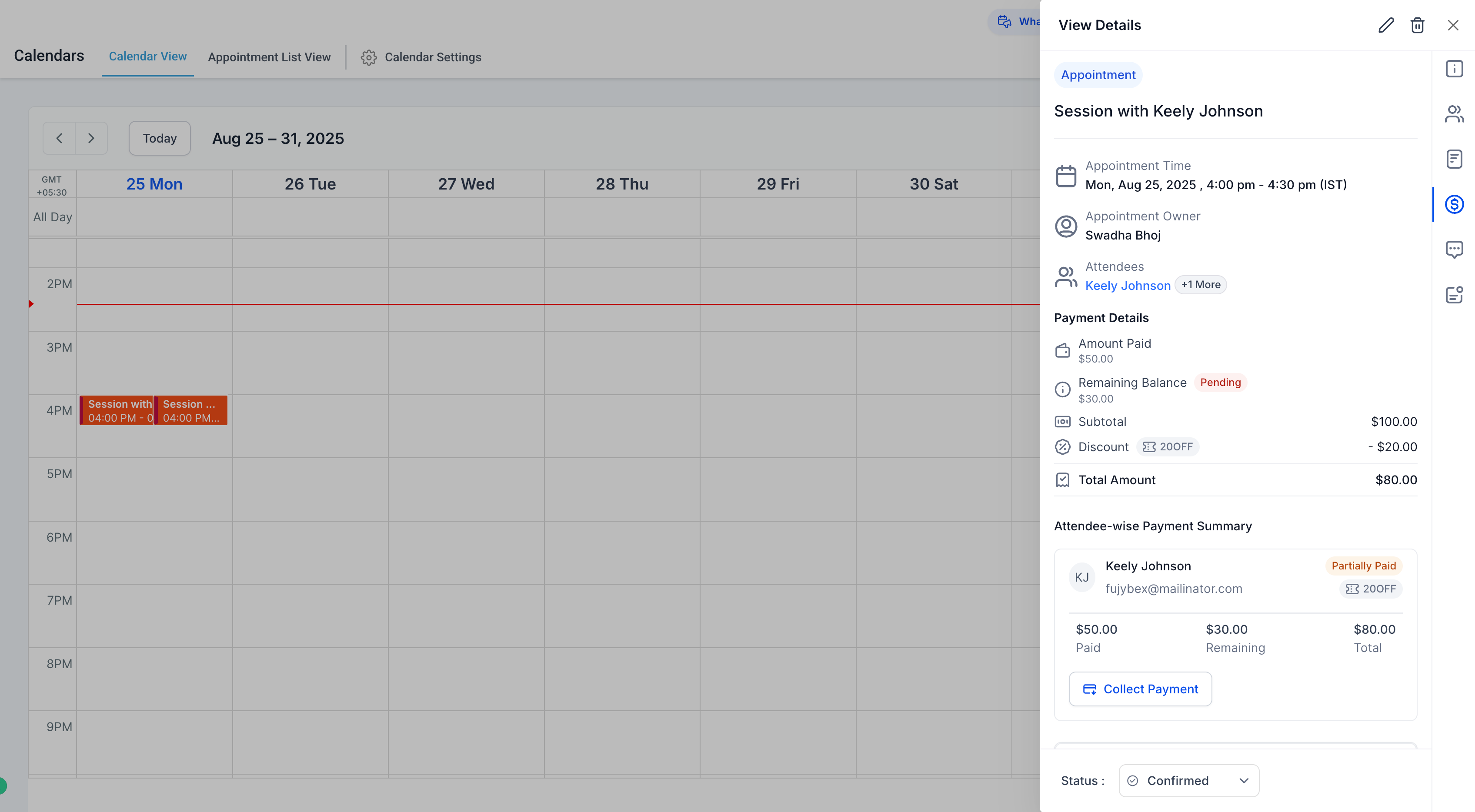
Review details including balances, payment history, and discounts.
If there is a remaining balance, click Collect Payment to charge a saved card or record a manual payment.
Benefits for Dance Studios
Manage all payment actions without leaving the appointment view.
Quickly access past transactions, coupon use, and outstanding balances.
Collect payments in just a few clicks, saving staff time and improving cash flow.
Important Notes
-
Supported for appointments across all calendar types, except:
Service Menu (v1) appointments.
Custom recurring appointments created directly in the in-app modal.
When payments are enabled for a calendar, an associated product is automatically created with a Calendar tag for easier tracking.
Support
For questions or help setting up the Payments Tab, please contact support@enrollio.ai.