
Overview
We’ve rolled out two new enhancements in the Page Builder to improve both design flexibility and workflow efficiency. Studios can now style button icons independently from text and quickly search through Global Sections to speed up page creation.
Independent Button Icon Color
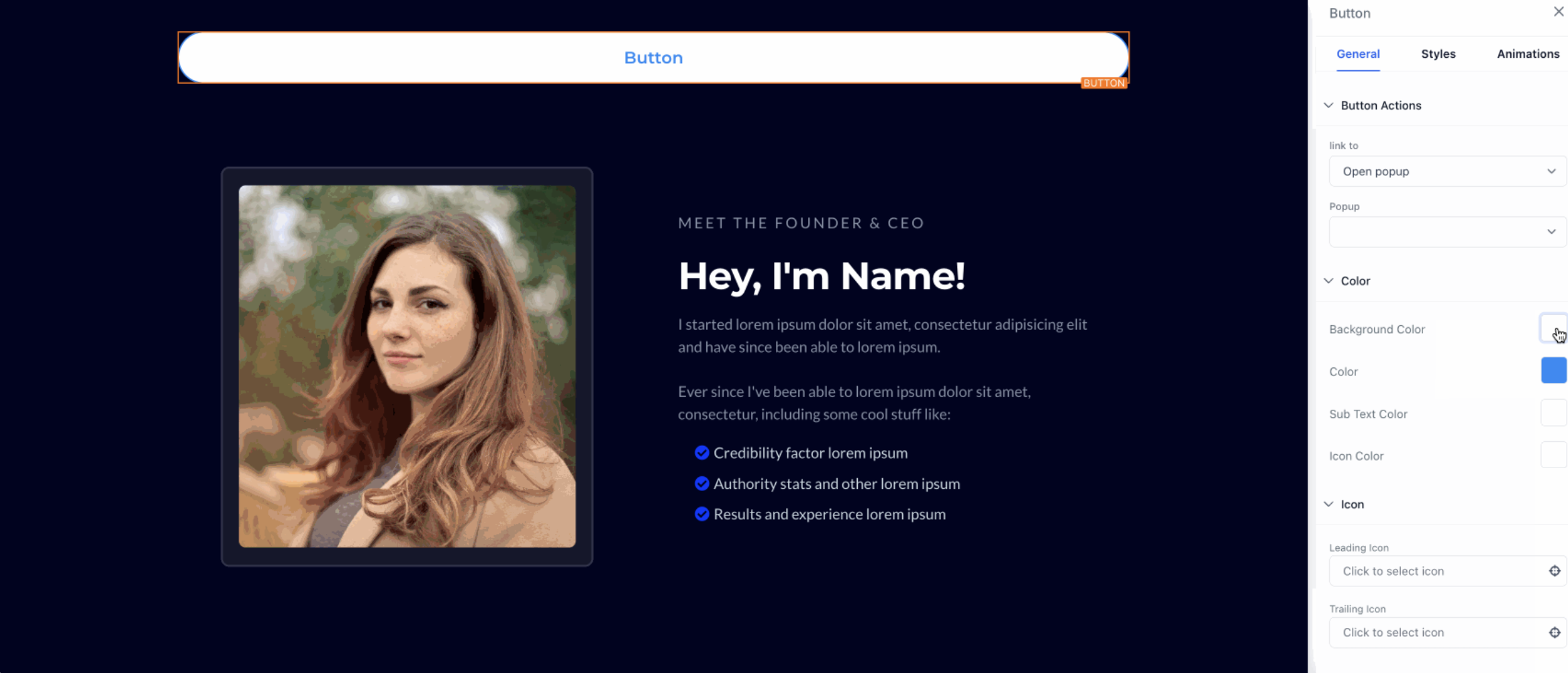
Set a custom icon color for buttons independently of text and subtext colors.
Location: Page Builder → Left Sidebar → Add Button Element → Show Settings → Icon Color
Supports: Default, custom hex, and brand board colors.
Benefit: Provides precise control over icon appearance, ensuring buttons align seamlessly with your studio’s brand identity.
Search in Global Sections
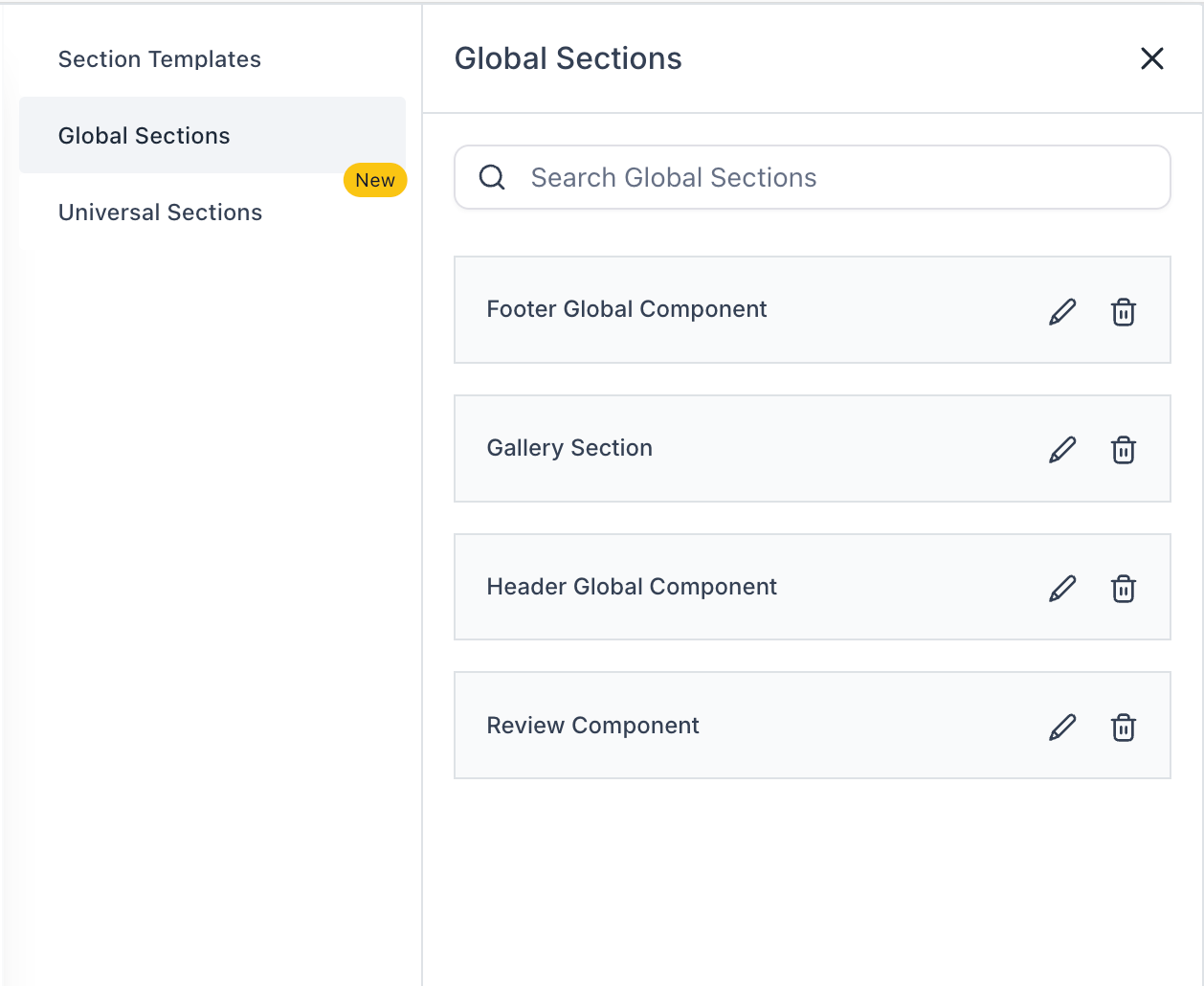
A new search field has been added to Global Sections.
Location: Page Builder → Left Sidebar → Add Elements → Saved Sections → Global Sections
Functionality: Search by full or partial section names with real-time updates.
Benefit: Speeds up access to saved content, especially in large workspaces with many sections.
Why This Matters
These improvements streamline the page-building process for dance studios, enabling faster access to reusable content and more polished, brand-consistent designs.
Support
For questions or assistance with button styling or global section search, please contact support@enrollio.ai.