
What’s New
You can now copy workflow actions across different workflows inside Enrollio. Previously, you could only copy actions within the same workflow. With this update, you can copy any single action or an entire block of actions and paste them directly into another workflow—even if it’s open in a different tab.
Copy single or multiple actions across workflows.
Works for all workflows within the same sub-account.
Copied actions stay in your clipboard for 15 minutes, so you can paste into multiple workflows.
How It Works
Open any workflow and click the three-dot menu on an action.
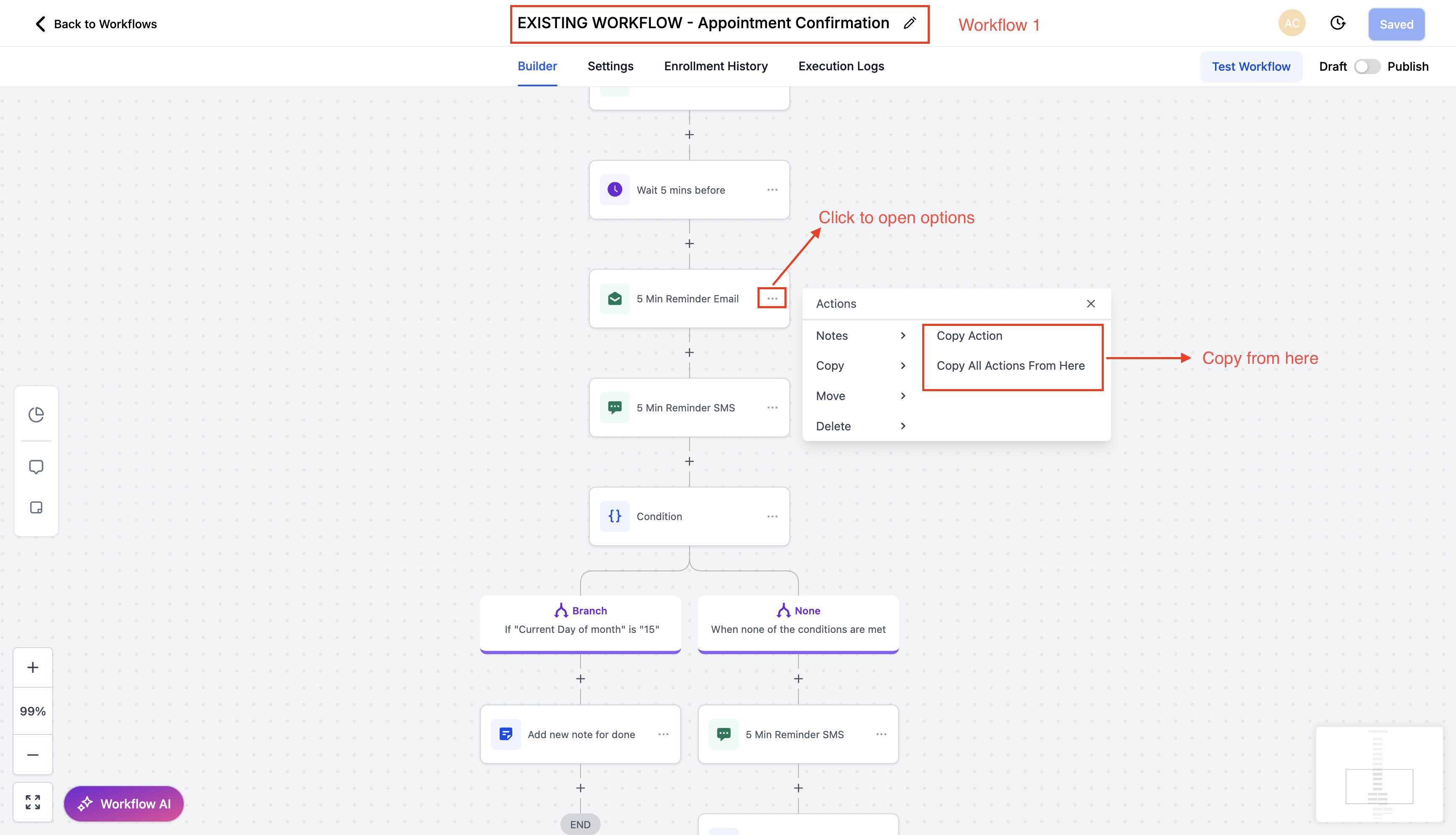
Choose Copy Action or Copy All Actions From Here.
Navigate to your target workflow (same or different tab).
Use the Quick Paste button next to the “+” button to insert, or choose Paste Below from the three-dot menu.
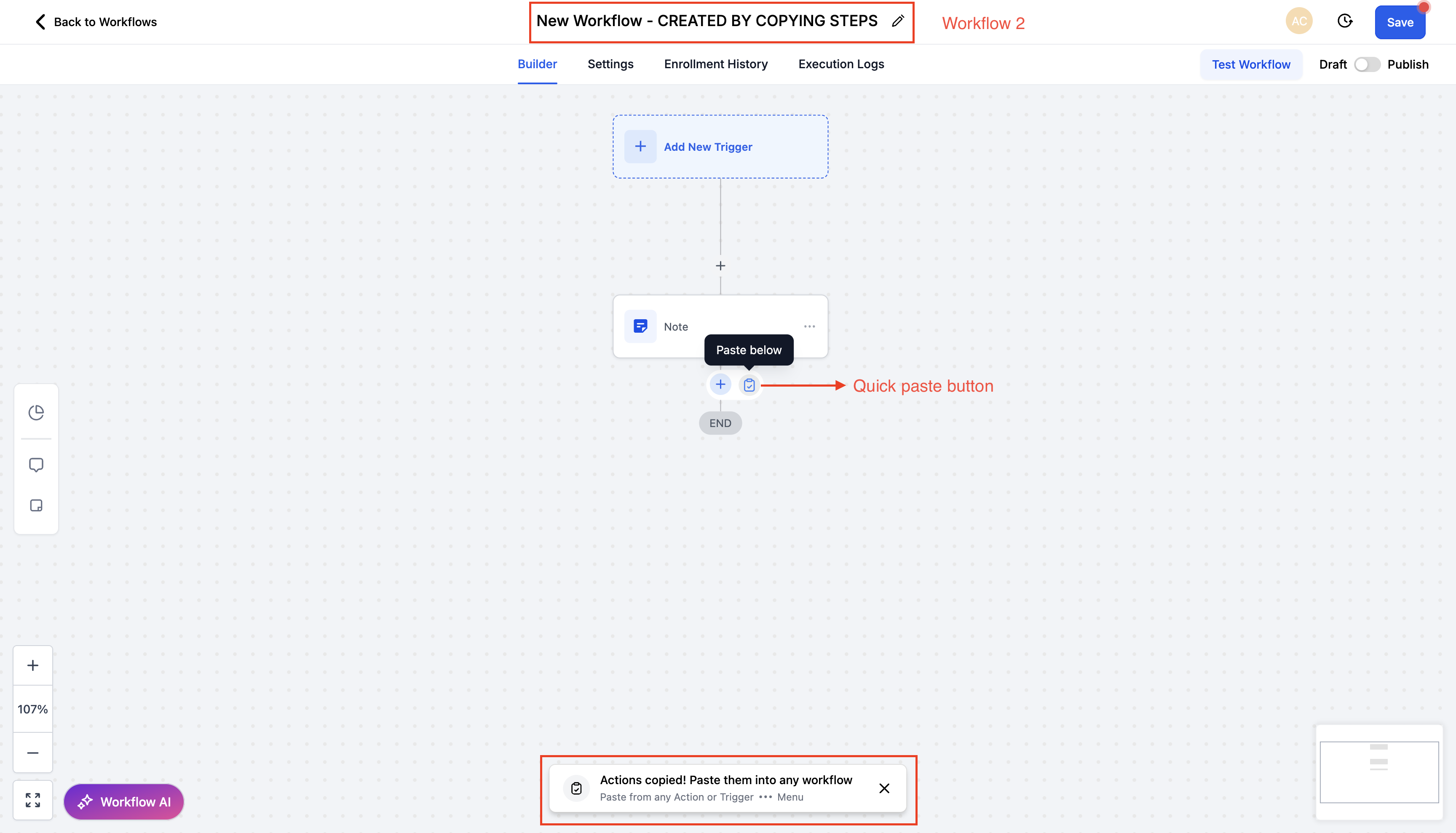
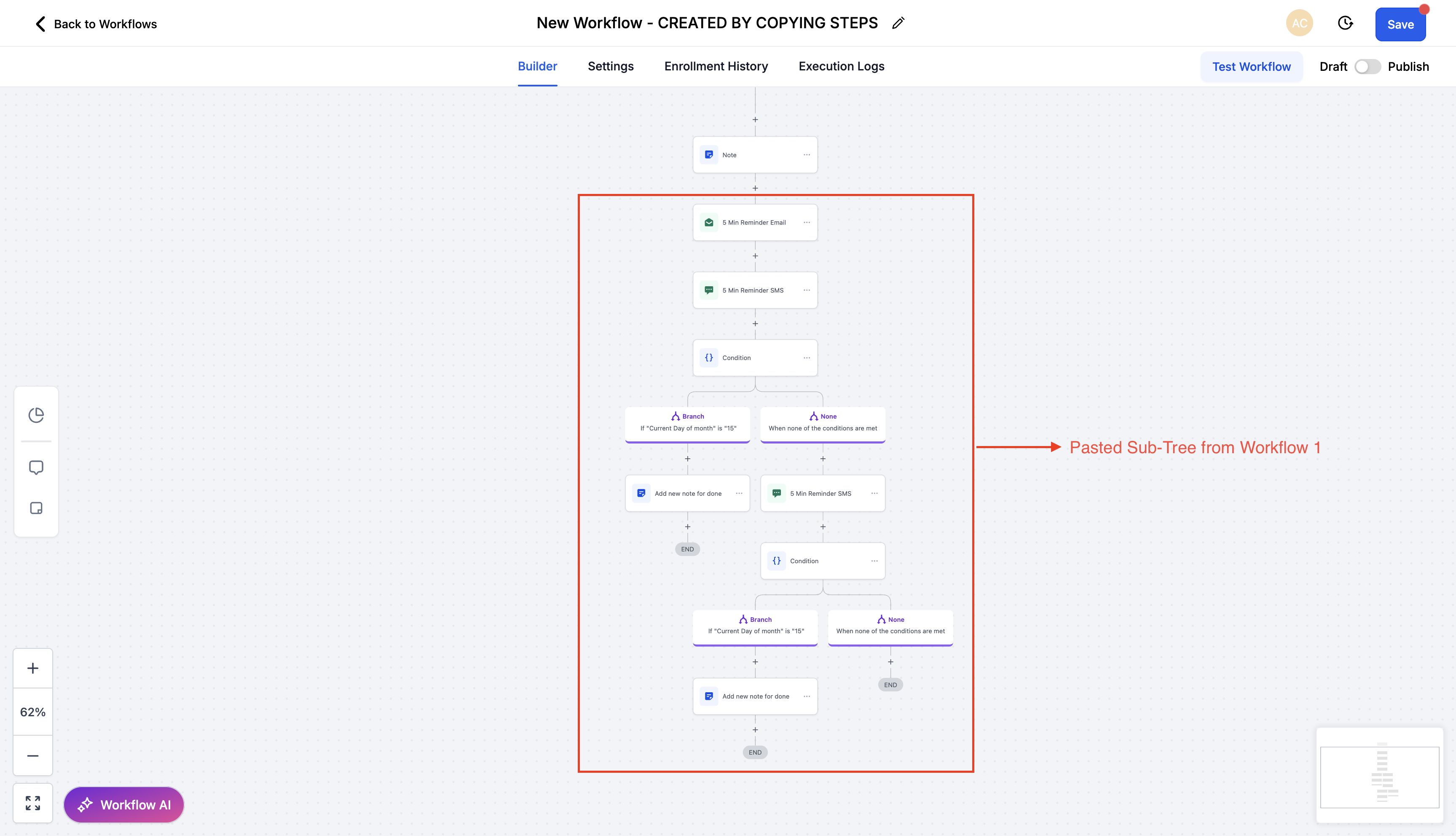
Validate pasted actions and save the workflow.
Why This Matters
This feature eliminates repetitive rebuilding, saves valuable time, and makes it easier to reuse logic across workflows. You can now build faster, stay consistent, and manage automations more efficiently.
Support
If you have any questions or need assistance, please reach out to support@enrollio.ai.