
What’s New
The QR Code Builder has been upgraded to make creating, testing, and sharing codes faster and more flexible for your studio. You can now test QR functionality instantly and share codes through direct links—without needing to download the image first.
Key Highlights
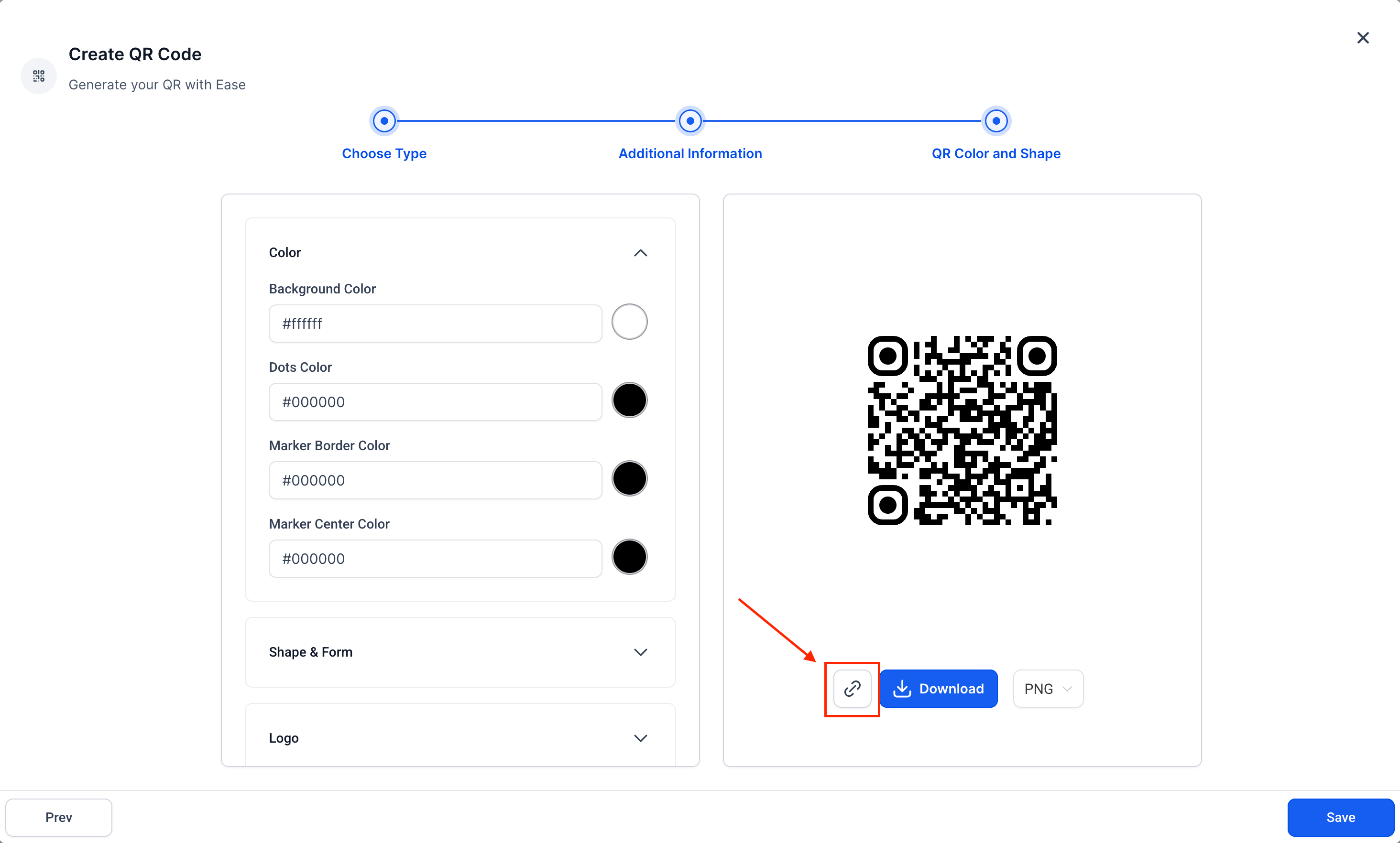
Shareable QR Code Links
Copy and share a direct link for your QR Code.
No need to download or send the image file, making digital-first sharing much easier.
Real-Time Testing During QR Creation
Test your QR Code inside the Builder before saving it.
The Builder temporarily saves your input data (website URL, phone number, etc.) so you can confirm the code works correctly on the spot.
Eliminates guesswork and reduces time spent editing after creation.
How It Works
Open the QR Code Builder.
Enter the required details for your QR Code type.
Test the QR Code directly in the Builder.
Generate the code and choose whether to download the image or copy the shareable link.
Why It Matters
Dance studios can now share class schedules, trial offers, and event pages with families even faster. Whether you’re printing flyers or sending links digitally, this update streamlines the process and ensures accuracy before you publish.
Support
If you need help using the QR Code Builder or have questions about setup, please reach out to support@enrollio.ai.