
Purpose
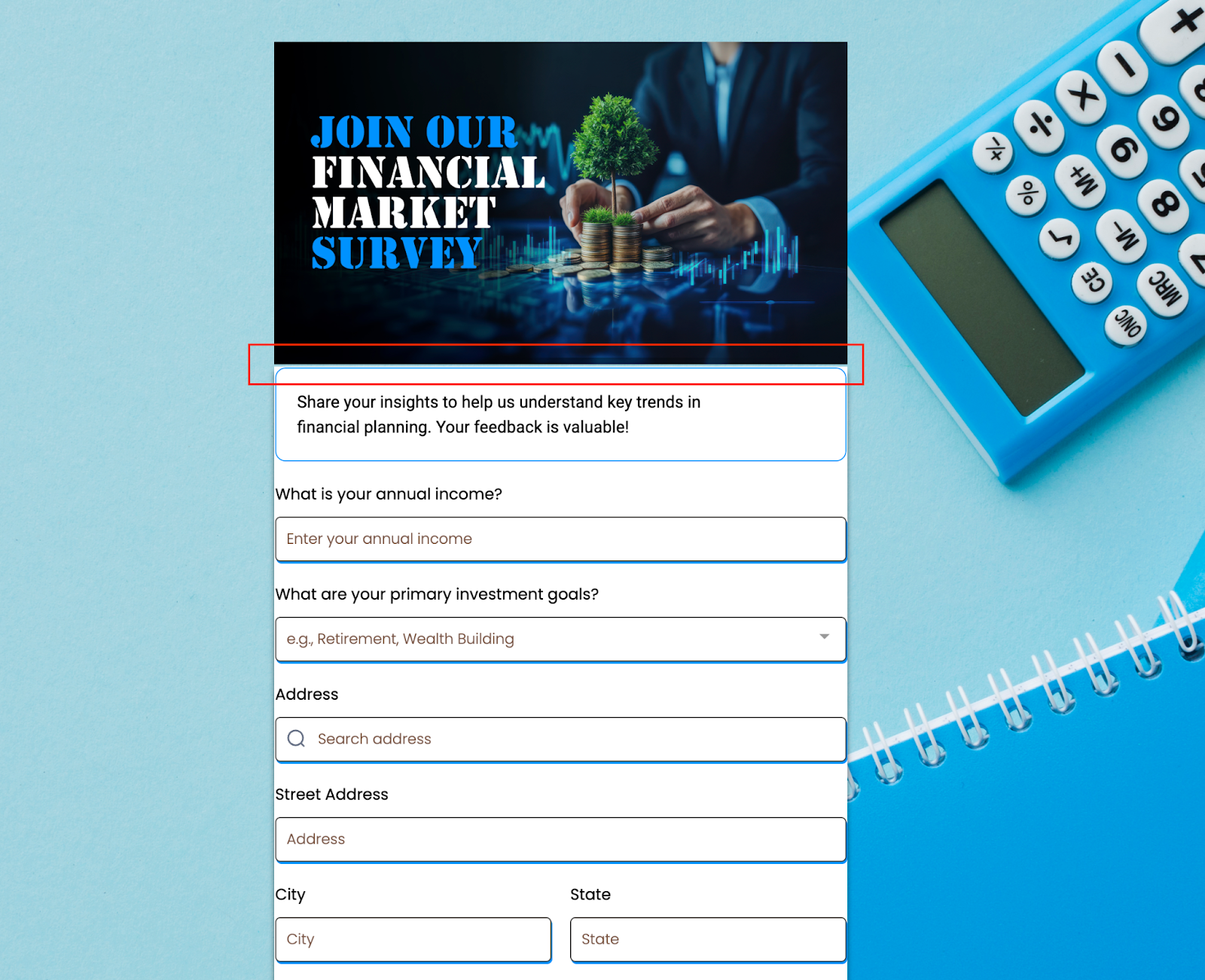
This update gives you full control over vertical spacing in your forms, surveys, and quizzes. With true zero padding support, you can now eliminate forced top and bottom spacing to achieve cleaner, sharper, and more precise layouts.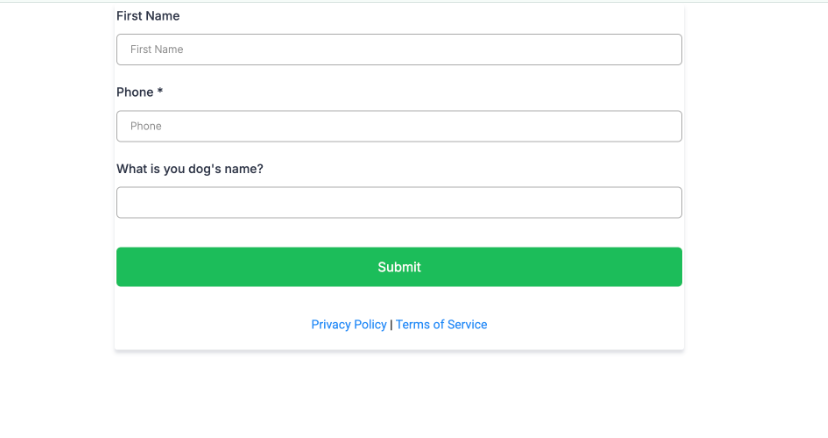
What’s New
-
True 0 Padding Support → No more automatic padding at the top and bottom.
-
Pixel-Perfect Layouts → Design tighter, sharper, and more modern pages without unwanted whitespace.
-
Flexible Customization → Choose exactly how much padding to apply — whether it’s zero or more, the choice is fully yours.
How It Works
- Open the Form, Survey, or Quiz Builder.
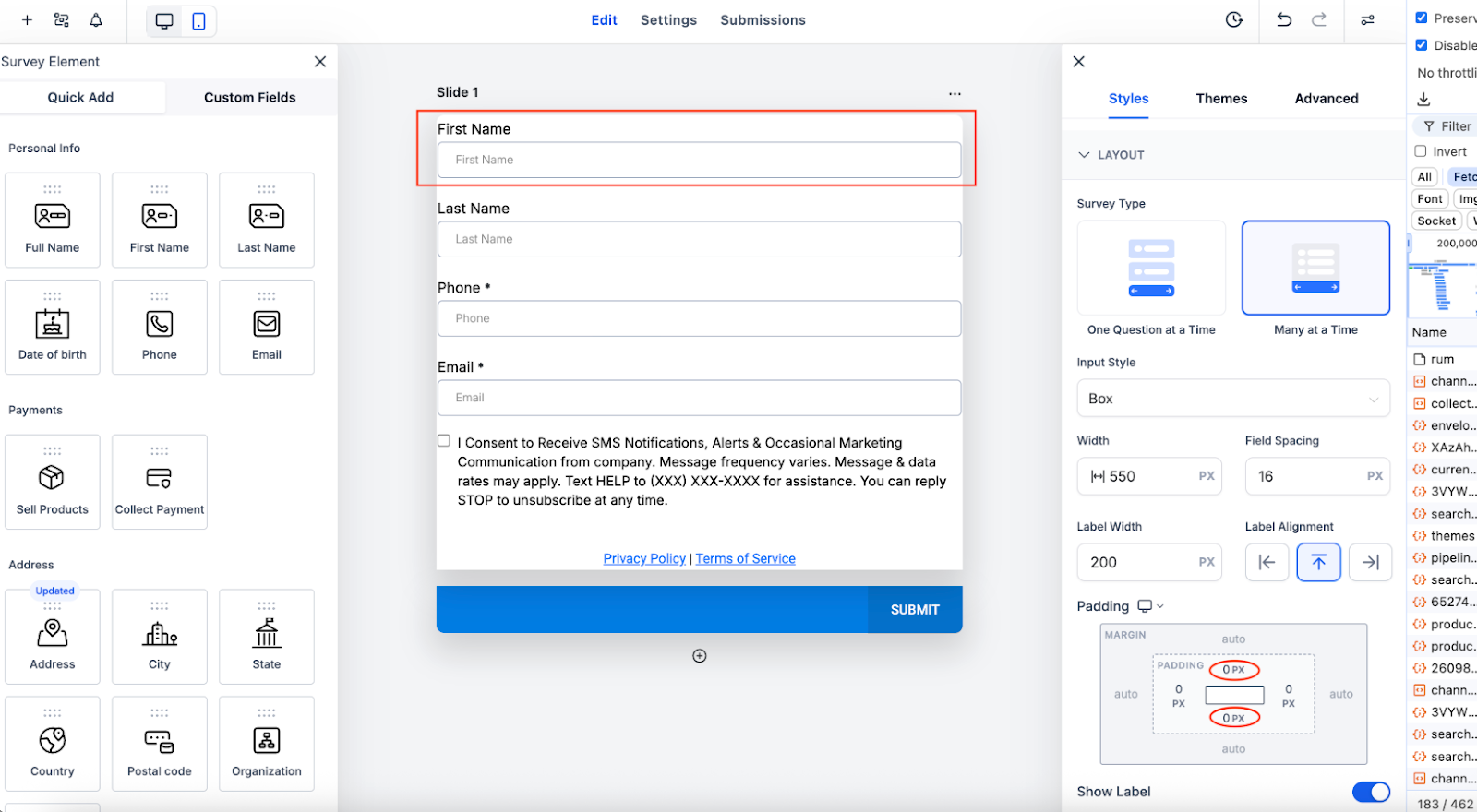
- Go to Styles → Layout → Padding.
- Set the Top and/or Bottom padding to 0px.
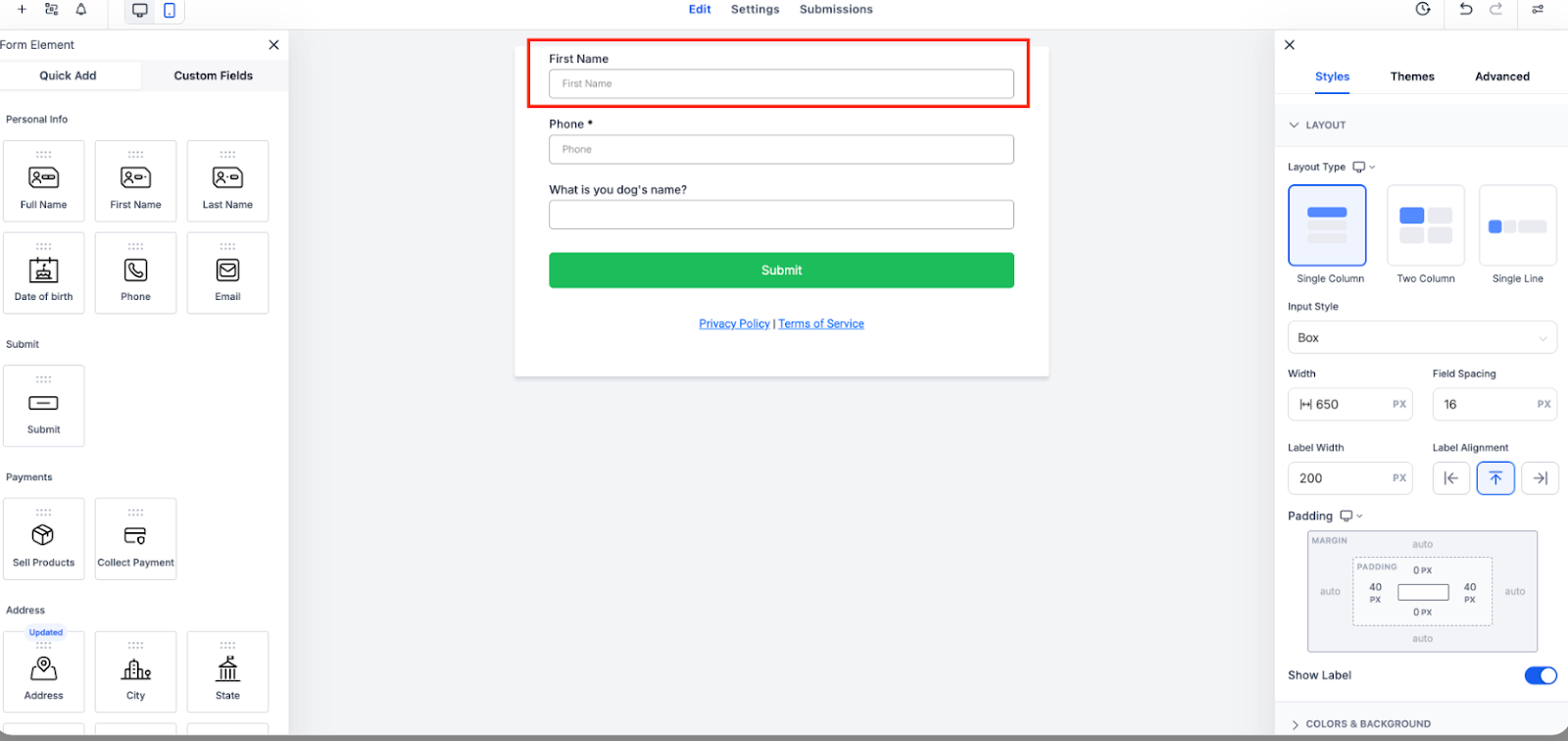
- Preview and publish — your design will render with true zero spacing.
Notes
- Applies to all layouts across forms, surveys, and quizzes.
- If you already had padding set to 0, nothing changes — your design will look the same.
- You can revisit the builder and reapply 0px padding if you want to ensure true zero spacing.
Why It Matters
- Create cleaner, sharper layouts.
- Remove unnecessary whitespace.
- Gain greater design flexibility and precision.
Need Help?
If you need guidance on using zero padding in your forms, surveys, or quizzes, contact our Support Team at support@enrollio.ai.