
What’s New
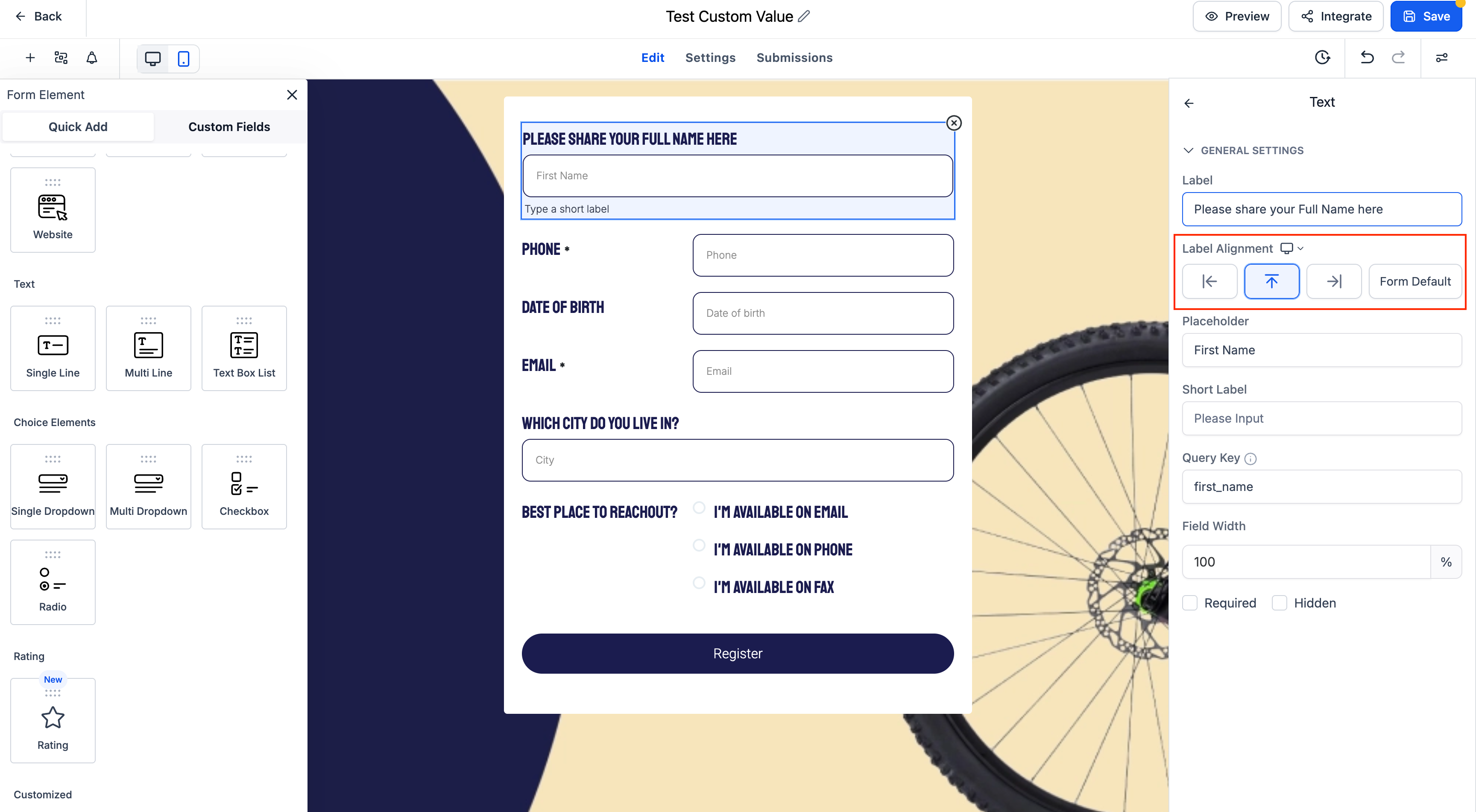
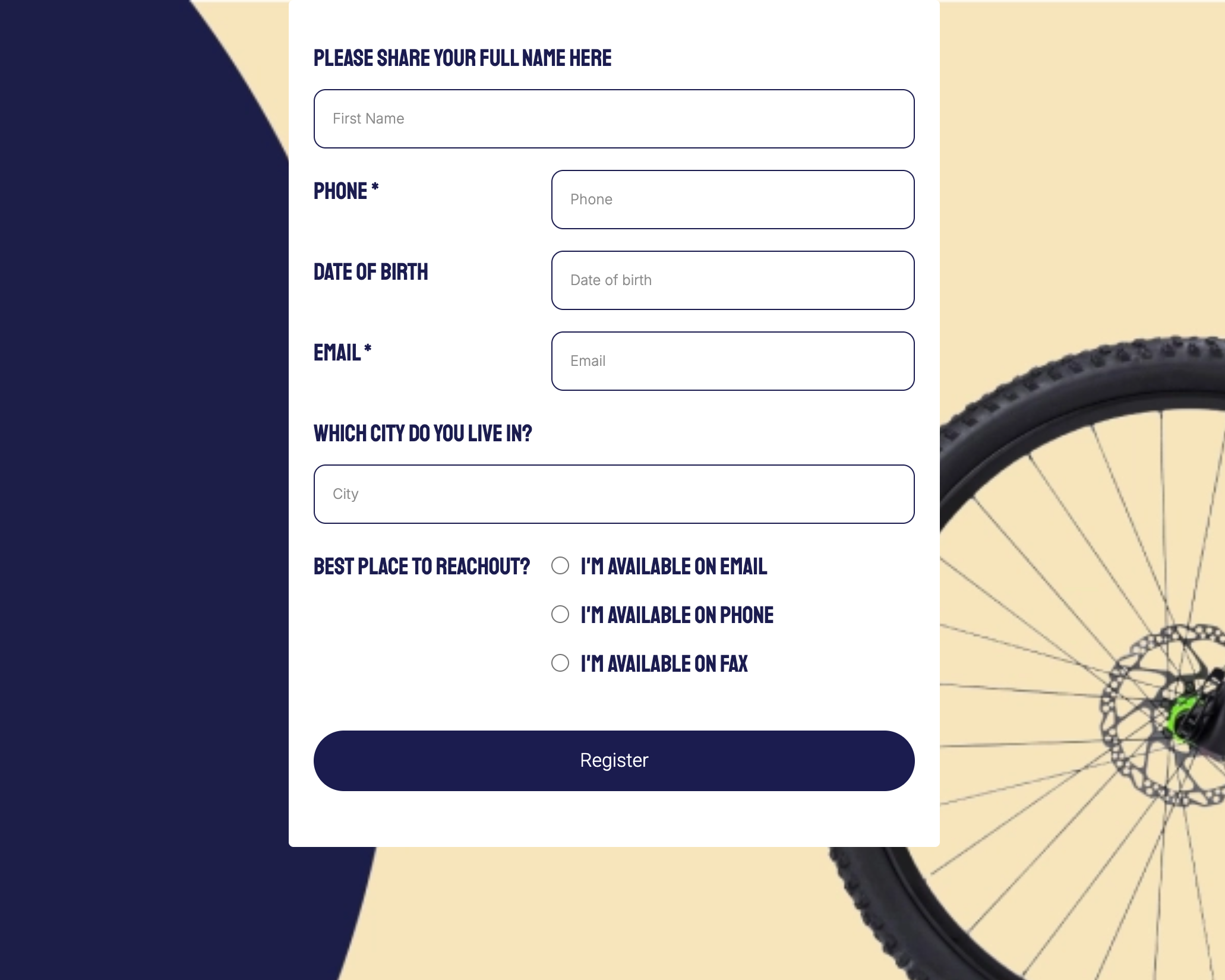
Element-Level Label Alignment is now available across Forms, Surveys, and Quizzes. Instead of relying only on global form-level settings, you can now configure label alignment individually for each field.
Note: This capability is currently supported for the Single Column layout only.
Key Highlights
Per-Element Alignment Options: Choose label alignment per field — Left, Right, Top, or follow the global Form Default.
Form Default Option: Inherit the global alignment setting without switching context.
Supported Across Modules: Works seamlessly in Forms, Surveys, and Quizzes.
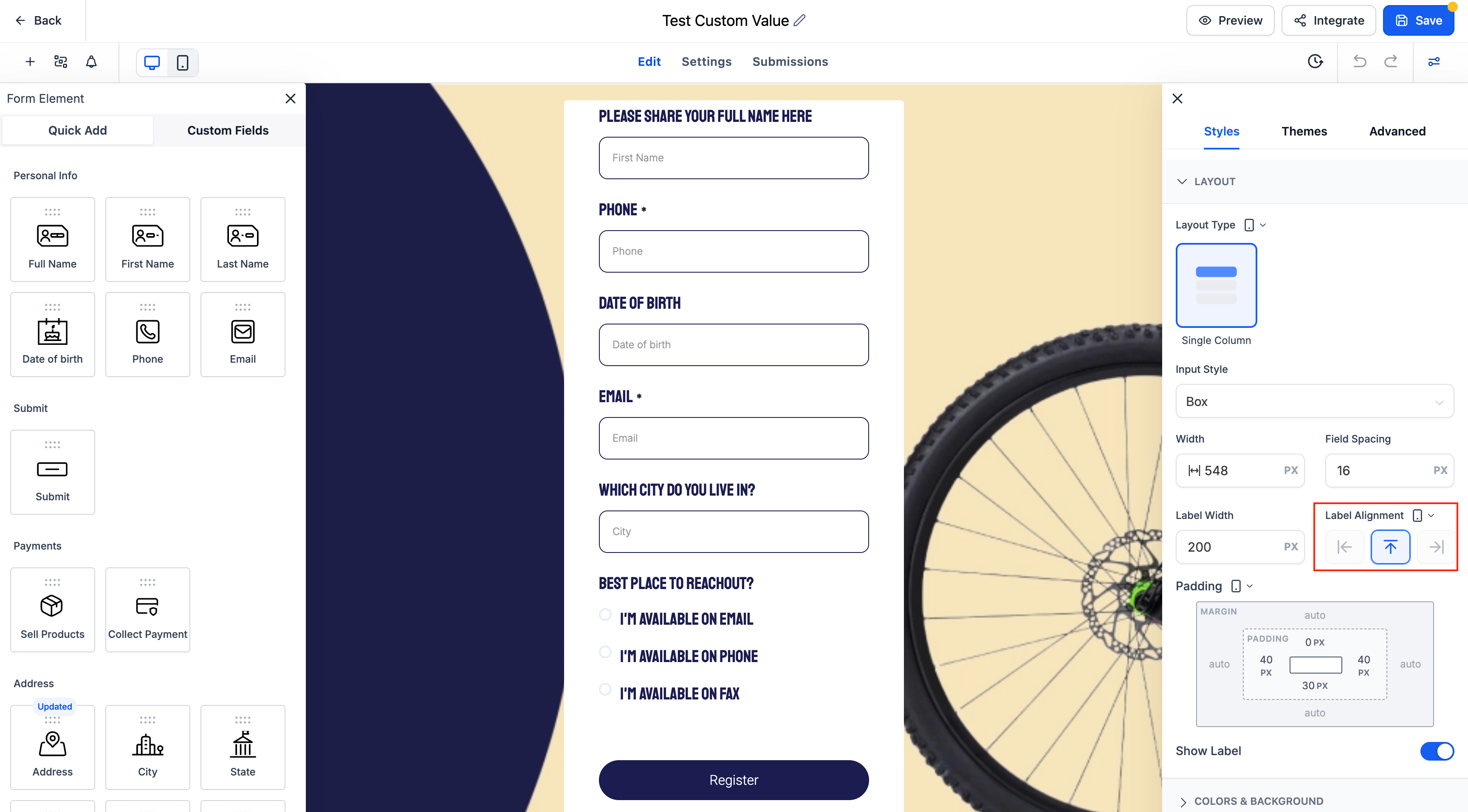
Mobile Behavior: On mobile devices, all labels automatically default to Top alignment for better readability.
-
Improved Layout Control: Enhances space efficiency and visual clarity, especially in longer forms.
How It Works
Open any form, survey, or quiz using the Single Column layout.
Select a form field.
-
In the Label Alignment setting, choose from:
Left
Top
Right
Form Default
-
On mobile, labels will always appear at the top, regardless of desktop configuration.
Notes
Existing forms will continue using their global label alignment unless you explicitly update fields at the element level.
-
This update applies to all standard input types, including text fields, dropdowns, radio buttons, and more.
Why This Matters for Dance Studios
Dance studios often collect detailed student and parent information through registration and surveys. Per-field alignment ensures a cleaner, more professional look while also improving readability, which helps parents and students complete forms faster with fewer errors.
Support
If you have any questions or need help configuring Element-Level Label Alignment, please contact us at support@enrollio.ai.