
What’s New
You can now build Custom Product Details Pages (PDPs) that act as dedicated landing pages for individual products. This gives you the ability to enrich product storytelling, personalize layouts, and market your offerings more effectively—beyond the standard product detail page.
How to Use
Open the Site/Store Builder.
-
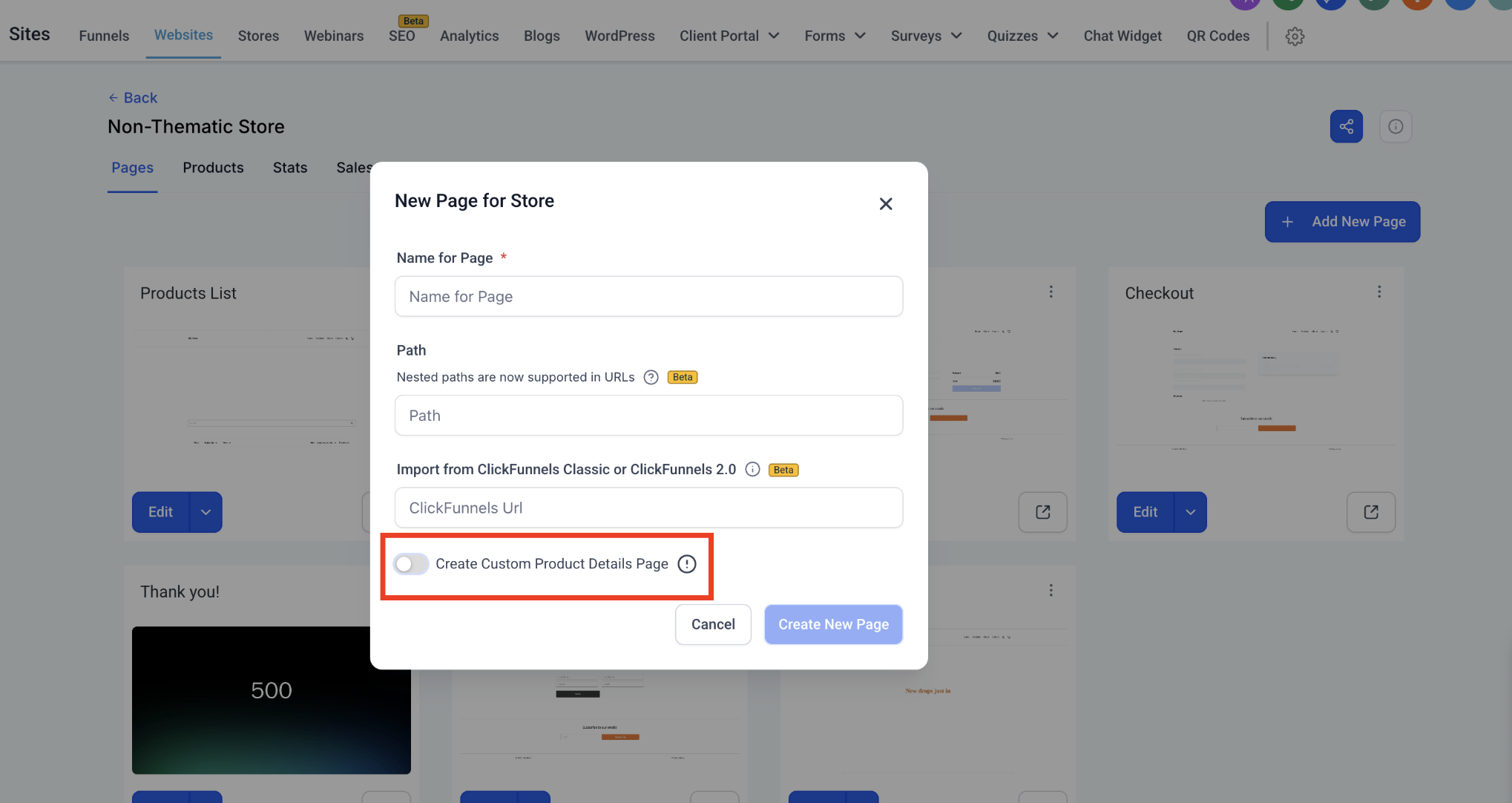
Click Add New Page → enable the Custom Product Detail Page toggle.
-
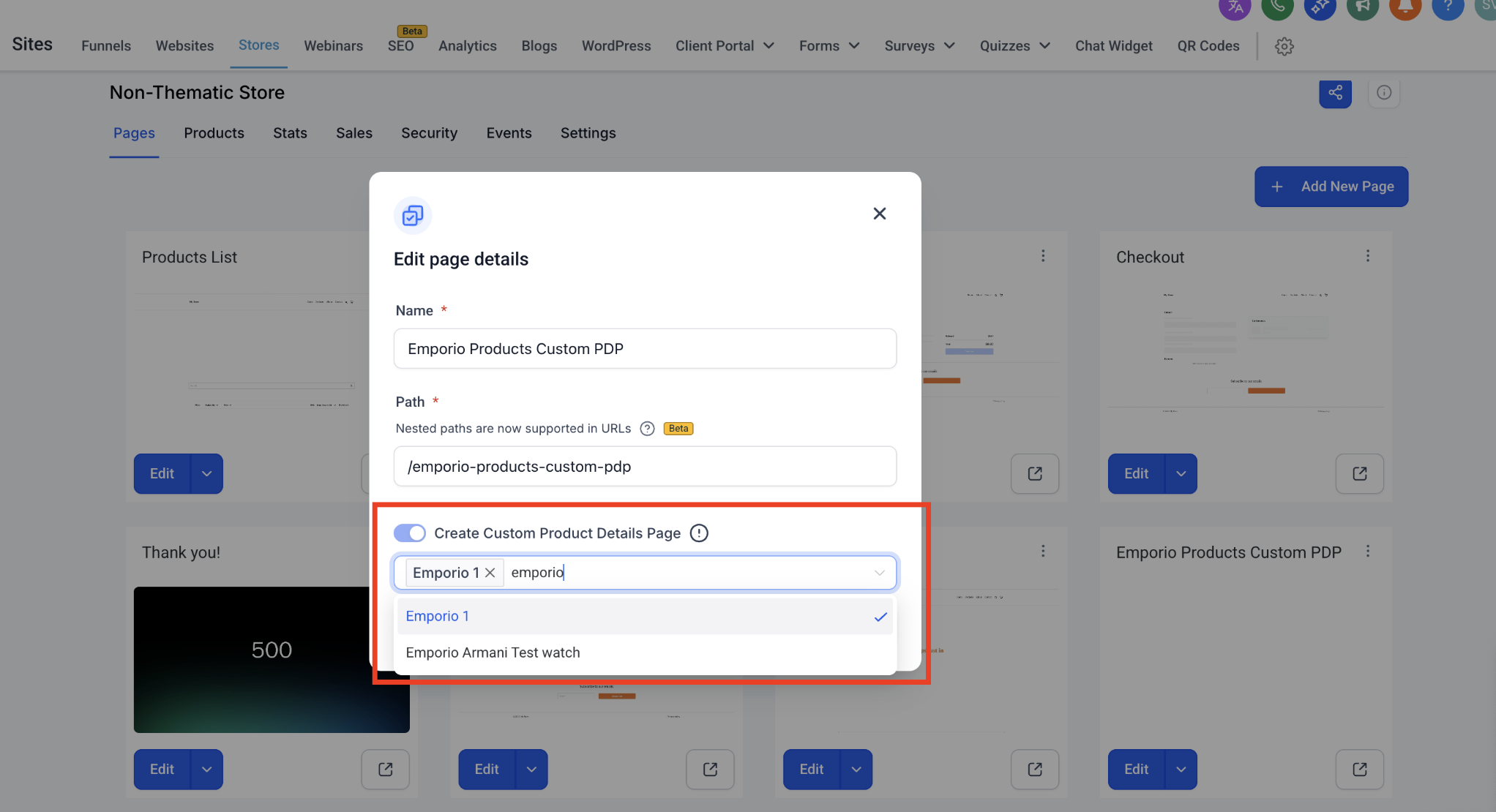
Assign products to this page from the modal (search available).
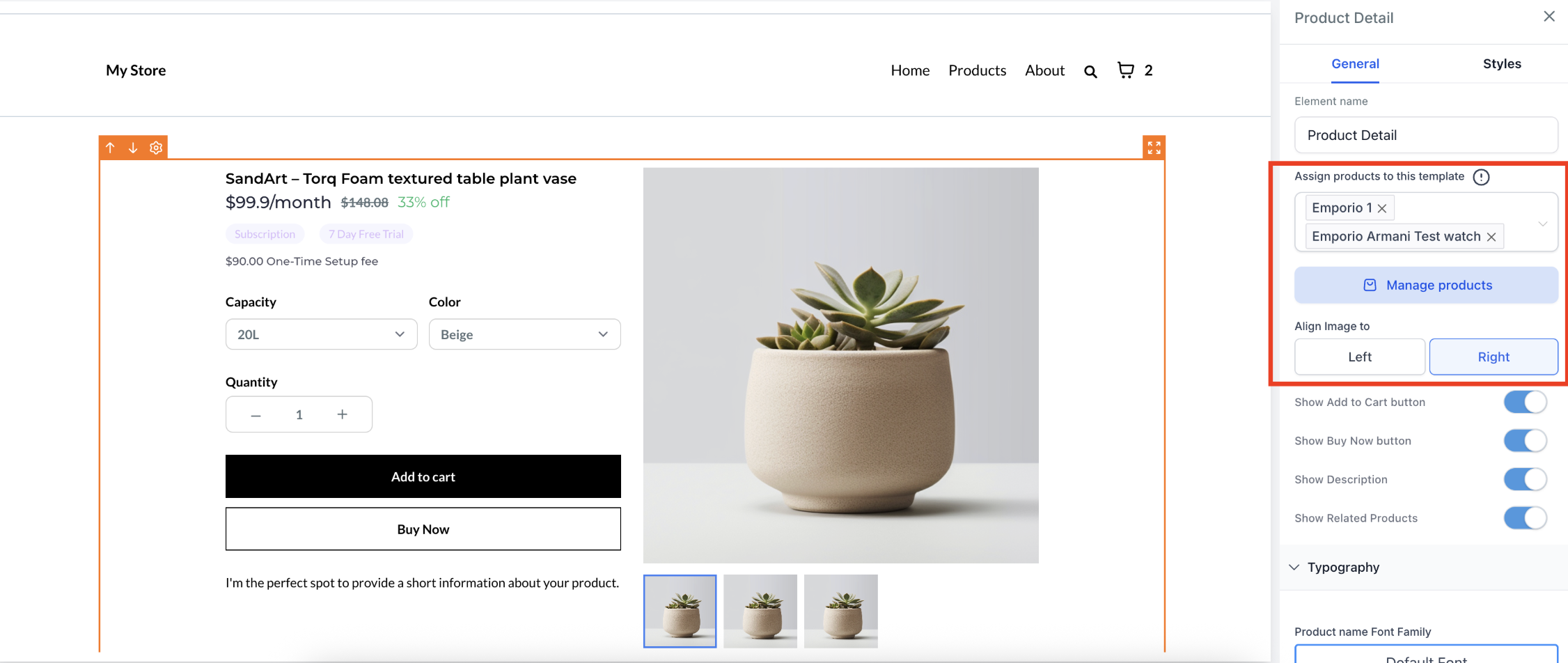
Design your Custom Product Details Page. Products can be re-assigned later via Settings by selecting the element.
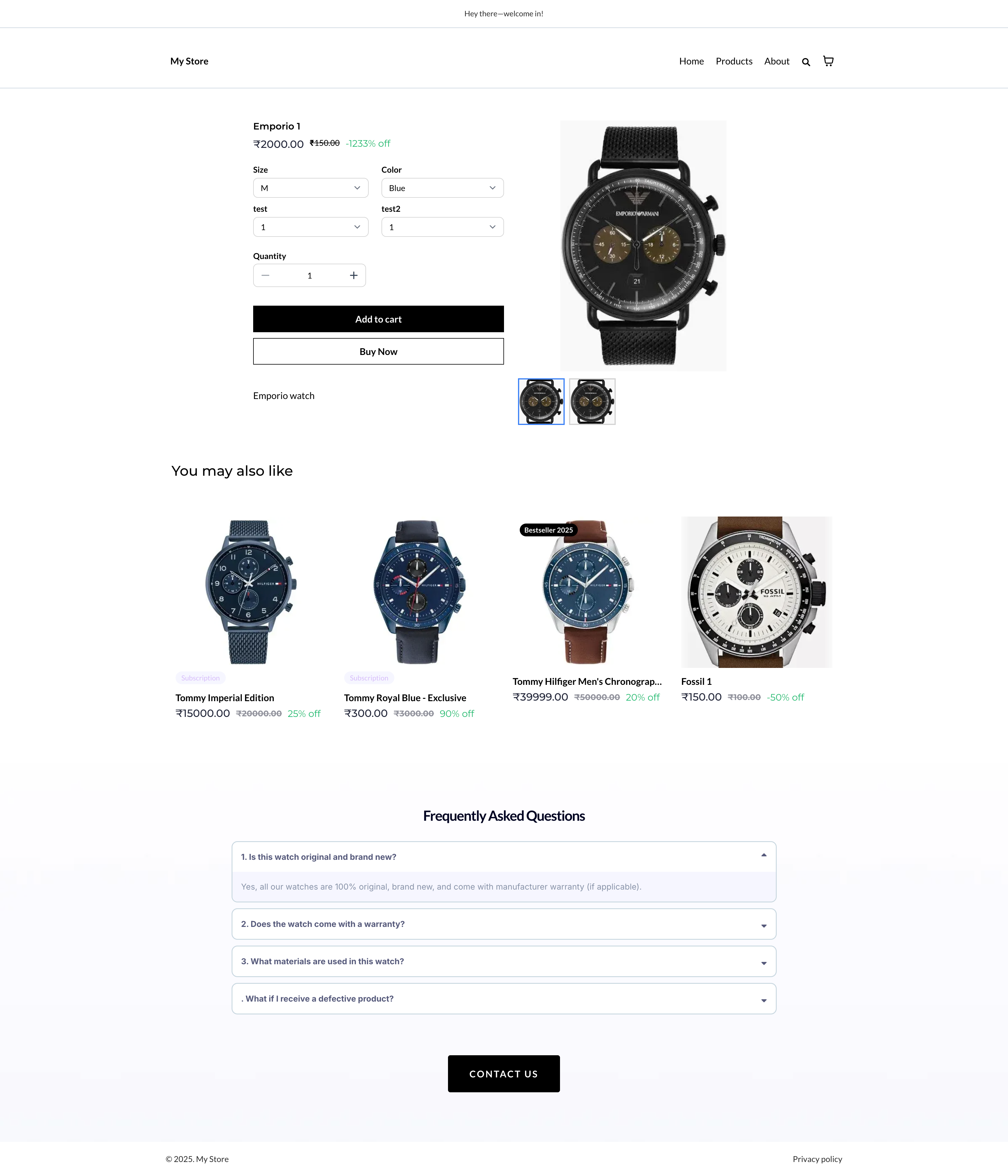
Save and publish to activate your custom PDP.
Additional Notes
Single PDP Association: Each product can only be linked to one Custom PDP at a time. Assigning a product to a new PDP automatically removes it from the previous one.
Navigation from Lists or Featured Sections: When customers click from product lists or featured sections, they’ll always be routed to the correct PDP (custom or default).
Link Behavior: Any product links will redirect to the custom PDP if one is configured.
Fallback to Default: If a Custom PDP is deleted, all assigned products will revert to the default PDP automatically.
Why This Matters for Studios
Custom PDPs let dance studios and merchants highlight their products with more detail and branding flexibility. Whether it’s a branded uniform, merchandise, or special event package, you can now design richer pages that showcase each offering in a way that reflects your studio’s personality and drives more conversions.
Support
If you have any questions or need help setting up Custom Product Detail Pages, please reach out to us at support@enrollio.ai.