
We’ve introduced improvements to the Quantity Selector on the Product Details Page and added a delete option in the Cart Drawer, making the shopping experience smoother for your dance studio’s online store customers.
What’s New
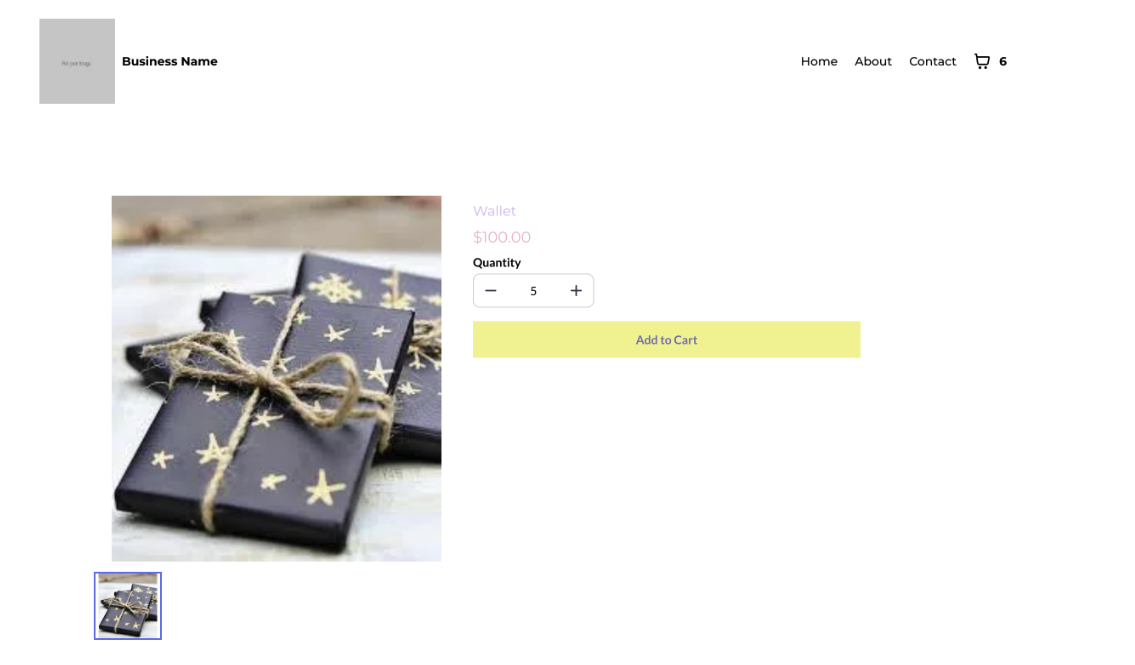
Quantity Selector on Product Details Page
Customers can now select product quantity using either a plus/minus selector or manual input.
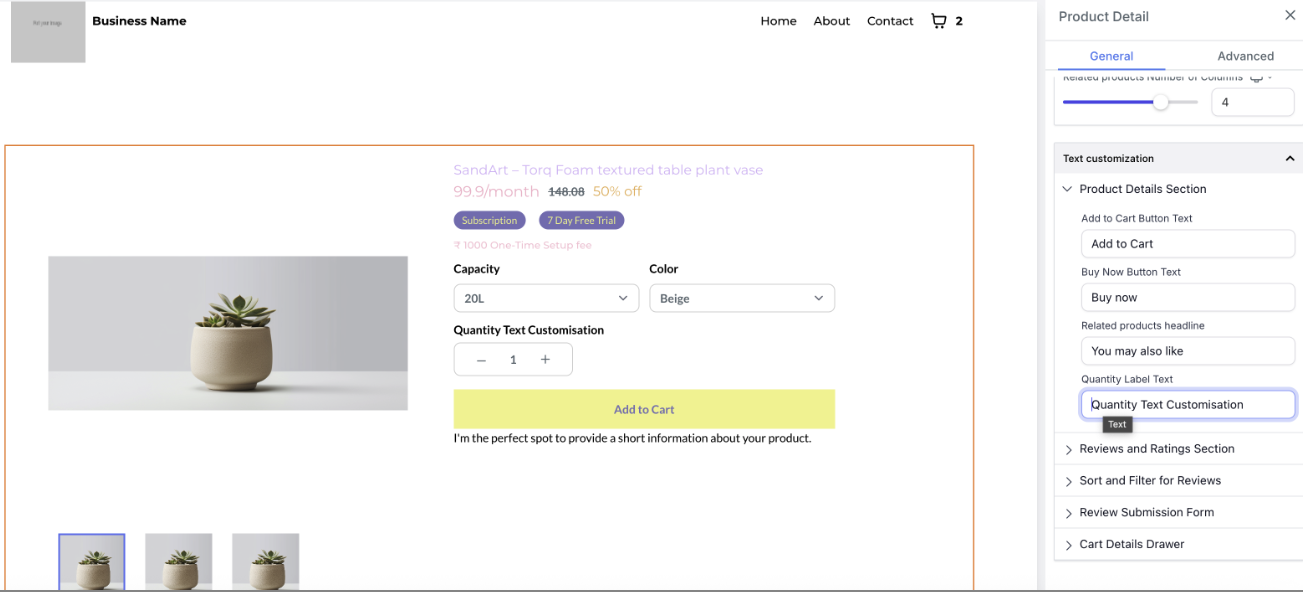
Store owners can customize the label text and text color of the selector.
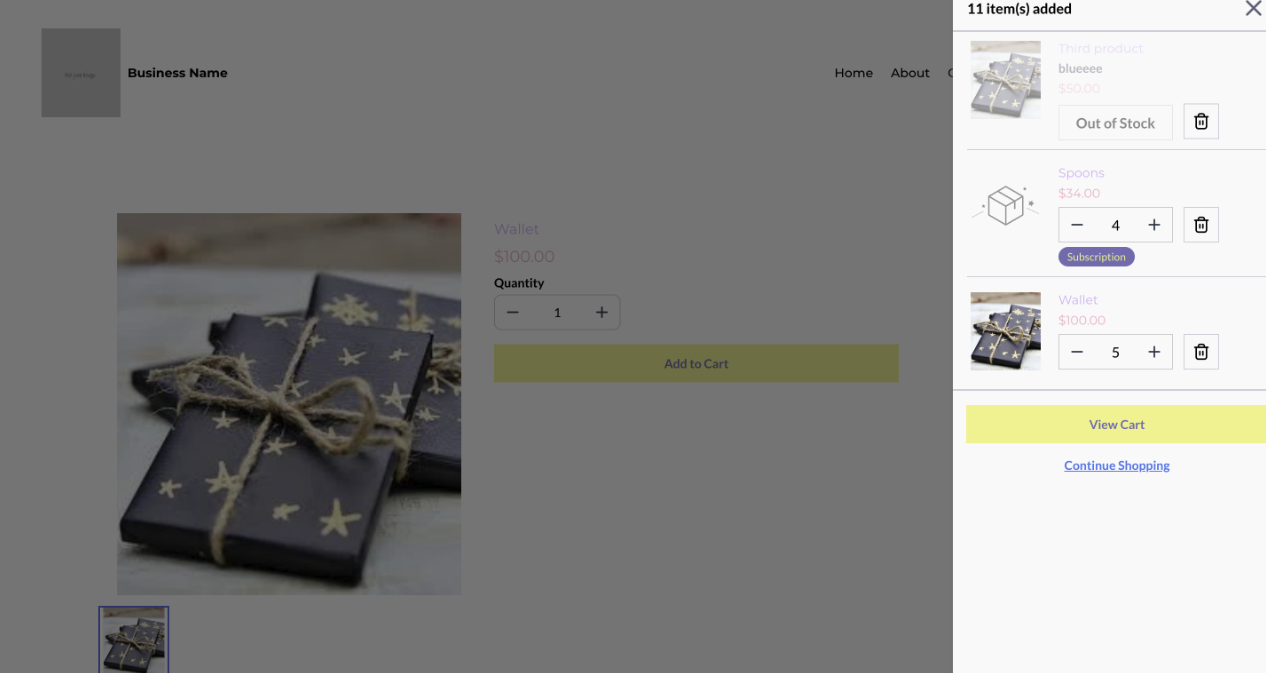
Real-time stock alerts are shown in the cart drawer to inform customers of limited availability.
Delete Option in Cart Drawer
A delete icon has been added next to each item in the cart drawer, allowing customers to quickly remove items.
Inventory Validation & Edge Cases
Inventory logic now respects both tracking and out-of-stock purchase settings.
Quantity cannot exceed available stock.
At a quantity of 1, the minus button is disabled (no zero or negative values allowed).
At a quantity of 999, the plus button is disabled, and inputs above 999 are blocked.
When the selected quantity matches inventory, the plus button is disabled.
During Add to Cart, any quantity above stock is capped automatically.
Why This Matters for Dance Studios
Gives your customers more control over their orders.
Provides a clearer, more professional shopping experience.
Prevents frustration by ensuring orders respect inventory limits.
For any questions or assistance, please contact support@enrollio.ai.