
Purpose
This guide explains how to create, add, and manage forms or surveys directly inside Enrollio’s Funnel, Website, and E-commerce Builders. With prebuilt templates, drag-and-drop editing, and centralized management, you can easily capture information from families, students, and leads without leaving the builder.
What It’s For
Dance studio owners often need forms for class registrations, contact inquiries, donations, or event sign-ups. The Forms & Surveys section makes it simple to build and reuse these tools across your funnels, websites, and online stores — all in one place.
Key Features & Benefits
-
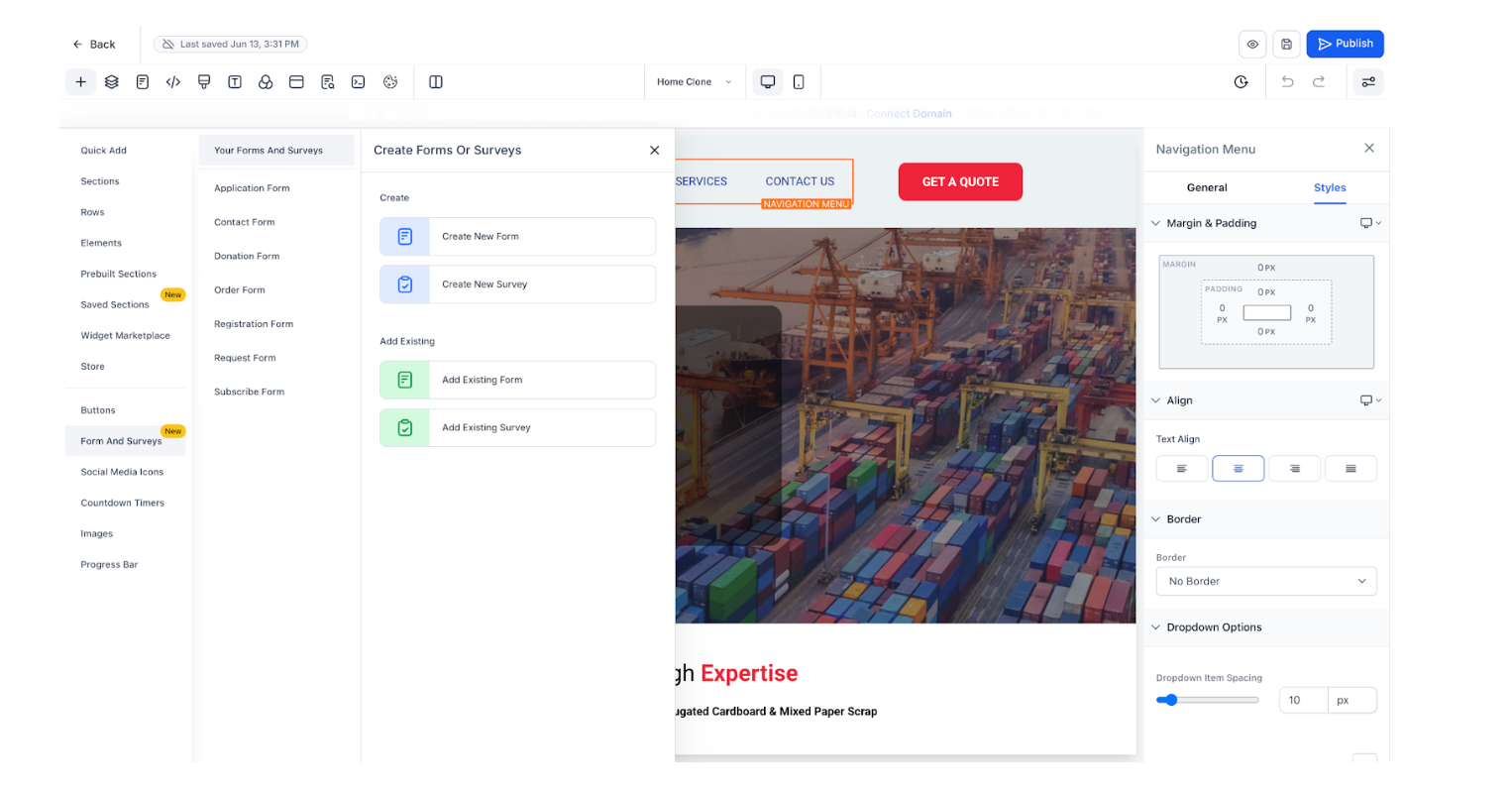
Create New Forms or Surveys – Open a new form in a 90% pop-up builder for easy customization.
-
Add Existing Forms – Use the Form Picker pop-up to drop in a form you’ve already created.
-
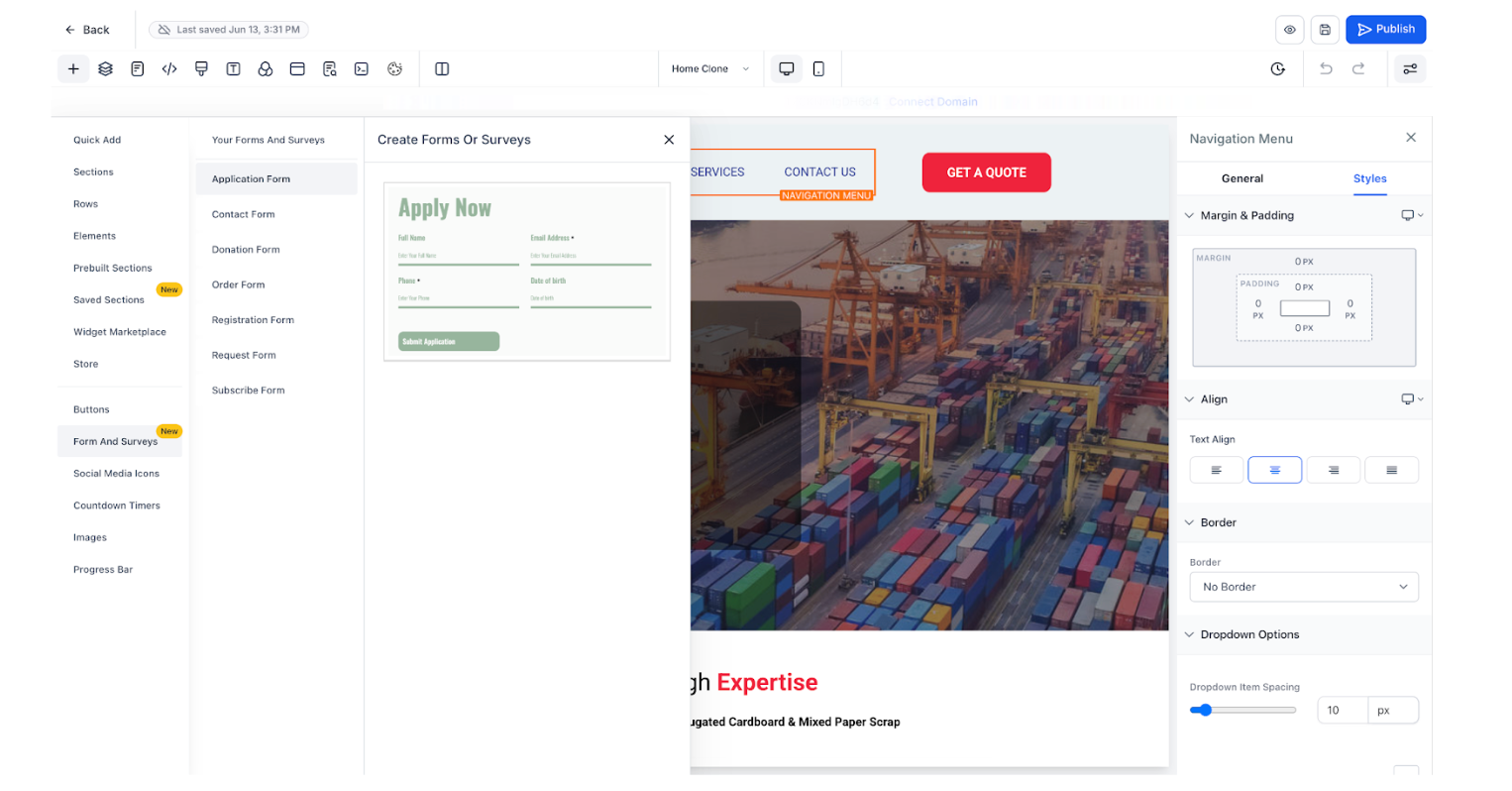
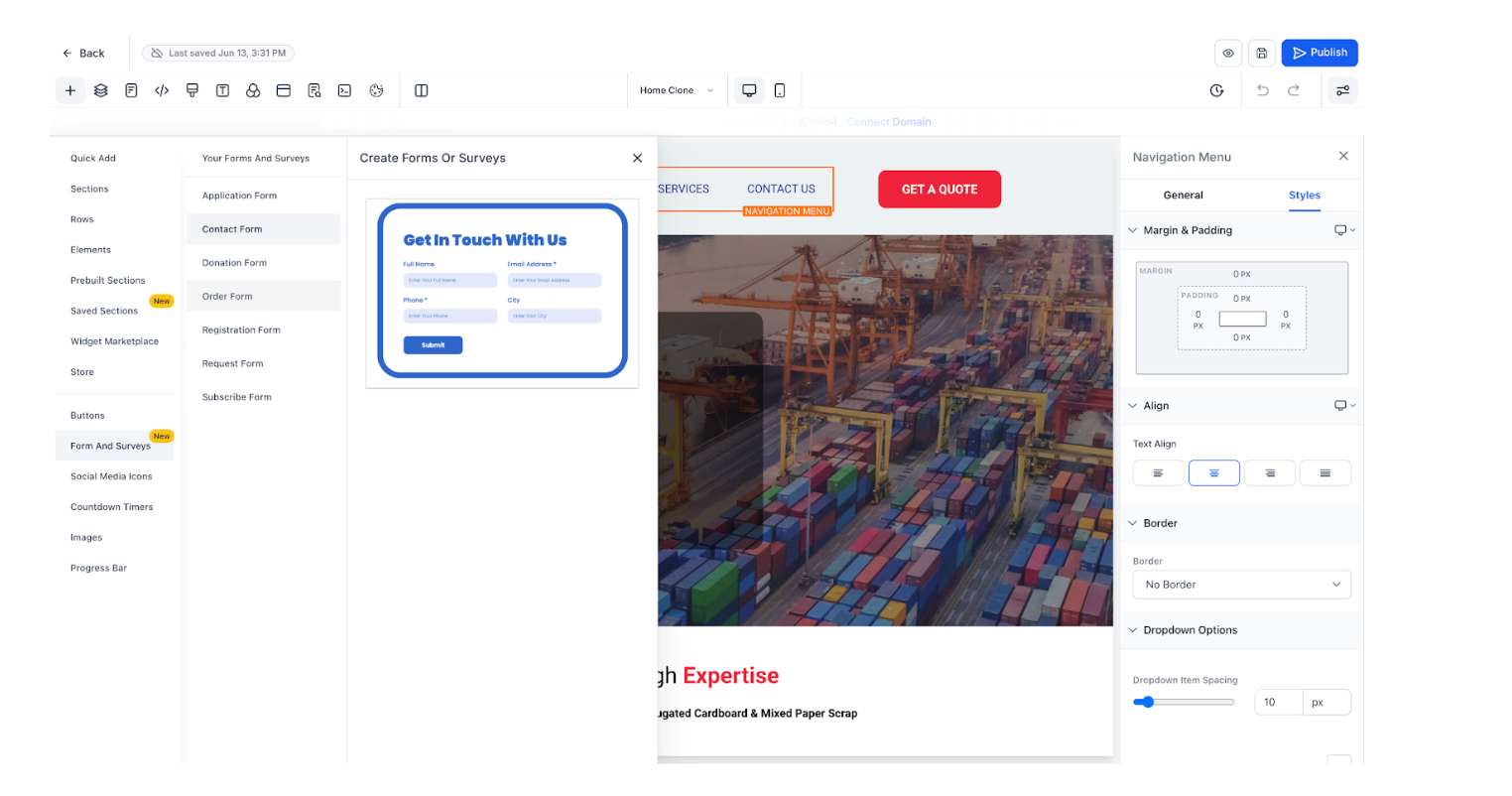
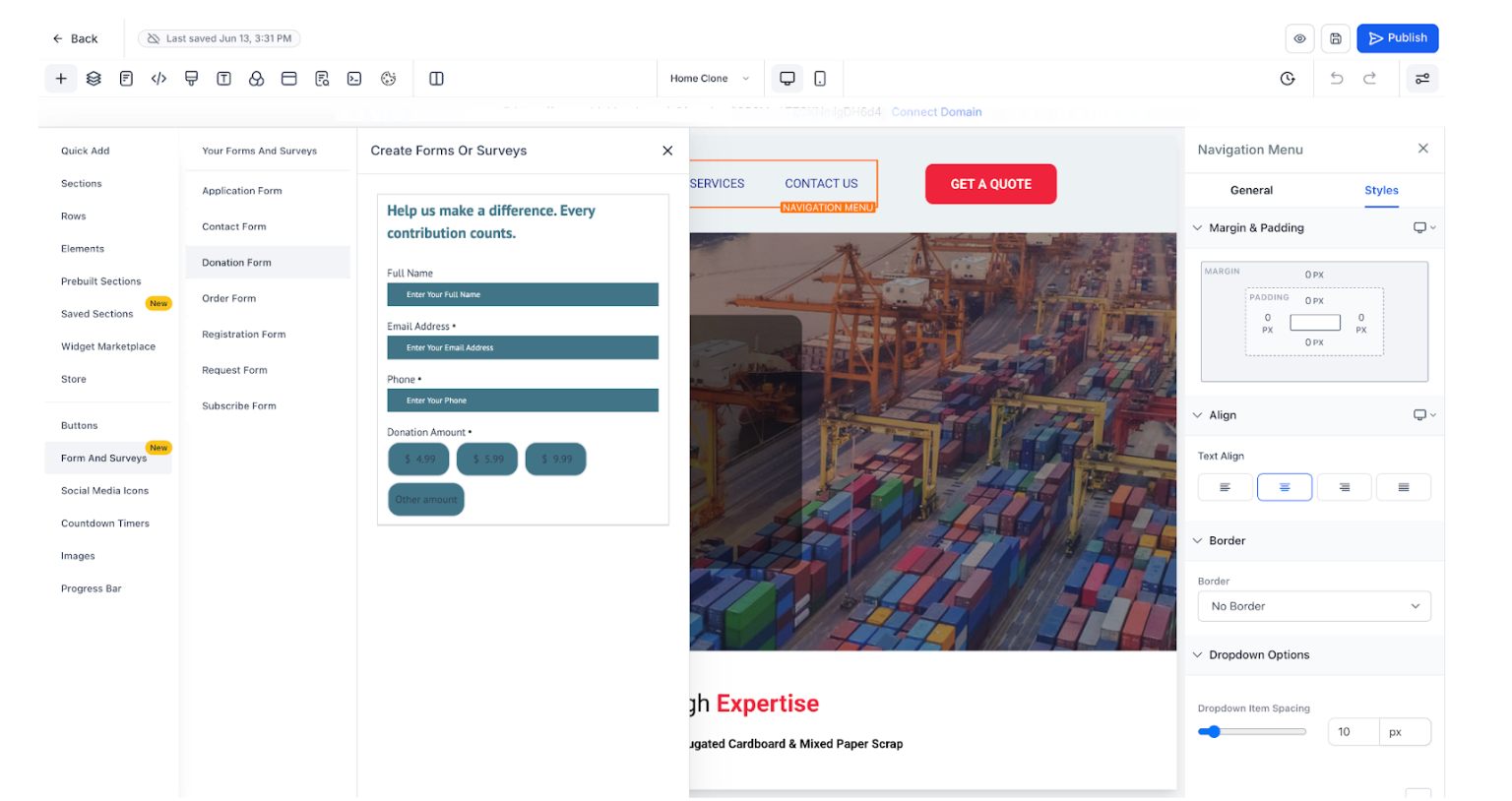
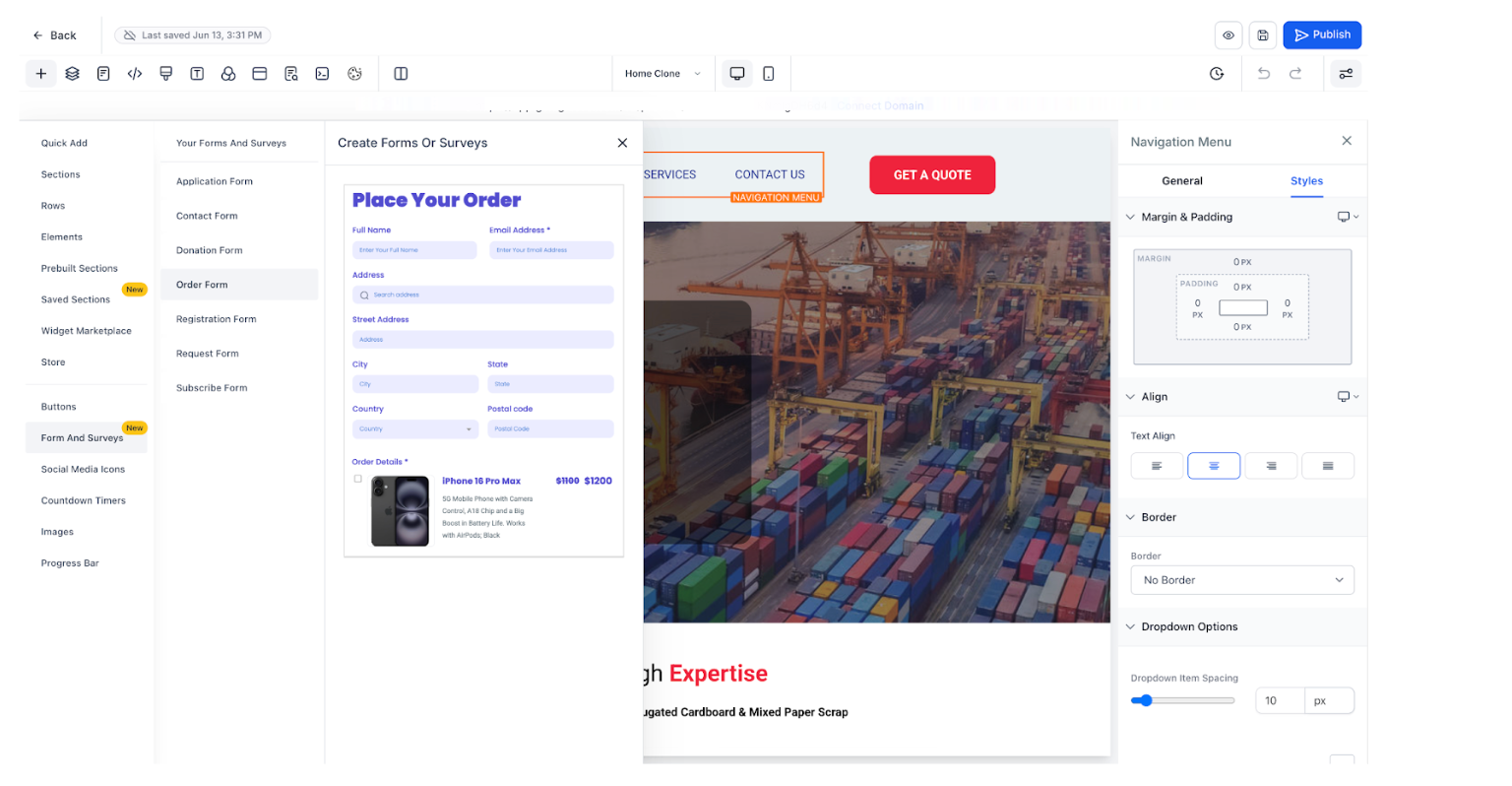
Prebuilt Templates – Choose from ready-to-use forms like Applications, Contact, Donation, Order, Registration, Request, or Subscribe.
-
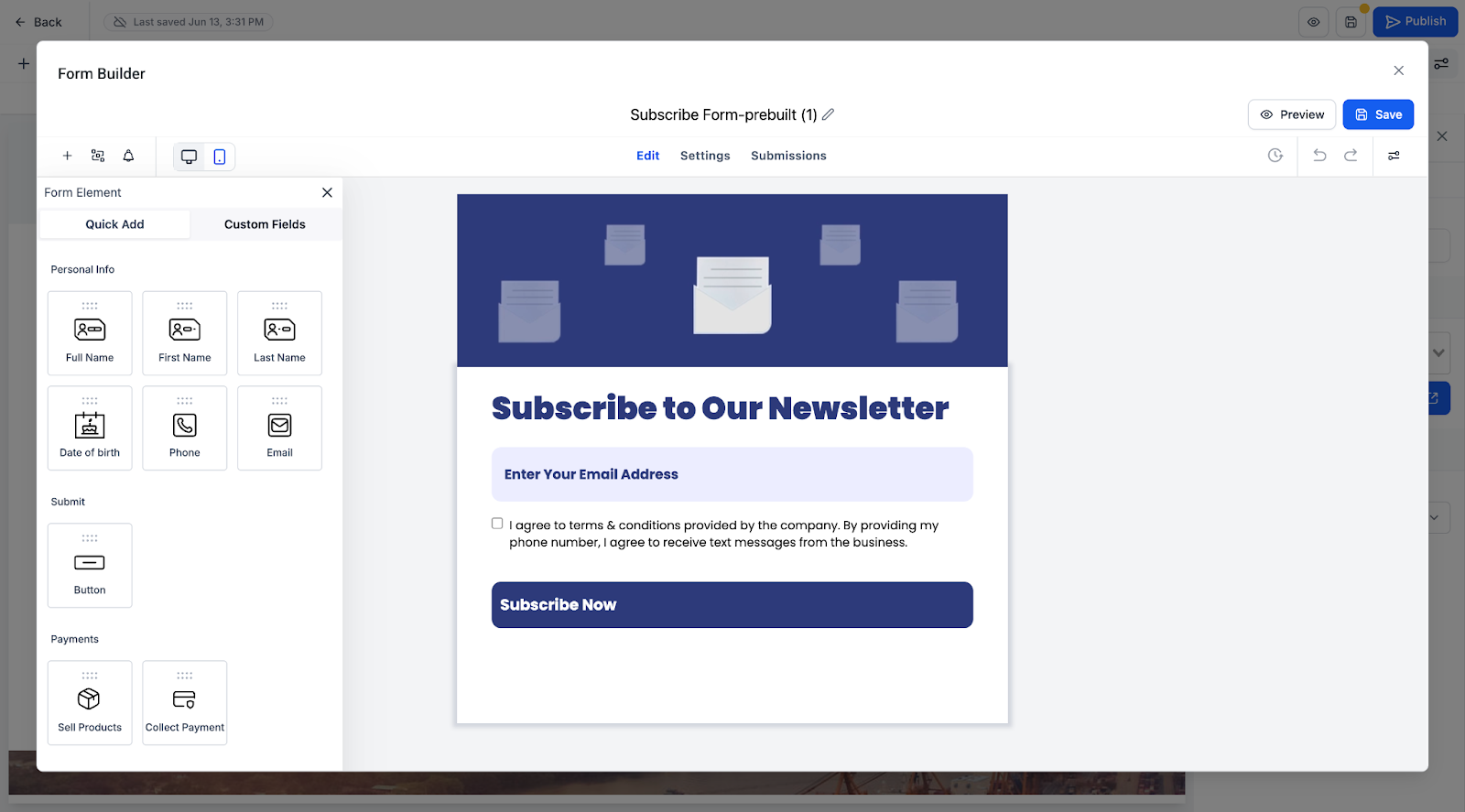
Drag-and-Drop Editing – Customize layouts, fields, styles, and payment options without coding.
-
Unified Management – Every form and survey is automatically added to a central list view for reuse.
-
Cross-Builder Access – Available in the Funnel Builder, Website Builder, and E-commerce Builder.
Step-by-Step Instructions
-
Open the Builder
- Go to your Funnel, Website, or E-commerce Builder.
-
In the left panel, click on Forms & Surveys.
- Go to your Funnel, Website, or E-commerce Builder.
-
Choose Your Action
-
Create New – Opens a default form or survey in a 90% pop-up builder for customization.
-
Add Existing – Opens the Form Picker pop-up to choose a form or survey you’ve already built.
-
Create New – Opens a default form or survey in a 90% pop-up builder for customization.
-
Customize Your Form
- Select from prebuilt templates (Application, Contact, Donation, Order, Registration, Request, Subscribe).
- Use drag-and-drop tools to edit fields, styles, or payment options.
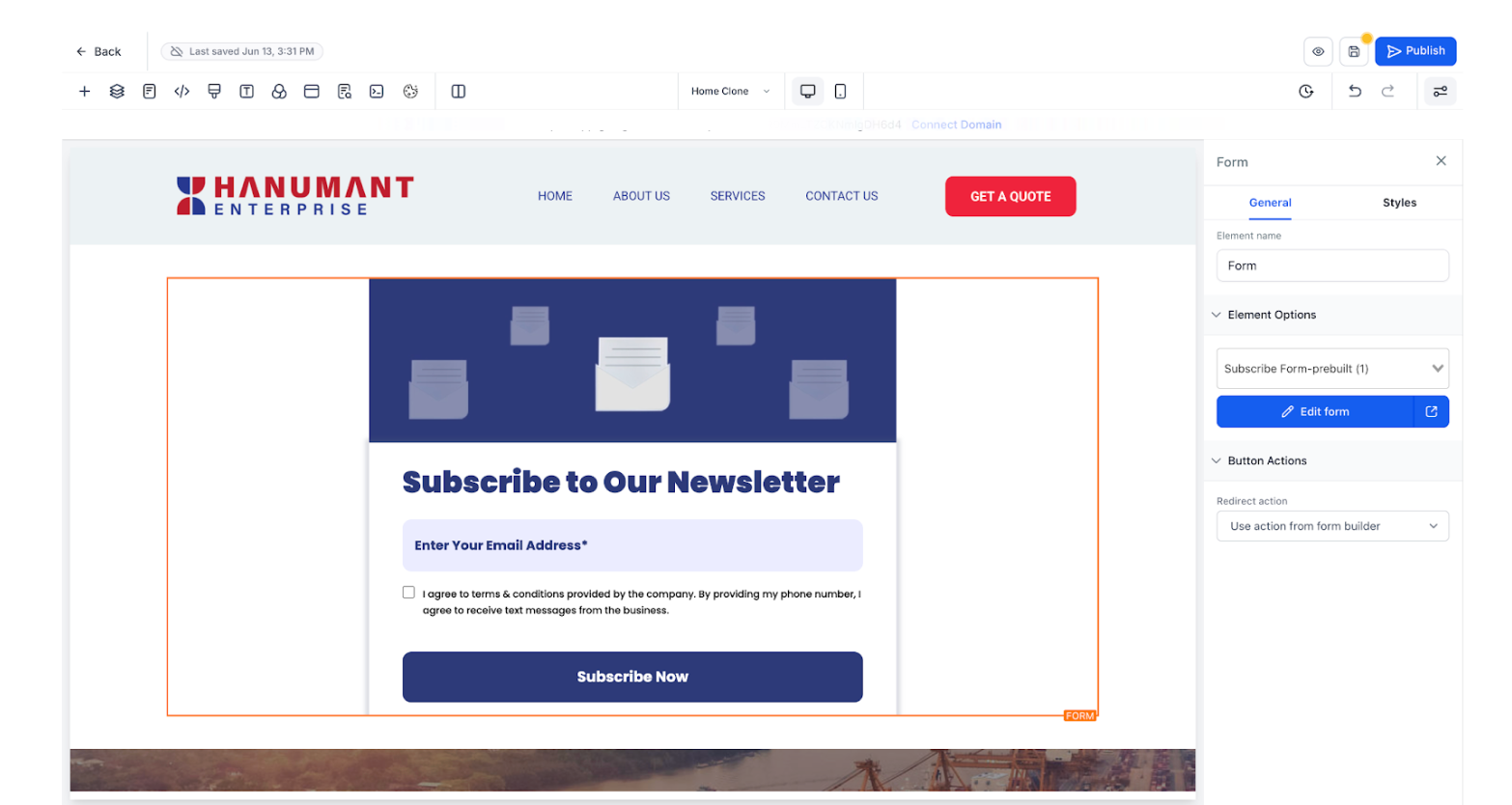
- Adjust layouts, spacing, and form design just like any other page element.
- Select from prebuilt templates (Application, Contact, Donation, Order, Registration, Request, Subscribe).
-
Save and Reuse
- Once saved, your form or survey is automatically added to the Forms & Surveys list view.
- You can reuse or edit it later without rebuilding from scratch.
- Once saved, your form or survey is automatically added to the Forms & Surveys list view.
Notes / Tips
📌 Drag-and-drop functionality ensures your forms stay consistent across different funnels and pages.
📌 Forms and surveys are available across all builders: Funnel, Website, and E-commerce.
📌 Prebuilt templates are fully customizable — you can change fields, add payment options, and adjust styling as needed.
Why It Matters
This feature saves time by eliminating the need for external form tools or complex setups. By keeping all forms and surveys in one place, you can easily manage class registrations, event sign-ups, and more — helping your studio stay organized and professional.
Support Reminder
If you have any questions, please reach out to support@enrollio.ai and our team will be happy to help.