Inventory variables:
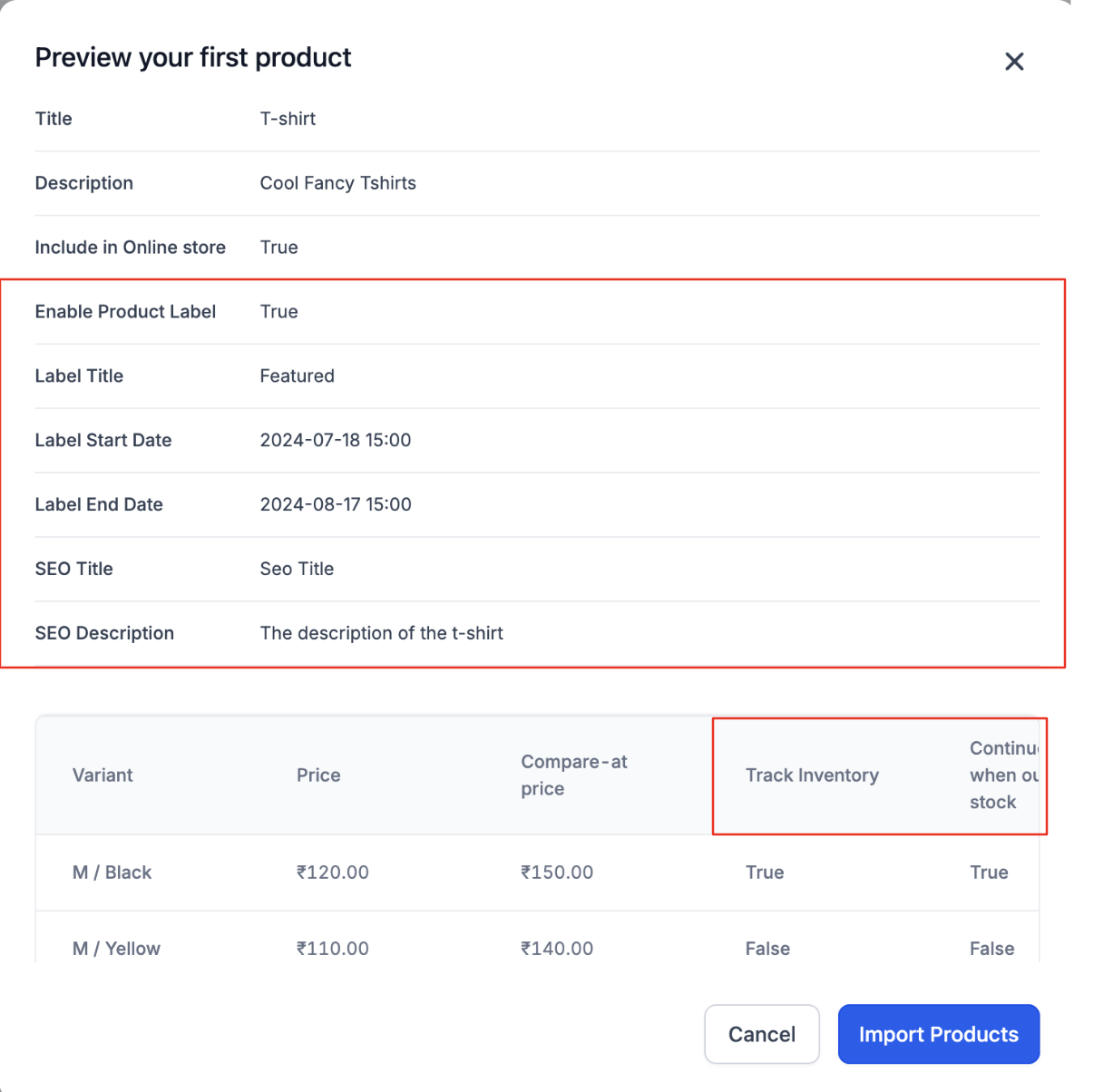
Track Inventory - True/ False
Allow out of stock purchases -True/False
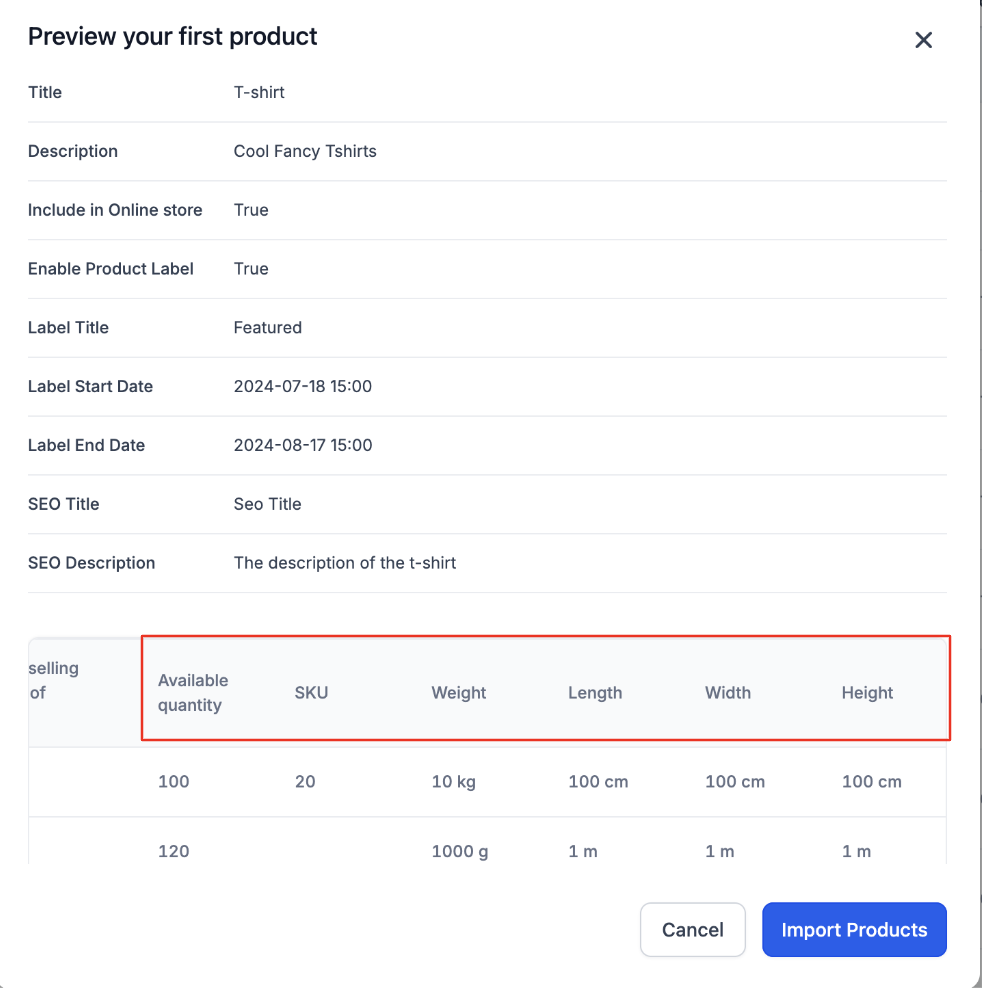
Available quantity - number
-
SKU
Shipping Variables:
Weight value - number
Weight unit - Kg, g, lb, Oz(Non-case sensitive)
Dimension Length - number
Dimension Width - number
Dimension Height - number
-
Dimension unit - cm, m, in (Non-case sensitive)
Product Label:
Enable Product label - True/ False
Product label content
Start date and time - ISO Format
End date and time - ISO Format
SEO variables:
SEO Title
-
SEO Description
How to use:
-
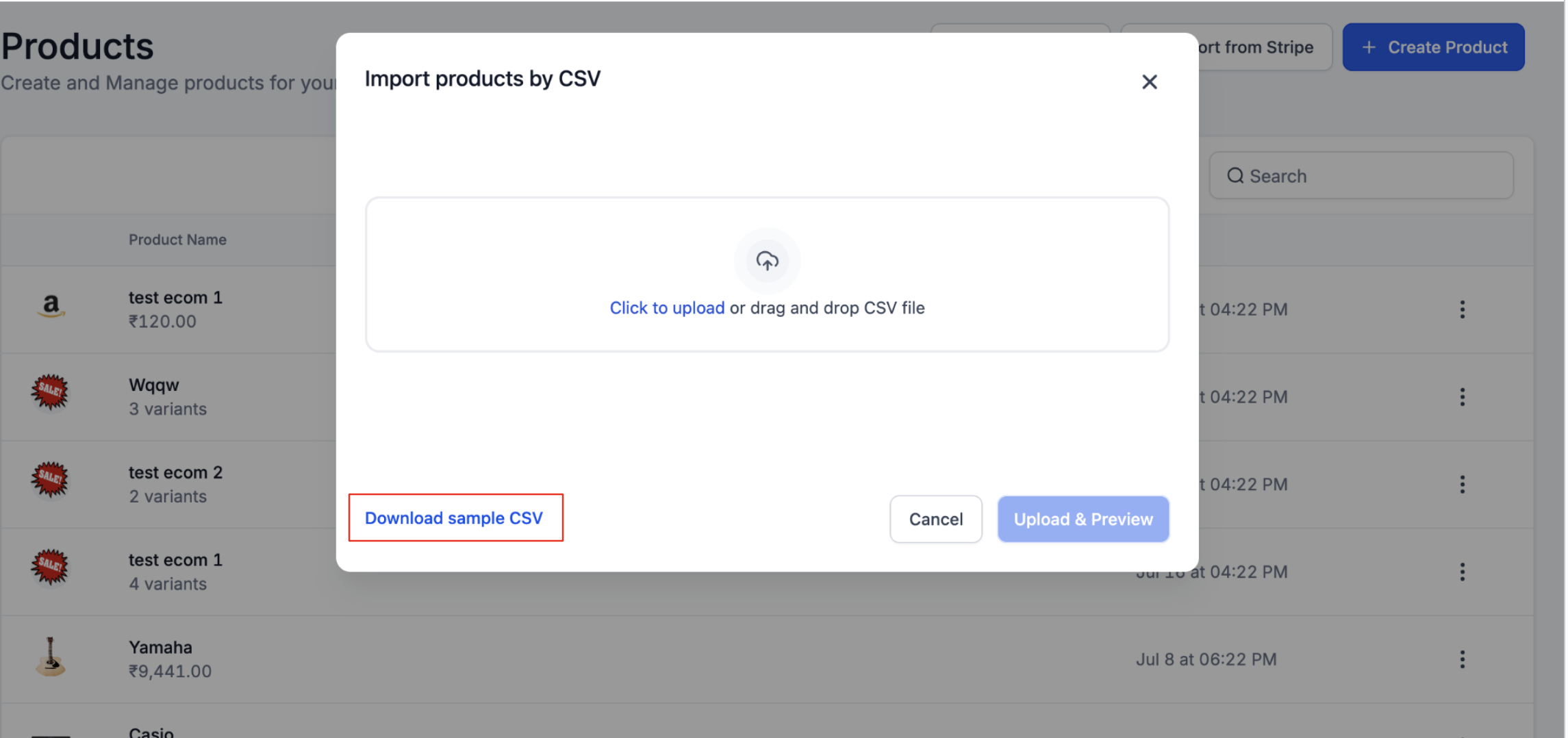
Store owners can import products through CSV at:
Payments > Products > Import as CSV.
Store owners can download the sample CSV and edit it. Once finalised CSV file can be uploaded through Click to Upload. Click on Upload & Preview button. In case errors are displayed, they can be resolved and uploaded again.
First product in the list can be previewed from here. Post checking, store owners can click on Import products.
-
A popup will be displayed when the products are being imported. Once the import is completed, they are visible in the Products page.
Notes:
The Handle is now also the slug used in the SEO title, so make sure it is unique for each product you import.
Errors will now display the exact row number where the error occurred.
If you do not set "Include in Online Store" to TRUE, the SEO details module will not display on the product view/edit page.
-
If you set "Enable Product Label" to TRUE, ensure you set the Product Label content, as it is mandatory for enabling the product label.
Images: