
Redirect Customers to a Custom URL After Payment
You can now provide a seamless post-payment experience by redirecting customers to a custom URL after completing a payment through a payment link in Enrollio. This feature enhances usability by guiding customers to a specific webpage after successful transactions.
Features
Custom URL Redirection: Set a URL to redirect customers after successful payment.
Tab Selection: Choose whether the redirection opens in the same tab or a new tab.
Fallback Option: If the browser blocks the redirection, customers can manually visit the provided URL.
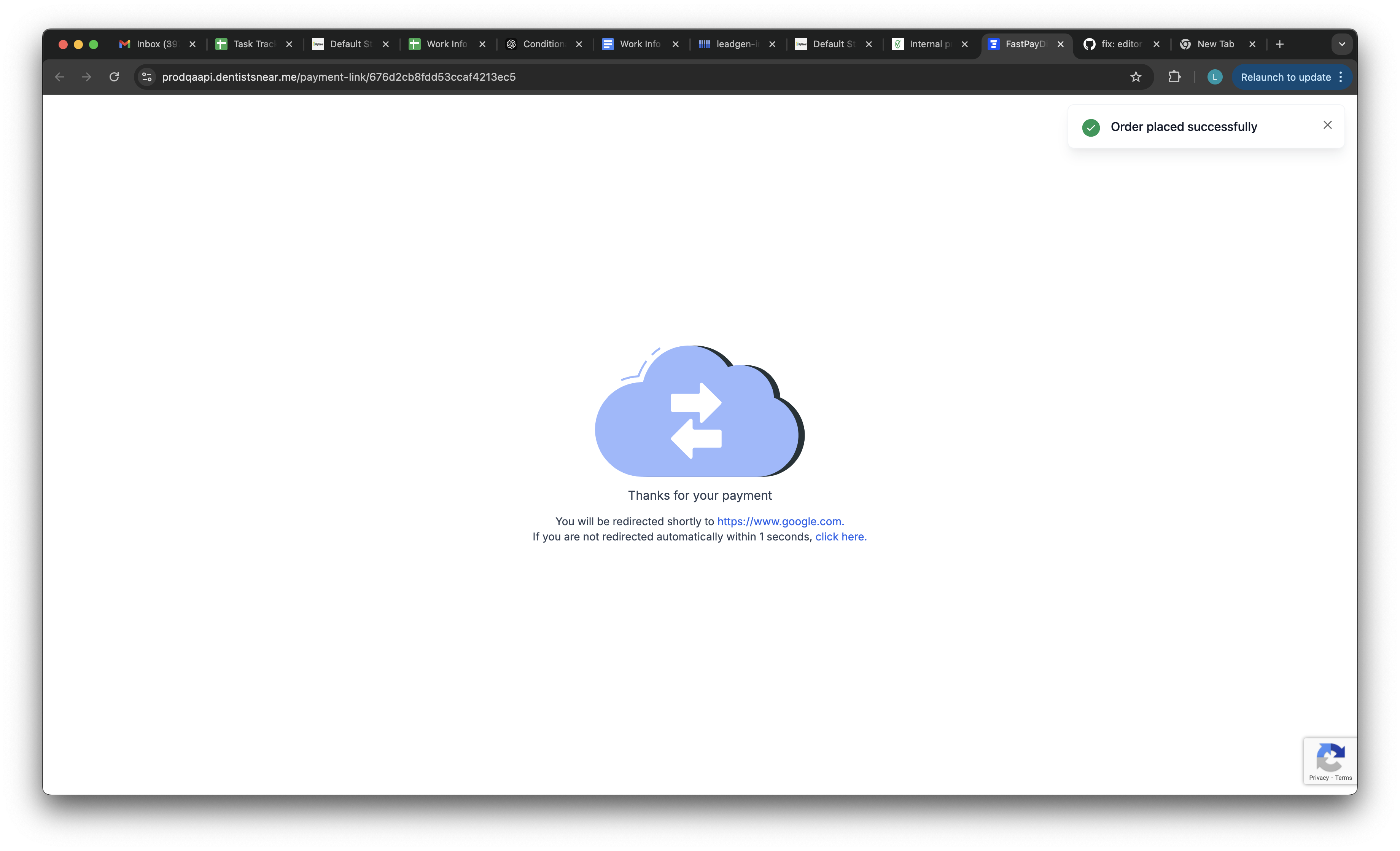
5-Second Timer: A brief timer lets users know they’re being redirected.
How to Enable Custom URL Redirection
-
Access Payment Links:
Navigate to Payments → Payment Links in your account.
-
Create a Payment Link:
Click Create New Payment Link.
-
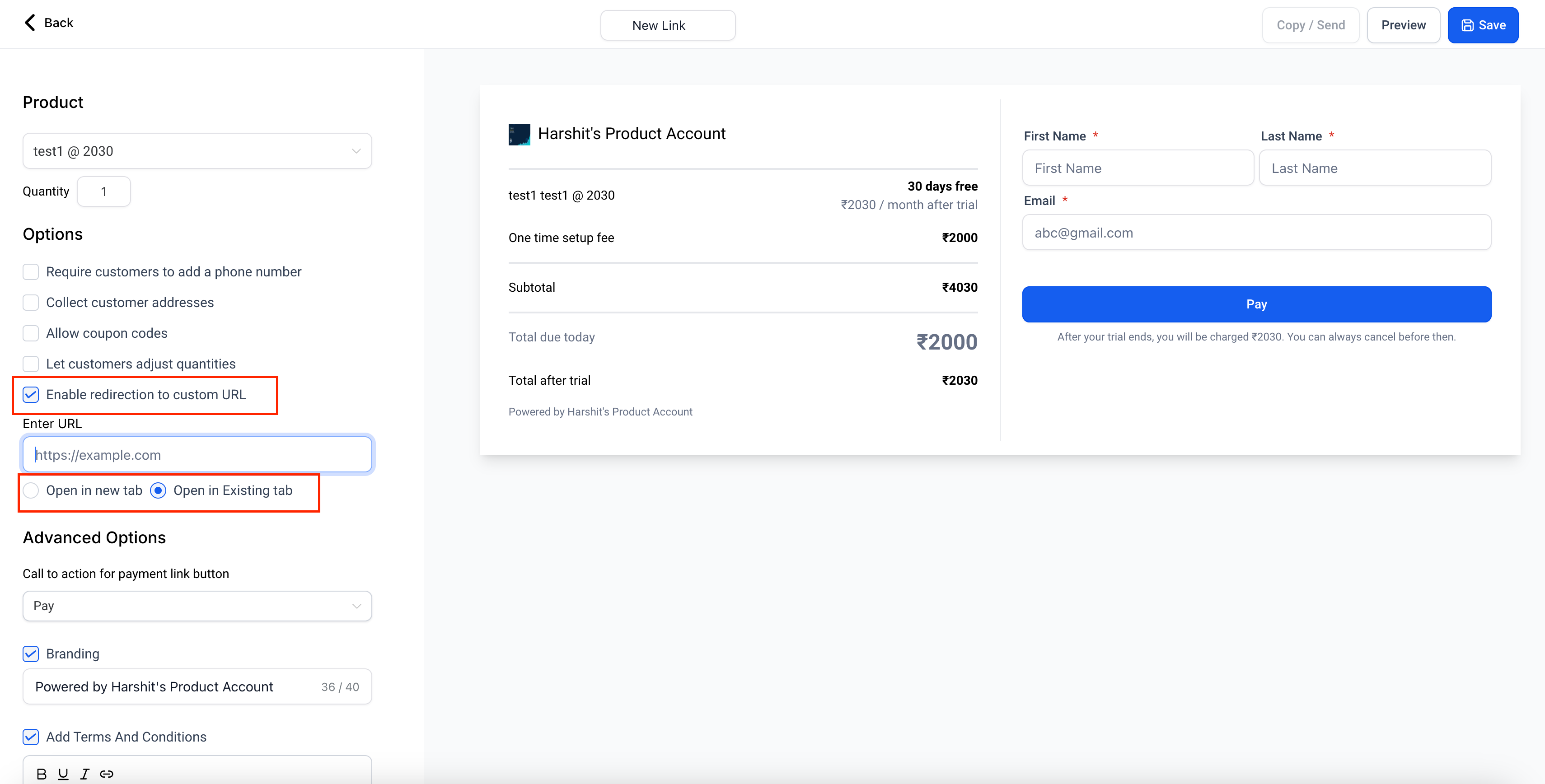
Enable Redirection:
Toggle the Enable Redirection option.
Enter the desired URL (e.g., a Thank You page).
Choose whether to open the URL in the same tab or a new tab.
-
Share the Payment Link:
Send the link to your customers.
-
Customer Experience:
After payment, customers will see an interim screen with a 5-second timer.
They’ll then be redirected to the specified URL.
Why Use This Feature?
Redirecting customers after payment allows you to:
Drive traffic to specific pages (e.g., a Thank You or confirmation page).
Streamline workflows by integrating payment links with onboarding or informational pages.
Offer a more professional and seamless user experience.
If you need assistance setting up custom URL redirection, contact our support team.