
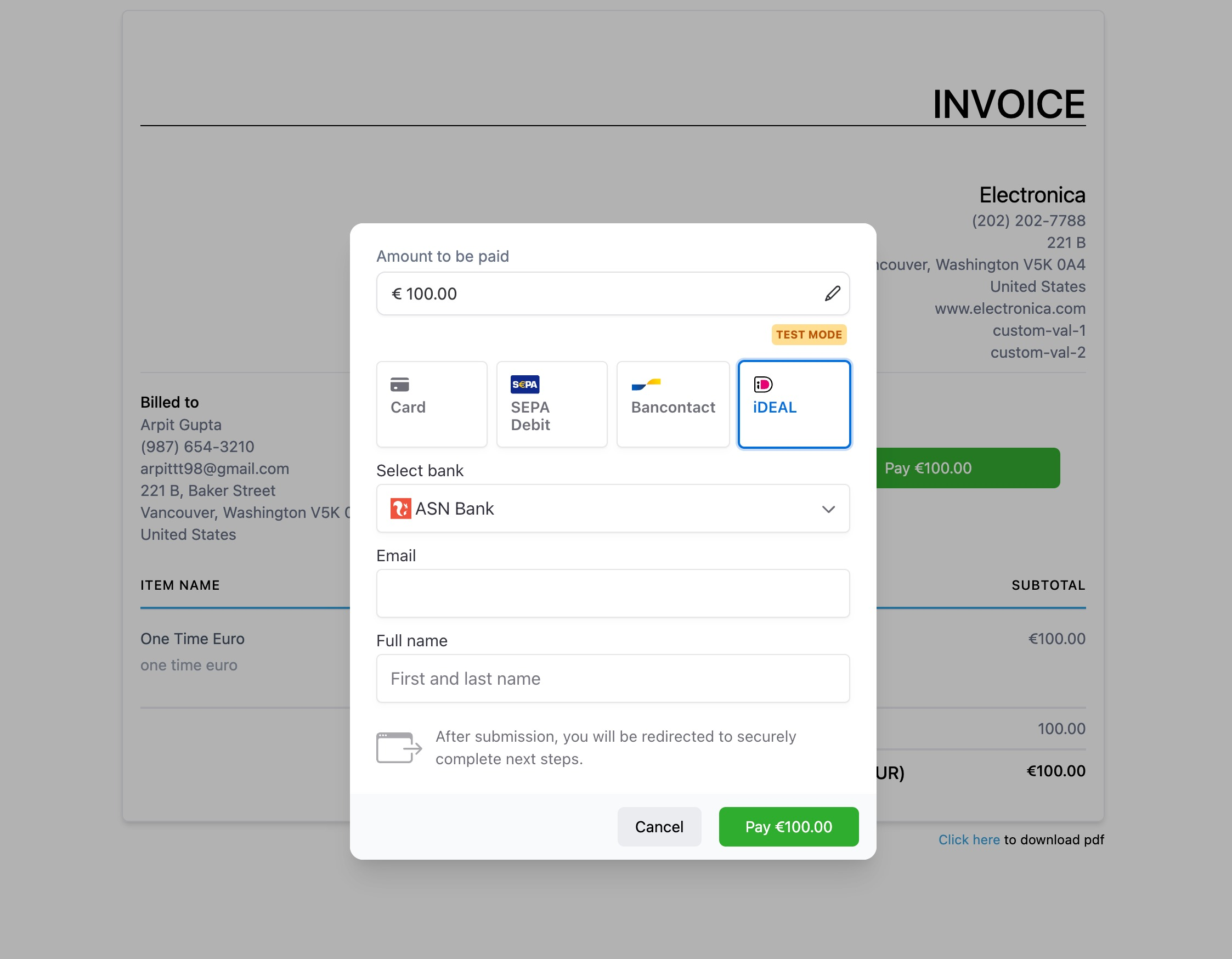
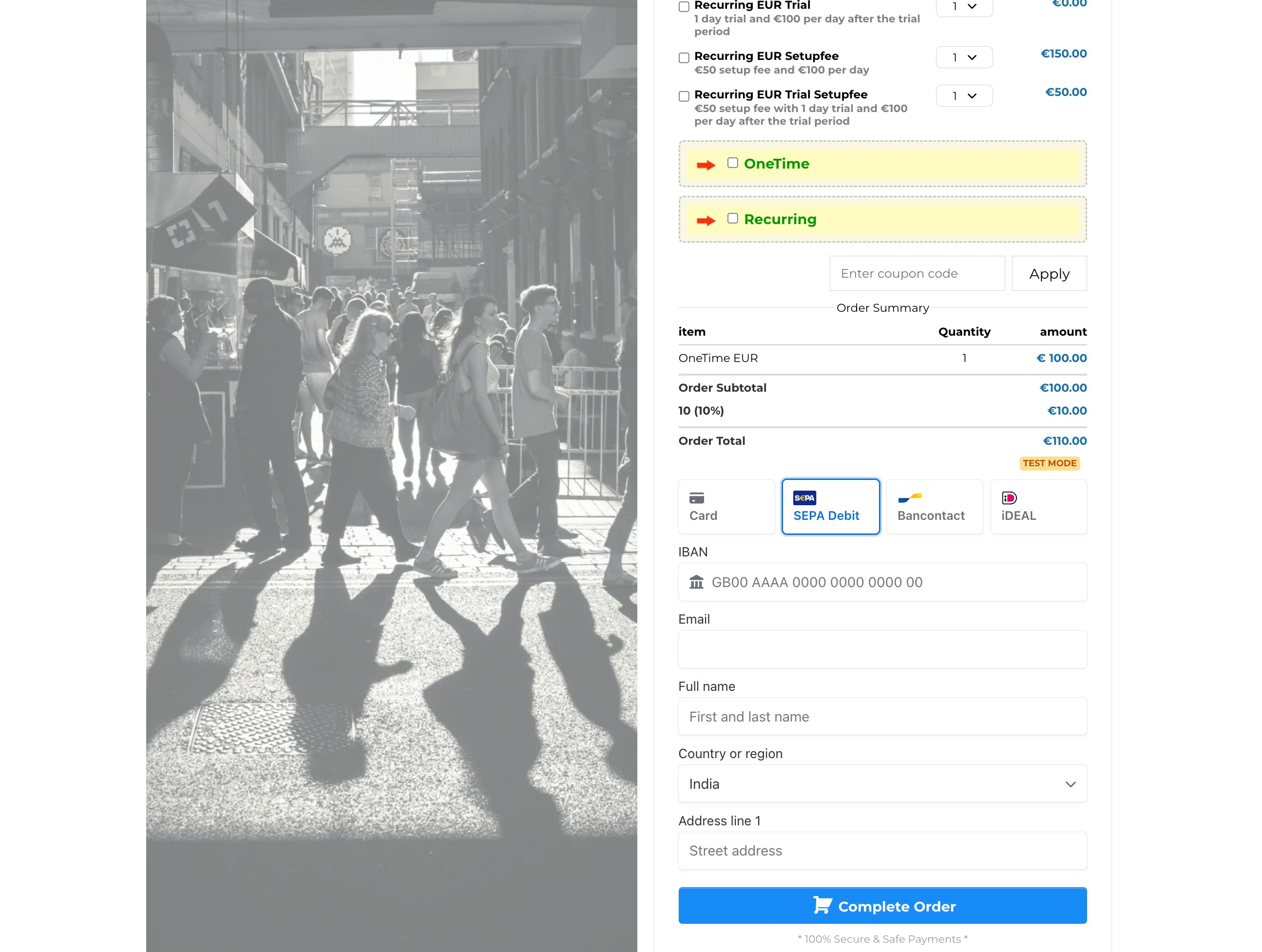
This guide will show you how to customize and manage the payment methods displayed on your enrollment forms, invoices for classes or studio events, and online payment links. Below is an overview of the currently supported payment methods:
Cards
Apple Pay (requires registered domains)
Google Pay
ACH Direct Debit
Affirm (requires shipping address)
Klarna (requires shipping address)
AfterPay (requires shipping address)
Bancontact
Ideal
Sepa Direct Debit
Link (requires registered domains)
Amazon Pay
Revolut Pay – Popular in the UK
CashApp
GrabPay – Popular in Malaysia
Zip – Popular in Australia
BACS Direct Debit – Popular in the UK
BECS Direct Debit (AU) – Popular in Australia
FPX – Popular in Malaysia
Enrollio uses different configurations within Stripe to deliver the proper payment methods across various channels. As we continue to add more payment methods, this guide explains how to enable or disable specific options based on your studio's needs.
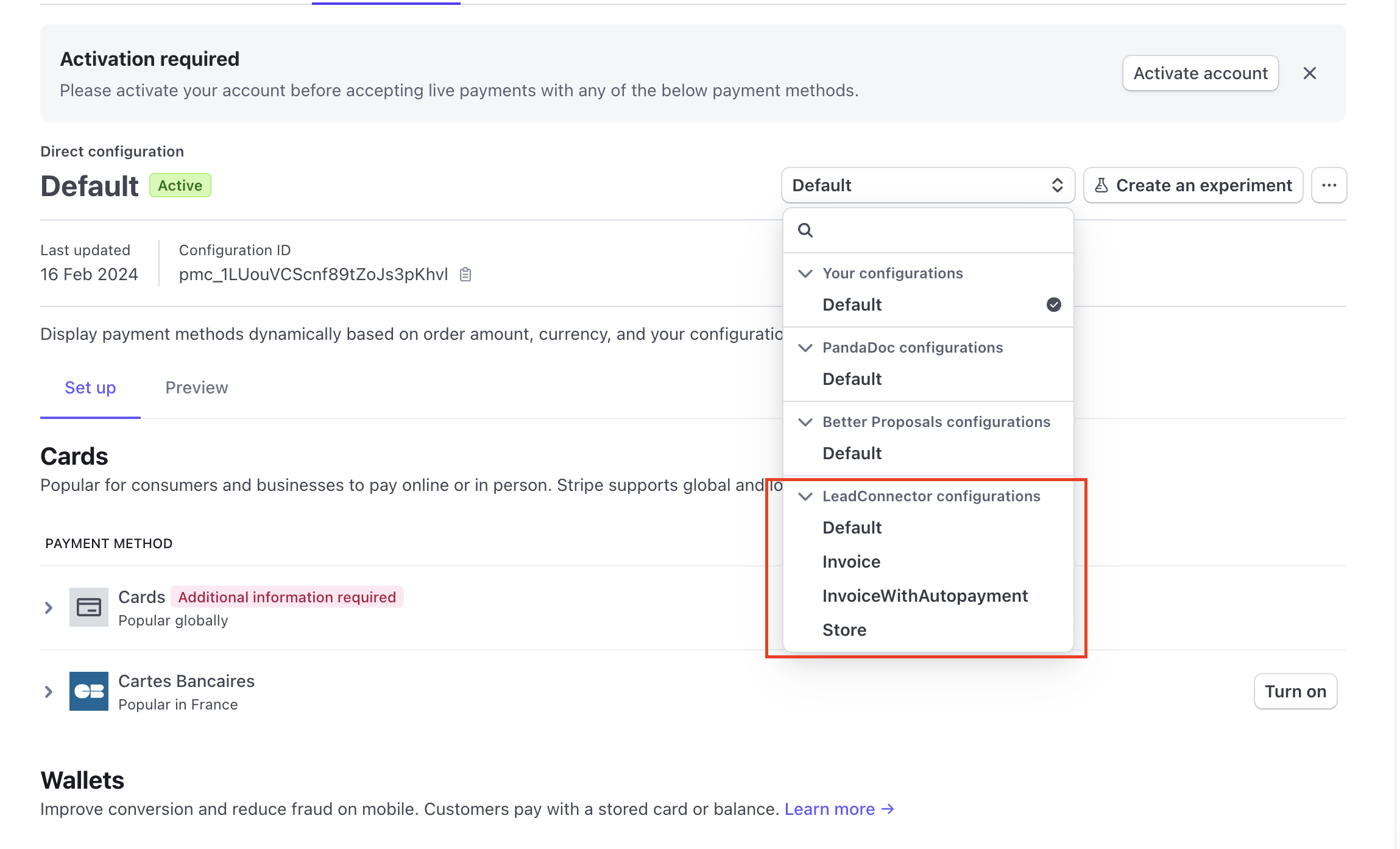
For sub-account users, navigate to your Stripe dashboard and manage payment methods specifically for your studio. You can do this by going to:
Settings → Connect → Payment Methods → Your Account
Make sure to select Enrollio configurations in the dropdown, as your Stripe account may be connected to other platforms as well.
Enrollio Configurations for Payment Methods
There are four configurations available in the Enrollio system, each designed for a specific type of studio transaction:
-
Invoice Used for one-time invoices or recurring invoices when auto payments are turned off.Payment methods enabled by default include:
Cards
Apple Pay
Google Pay
ACH Direct Debit
Affirm
Klarna
AfterPay
Link
Amazon Pay
Revolut Pay
-
InvoiceWithAutopayment Used for recurring invoices with auto-payments enabled.Payment methods enabled by default include:
Cards
Apple Pay
Google Pay
ACH Direct Debit
-
Store Used for processing payments on your dance studio’s website, such as merchandise or class package sales.Payment methods enabled by default include:
Cards
Apple Pay
Google Pay
Affirm
Klarna
AfterPay
Link
Amazon Pay
Revolut Pay
-
Default Used for all other scenarios such as 1-step and 2-step enrollment forms, payment links, memberships, and studio community dues.Payment methods enabled by default include:
Cards
Apple Pay
Google Pay
Link
Amazon Pay
Revolut Pay
As a studio owner, you can select the configuration that best fits your studio’s payment flow and switch specific payment methods on or off from the list above. Simply choose the appropriate configuration, then toggle the desired payment methods.
Keep an eye on this guide as we update it with new configurations and expand the available payment methods. Note that some options might appear as blocked if they are not yet enabled for all connected accounts.
Recurring Payments/Subscriptions
If you offer subscription-style payments for classes, memberships, or recital subscriptions, remember that:
The payment method needs to be enabled in both your Stripe Settings → Payment Methods → Billing Payment Methods and within Enrollio.
This dual setup ensures that your payment channels support recurring transactions smoothly, helping your studio maintain steady enrollment revenue.
Final Notes
By offering a variety of payment methods, your dance studio can better cater to the needs of parents and guardians across different locations. This increased payment flexibility helps streamline class sign-ups, event registrations, and recurring tuition payments.
Enrollio is designed to ease the payment process so you can focus on running your studio and nurturing young talent. Enjoy the flexibility, and here's to smooth transactions and even smoother pirouettes!
All order and transaction details are recorded under the Payments menu, ensuring all enrollment payments trigger the appropriate notifications and confirmations. As Stripe updates its configurations, changes will gradually propagate to all connected accounts.
Happy dancing and thank you for choosing Enrollio as your trusted partner in managing your studio’s payments!