
WhatsApp Smart Actions: Build Intelligent Conversations That Respond to Parents
WhatsApp Smart Actions let you automate conversations that adapt in real time. With dynamic branching, media flexibility, and intelligent reply handling, you can build chatbots that respond to parent inquiries, schedule tours, and guide families through enrollment—without writing a single line of code.
What Are WhatsApp Smart Actions?
WhatsApp Smart Actions are Enrollio's next-generation way to send and manage WhatsApp messages inside automations. Unlike basic message actions, Smart Actions add intelligent branching, timeout-based responses, media control, and reply-driven logic—so you can create dynamic, high-conversion chat flows with ease.
Key Benefits
WhatsApp Smart Actions give you smarter automation and tighter control over your parent conversations:
- 🎯 Smart Branching – Automatically create different paths based on how parents respond to button prompts
- 📎 Media Flexibility – Change PDF, video, or image links directly without rebuilding templates
- ✉️ Versatile Messaging – Choose from free-form messages, templates, or WhatsApp Flows
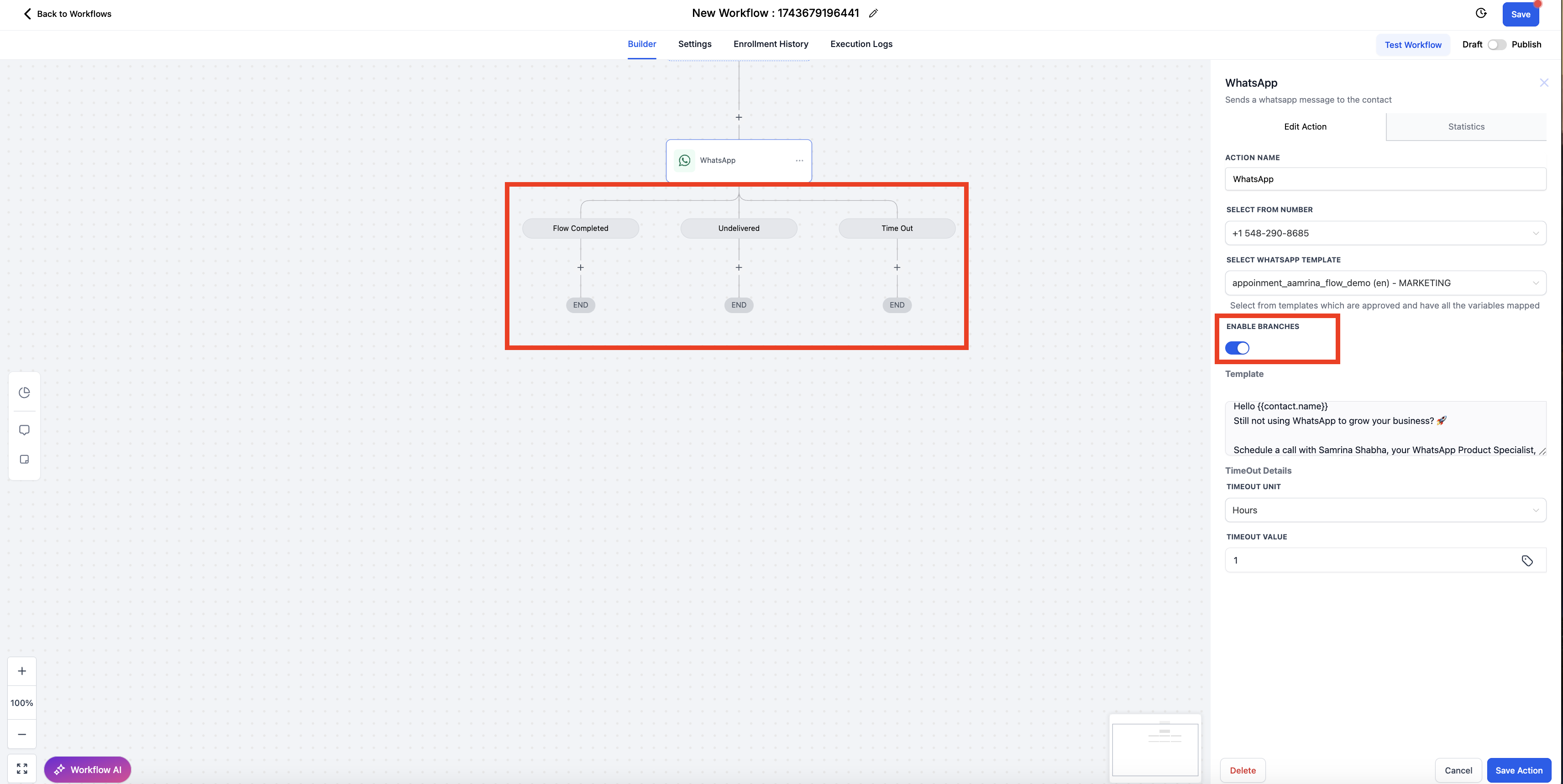
- 🔀 Branch Toggle – Keep automations simple by disabling reply-based branches when you don't need them
- ⏳ Timeout Actions – Define what happens if a parent doesn't respond within your timeframe
- ⏸ Wait-for-Reply Logic – Pause the automation until you receive a response
- 📊 Auto Deliverability Tracking – No need to build conditions for delivery tracking—Smart Actions handle it automatically
How to Use WhatsApp Smart Actions in Your Automations
Build intelligent WhatsApp conversations in just a few steps.
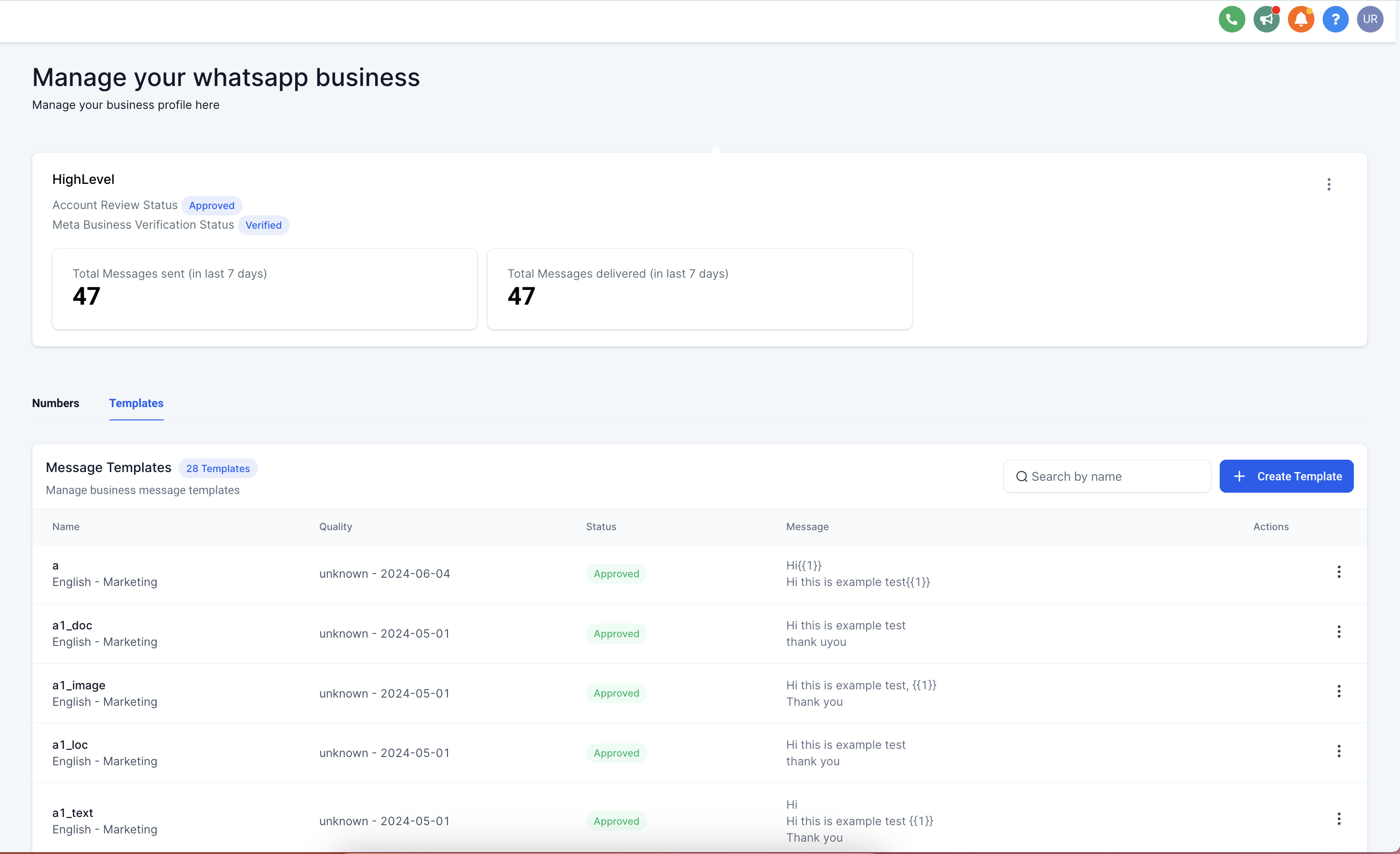
Step 1: Create Your WhatsApp Template
Navigate to Messaging → Templates and build or select a template. Add buttons, media, or flows based on what you want to accomplish.
Step 2: Add WhatsApp Smart Action to Your Automation
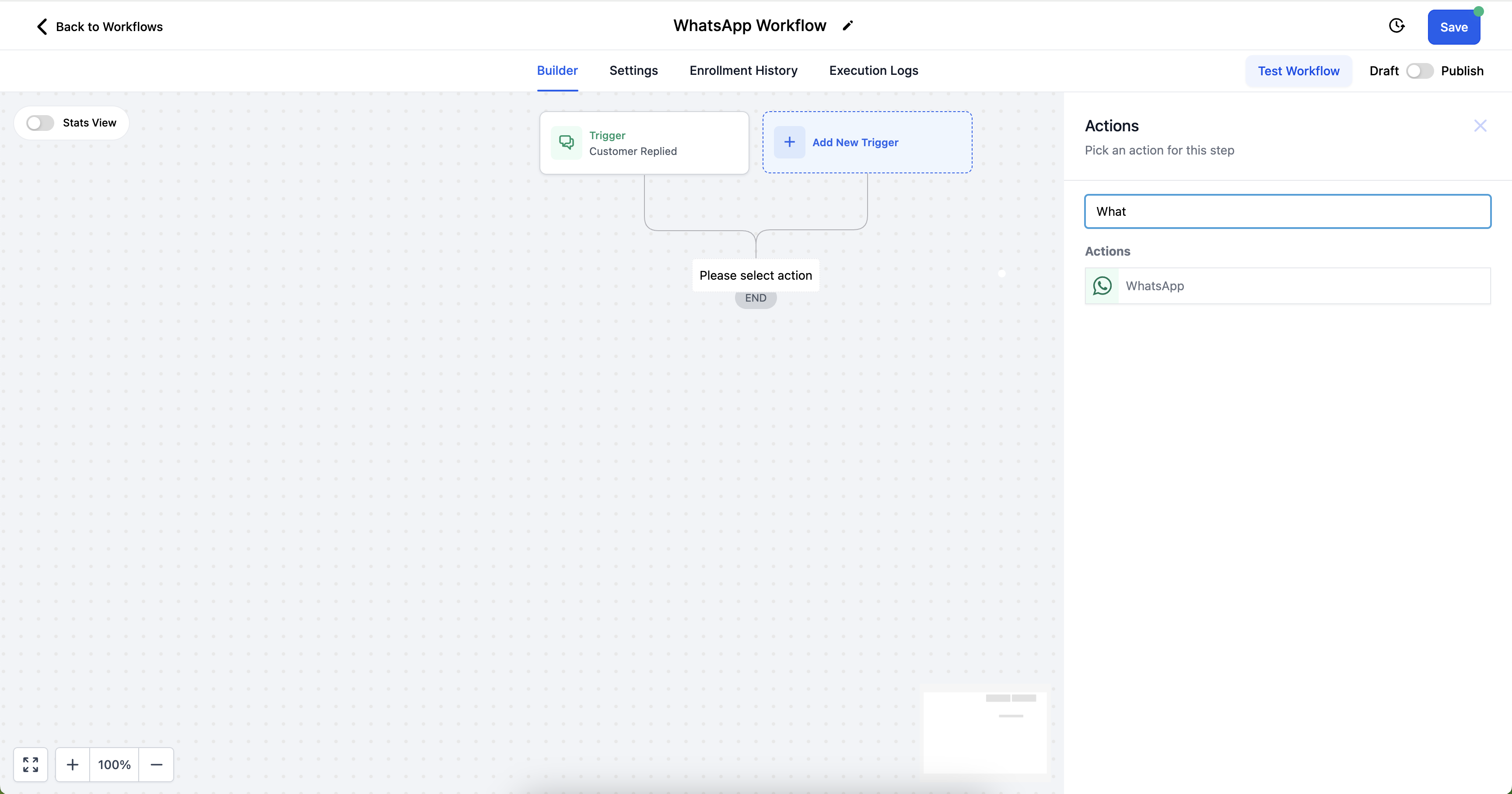
- Open the automation builder
- Add the WhatsApp Smart Action
- Choose your message type: template, free-form, or flow-enabled
Step 3: Configure Smart Logic
- Select reply buttons (if any) to automatically generate branches
- Set your timeout duration and fallback paths
- Enable or disable wait-for-reply options based on your flow
Step 4: Monitor Performance
View logs to see which path each family takes—delivered, replied, timed out, or clicked through. Use this data to optimize your follow-up strategy.
Smart Branching Based on Button Replies
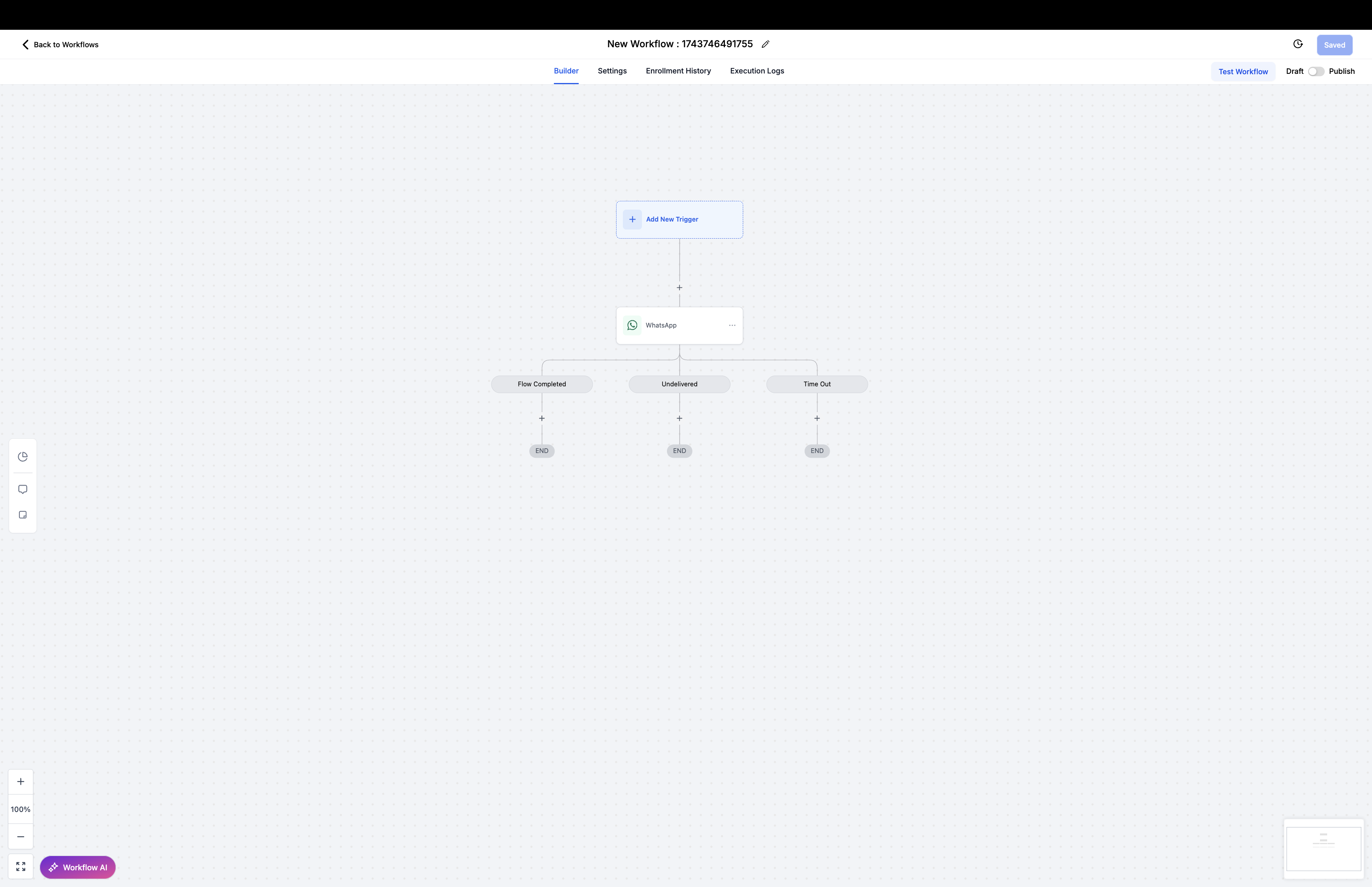
Let Enrollio do the heavy lifting. When your WhatsApp template includes reply buttons, Smart Actions automatically create automation branches for each possible response.
No need to manually build conditions or filters. If you add three buttons—"Schedule Tour," "Download Guide," and "Not Interested"—you'll get three automatic branches to customize with follow-up actions.
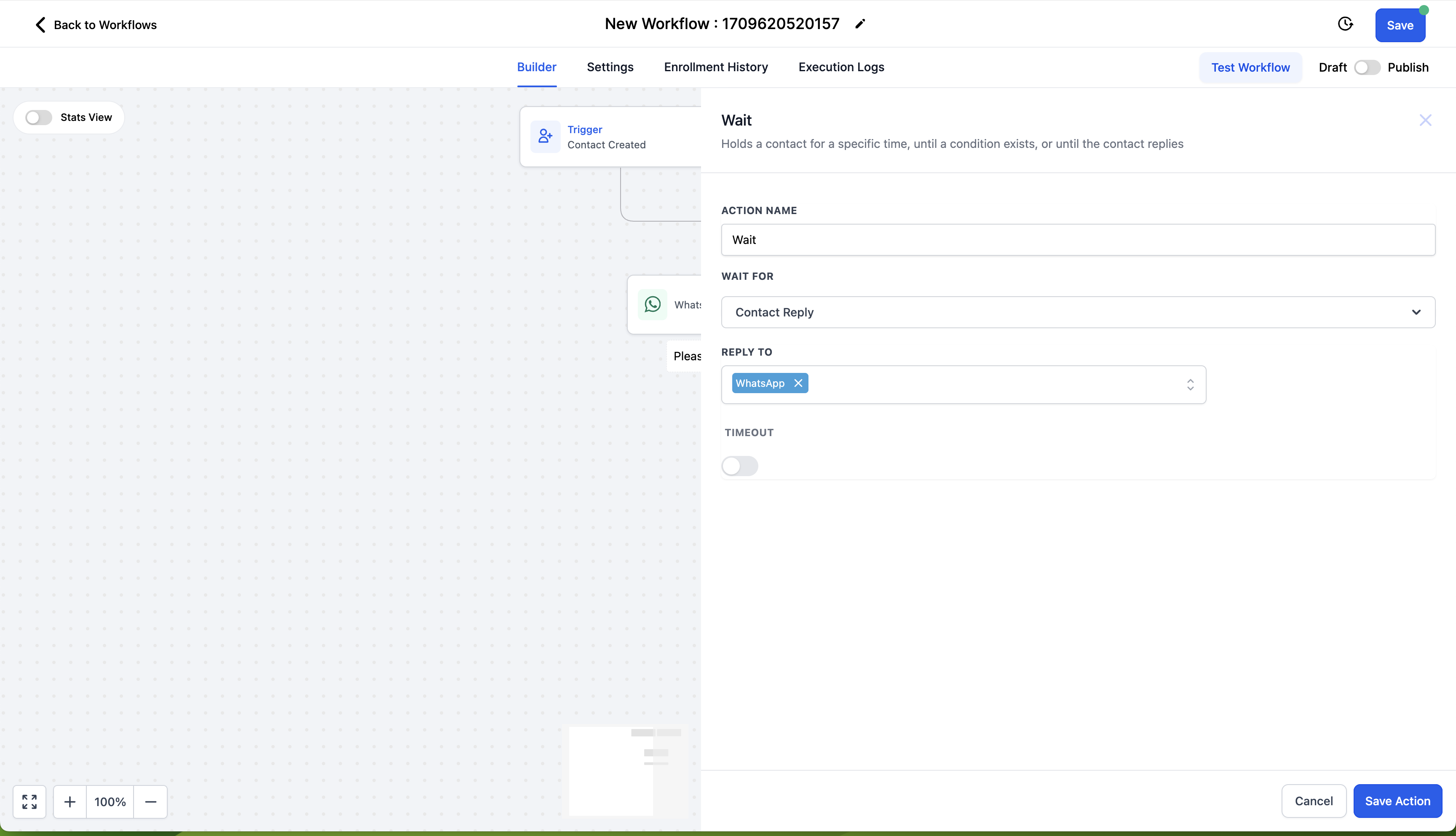
Timeout & Wait-for-Reply Logic
React to silence or responses with precision.
Timeout Actions
Set a timeframe (like 24 hours) and trigger a follow-up or fallback action if the parent doesn't respond. Perfect for re-engaging interested families who got distracted.
Wait-for-Reply Logic
Pause your automation entirely until the parent responds. This is ideal for high-engagement flows like enrollment applications or tour confirmations where you need their input before proceeding.
Editing Media on the Fly
Change your media links without rebuilding templates. WhatsApp Smart Actions let you modify URLs for images, PDFs, and videos right inside the message configuration—even if they're part of an approved template.
This makes it easy to reuse and customize templates without waiting for new approvals.
Frequently Asked Questions
What happens if a message isn't delivered?
WhatsApp Smart Actions automatically track delivery status and route families down the appropriate branch. No manual setup required.
Can I use both basic WhatsApp actions and Smart Actions in the same automation?
Yes, but we recommend using WhatsApp Smart Actions exclusively in new automations for maximum flexibility and tracking.
Do I need Meta Flow setup to use templates?
Only if your template includes a flow. You can also send basic templates or free-form messages without any flow configuration.
How do I disable smart branching?
Turn off the Branch Replies toggle in the action settings. This lets you use Smart Actions like a basic message sender when you don't need branching logic.
Next Steps
- Build your first WhatsApp Smart Action automation with buttons and timeout logic
- Use logs to analyze message performance and optimize your follow-ups
- Convert older automations to Smart Actions for a more responsive parent experience