
How to Verify Your Phone Number for WhatsApp Business
Before you can send WhatsApp messages to parents and prospective families, you need to verify your phone number. This quick process confirms your business account is linked to the correct number and ensures messages can flow smoothly.
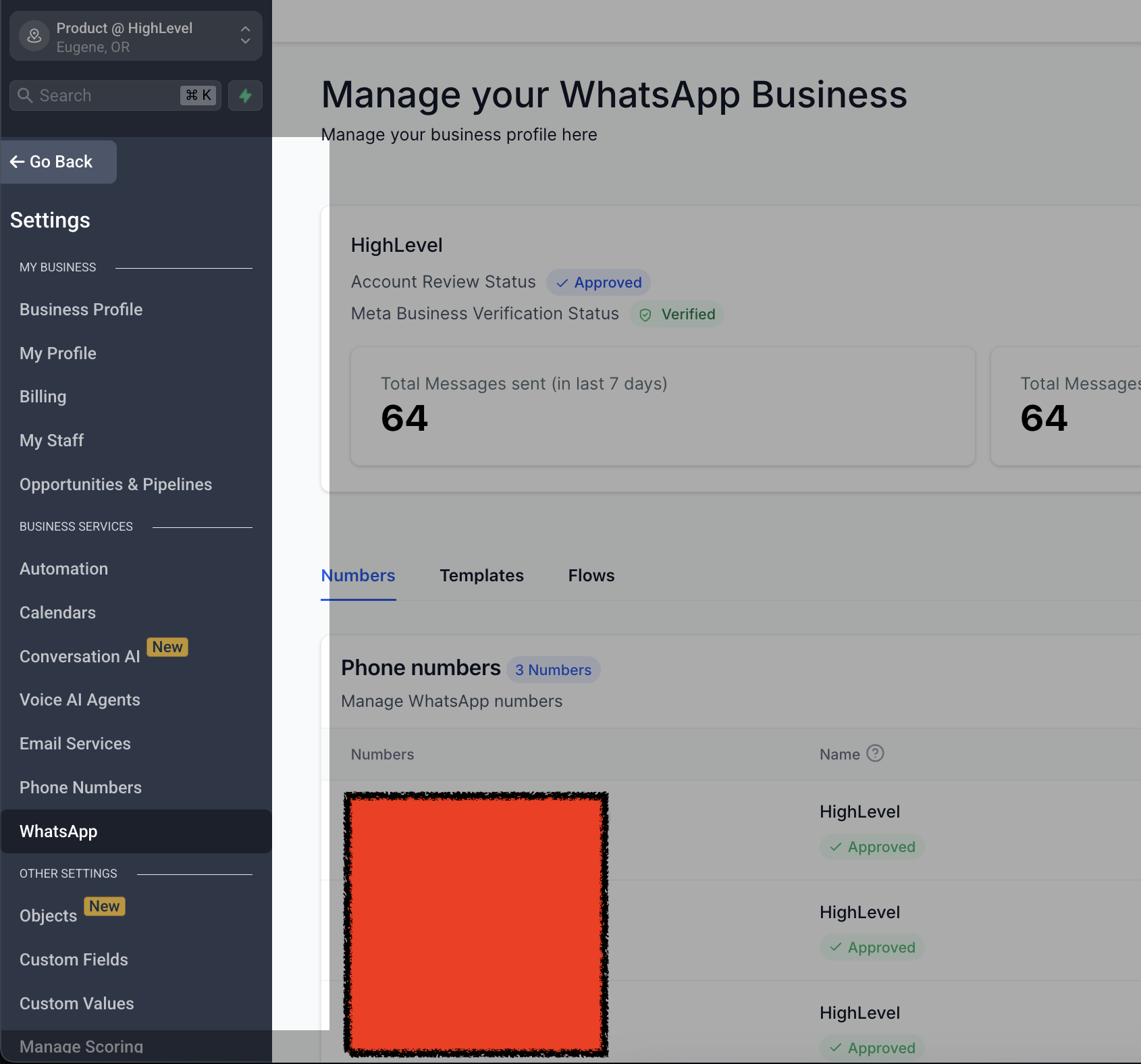
Step 1: Access WhatsApp Settings
- Go to Settings in your Enrollio account
- Select WhatsApp
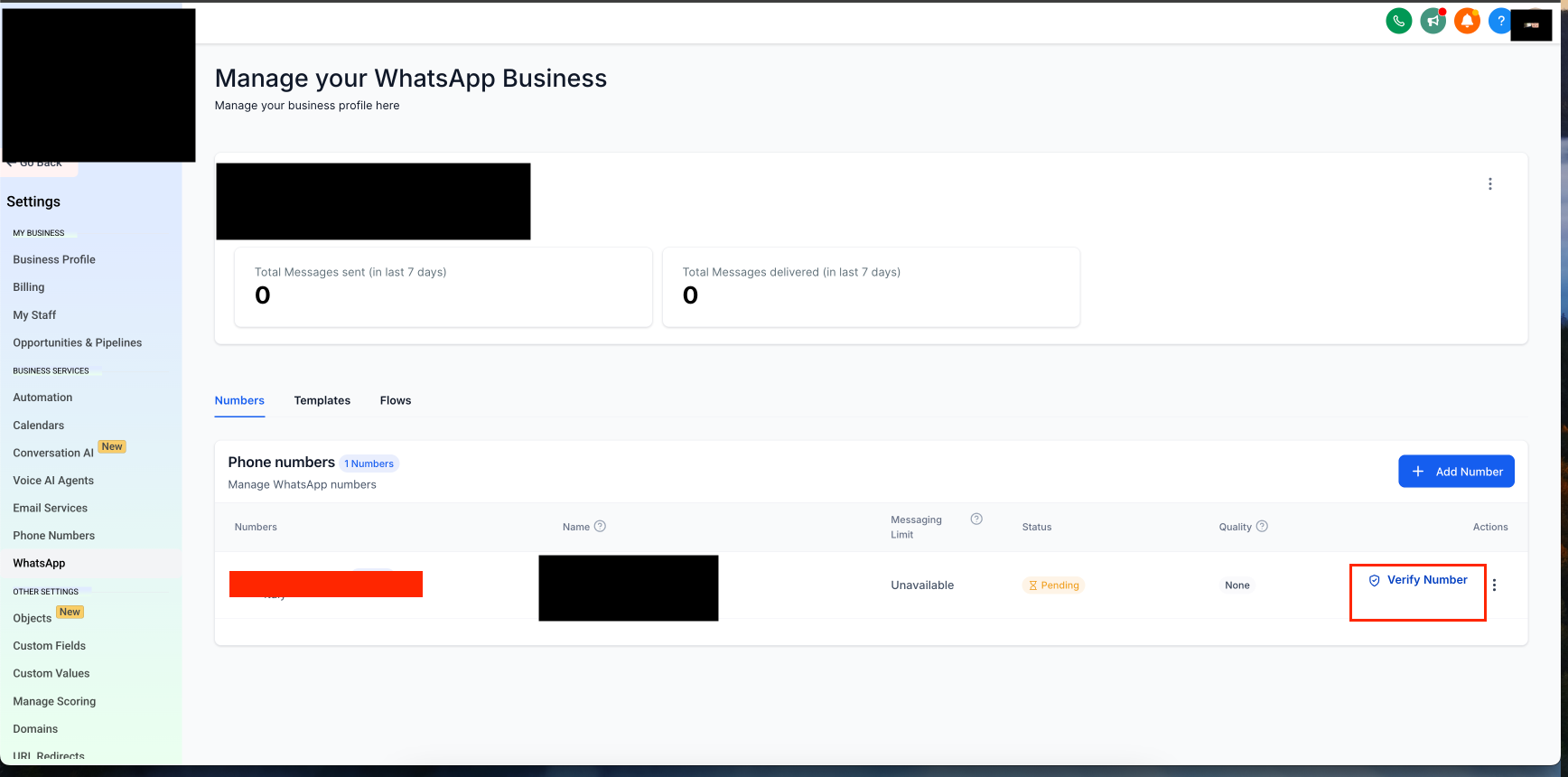
Step 2: Start the Verification Process
Click on Verify Phone Number
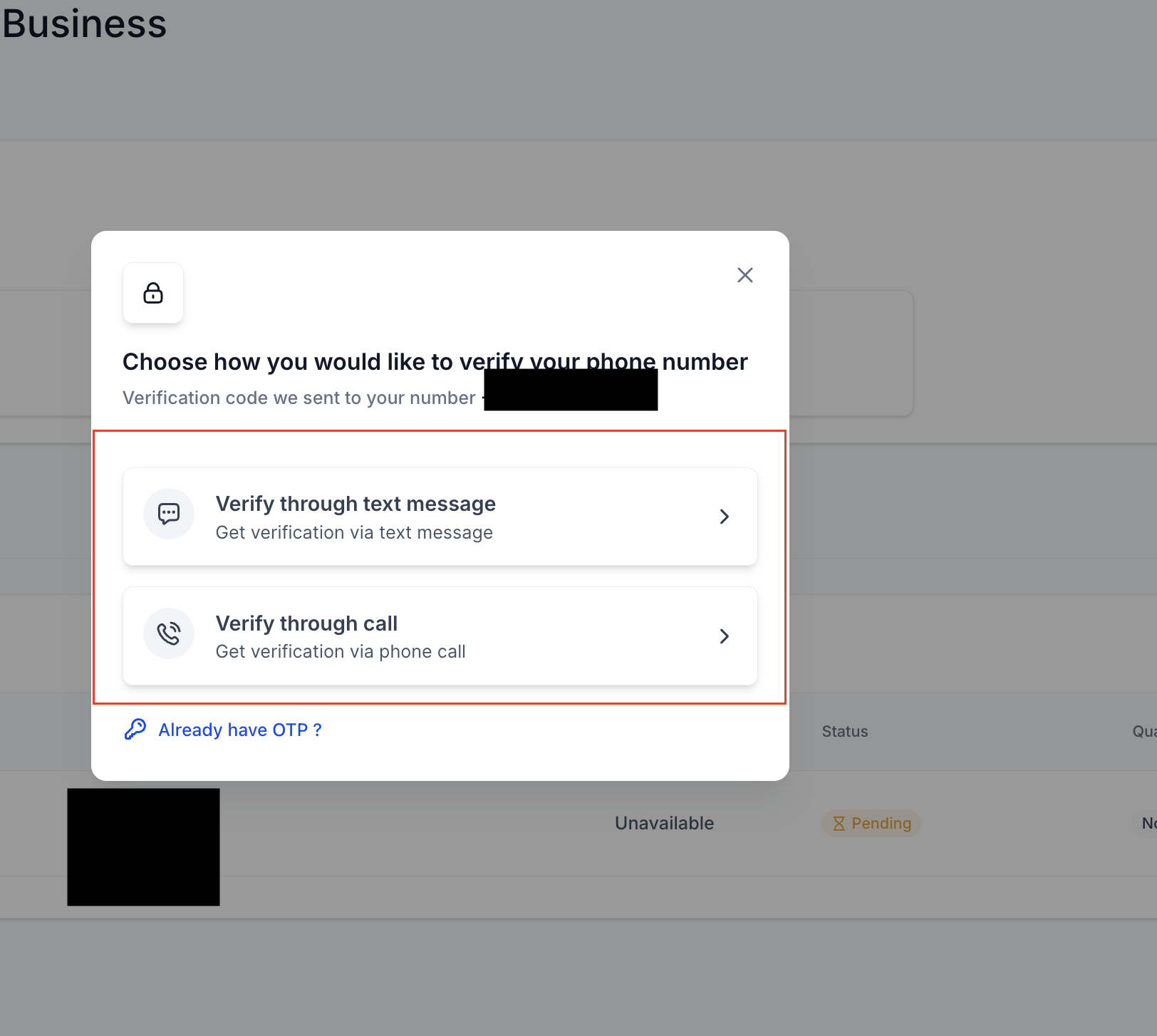
Step 3: Choose Your OTP Delivery Method
Select whether you want to receive the one-time password (OTP) via call or text message. Choose whichever is most convenient for you.
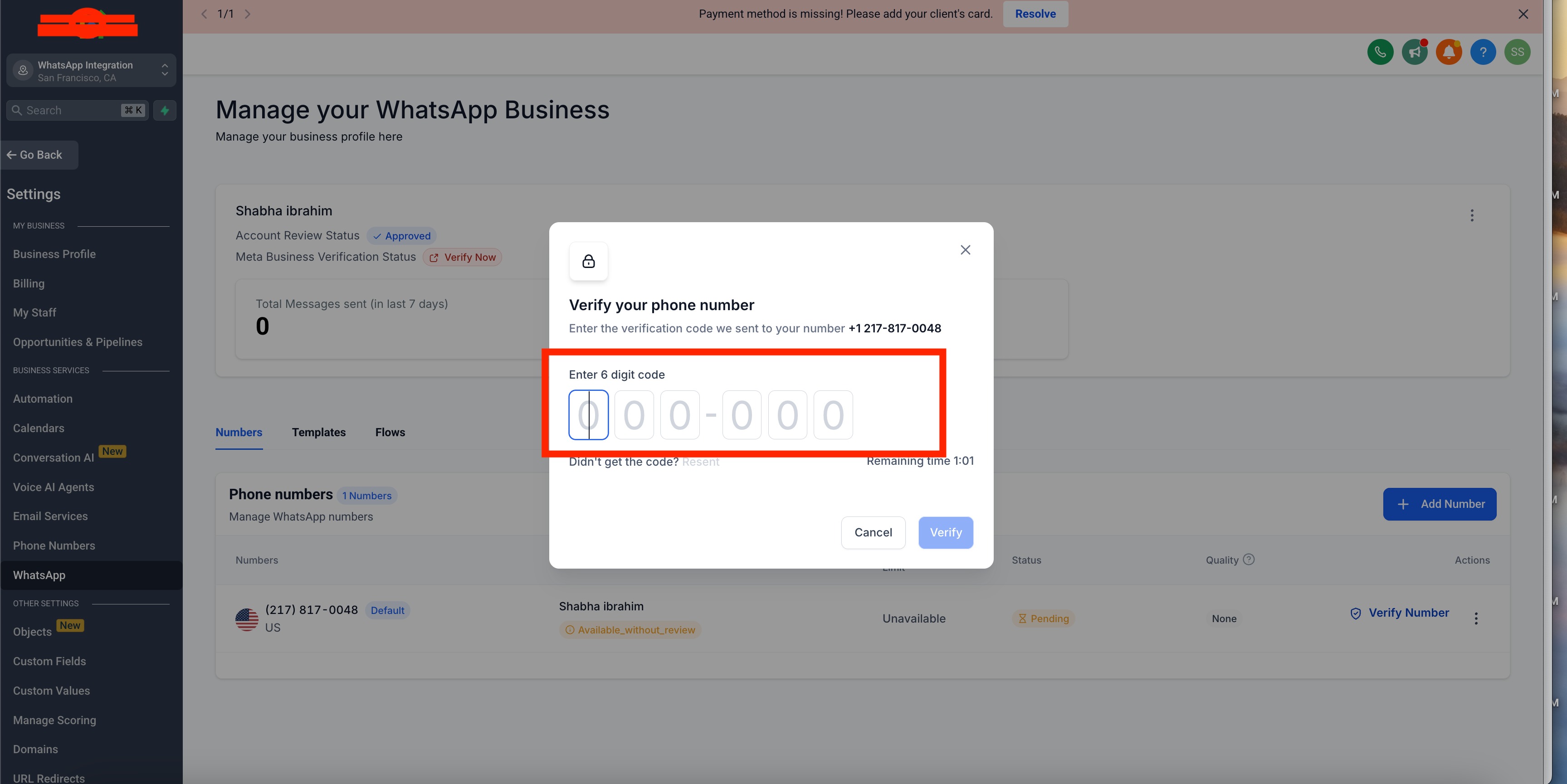
Step 4: Complete Verification
- Enter the OTP when prompted
- Once entered correctly, your phone number will be verified and you're ready to start messaging
Frequently Asked Questions
Why do I need to verify my phone number?
Verifying your phone number ensures you can send and receive WhatsApp messages with families. It also confirms your business account is linked to the correct number, preventing any messaging issues down the line.
What should I do if I don't receive the OTP?
If the code doesn't arrive:
- Double-check that your phone number is entered correctly
- Check for network issues that may delay the message or call
- Click Get another code to resend it
- Restart your phone and try again
Can I verify my phone number using an email instead?
No, WhatsApp Business requires verification via phone number through text message or voice call only.
How long does verification take?
The process is usually instant but can take a few minutes depending on network conditions. Most childcare providers complete this in under two minutes.
What happens after my phone number is verified?
Once verified, you can immediately start using WhatsApp Business in Enrollio to message parents, send tour reminders, answer enrollment questions, and communicate with families.
Can I use the same phone number for both WhatsApp Business and regular WhatsApp?
No, a phone number can only be used on either WhatsApp Business or WhatsApp Messenger, not both simultaneously. If you want to switch, you'll need to verify the number on the new platform.
What should I do if verification fails?
If verification doesn't work:
- Confirm your phone number is correct
- Ensure you have a stable internet connection
- Request the OTP again
- If problems persist, contact Enrollio support for assistance