
WhatsApp Flows: Book Tours Directly in Chat
WhatsApp Flows let families book tours and schedule visits without ever leaving the conversation. Think of it as an interactive form that lives right inside WhatsApp—no links, no switching apps, just a smooth booking experience.
Why This Increases Your Tour Bookings
When parents can book a tour without leaving WhatsApp, they're more likely to actually do it. Here's why:
- No friction: Everything happens in one place. No clicking links, no opening new tabs.
- Familiar interface: Parents already know how to use WhatsApp. No learning curve.
- Instant action: They can book the moment they're interested, while you have their attention.
- Pre-filled information: Their contact details automatically populate—less typing, faster completion.
- Faster than websites: No loading pages or slow connections. It just works.
How to Create a Tour Booking Flow
Setting up your flow takes just a few minutes:
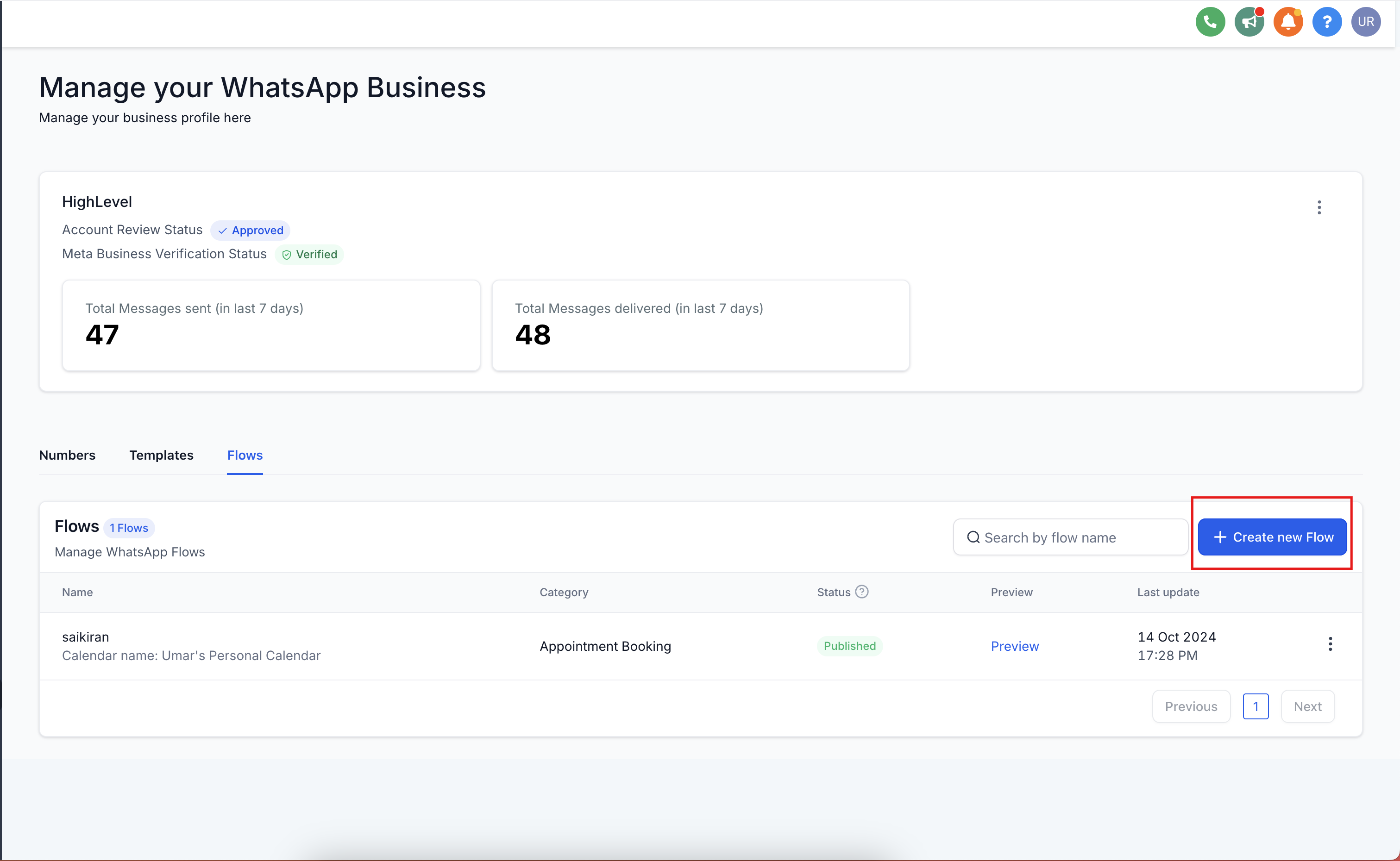
- Go to Settings → WhatsApp → Flows
- Click Create New Flow
- Add a flow name (like "Tour Booking")
- Select the calendar where you want tour appointments booked
- Click Next
- Arrange the default form fields in your preferred order
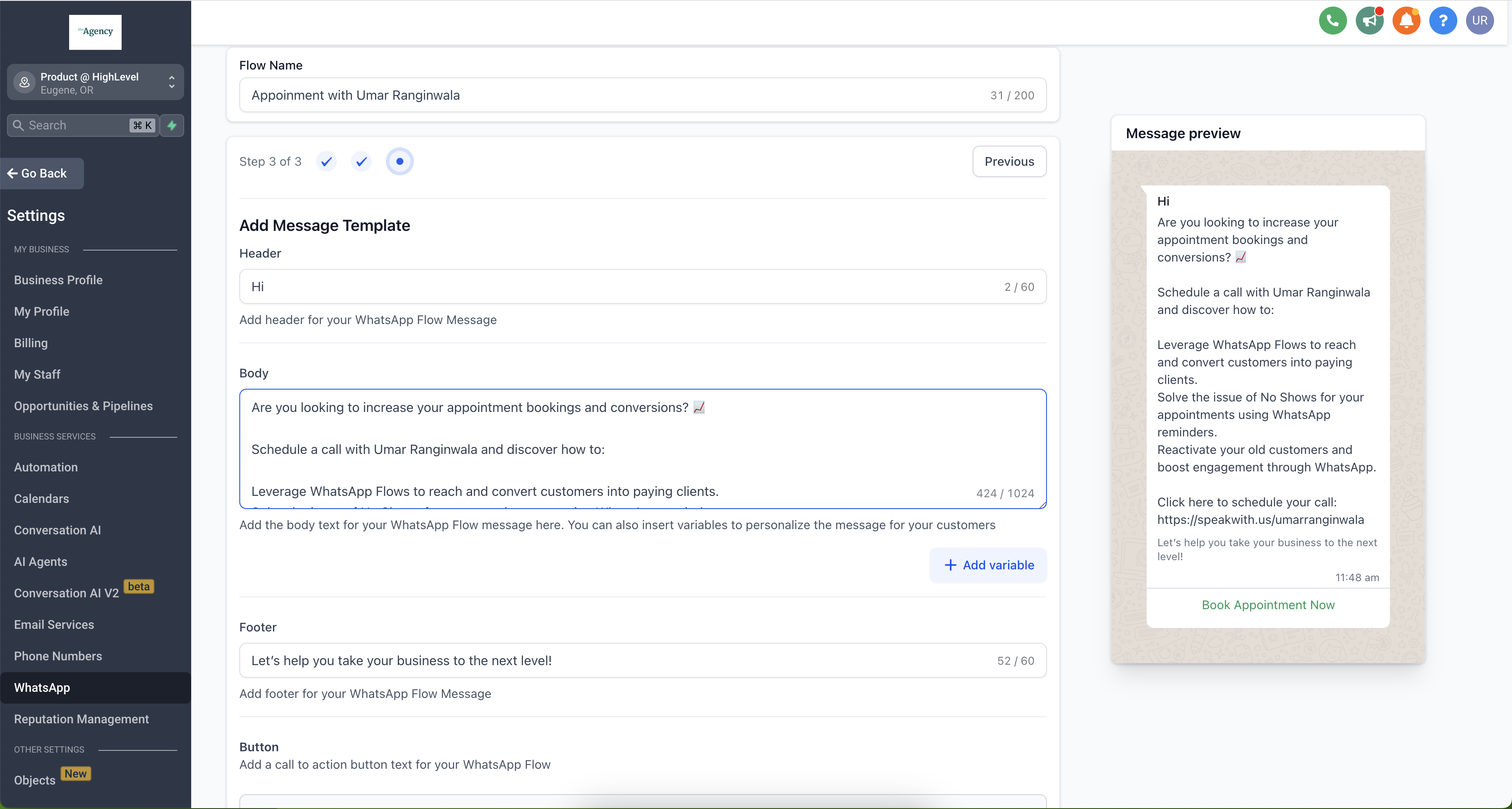
- Customize your messaging:
- Header: "Schedule Your Tour"
- Body: "Pick a time that works for your family"
- Footer: "We can't wait to meet you!"
- Button text: "Book Tour"
- Click Publish
How to Send Flows Through Templates
Templates let you send your booking flow as part of a structured message:
- Go to WhatsApp → Templates → Create Template
- Fill in your template details:
- Template name
- Category
- Language
- Header text
- Body text
- Footer text
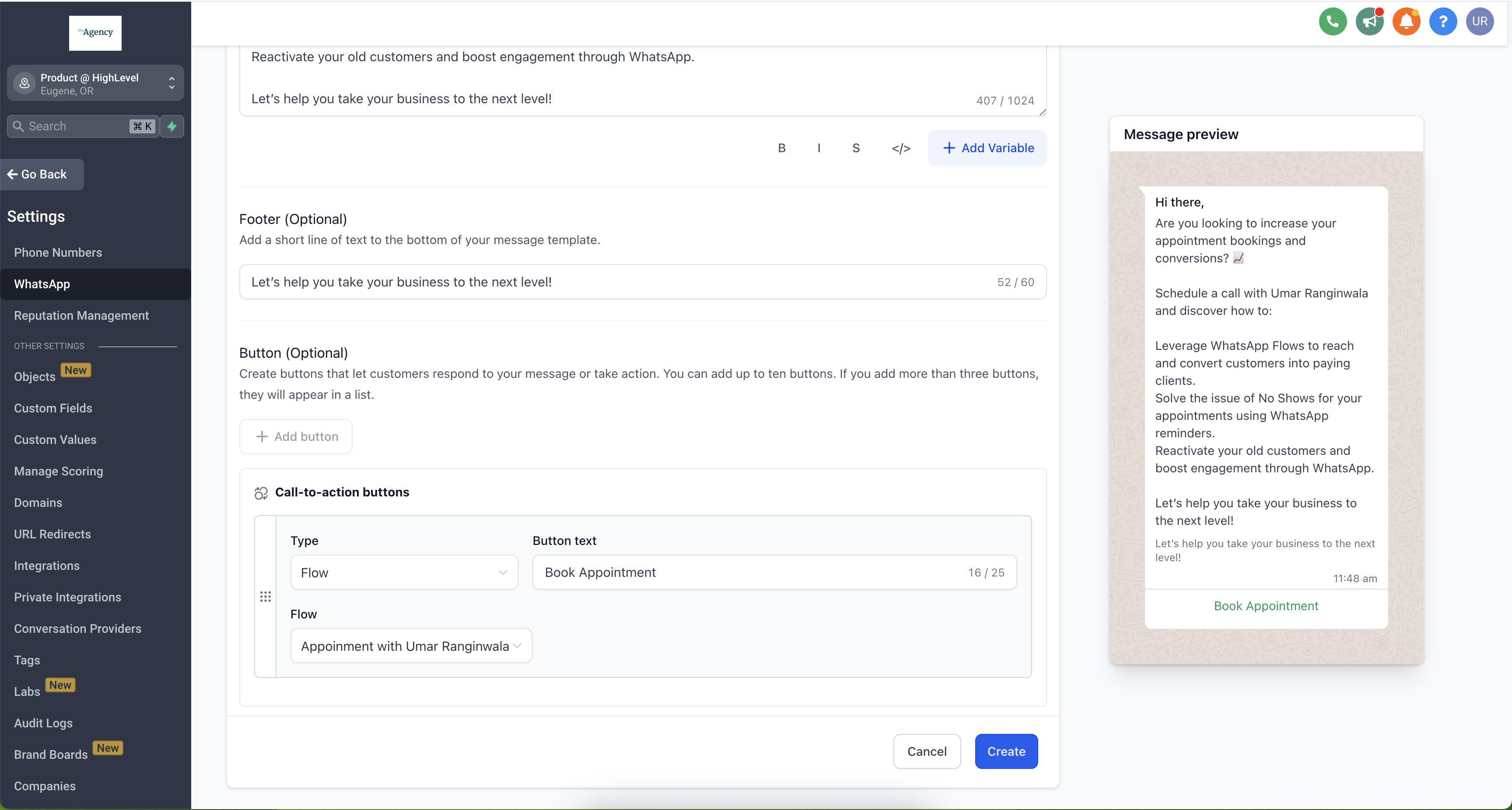
- Click Add Button
- Select Flow as the button type
- Choose your booking flow
- Save your template
How to Send Flows Through Automations
You have two options for sending booking flows automatically:
Option 1: Send via WhatsApp Template
This method uses a pre-approved template (requires Meta approval):
- Go to Automations → Create Automation → Start from Scratch
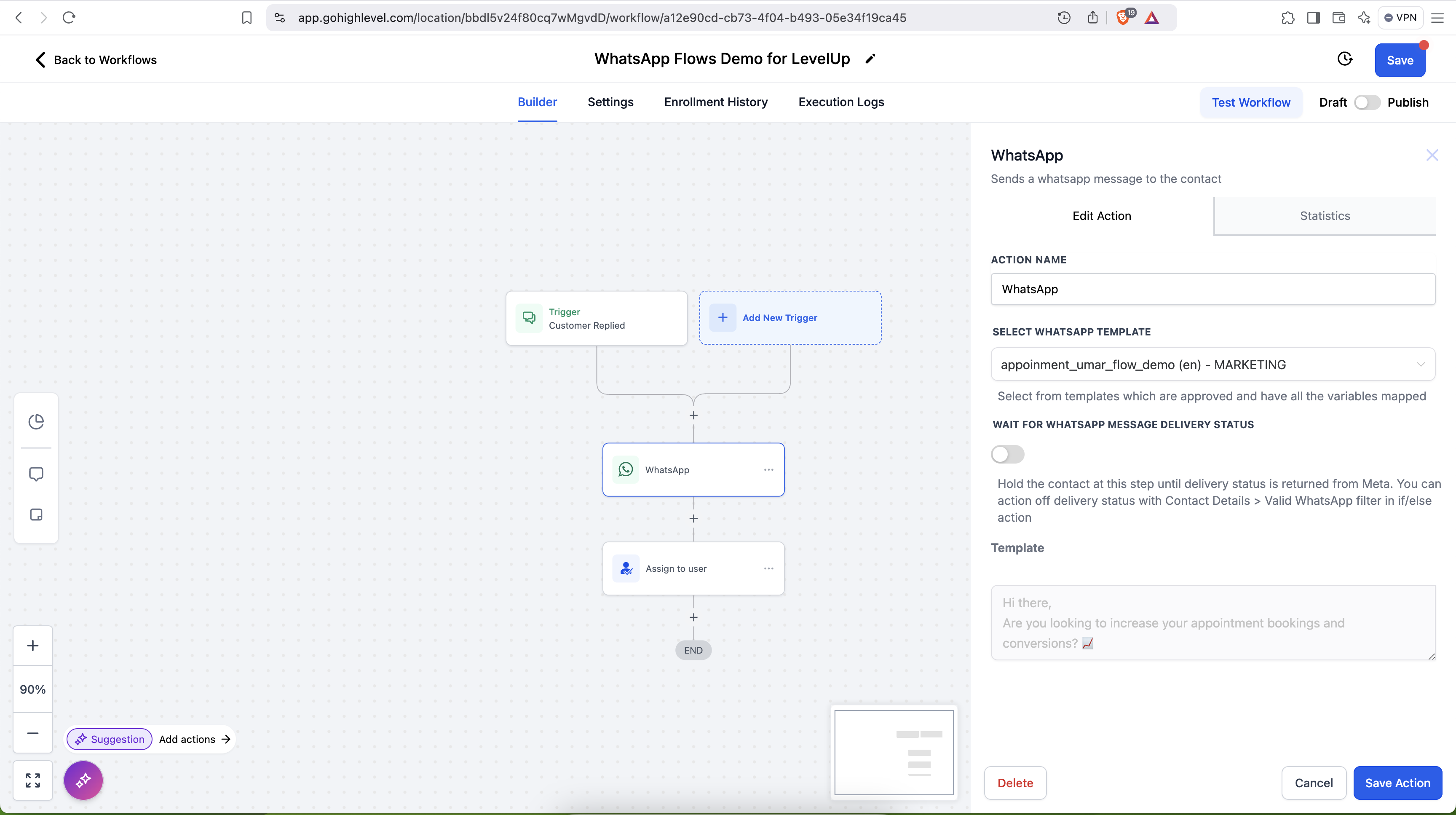
- Add a WhatsApp action
- Select your template with the WhatsApp Flow
- Click Save Action
Option 2: Send in an Active Conversation (Free)
If you're already chatting with a parent, you can send the flow for free:
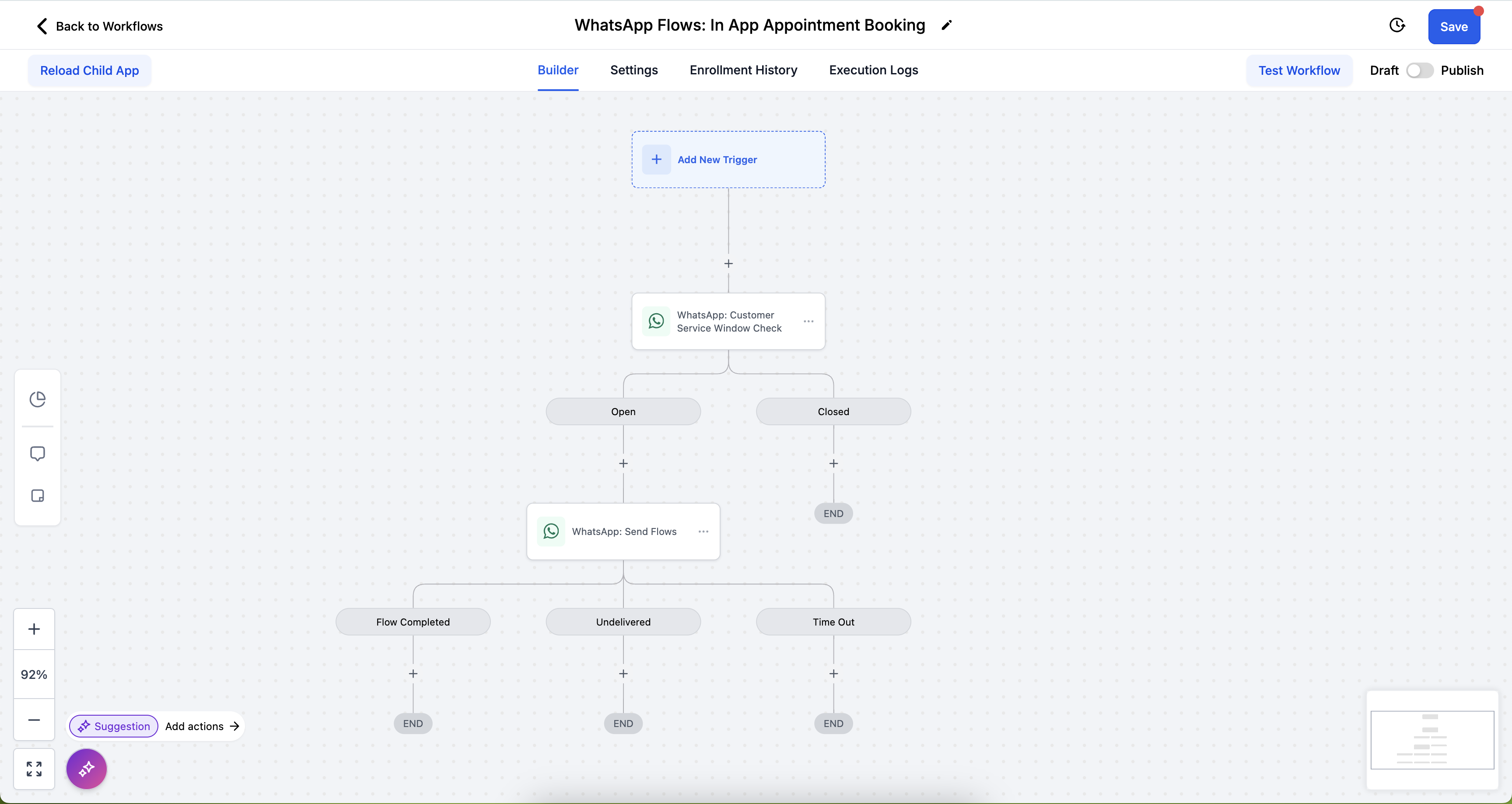
- Go to Automations → Create Automation → Start from Scratch
- Click the + button
- Select WhatsApp: Customer Service Window Check
- Click Save Action
- Under the Open branch, add WhatsApp: Send Flows
- Select your tour booking flow
- Click Save Action
Current Limitations
WhatsApp Flows are powerful, but there are a few things they can't do yet:
- No payment processing: Tours that require a deposit can't be booked through flows
- Custom fields only work manually: You can only use default form fields in the flow
- No recurring appointments: Each tour must be scheduled individually
- No guest bookings: The person chatting must be the one booking
Frequently Asked Questions
How do I personalize the booking experience?
WhatsApp Flows automatically pre-fill parent information like name, email, and phone number from your Enrollio records. You can also customize your template messaging with variables to make each interaction feel personal.
What if my calendar requires payment?
Calendars with payment requirements won't work with WhatsApp Flows since Meta doesn't support payment processing yet. You'll need to send a payment link separately or use a different booking method.
Are recurring tour slots supported?
Not yet. Each tour appointment needs to be scheduled individually through the flow.
Is there a cost to use WhatsApp Flows?
The first 1,000 service conversations per month are free. After that, standard WhatsApp messaging rates apply based on your volume and region.
Can I use this if I have a COEX WhatsApp integration?
No, WhatsApp Flows aren't supported on COEX integrations. You'll need to use the standard Meta Business integration.