
Turn Happy Parents Into 5-Star Reviews
In a world where prospective families Google your childcare center before they ever schedule a tour, your online reputation is everything. A 4.9-star center with 400 reviews? It screams credibility. A 3.7 with a handful of ratings? Not so much.
The good news: you don't need to chase parents down for reviews. You just need the right timing, messaging, and automation. This is your guide to turn happy families into your strongest marketing channel.
Catch Them Right After a Great Moment
You know that moment when a parent picks up their child and sees them beaming? Or when they finally hear their toddler say their first words at your center? That's when you ask.
After enrollment or first week: Trigger a text message like: "We're so glad [Child's Name] is part of our family! Mind sharing how their first week went? Your review helps other families find us."
After milestone moments: Automatically send a review request when a child completes a developmental milestone, transitions to a new classroom, or celebrates their birthday at your center.
During parent events or referrals: Capitalize on the momentum when families are already engaged and enthusiastic.
Use Enrollio automations to time these perfectly and ensure they land via text message or email—whichever channel your families prefer.
Make It Frictionless
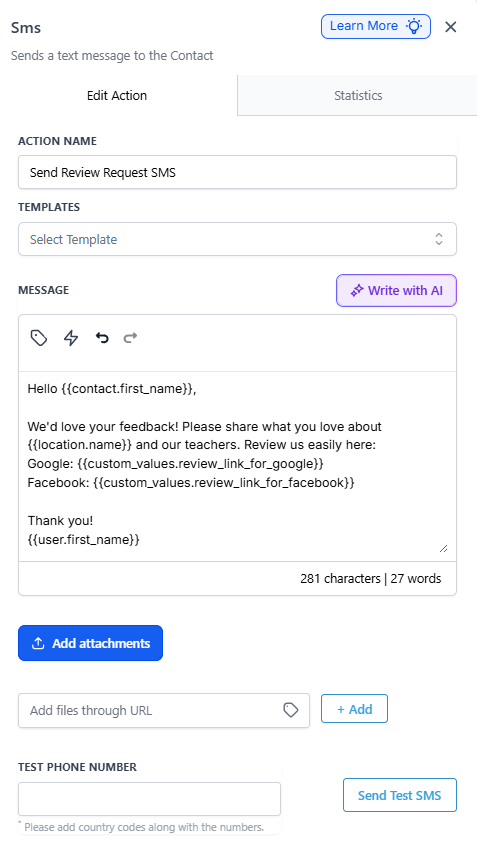
Parents want to help—but not if it takes more than 30 seconds. With Enrollio, you can:
- Include direct review links to your Google and Facebook pages
- Add 1-tap templates: "What do you love about [Center Name]? What makes our teachers special?"
- Embed a pre-written review suggestion they can edit and submit
Parents are more likely to write something when it feels like texting their child's teacher, not filling out a tax form.
Turn Complaints Into Comebacks
Even the best childcare centers get the occasional concern. The key is how fast you catch it and how personally you respond.
- Route low-star ratings to an internal feedback form (not Google)
- Auto-assign alerts to your director or office manager
- Send a recovery message like: "Hi [Parent Name], we saw your feedback—let's make this right. Can we schedule a time to talk?"
This keeps your reputation professional and gives you a chance to address concerns before they become public issues.
Show Off Those Reviews Everywhere
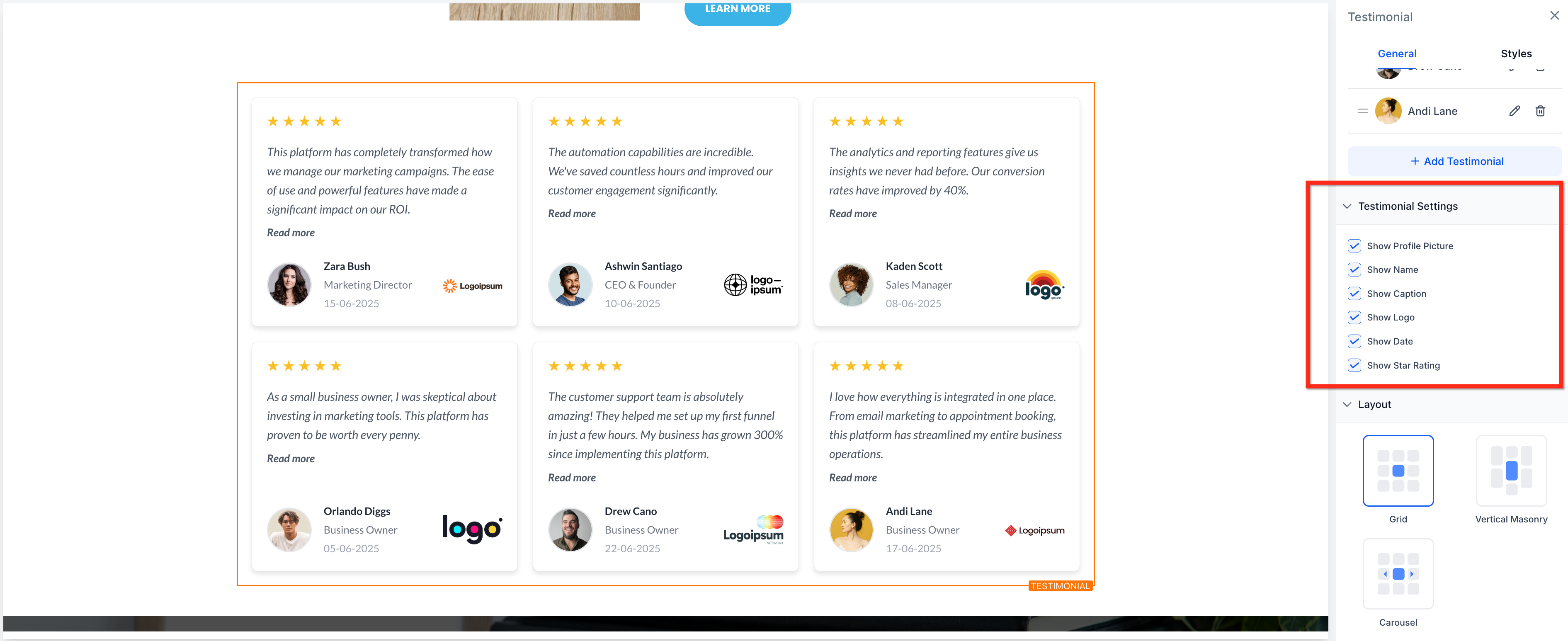
Once you've collected great reviews, don't let them sit idle. Put them to work:
- Add review widgets to your enrollment site
- Create Instagram and Facebook graphics featuring glowing testimonials
- Use testimonials in your tour booking pages and enrollment forms
- Include them in your email nurture campaigns for families on your waitlist
Let your happiest families do the talking.
Stay On Top of Your Reputation
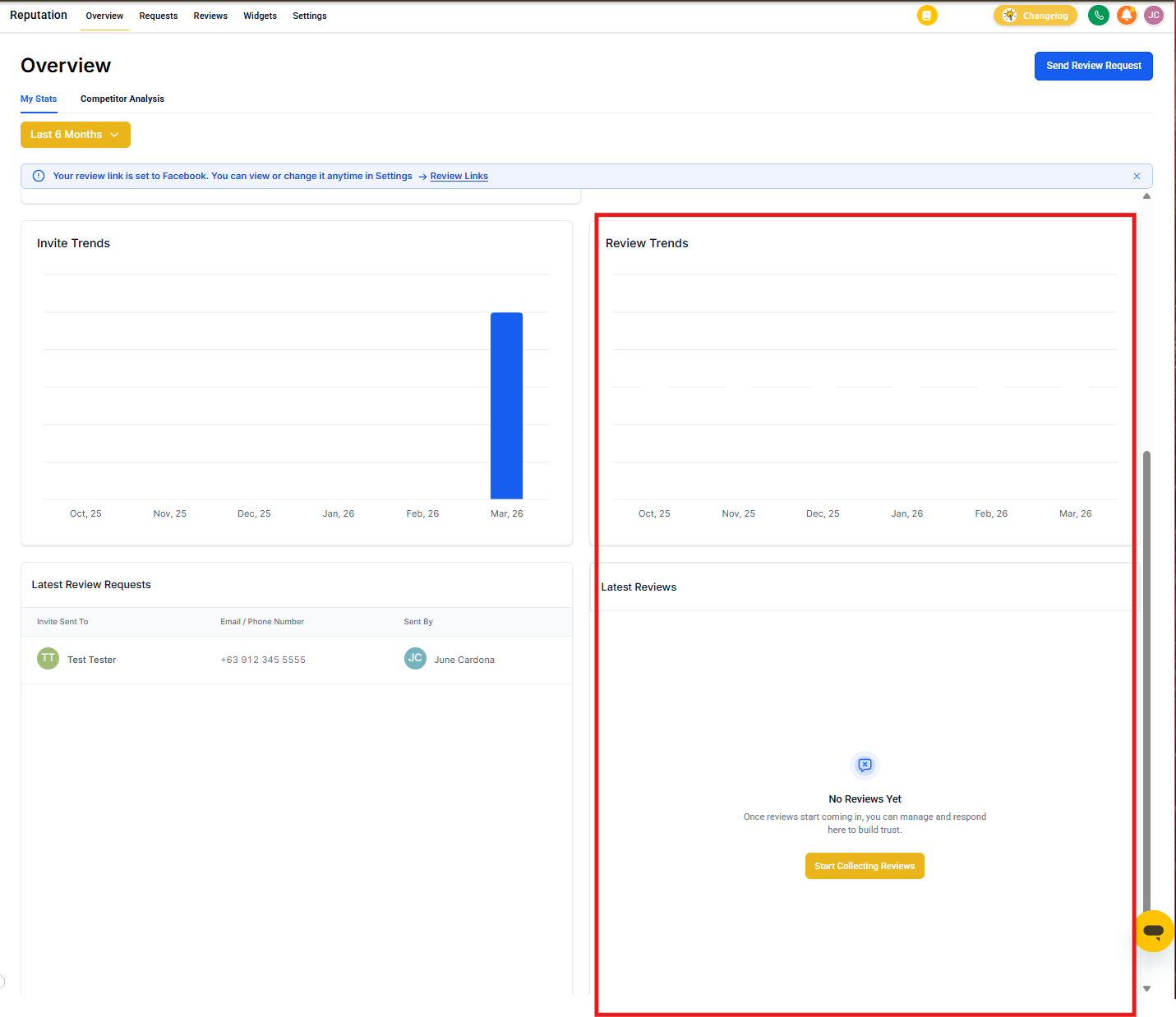
Enrollio keeps everything in one place so you never miss a beat:
- Get alerts for every new review
- Assign replies to your office manager or director
- Track review growth month over month and correlate it with tour bookings and enrollments
- Monitor your star rating across Google and Facebook
Start Building Your 5-Star Reputation
You're already providing exceptional care for the children in your center. Let prospective families see it. With Enrollio, you'll turn every great day, milestone moment, and "thank you" into a powerful review that brings in your next enrollment.
Ready to grow your reputation like you grow your waitlist? Set up your first review automation in Enrollio today.