
Boost Engagement with Follow-Up Comments
Social platforms favor posts with early engagement. When you add a follow-up comment shortly after publishing, you signal to the algorithm that your post is worth showing to more people.
This feature helps your childcare center's posts reach more local families by giving the algorithm what it wants: quick interaction.
Supported Platforms
Follow-up comments work on:
- Facebook Pages
- Facebook Groups (comments appear from the Facebook Page you've connected)
- Instagram Business Accounts
- LinkedIn Profiles
- LinkedIn Pages
- X (formerly Twitter) Accounts
How to Add a Follow-Up Comment
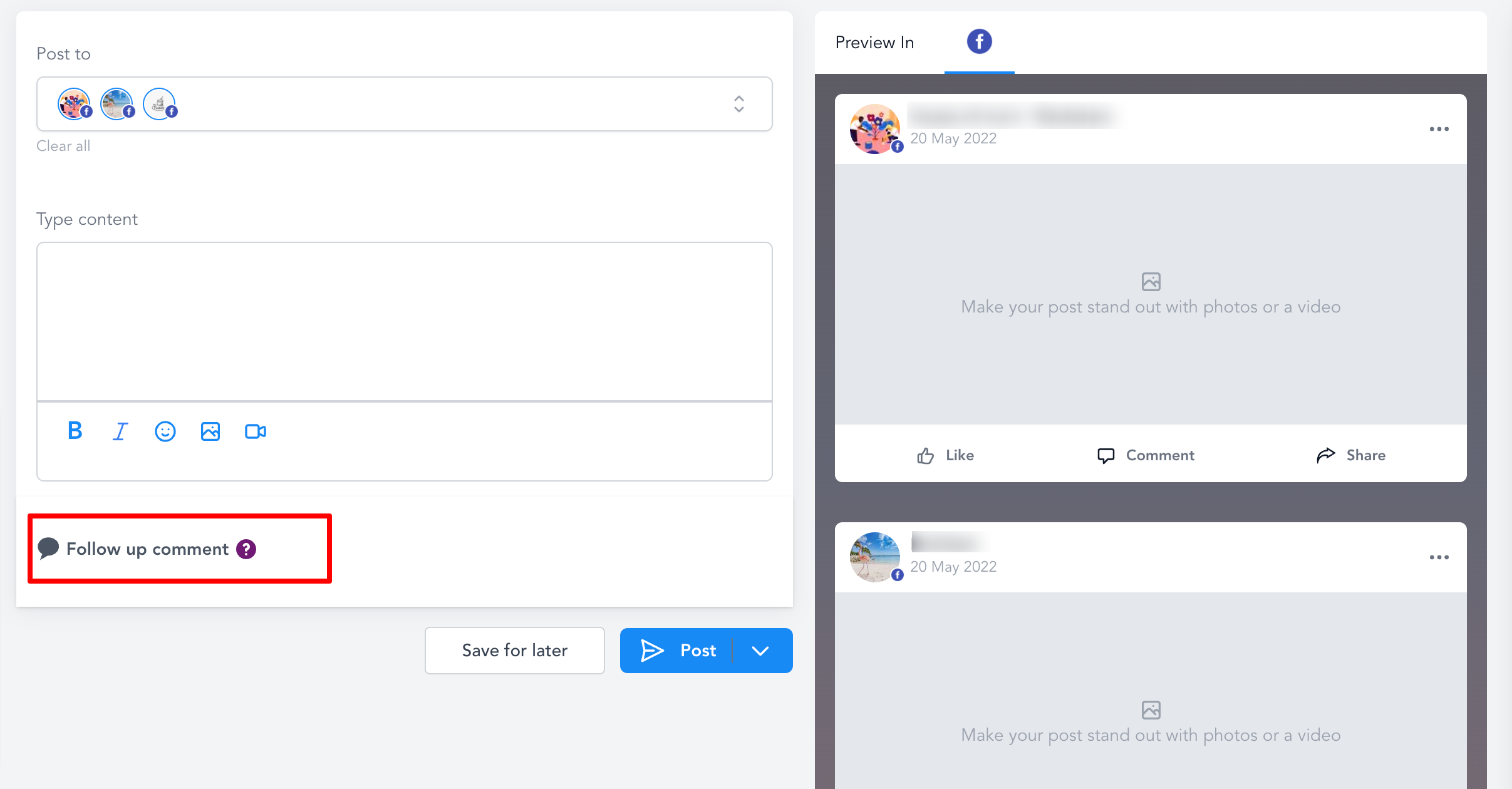
- Go to Marketing > Social Planner
- Click Add Post
- Select Create New Post
- Write your post content
- Look for the Follow-up Comment option
- Enter the comment you want to appear after your post publishes
Pro Tip: Use your follow-up comment to ask a question or add a call-to-action. For example: "Have questions about our preschool program? Drop a comment or message us!" This encourages parents to engage, which further boosts your post's reach.
Best Practices for Childcare Posts
Follow-up comments work best when they add value. Try these approaches:
- Ask a question: "What's your child's favorite outdoor activity?"
- Share additional info: "We still have 2 spots open for our summer program!"
- Add a link: "Tour our facility: [your enrollment page URL]"
- Prompt action: "Tag a parent who's looking for quality childcare!"
The goal is to spark conversation with local families, not just broadcast information.