
Do I Need a Meta Business Account to Use WhatsApp in Enrollio?
Yes — to use WhatsApp with Enrollio, you need a Meta Business Account in Meta Business Manager. This is required because the WhatsApp Business API used by Enrollio is managed and verified by Meta.
You don't need a Facebook Page for messaging — but you must have a Meta Business Account (Business Manager) to verify your business and connect your WhatsApp number.
Why a Meta Business Account Is Required
The Meta Business Account (also called Business Manager or Meta Business Suite) is where Meta:
- Verifies your business identity
- Manages your WhatsApp Business Account (WABA)
- Authorizes partners like Enrollio to send and receive WhatsApp messages through your number
- Stores your business information, such as display name, phone number, and policy compliance
Without this setup, your number can't be approved for the WhatsApp Business API, and Enrollio won't be able to connect it.
How to Create a Meta Business Account
Follow these steps to create and verify your Meta Business Account:
Step 1: Go to Meta Business Suite
Visit https://business.facebook.com/ and click Create account if you don't have one yet.
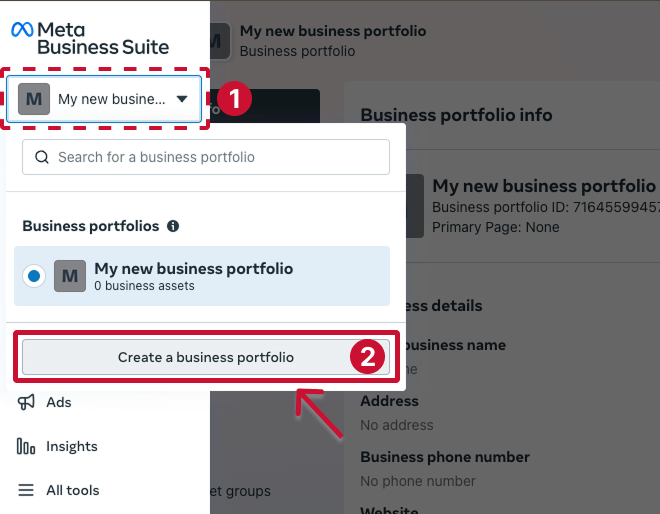
Step 2: Enter Your Business Details
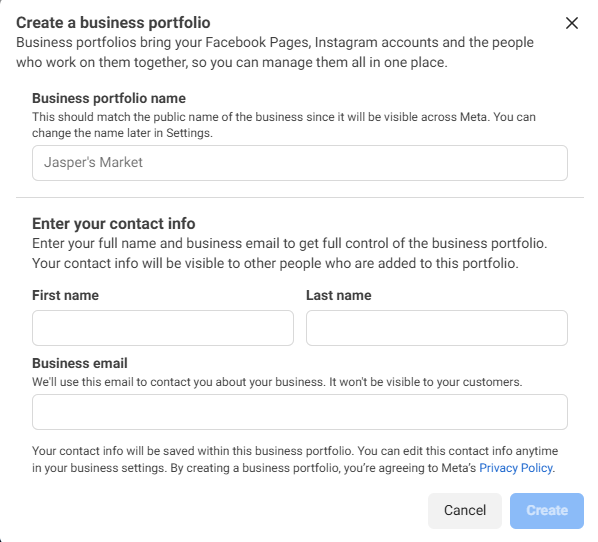
You'll be asked to fill out:
- Business name (should match your childcare center's name)
- Your name
- Business email address
Click Submit to create the account.
Step 3: Verify Your Email
Meta will send a verification email — click the link in your inbox to confirm your business account.
Step 4: Add Your Business Information
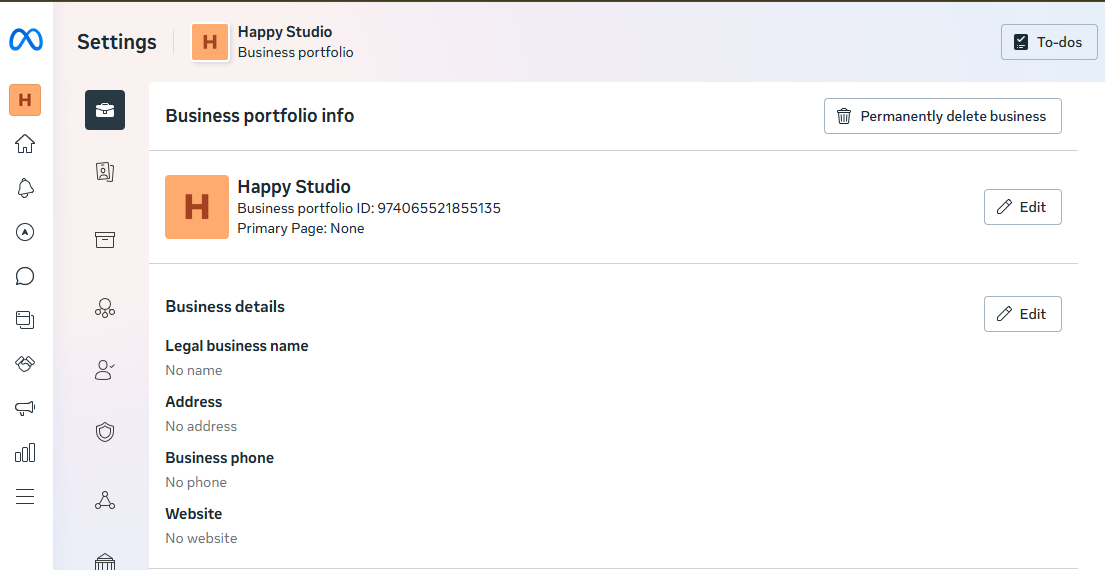
In your Meta Business Settings:
- Go to Business Info (bottom-left corner)
- Enter your legal business address, website, and phone number
- Save changes
Step 5: Verify Your Business
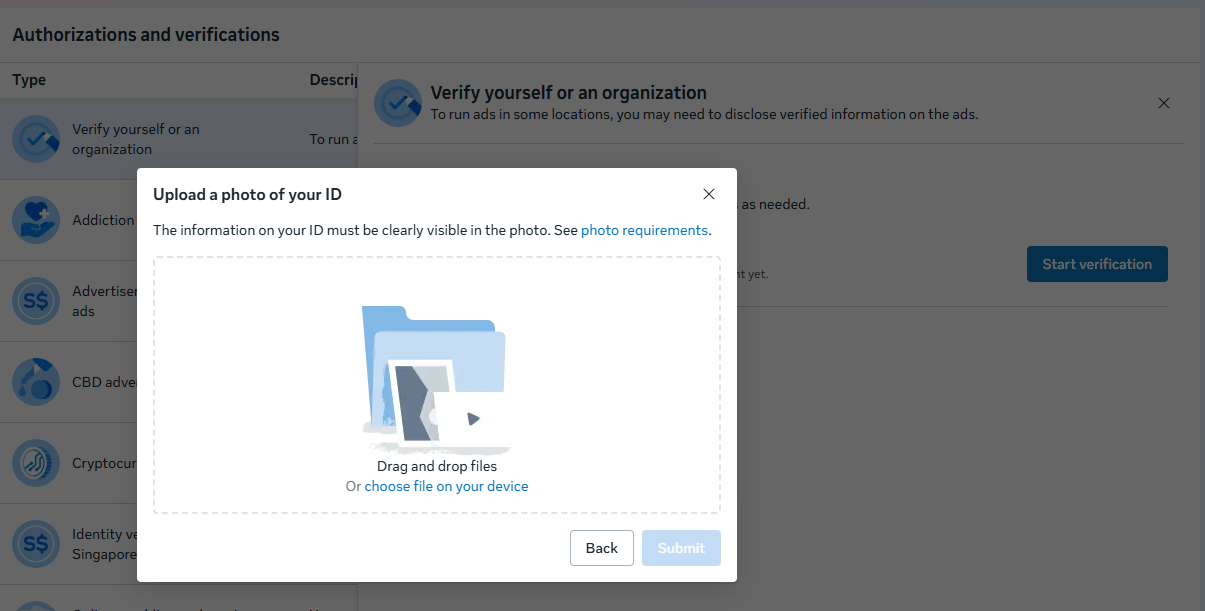
Verification may be required for WhatsApp API approval. To do this:
- In Business Settings, go to Security Center
- Click Start Verification
- Upload the required business documents (like a registration certificate or utility bill)
Meta's verification can take from a few hours to a few days.
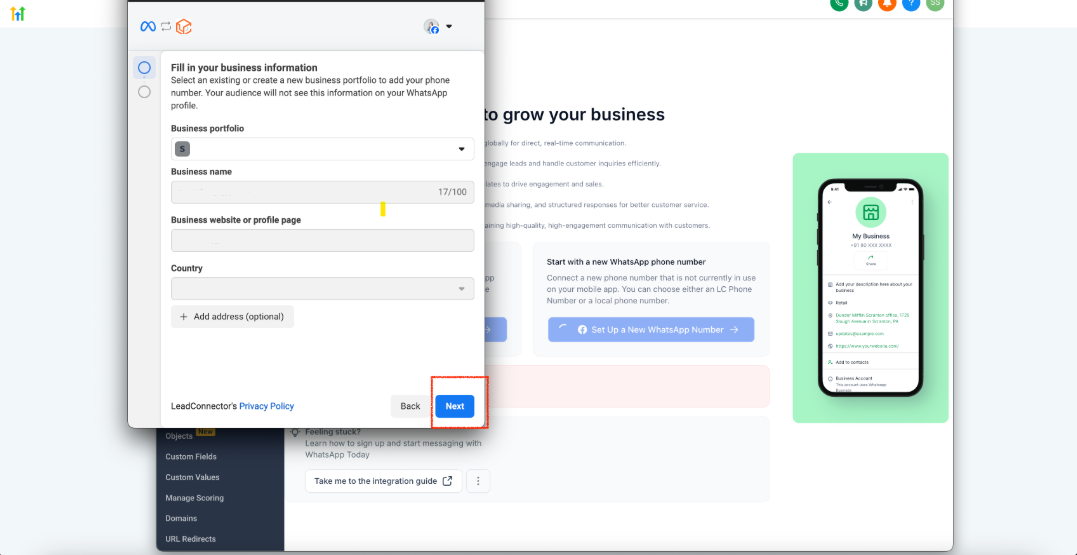
Step 6: Connect Your WhatsApp Account During Enrollio Setup
When you start the WhatsApp setup in Enrollio:
- You'll be prompted to log in with Meta
- Choose your verified Meta Business Account
- Select or create a WhatsApp Business Account (WABA) inside it
- Add your number and complete the verification (SMS or call code)
Once verified, your WhatsApp number will be live inside Enrollio and ready to communicate with parents and prospective families!
Need Help?
If you run into issues during Meta Business Account setup or WhatsApp verification, reach out to our support team. We're here to help you get connected with families faster.