
What This Error Means
Your WhatsApp message template was approved without a URL in the body variables, but when you tried to send it, you included a URL inside a body parameter like {{1}}.
Meta doesn't allow full URLs inside body placeholders for anti-phishing and quality reasons. Links must be either hardcoded in the template itself or added as buttons with optional dynamic elements.
Why This Happens
- You're passing a link like
https://enrollio.com/tour/123into a variable {{1}} - The template body was approved expecting plain text in variables (parent names, tour dates, enrollment codes—not links)
- You used a URL shortener in a variable (many shorteners are blocked in parameters)
- You need a URL button instead of trying to put the link in the body text
How to Fix It
Choose one of these two solutions based on your needs:
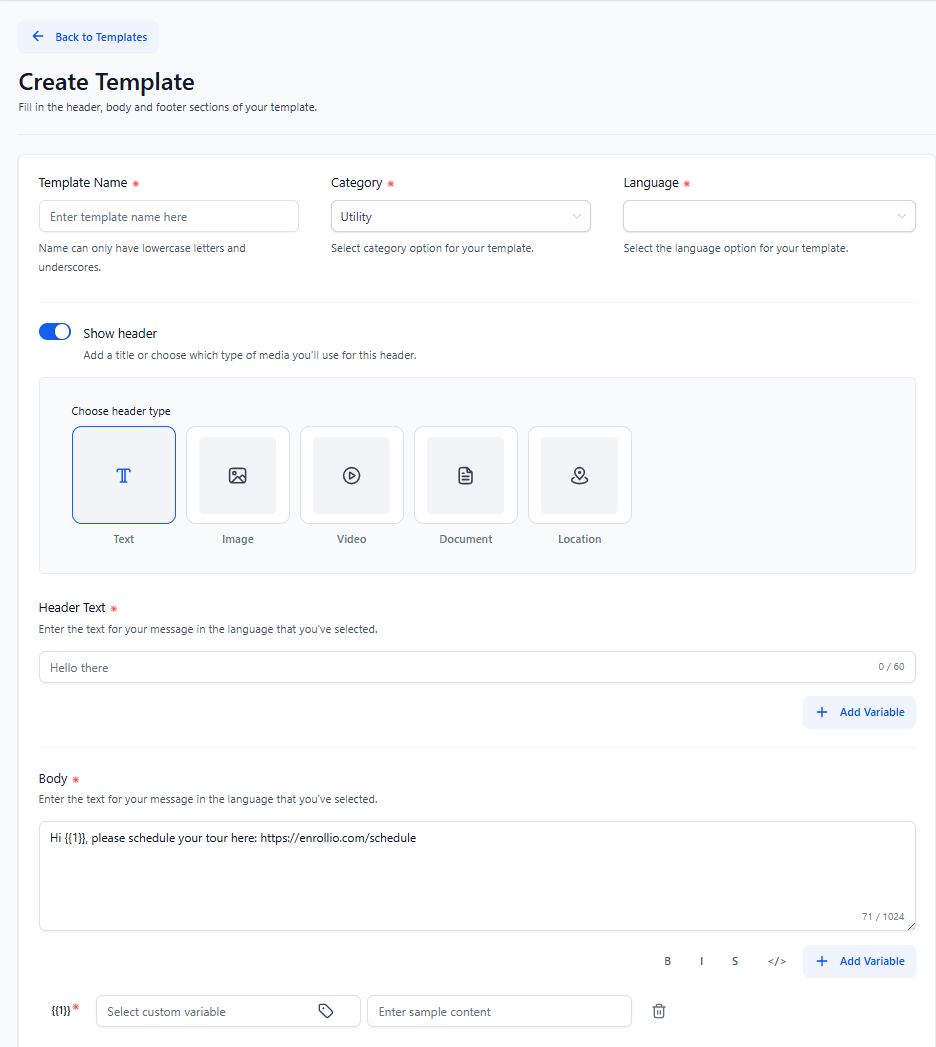
Option A: Make the Link Static in the Body
Use a template where the full URL is written directly in the approved body text with no variable.
Example body:
"Hi {{1}}, please schedule your tour here: https://enrollio.com/schedule"
When to use this: The link is the same for every family you message.
Option B: Use a Call-to-Action Button
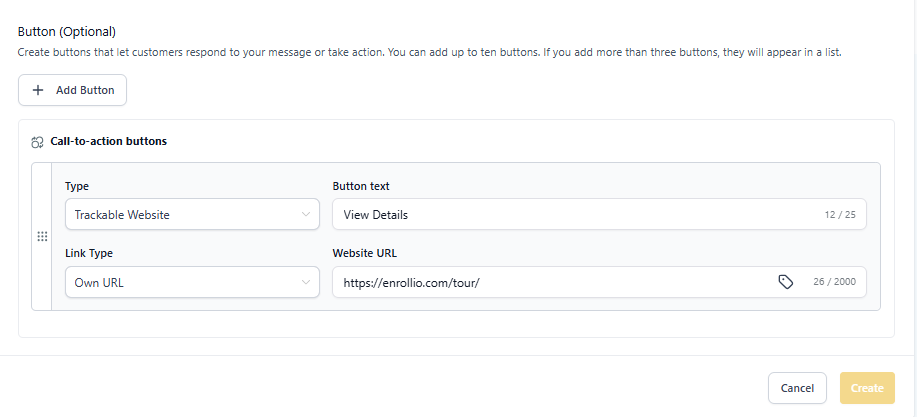
Create or modify your template to include a Call-to-Action (CTA) Website button.
Button setup:
- Button URL (base):
https://enrollio.com/tour/ - Button text: "Schedule Tour" or "View Details"
- Optional: Add a dynamic suffix variable to personalize the URL for each family
When to use this: You need to send personalized links to different families (tour confirmations, enrollment forms, payment links).
Common Scenarios for Childcare Centers
Tour confirmations: Use a CTA button with base URL https://yourdomain.com/tour/ and add the tour ID as a variable
Enrollment links: Use a CTA button with your enrollment page URL
Payment reminders: Use a CTA button pointing to your parent portal or payment page
General announcements: If no action needed, no link required—just keep it conversational