
How to Remove a WhatsApp Phone Number
If you need to disconnect a WhatsApp number from your Enrollio account, you can easily remove it from your settings. This is helpful when changing numbers or consolidating your communication channels.
Important: Removing a WhatsApp number disconnects it from Enrollio, so you won't be able to send or receive messages from families using that number anymore.
How to Remove Your WhatsApp Number
Step 1: Navigate to Your WhatsApp Settings
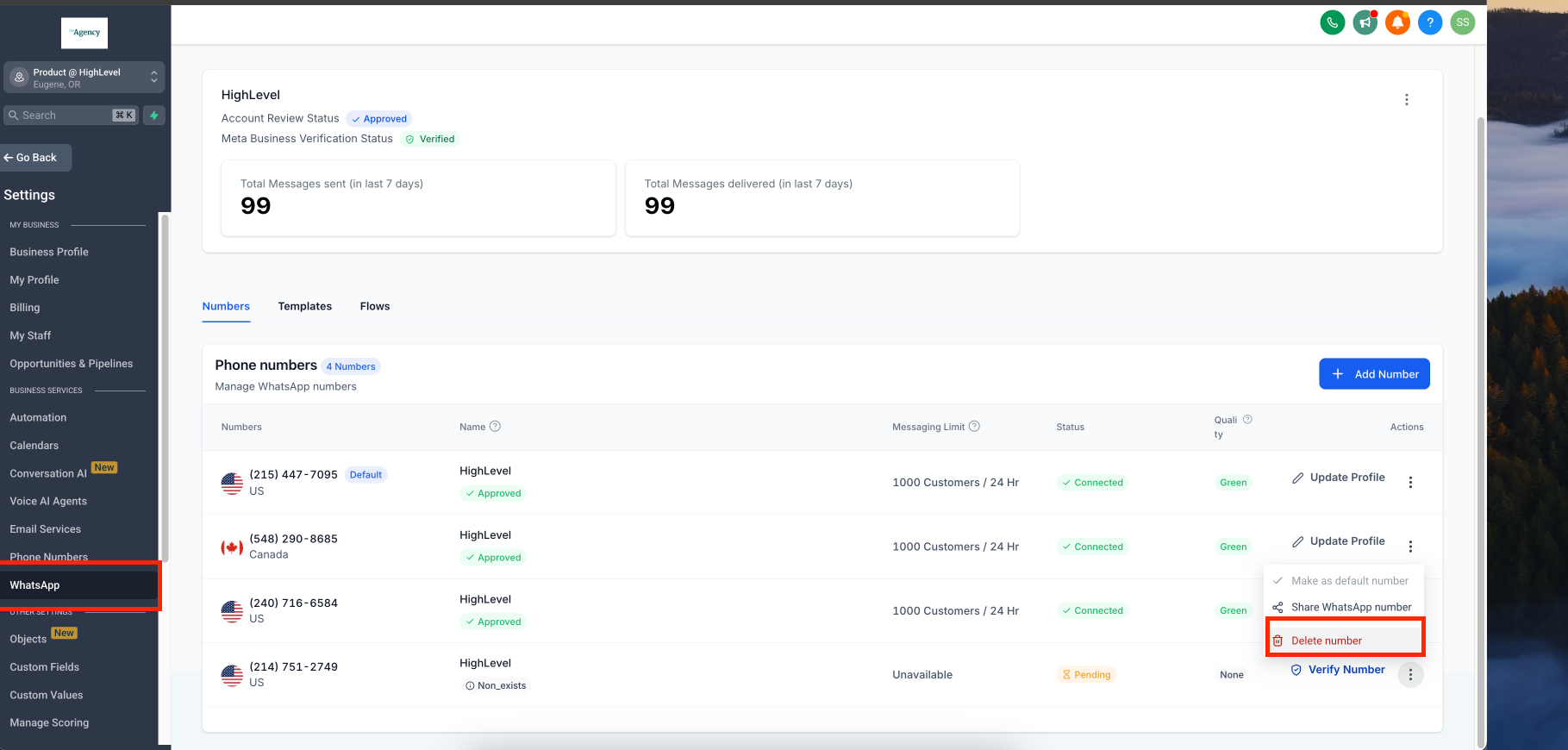
Click Settings in your Enrollio dashboard, then select WhatsApp. Find the phone number you want to remove and click the three dots next to it. Choose Delete.
Step 2: Confirm the Deletion
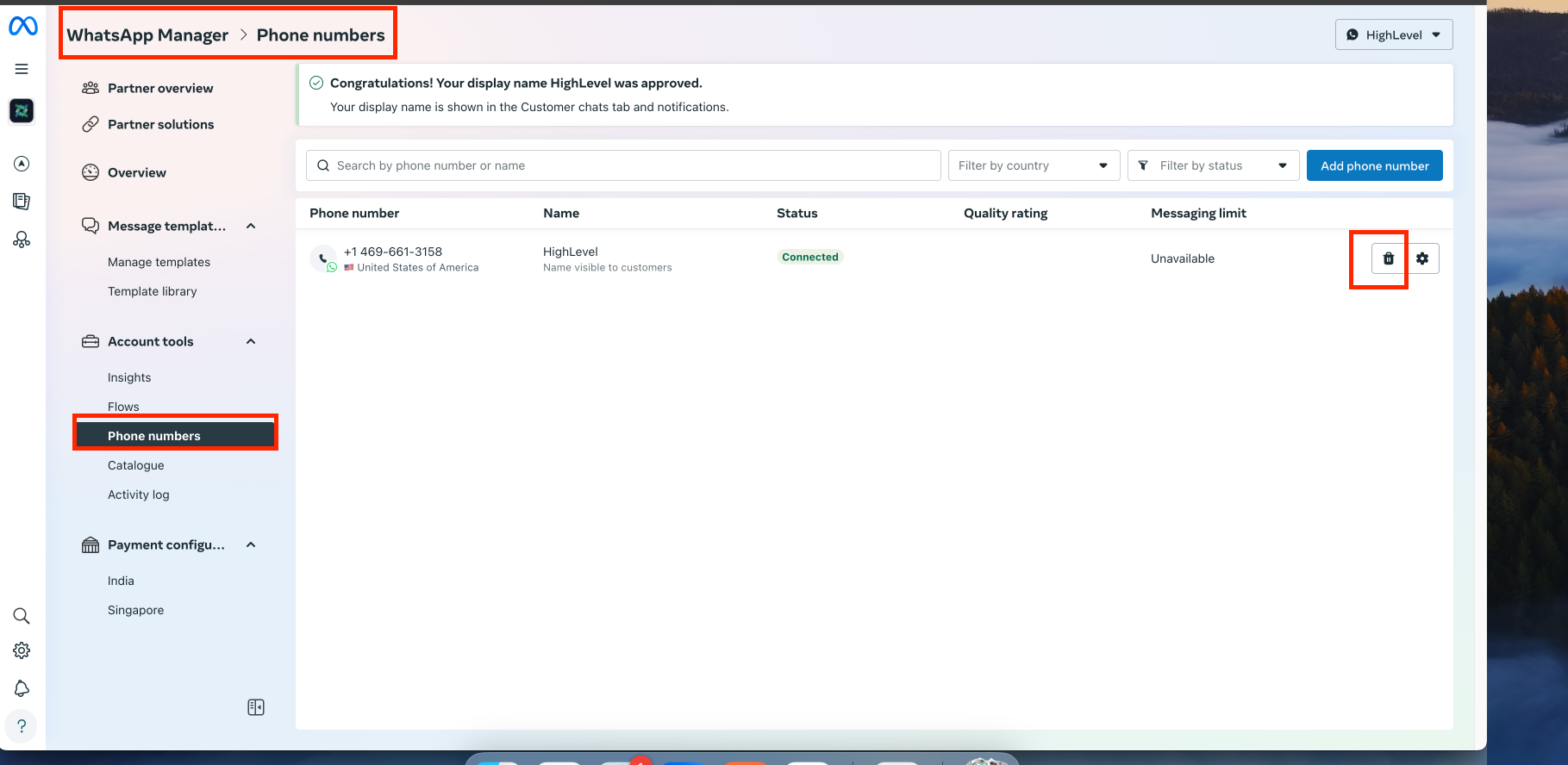
You'll see a confirmation page. Click Delete again to proceed.
Step 3: Enter Your Password
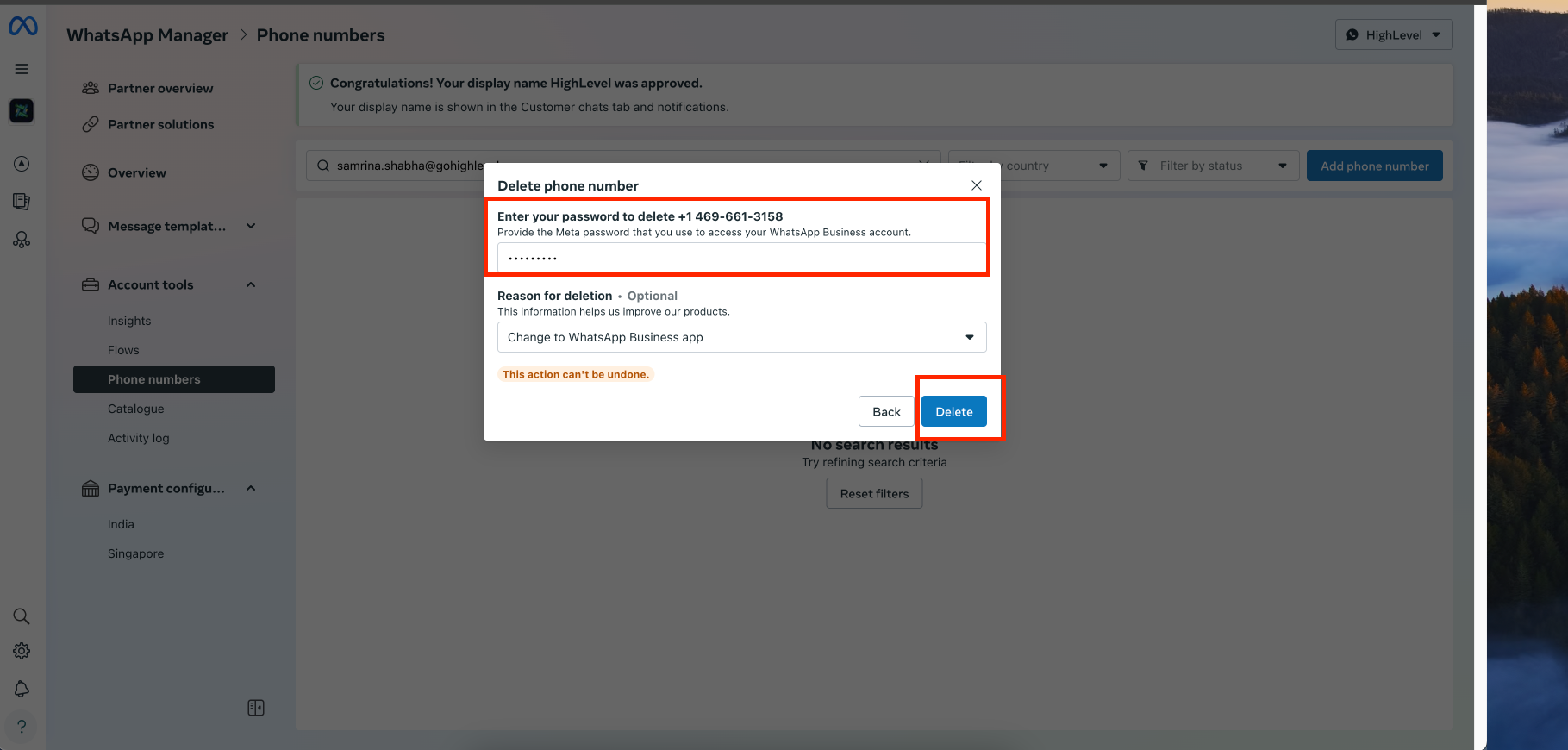
For security, you'll need to enter your Enrollio account password. Type it in and click Delete to finalize the removal.
That's it! The WhatsApp number is now disconnected from your account.
Frequently Asked Questions
What happens after I remove my WhatsApp number?
The number will no longer be connected to your Enrollio account. You won't be able to send or receive WhatsApp messages from families using that number.
Will removing my phone number delete my WhatsApp account?
No. Removing a phone number only disconnects it from Enrollio. Your WhatsApp Business account remains active if you have other registered numbers.
Can I reconnect a removed WhatsApp number?
Yes, but you'll need to register it again through the WhatsApp setup process in Enrollio. It will be treated as a new connection.
Should I back up my messages before removing the number?
If you plan to reconnect the same number later, it's a good idea to export or save any important conversations with families to avoid losing communication history.
Can I remove a WhatsApp number without entering my password?
No. For security, you must enter your account password to confirm the deletion.