
Send WhatsApp Voice Notes in the Mobile App
You can now record and send voice notes directly in WhatsApp conversations using the Enrollio mobile app. This makes it easier to communicate with families on the go—whether you're answering questions about your program, confirming tour times, or following up on enrollments.
What You Can Do
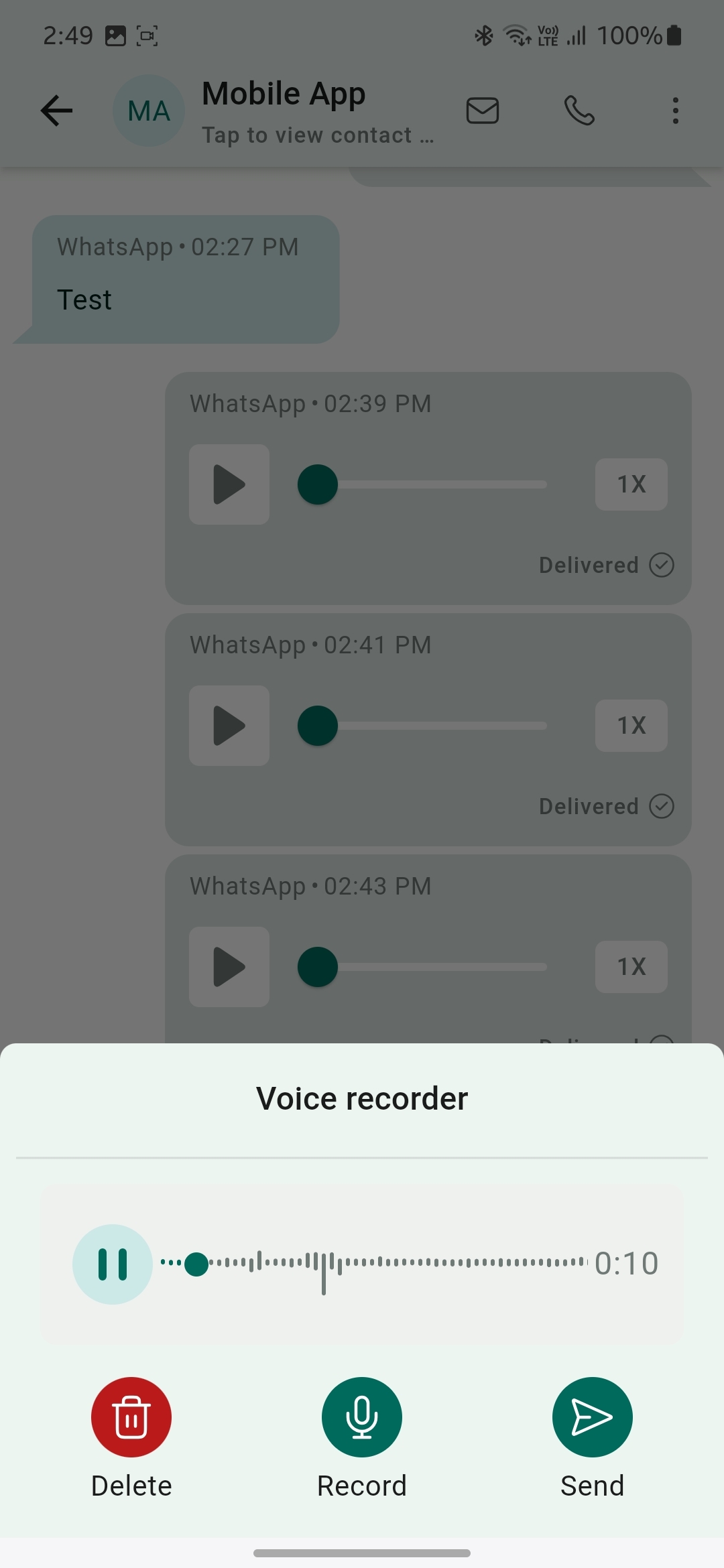
- Record voice notes — Tap the voice note icon to start recording
- Pause and resume — Take your time crafting the perfect message
- Delete and re-record — Start over if needed before sending
- Send instantly — Share your voice note with families in one tap
How to Send a Voice Note
- Open the Enrollio mobile app and select your childcare location if you manage multiple centers
- Navigate to Conversations and open an existing WhatsApp chat with a family
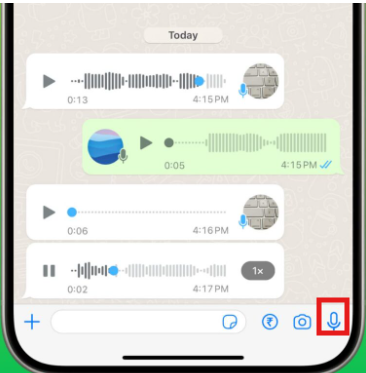
- Tap the voice note icon next to the text field
- Record your message—you can pause, resume, or delete and start over
- Tap the send icon when you're ready to send
Pro Tip: Voice notes are perfect for warm, personal follow-ups with prospective families. A quick voice message about your program can feel more welcoming than a text—especially when families are comparing childcare options.
Important Notes
Voice notes are only available for WhatsApp conversations. This feature requires the latest version of the Enrollio mobile app.