
What is Social Listening?
Social Listening is how you track online conversations, trends, and cultural signals to understand not just what people are saying, but why they're saying it. Instead of reacting to what already happened, you can anticipate what content will resonate next.
In Social Planner, Social Listening gives you real-time trend discovery from multiple sources. Spot rising topics and viral content before they peak, then use those insights to create posts that connect with families in your community.
Why Use It?
With Social Listening, you can:
- Spot trends early — from Google searches to TikTok breakout songs to trending YouTube videos
- Understand cultural moments — what parents and families are talking about, and the emotions behind it
- Align your content strategy with what your community actually cares about
- Create smarter social media campaigns powered by real-time signals
- Make data-driven content decisions instead of guessing
What You'll See
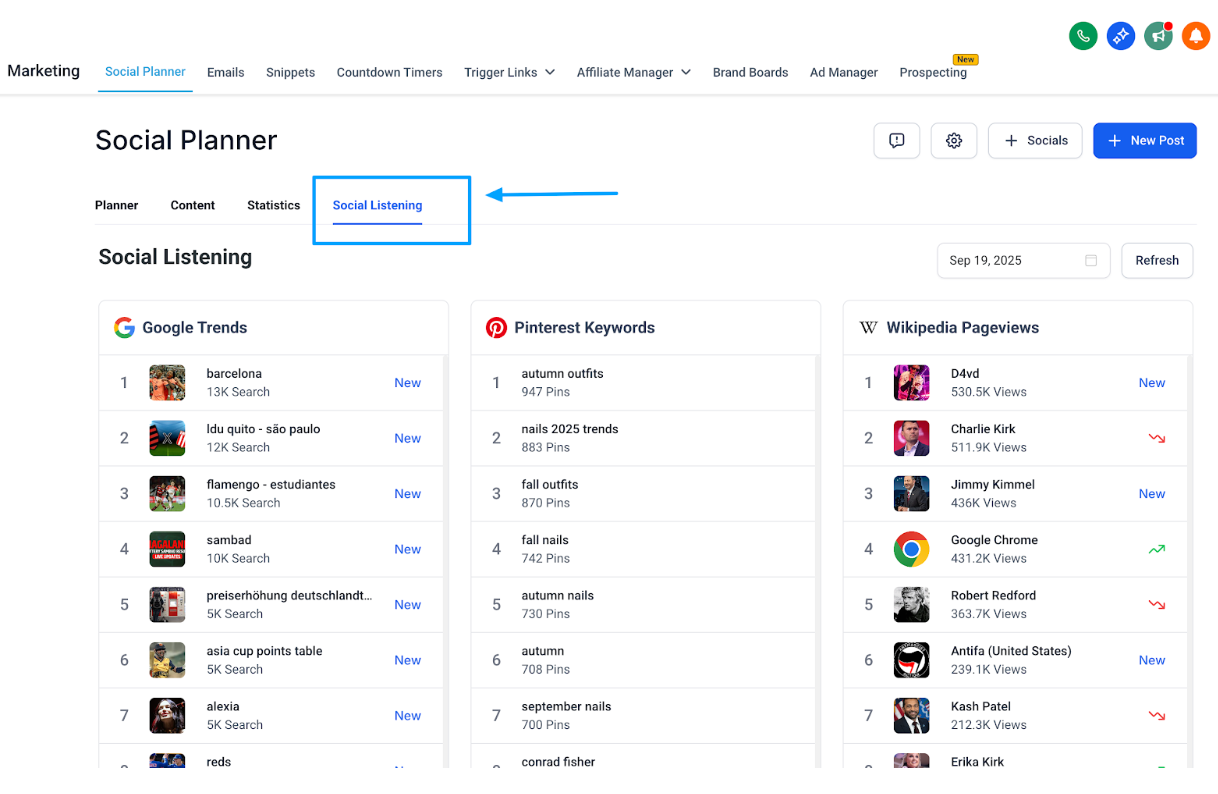
When you open the Listening tab in Social Planner, you'll find trend discovery powered by multiple data sources:
| Data Source | What It Tells You |
|---|---|
| Google Trends | What people are searching for, right now |
| Pinterest Keywords | Rising content ideas and search trends |
| Wikipedia Pageviews | Topics gaining global attention |
| TikTok Trends | Breakout songs, popular hashtags, viral sounds |
| YouTube Insights | Trending channels, keywords, and videos |
How to Use Social Listening
Use what you discover to inform your content calendar, campaign ideas, or real-time posts.
Step 1: Open Social Planner and click the Social Listening tab
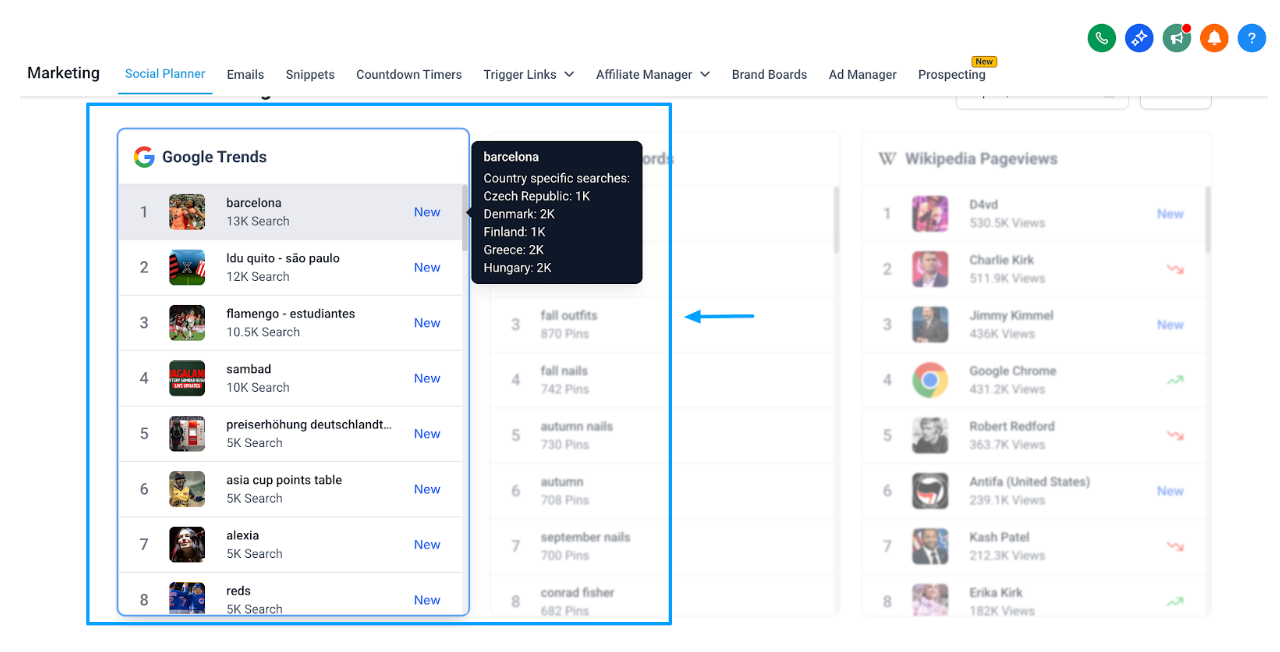
Step 2: Select the specific data source
Click on a data source like hashtag, keyword, song, or channel. It will be highlighted, and you can scroll through the complete list with detailed information.
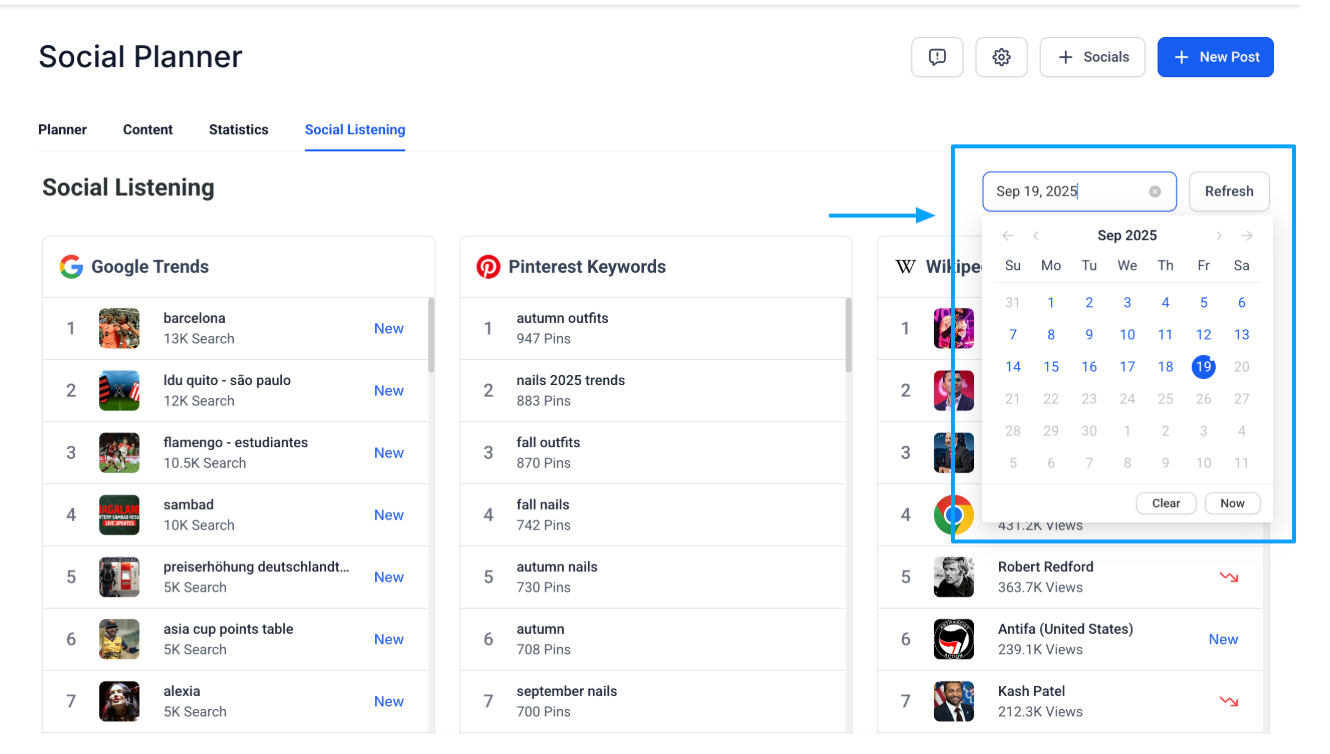
Step 3: Use date filters to narrow things down
Apply date filters to check trends for a particular time period. The real-time trend stats refresh automatically when you change filters.
Best Practices
Weekly/Daily check-ins: Trends move fast. Spend 10–15 minutes each week or day in Social Listening to stay current.
Match to your audience: Not every global trend fits your childcare center's brand. Focus on what resonates with the families you serve.
Act quickly: Use Social Listening and then immediately schedule posts in Planner while the trend is still fresh.
Pro Tip: Look for the "New" tag next to any keyword — it highlights fresh content that's starting to spike in popularity.
When to Use Which Source?
| Scenario | Best Source |
|---|---|
| "What are people searching for right now?" | Google Trends |
| "What content are people planning/saving?" | Pinterest Keywords |
| "Which topics are gaining attention broadly?" | Wikipedia Pageviews |
| "What's going viral on TikTok?" | TikTok Trends |
| "Which creators/keywords/videos are trending?" | YouTube Insights |
Note: We're adding new capabilities to Social Listening such as sentiment and topic analysis, word cloud, competitive analysis, smart alerts, custom dashboards, and more. Stay tuned for these updates soon!
Frequently Asked Questions
Q: The trend looks too broad. What should I do?
Use the date filter to narrow results to a specific timeframe, so you only see what's trending within your chosen period.
Q: Can I download these insights?
Not at the moment. Social Listening is currently view-only inside the dashboard.
Q: Do I need to connect my social accounts to use Social Listening?
No — Social Listening pulls public trend data from sources like Google, Pinterest, Wikipedia, TikTok, and YouTube.
Q: Can Social Listening help me reach prospective families?
Yes. While it's not designed as a direct lead-generation feature, it helps you uncover conversations, trending topics, and keywords that parents and prospective families are engaging with. This gives you opportunities to join the right discussions and create content that attracts families looking for childcare.