
Facebook Stories are short videos (up to 20 seconds) or photos (up to 5 seconds) that disappear after 24 hours — perfect for sharing quick updates, behind-the-scenes moments, or event reminders with families.
With Enrollio's Social Planner, you can schedule Facebook Stories alongside your regular posts and reels, all from one place.
How to Create a Facebook Story
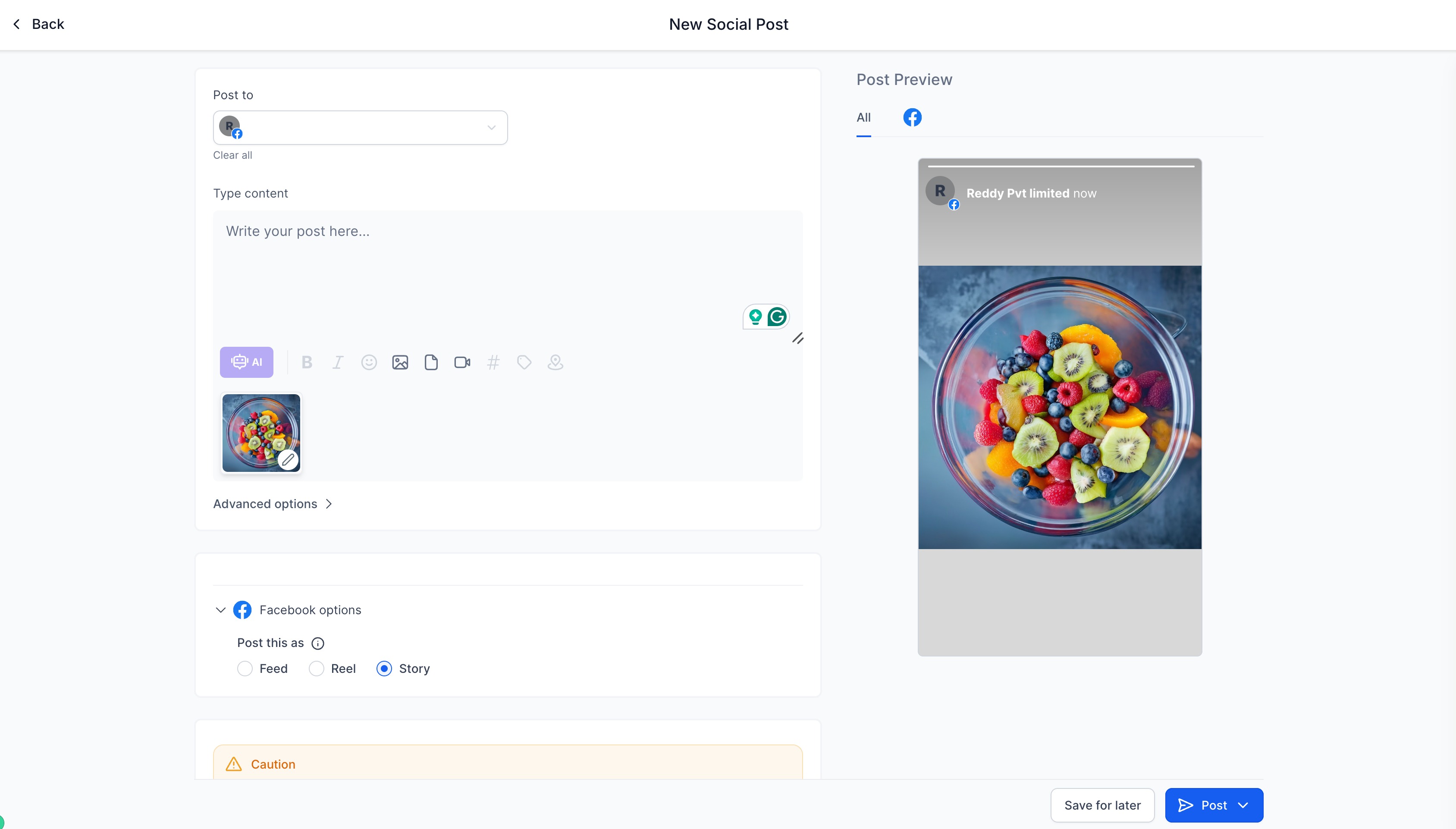
- Navigate to Marketing → Social Planner
- Connect your Facebook page (if you haven't already)
- Click New Post to open the post composer
- Add your content — upload an image or video
- Select your Facebook page from the dropdown
- Choose "Story" as the post type
- Schedule or post immediately
Facebook Story Requirements
To ensure your story posts correctly, follow these guidelines:
Images:
- Formats: JPEG, PNG, or GIF
- Maximum file size: 4MB
- Display time: 5 seconds
Videos:
- All video formats supported
- Maximum file size: 1GB
- Length: 3 seconds minimum, 90 seconds maximum
- Minimum dimensions: 540 × 960 pixels (vertical format works best)
Note: Facebook Stories don't support custom thumbnails or Open Graph meta tags. You can only post one image or video per story.
💡 Pro Tip
Stories are great for time-sensitive content like enrollment deadline reminders, staff spotlights, or celebrating milestones. Since they disappear after 24 hours, they create urgency without cluttering your main feed.
What's Next?
Once you've mastered Facebook Stories, explore other Social Planner features like scheduling posts across multiple platforms or adding location tags to help local families find your center.