
Post Videos to TikTok
Publish and schedule TikTok videos directly from Enrollio's Social Planner — no push notifications needed. Create, customize, and schedule your childcare center's content at your convenience for maximum engagement with prospective families.
What is TikTok Posting in Social Planner?
TikTok posting in Social Planner lets you upload a video, add a caption, choose visibility, and publish or schedule to your connected TikTok profile — all from one place. Centralizing TikTok alongside your other social media simplifies planning, approvals, and reporting so you can work more efficiently.
This is perfect for showcasing your childcare center's daily activities, parent testimonials, staff introductions, and tours.
Key Benefits of TikTok Posting
- Efficiency: Say goodbye to manual push notifications and save time in content distribution.
- Consistent Scheduling: Plan ahead and ensure a well-timed presence on TikTok without daily manual work.
- Enhanced Planning: Strategize your content effectively, considering optimal posting times and frequency for better engagement with families.
- Better Analytics: Track post performance and optimize your content strategy over time.
- Multi-Platform Integration: Streamline content distribution across multiple social media accounts effortlessly.
How to Post on TikTok from Social Planner
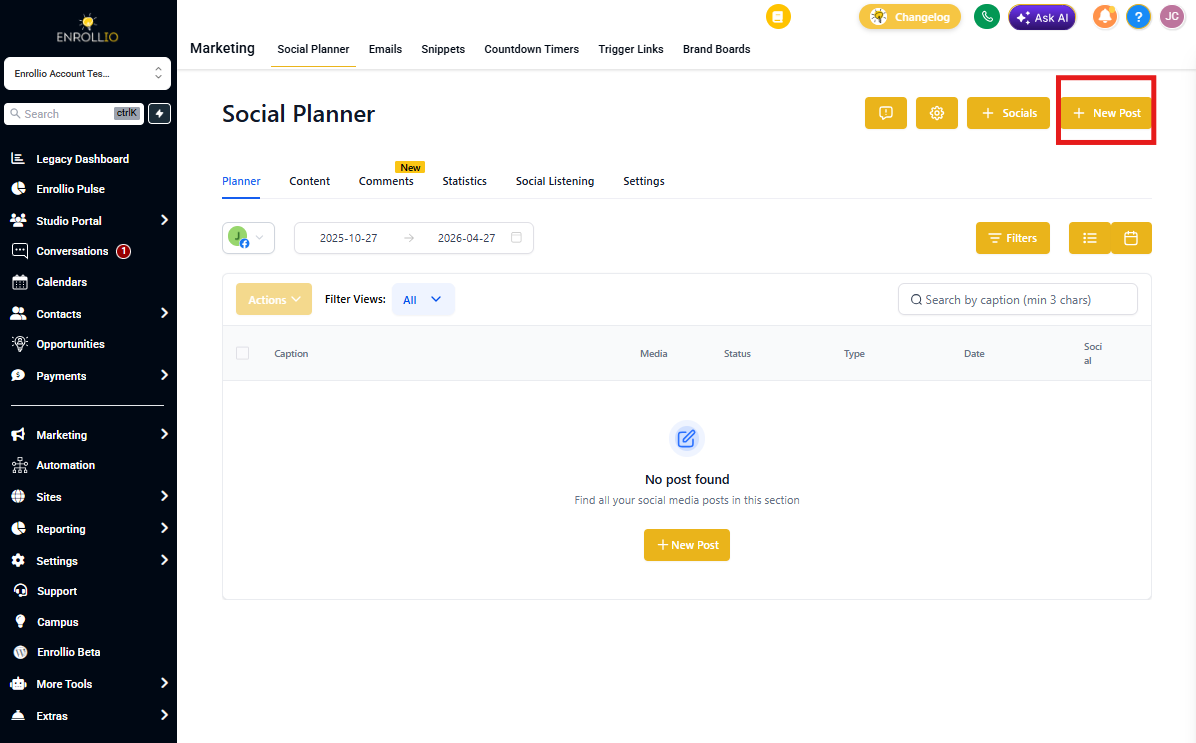
- Go to Marketing > Social Planner.
- Click + New Post.
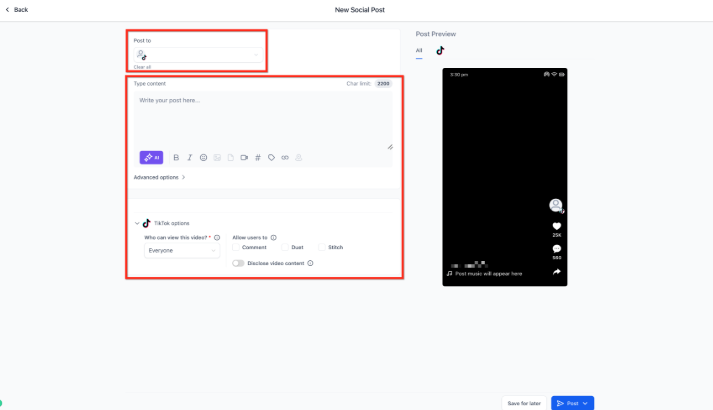
- From the Post To dropdown, select your TikTok account.
- Add your video content and configure the settings.
- Click Post.
From here you can choose to:
- Post Now
- Schedule Post
- Send Post for Approval
- Schedule Recurring Posts
- Add to Queue
Frequently Asked Questions
Can I edit a scheduled TikTok post?
You can reschedule the time and update certain fields. If the video or requirements change significantly, create a new post to avoid processing errors.
Can I manage TikTok comments inside Social Planner?
Not at this time in Social Planner. Handle comments directly on TikTok or set up TikTok comment automations in Enrollio to automatically respond to parent inquiries.
Why did my scheduled post fail?
The most common causes are a disconnected TikTok profile, expired permissions, or video specs not being met. Reconnect your account or re-export the file and reschedule.
Related Articles
- Connect TikTok in Social Planner
- Social Planner Content Guidelines - Image, Video, and Text
- How to Customize Posts for Each Social Platform
- TikTok DMs & Comment Automations