
Best Time to Post Feature in Social Planner
The Best Time to Post feature in Enrollio's Social Planner uses your audience's engagement data to optimize your posting schedule. Post when families are most active and ensure your childcare center's content gets maximum visibility.
What is the Best Time to Post Feature?
This data-driven feature analyzes when your audience engages most with your social media content. It then suggests optimal posting times so you can reach more families when they're actually scrolling.
Instead of guessing when to share updates about your program, enrollment openings, or events, let the platform tell you when parents are paying attention.
Key Benefits
Optimized Posting: Recommendations based on real engagement patterns boost your content's visibility to prospective and current families.
Simple to Use: Built right into your post creation process—just select "Schedule" and choose a recommended time.
Multi-Platform Support: Works across all your connected social accounts in Social Planner.
Better Engagement: Posting during peak times increases the chances parents will see announcements about tours, enrollment windows, or center updates.
How to Use Best Time to Post
Step 1: Create a New Post
- Navigate to Marketing from your client account
- Click on the Social Planner tab
- Click + New Post
- Select + Create New Post or Upload From CSV
- Choose the social platforms where you want to post under Post to
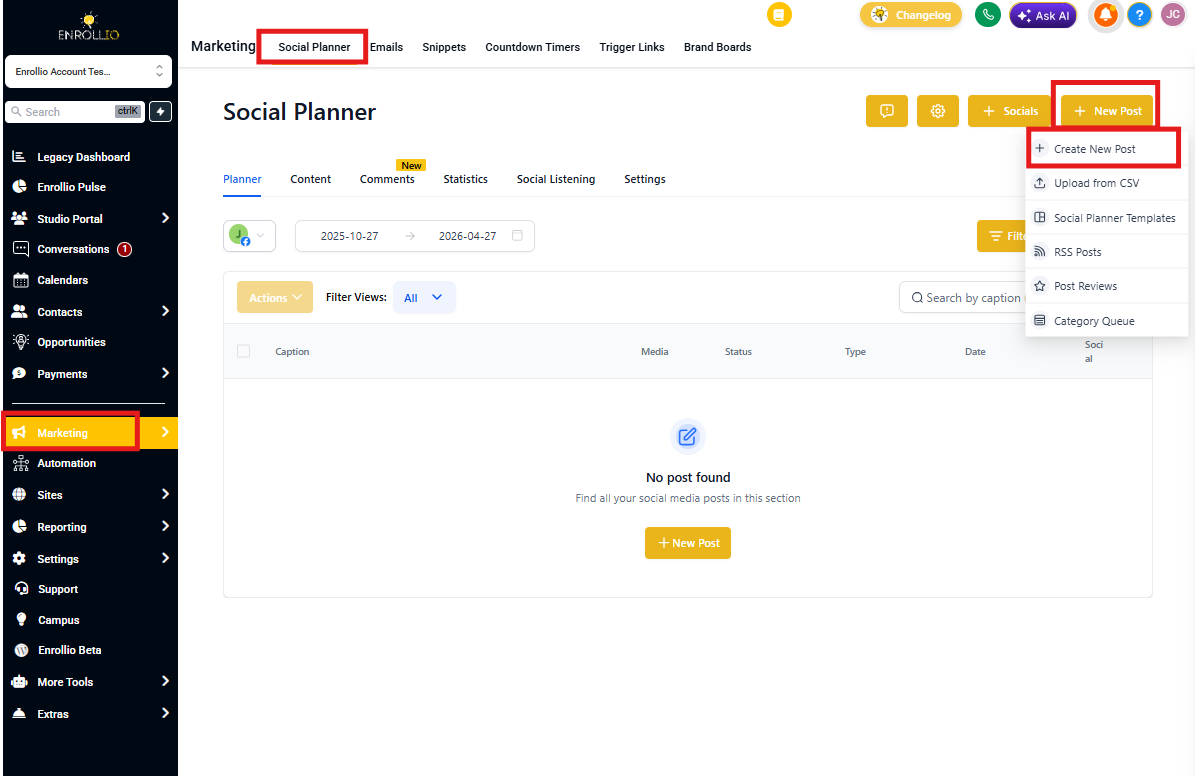
Step 2: Add Your Post Content
Create your post with:
- Text (enrollment announcements, program updates, event details)
- Images or videos (classroom photos, staff introductions, virtual tours)
- Hashtags and mentions
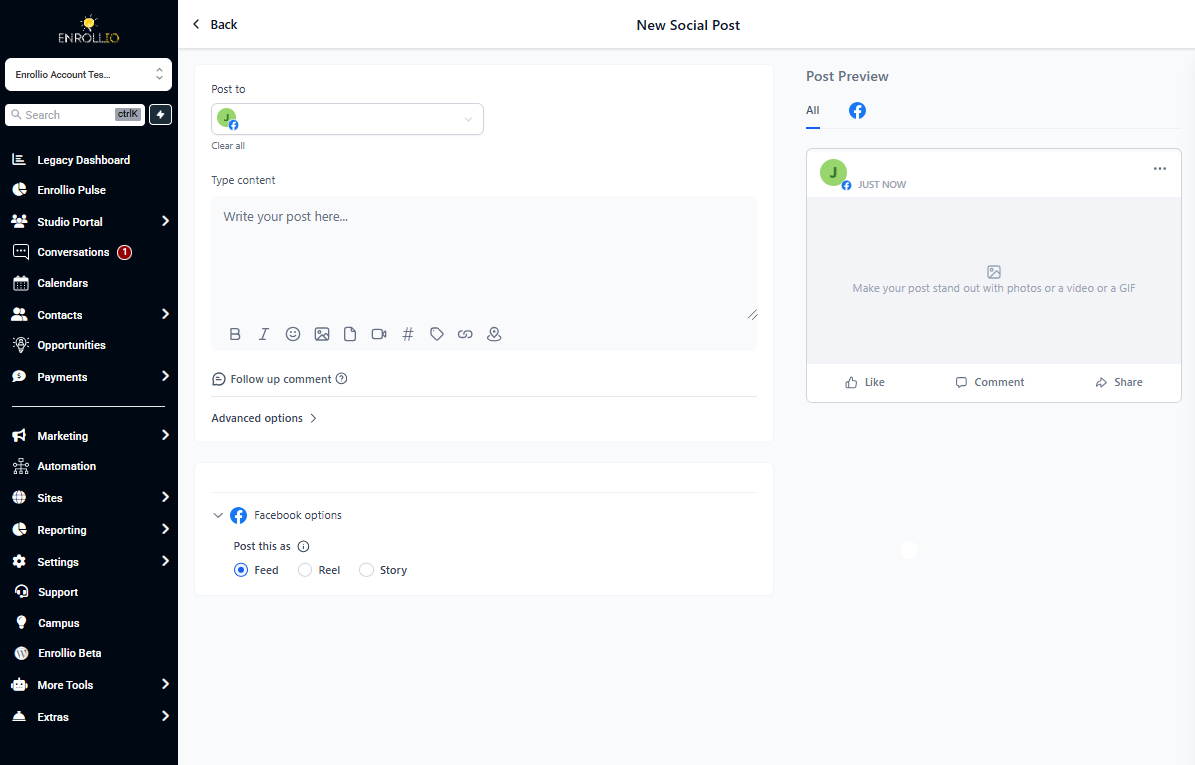
Step 3: Use Best Time to Post Scheduling
- Click the down arrow beside the post button
- Select Schedule Post from the dropdown
- Review the suggested Best Time to Post options based on your audience's engagement patterns
- Select a recommended time frame
- Click Schedule Post
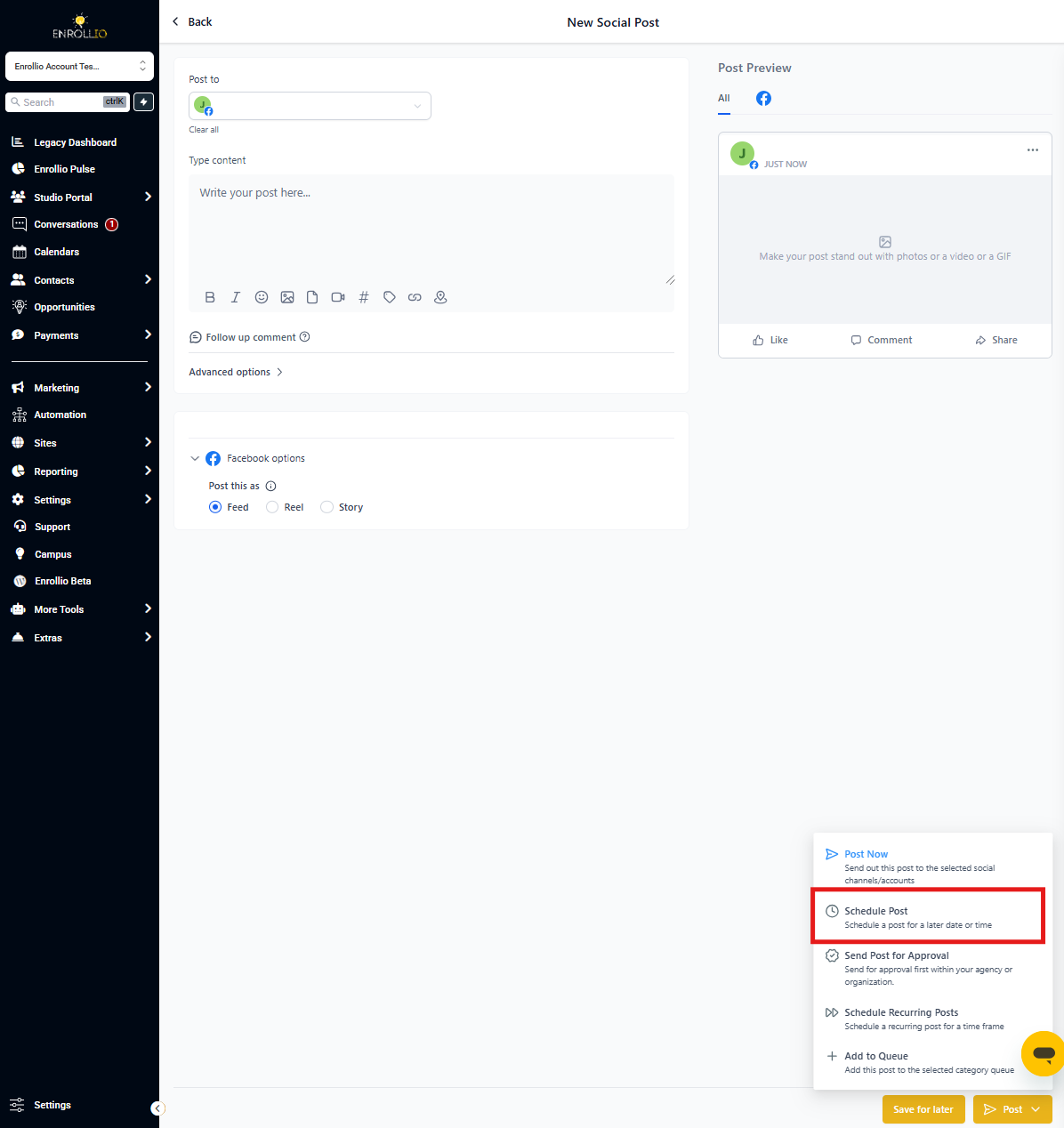
Feature Availability
The Best Time to Post feature is available in:
- Post Composer (for individual posts)
- CSV Bulk Action (for scheduling multiple posts at once)
Note: This feature is currently desktop-only and not available in the mobile app.
Frequently Asked Questions
What exactly does the Best Time to Post feature do?
It analyzes your audience's engagement data to recommend optimal posting times on your selected social platforms.
Is this feature available in the mobile app?
No, it's currently only available on desktop within the post composer and CSV bulk action interfaces.
Can I manually change the suggested posting time?
Yes. After reviewing the recommendations, you can adjust the time to fit your schedule or strategy.
Which social platforms does this feature support?
It works with all social media accounts connected to Social Planner in Enrollio.
Will there be updates to include other post formats?
Yes. Upcoming releases will expand support to include Recurring Posts, Review, RSS feeds, and Category Queue formats.