
Your childcare center's blog can feature multiple authors — whether that's your director, teachers, or marketing team. Before you can assign someone as the author of a blog post, you need to add them to your blog settings first.
Important: Once a blog post is published, you cannot change the author, category, keywords, or URL slug. Make sure to set these up correctly before hitting publish.
How to Add Blog Authors
-
Navigate to your blog settings
Click Sites > Blogs > Settings (gear icon)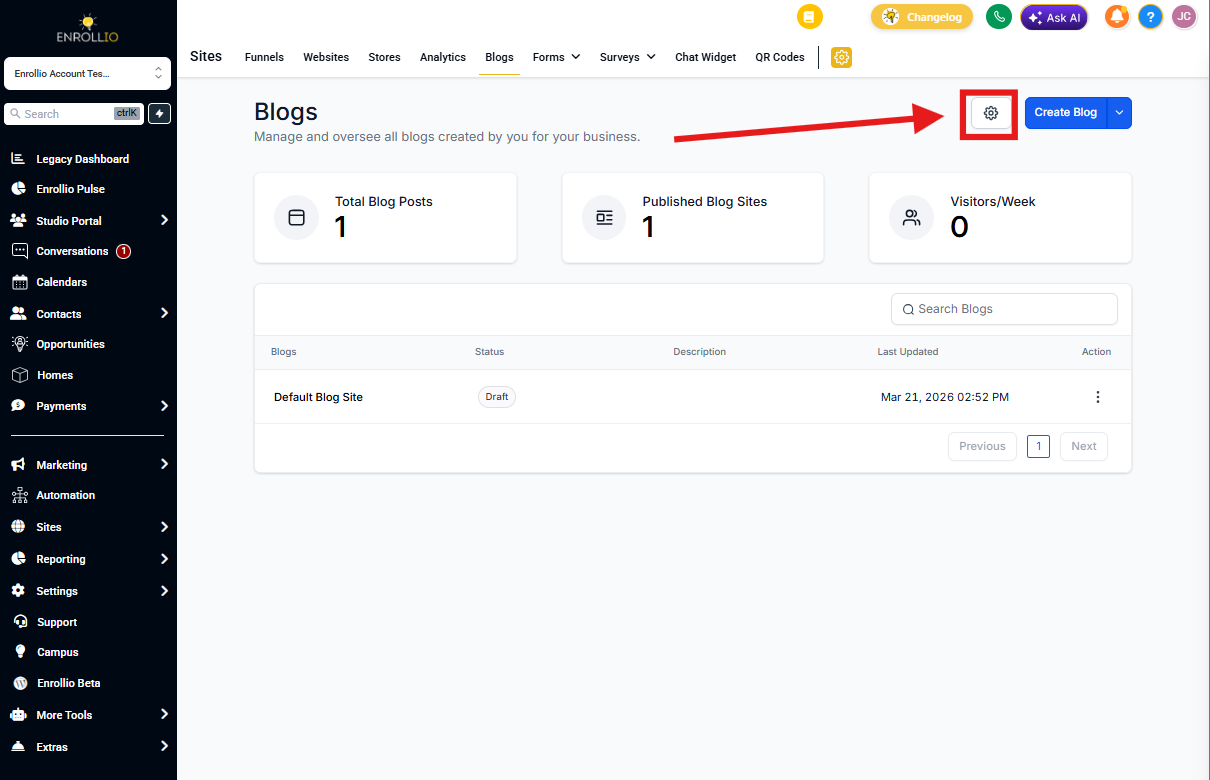
-
Open the Authors section
Click the Author tab on the left sidebar, then click + Add new author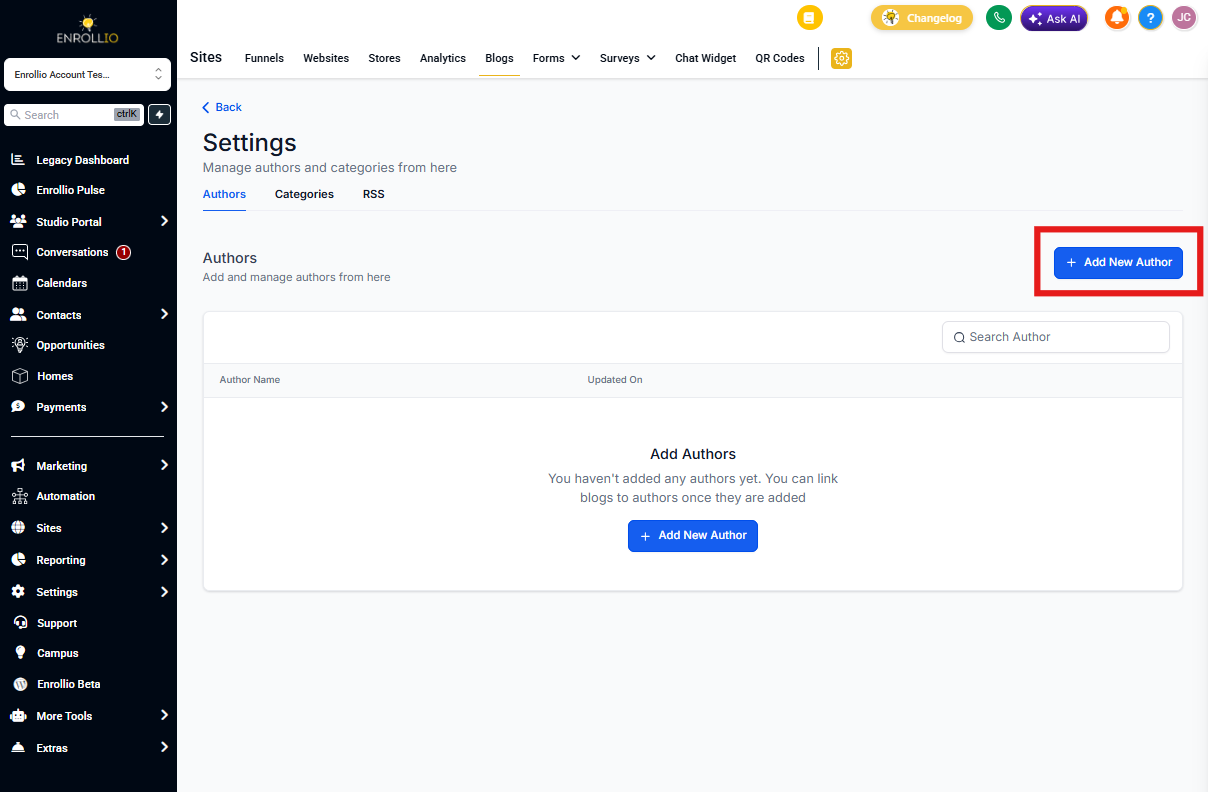
-
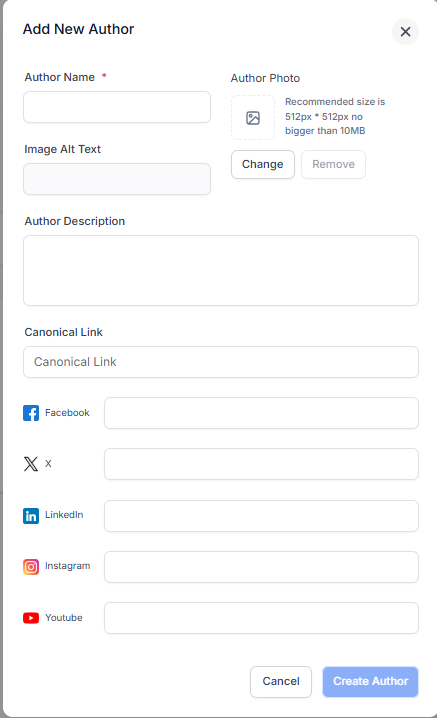
Fill in author details
Add the following information:- Author name
- Photo (10MB max)
- Image alt text (for accessibility)
- Social media links (optional)
- Author bio/description
-
Save your author
Click + Create Author when you're ready
Once added, this author will appear in the author dropdown when you create or edit blog posts.
Pro tip: Add all your team members who might write blog content upfront — directors, lead teachers, or curriculum specialists. This makes it easy to showcase your team's expertise and build trust with prospective families.