
Facebook Pages Not Showing Up During Integration
If your Facebook Business Page isn't appearing when you connect Facebook to your Enrollio account, you're not alone. This is a common issue with a straightforward fix.
How to Fix Missing Facebook Pages
Follow these steps to ensure your Facebook pages appear in Enrollio:
Step 1: Access Your Facebook Settings
- Log into your Facebook account
- Click your profile picture in the top right corner
- Select Settings and Privacy
- Click Settings
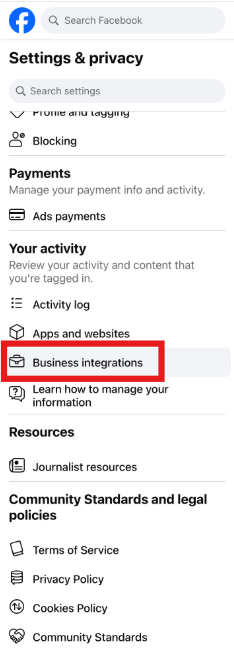
Step 2: Manage Business Integrations
- In the left sidebar, click Business Integrations
- Find the Enrollio app in the list
- Click View and Edit next to it
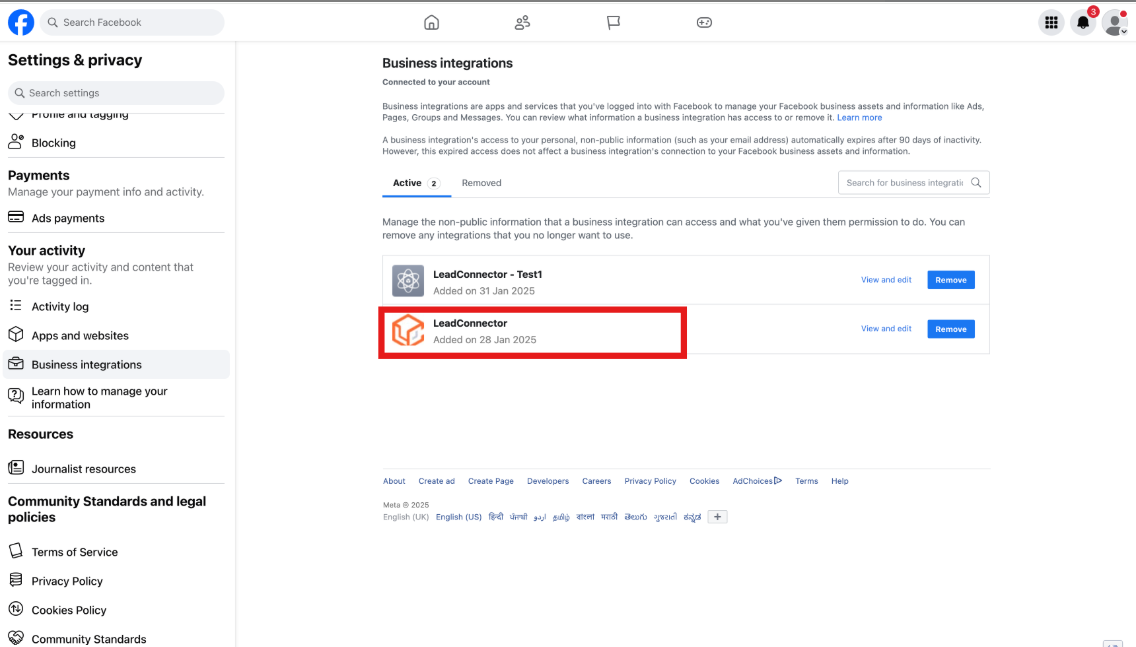
Step 3: Enable All Permissions
Scroll through the permissions list and turn on all toggles. Make sure you scroll all the way down — permissions at the bottom are easy to miss but essential for the integration to work properly.
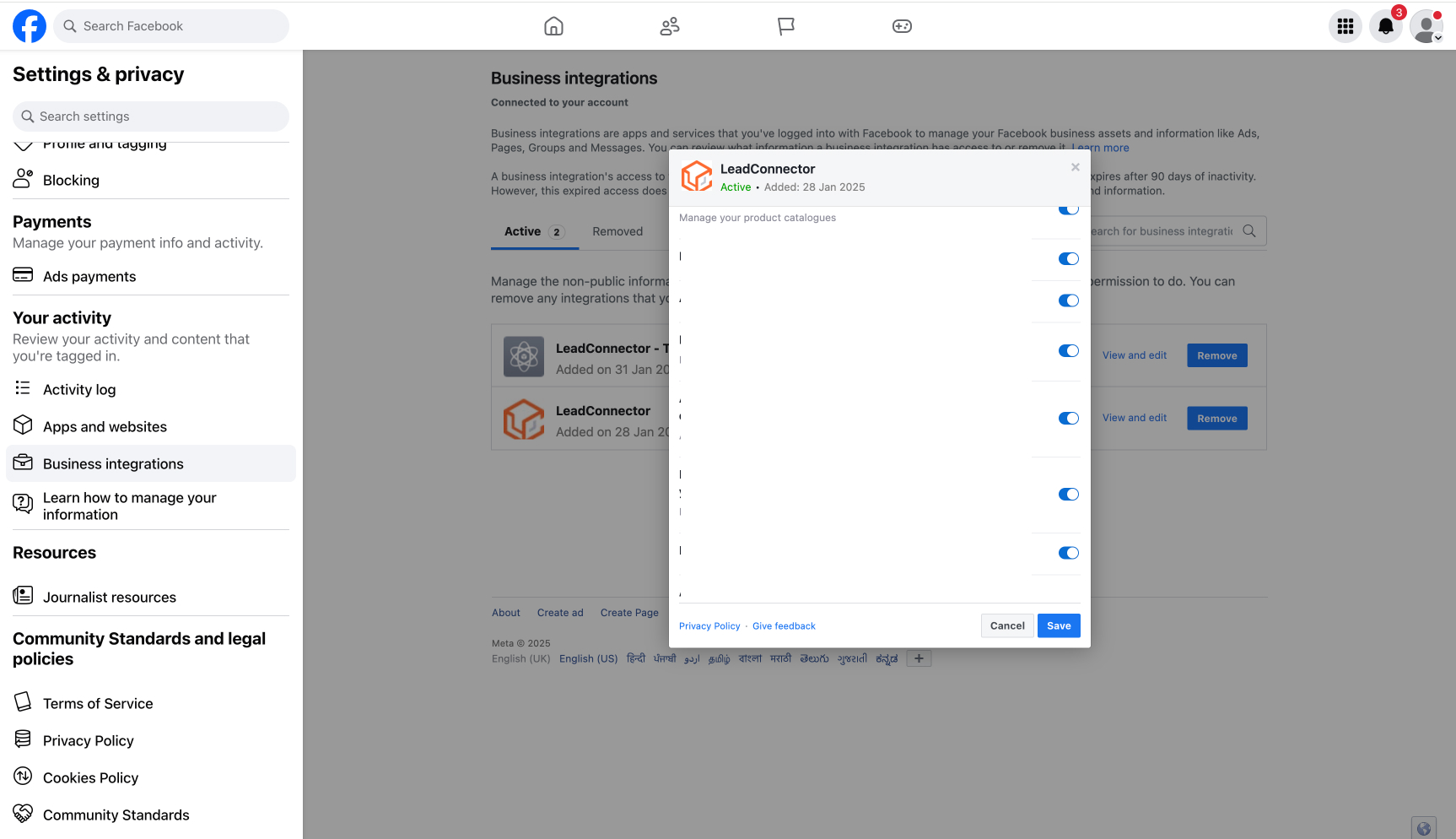
Step 4: Select Your Pages
When the page list appears, check the boxes next to all Facebook pages you want to connect to Enrollio.
Important: If you see pages already checked, do not uncheck them. Unchecking a page will disconnect it from Enrollio, even if you're not working with that account right now.
- Click Save when you're done
Who Can See Which Pages?
Only the person who originally connected Facebook to Enrollio can see that page in the dropdown menu. Here's what you need to know:
- You must be an admin of a Facebook page to see it in Enrollio
- You'll only see pages you admin — not pages managed by other team members
- Each childcare center should have its Facebook page connected by someone with admin access to that page
Pro Tip: If you manage multiple locations, make sure the person connecting Facebook has admin access to all the pages you need. This will save you from having to reconnect pages later.
Still Having Issues?
If your pages still aren't showing up after following these steps:
- Verify you're an admin on the Facebook page (not just an editor or moderator)
- Try disconnecting and reconnecting Facebook to Enrollio
- Make sure you're logged into the correct Facebook account
- Contact Enrollio support — we're here to help